Read the statement by Michael Teeuw here.
MMM-OpenWeatherForecast - Replacement for MMM-DarkSkyForecast
-
-
@karsten13 Ahh, so rather than doing the API into the weather app, Apple’s decided to rewrite it completely. Good to know.
-
@plainbroke said in MMM-OpenWeatherForecast - Replacement for MMM-DarkSkyForecast:
When will Darksky fail to work anymore.
I have it running now and it works fine.
What am I missing?I just received an email last week from Apple saying that Dark Sky API will stop working on March 31 2023.
So you have a while yet before it goes belly up. And who knows… Apple might extend this out past the deadline.
-
Thank you all for information. I was upset. I really like the way my Darksky weather module looks on my screen. I guess in march next year I will think about having to change over to something else. Maybe by then someone will make it so the Darksky module works with another weather api…
-
@plainbroke problem is that darksky provided a lot of cool extra data that nobody else provides.
so all the others will lack something…
-
Hello there,
We wanted to let you know about a change coming to Dark Sky. Beginning on March 31st, 2023 the Dark Sky API will no longer be available. To prepare, we encourage you to learn more about WeatherKit, a new Apple API available on iOS, iPadOS, macOS, tvOS, and web that provides access to the new Apple Weather forecast data.
You can learn more here.
As always, we appreciate your support, and will continue to update you with any future changes.Thanks, The Dark Sky Team
-
@lxne
So, is that going to be the API for Dark Sky to run on in 2023? -
@plainbroke
no, it will be a different APIhttps://developer.apple.com/documentation/weatherkitrestapi
darksky API is dead
-
Great job, I like it very much, thanks for that.
I’ve had it running for about 8 weeks and I’ve noticed that my temperature readings are correct, but my weather is always showing as cloudy or rainy in advance, even though the sun has been shining 90% of the time for weeks and almost never rains
I checked the latitude and longitude several times and read them out and accepted them either via https://www.latlong.net/ or via google.
What can be the reason for the fact that I keep getting only clouds and rain, even though the sun is shining most of the time?
Place of residence is: Germany Hohenschambach
Width 49.039349
Longitude 11.847070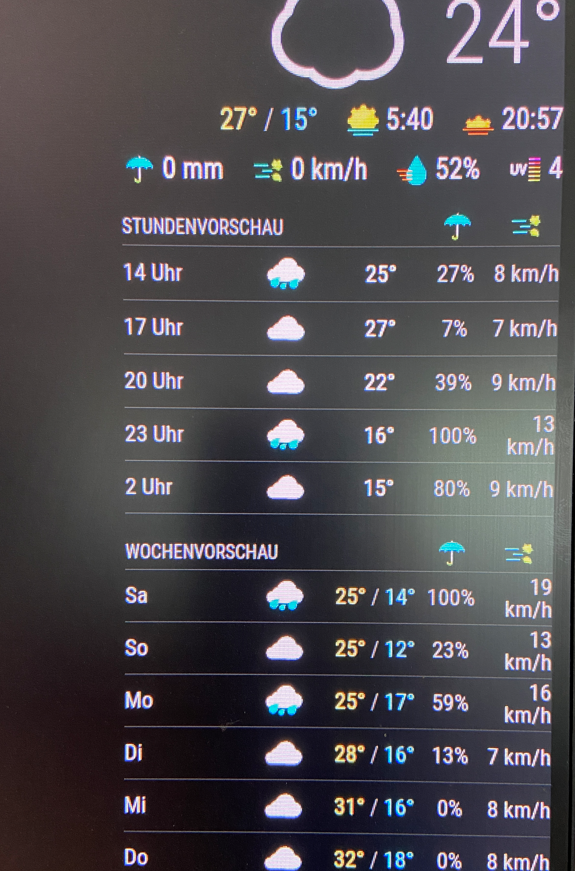
I hope you can help me here 😊
My English skills are not very good, I translated it with google, I hope you understand what I want to say 😊 -
@sil3ntstorm can u show the config.js entry
-
{ module: "MMM-OpenWeatherForecast", position: "top_right", header: "Wettervorschau Schama", config: { apikey: "XYXYXY", //SUPER SECRET latitude: "49.039349", //49.039349 Hemau longitude: "11.847070", //11.847070 Hemau units: "metric", iconset: "4c", colored: true, concise: true, label_high: "max", label_low: "min", label_days: ["So", "Mo", "Di", "Mi", "Do", "Fr", "Sa"], label_sunriseTimeFormat: "k:mm", label_hourlyTimeFormat: "k[h]", label_hourlyTimeFormat: "k[ Uhr]", requestDelay: "2000", showFeelsLikeTemp: true, displayKmhForWind: true, showCurrentConditions: true, showSummary: false, showExtraCurrentConditions: true, extraCurrentConditions: { highLowTemp: true, precipitation: true, sunrise: true, sunset: true, wind: true, barometricPressure: false, humidity: true, dewPoint: false, uvIndex: true, visibility: false }, forecastLayout: "table", forecastHeaderText: "", hourlyForecastTableHeaderText: "Stundenvorschau", showHourlyForecast: true, showHourlyTableHeaderRow: true, hourlyForecastInterval: 3, maxHourliesToShow: 5, hourlyExtras: { precipitation: true, wind: true, barometricPressure: false, humidity: false, dewPoint: false, uvIndex: false, visibility: false }, dailyForecastTableHeaderText: "Wochenvorschau", showDailyForecast: true, showDailyTableHeaderRow: true, maxDailiesToShow: 10, dailyExtras: { precipitation: true, sunrise: false, sunset: false, wind: true, barometricPressure: false, humidity: false, dewPoint: false, uvIndex: false }, } }, -
@sil3ntstorm remove the quotes from around the lat/long… that makes then a string, not a number…
most modules cannot handle the difference
anyplace just numbers, remove quotes
requestDelay: "2000", -
Like now?
I did it but the clouds or rain are still displayed to me, no change from before. The 3 apps on the mobile all show sun most of the time and at least 10 hours of sun (just like in the past, always sunny and dry in the app and in real but always cloudy and rainy in the MM module){ module: "MMM-OpenWeatherForecast", position: "top_right", header: "Wettervorschau Schama", config: { apikey: "XYXYXYXY", //SUPER SECRET latitude: 49.039349, longitude: 11.847070, units: "metric", iconset: "4c", colored: true, concise: true, label_high: "max", label_low: "min", label_days: ["So", "Mo", "Di", "Mi", "Do", "Fr", "Sa"], label_sunriseTimeFormat: "k:mm", label_hourlyTimeFormat: "k[h]", label_hourlyTimeFormat: "k[ Uhr]", requestDelay: 2000, showFeelsLikeTemp: true, displayKmhForWind: true, showCurrentConditions: true, showSummary: false, showExtraCurrentConditions: true, extraCurrentConditions: { highLowTemp: true, precipitation: true, sunrise: true, sunset: true, wind: true, barometricPressure: false, humidity: true, dewPoint: false, uvIndex: true, visibility: false }, forecastLayout: "table", forecastHeaderText: "", hourlyForecastTableHeaderText: "Stundenvorschau", showHourlyForecast: true, showHourlyTableHeaderRow: true, hourlyForecastInterval: 3, maxHourliesToShow: 5, hourlyExtras: { precipitation: true, wind: true, barometricPressure: false, humidity: false, dewPoint: false, uvIndex: false, visibility: false }, dailyForecastTableHeaderText: "Wochenvorschau", showDailyForecast: true, showDailyTableHeaderRow: true, maxDailiesToShow: 10, dailyExtras: { precipitation: true, sunrise: false, sunset: false, wind: true, barometricPressure: false, humidity: false, dewPoint: false, uvIndex: false }, } },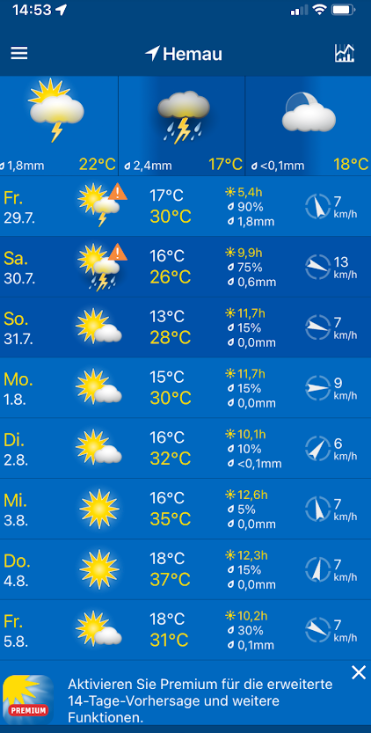
-
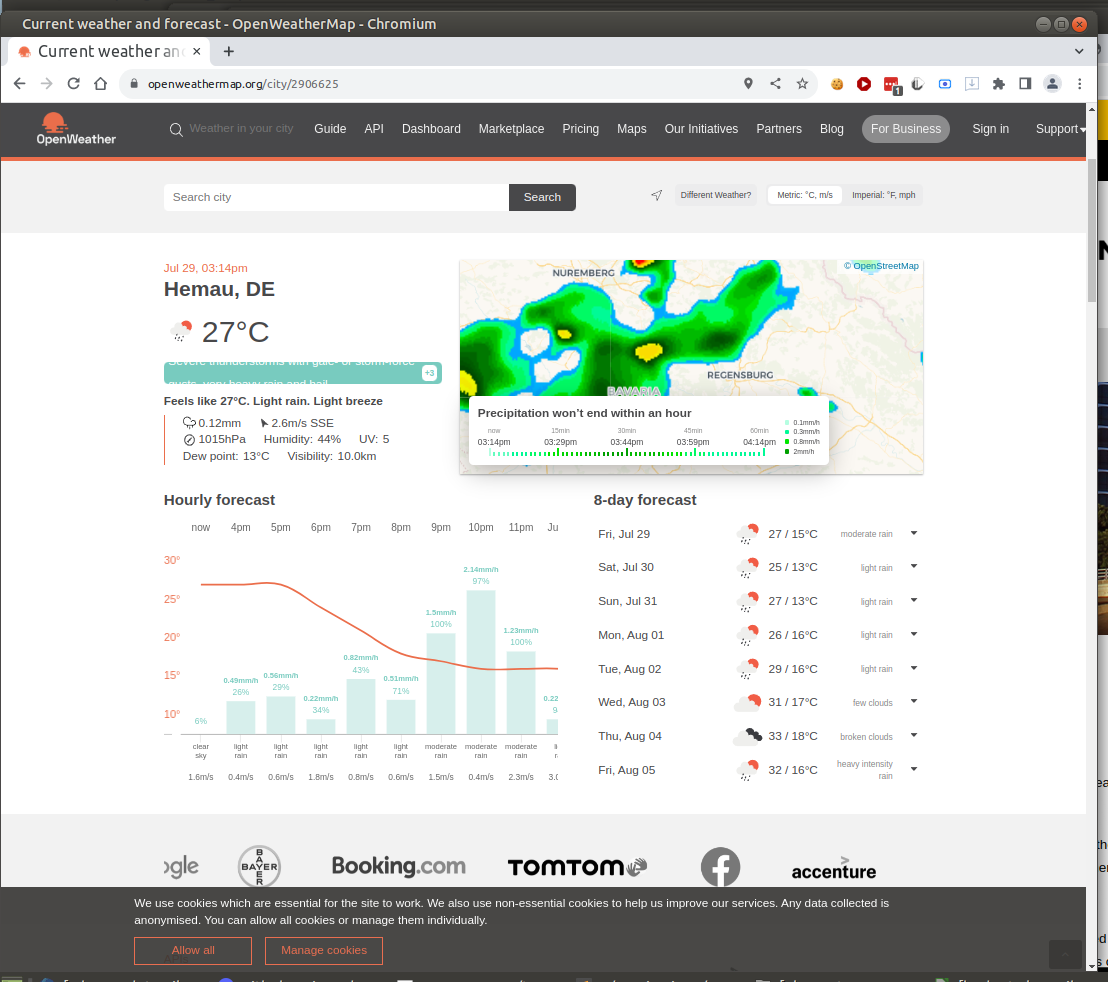
@sil3ntstorm thats what the web site shows too
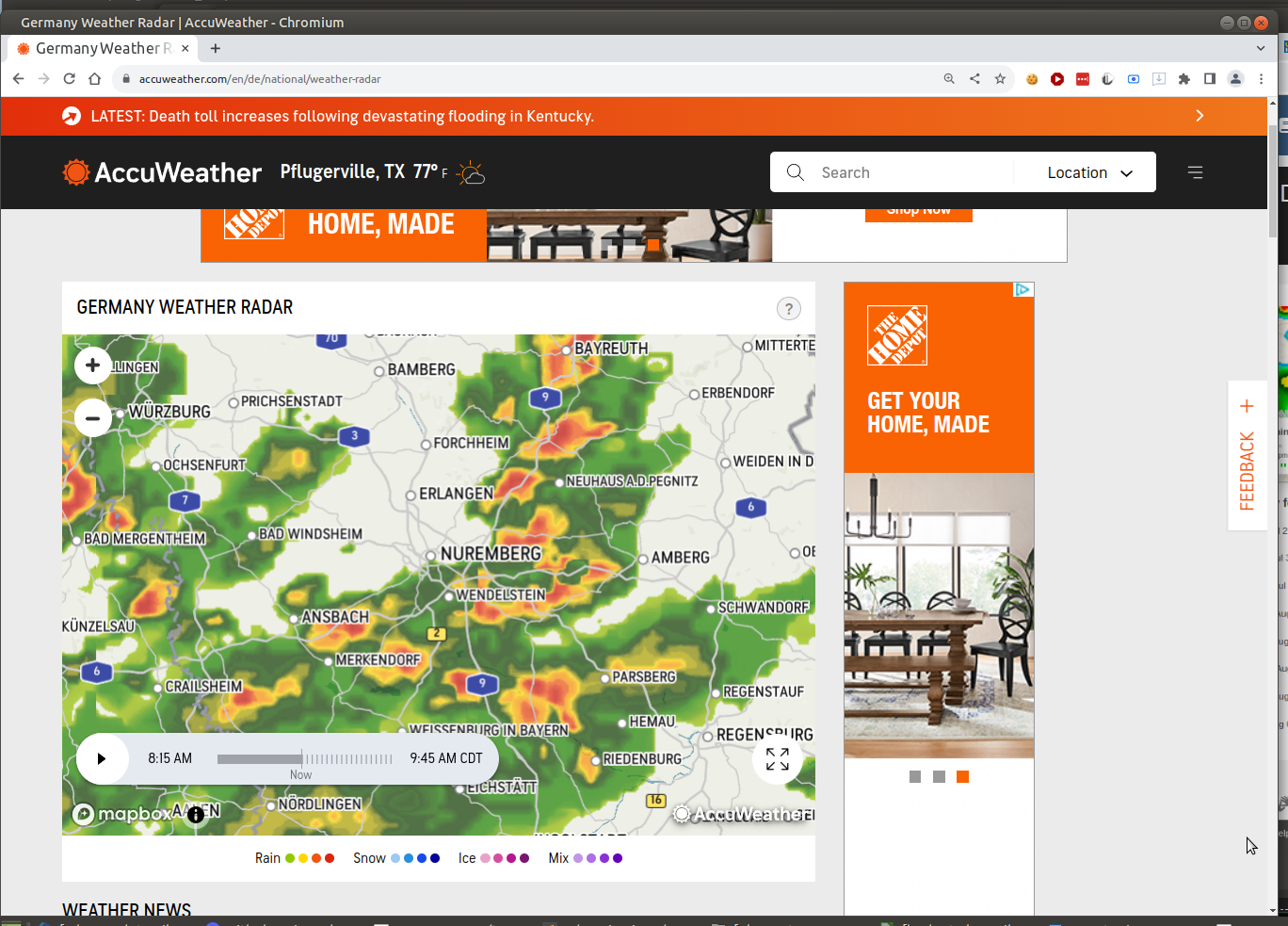
accuweather shows similar
-
The data is read from https://home.openweathermap.org and displayed on the MM, right?
Since these often do not match for my area, I want to know whether it is possible to store another provider? For example
https://www.wetteronline.de/wettertrend/hemau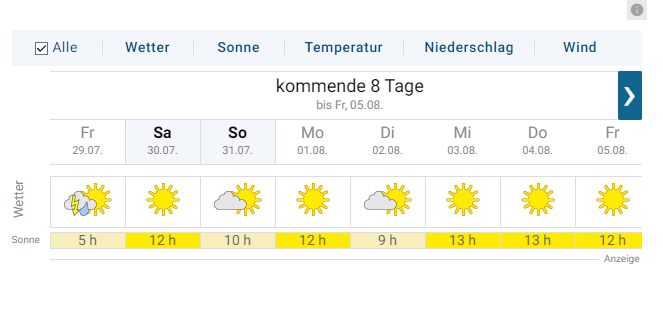
-
correct. the module takes info from the openweathermap api (and the data appears valid from the api and web page)
but the MMM-OpenWeatherMap module only works with OpenWeather as far as I know.
I am not aware of the quality of other modules
-
I’m having some problems and do not know exactly what is wrong, got this error:
[29.08.2022 09:51.32.701] [LOG] [MMM-OpenWeatherForecast] 29-Aug-22 09:51 ** ERROR ** Error: Request failed with status code 401
I get this on my screen
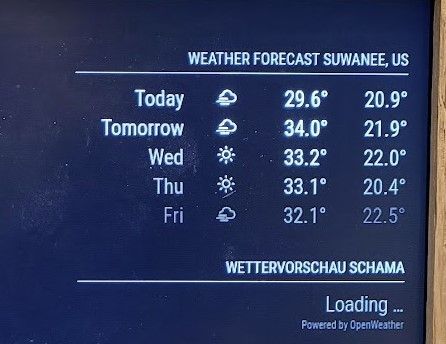
I did not do any configuration just using this as a Code:
{ module: "weather", position: "top_right", header: "Weather Forecast", config: { weatherProvider: "openweathermap", type: "forecast", location: "Suwanee", locationID: "4225309", apiKey: "MYKEY" } }, { module: "MMM-OpenWeatherForecast", position: "top_right", header: "Forecast", config: { apikey: "MYKEY", //only string here latitude: 51.490230, //number works here longitude: -0.258810, //so does a string } }, -
@bassin12 said in MMM-OpenWeatherForecast - Replacement for MMM-DarkSkyForecast:
I did not do any configuration just using this as a Code:
that is configuration (editing config.js)
I do not know… the error says the source returned a 401 error code
not my module… open an issue on the module github page… -
@bassin12 also the code block start (the 3 backtics) must be on the start of the line
I edited your post to fix that
-
my config , both work (and the default weather module in both current and forecast mode)
{
		module: "MMM-OpenWeatherForecast",
		position: "top_right",
		header: "Wettervorschau Schama",
		config: {
			apikey: "xxxx",
			latitude: 49.039349,
			longitude: 11.847070,
			units:"metric",
			iconset: "4c",
			colored: true,
			concise: true
		}
},
		{
			module: "MMM-OpenWeatherMapForecast",
			header: "Weather",
			position: "top_left",
			classes: "default everyone",
			disabled: false,
			config: {
				apikey: "..",
				latitude: "51.506130",
				longitude: "-0.090270",
				iconset: "4c",
				concise: false,
				forecastLayout: "table"
			}
		},



Hello! It looks like you're interested in this conversation, but you don't have an account yet.
Getting fed up of having to scroll through the same posts each visit? When you register for an account, you'll always come back to exactly where you were before, and choose to be notified of new replies (either via email, or push notification). You'll also be able to save bookmarks and upvote posts to show your appreciation to other community members.
With your input, this post could be even better 💗
Register Login