Read the statement by Michael Teeuw here.
-=]!Show Your Module Setup![=-
-
Every single person here has a different setup for their Mirror with modules in different places for different reasons. Show yours and tell us why you have what you have!
Here’s what I have currently: CLICK HERE TO SEE MY MIRROR SETUP
Top Left- Time in 12h format with date
- CPU temp
- multiple calendar events
- gmail
Top Right
- Wunderground with forcast
- phone notifications
- car and train travel times in DC area
Bottom Bar
- AlexaPi integration
- Compliments
- RSS news feed
-
@lucallmon Nice job!!! Very nice!
-
@cowboysdude I have the frame built but I have to shave it down a bit to fit the monitor. It’s a 30in old piece of crap, but it works.
-
@lucallmon Hey who cares it works!! I really do like it!
-
@lucallmon said in -=]!Show Your Module Setup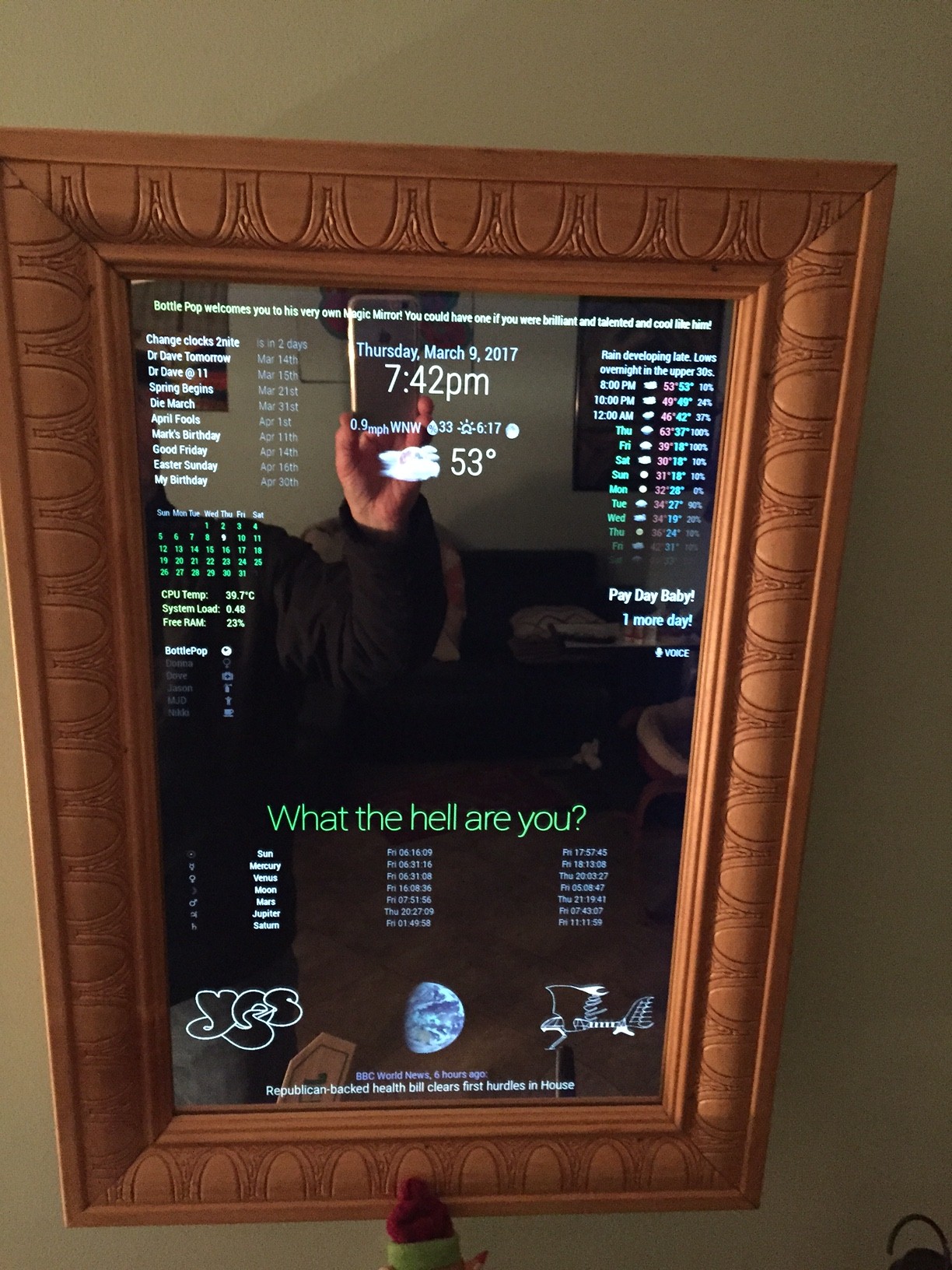
-
@Mykle1 Looks Great! Could you post your config.js file so I can see how you have stuff setup? I’m curious to see how you setup multiple news feeds in the same module.
-
@lucallmon said in -=]!Show Your Module Setup![=-:
Looks Great! Could you post your config.js file so I can see how you have stuff setup?
If you really want the entire config I guess I could post it when I get a chance to remove all the private data.
I’m curious to see how you setup multiple news feeds in the same module.
This I can show you right now. Replace the rss or xml feeds with your own, or use these:
{ module: 'newsfeed', position: 'bottom_bar', config: { feeds: [ { title: "NASA", url: "https://www.nasa.gov/rss/dyn/solar_system.rss" }, { title: "Reuters Science News", url: "http://feeds.reuters.com/reuters/scienceNews" }, { title: "New York Times", url: "http://www.nytimes.com/services/xml/rss/nyt/HomePage.xml" }, { title: "BBC World News", url: "http://feeds.bbci.co.uk/news/world/us_and_canada/rss.xml" }, ], showSourceTitle: true, showPublishDate: true } }, ] }; /*************** DO NOT EDIT THE LINE BELOW ***************/ if (typeof module !== 'undefined') {module.exports = config;} -
could u please post your code ,it looks great bro,good job
-
@akhil said in -=]!Show Your Module Setup![=-:
could u please post your code ,it looks great bro,good job
How many mirrors are going to wind up looking like mine now? ;-)
var config = { port: 8080, ipWhitelist: [], language: 'en', timeFormat: 12, units: 'imperial', modules: [ { module: 'helloworld', position: 'top_bar', // This can be any of the regions. classes: 'small bright', config: { text: 'Bottle Pop welcomes you to his very own Magic Mirror! You could have one if you were brilliant and talented and cool like him!' } }, { module: 'updatenotification', position: 'top_bar', // This can be any of the regions. config: { updateInterval: 600000 // (10 minutes) } }, { module: 'motiondetector', config: { timeout: 600000 // time in milliseconds (10 minutes) to switch off after last movement is detected. } }, { module: 'MMM-Remote-Control', position: 'lower_third' }, { module: 'compliments', position: 'lower_third' }, { module: 'planetrise', position: 'lower_third', // This can be any of the regions. // header: 'Join pop in looking at the heavens through his telescope', config: { latitude: 12.345678, // Place the latitude and longitude of your mirror longitude: -12.345678, // Place the latitude and longitude of your mirror bodies: {'Sun': '☉', 'Moon': '☽', 'Mercury': '☿', 'Venus': '♀', 'Mars': '♂', 'Jupiter': '♃', 'Saturn': '♄', } } }, { module: 'alert', config: { timer: 3500, effect: 'jelly', // Possible values: scale slide genie jelly flip exploader bouncyflip alert_effect: 'flip', // Same as above position: 'middle_center', } }, { module: 'MMM-SimpleLogo', position: 'bottom_left', // This can be any of the regions. fileUrl: "modules/MMM-SimpleLogo/public/yes.jpg", config: { width: "260px", } }, { module: 'MMM-SimpleLogo', position: 'bottom_right', // This can be any of the regions. config: { width: "260px", fileUrl: "modules/MMM-SimpleLogo/public/starship.jpg", } }, { module: 'MMM-Globe', position: 'bottom_center', config: { style: 'natColor', // natColor, geoColor, airMass, fullBand, europeDiscNat, europeDiscSnow, centralAmericaDiscNat imageSize: 175, updateInterval: 10*60*1000 } }, { module: 'clock', position: 'top_center' }, { module: 'calendar', position: 'top_left', config: { urgency: 0, getRelative: 0, fadePoint: 0.25, // Start on 1/4th of the list. calendars: [ { symbol: 'calendar-check-o ', url: 'webcal://www.calendarlabs.com/templates/ical/US-Holidays.ics' }, { // YOU GET THE FOLLOWING URL FROM YOUR GOOGLE CALENDAR PAGE url: 'https://calendar.google.com/calendar/ical/xxxxxxxxxxxxxxxxxxxxx/private-xxxxxxxxxxxxxxxxxxxxxxxxxxxxxxx/basic.ics' }, ], } }, { module: 'calendar_monthly', position: 'top_left', config: { showHeader: false, cssStyle: 'custom', // block, clean, custom, (slate is for no mirror) updateDelay: 5 // 5 secs default } }, { module: 'MMM-SystemStats', position: 'top_left', // This can be any of the regions. classes: 'small bright', // Add your own styling. Optional. config: { updateInterval: 10000, animationSpeed: 0, } }, { module: 'MMM-NetworkScanner', position: 'top_left', config: { devices: [ { ipAddress: "192.168.1.2", name: "Dove", icon: "medkit"}, { ipAddress: "192.168.1.8", name: "BottlePop", icon: "globe"}, { ipAddress: "192.168.1.11", name: "Donna", icon: "venus"}, { ipAddress: "192.168.1.10", name: "Nikki", icon: "coffee"}, { ipAddress: "192.168.1.7", name: "Jason", icon: "fire-extinguisher"}, { ipAddress: "192.168.1.18", name: "MJD", icon: "child"} ], showUnknown: false, showOffline: true, showLastSeen: false, keepAlive: 1200, // in seconds (20 min) updateInterval: 30, // in seconds residents: [] } }, { module: 'MMM-WunderGround', // Just for current weather w/css entry position: 'top_center', config: { apikey: 'YOUR API KEY GOES HERE', // private; don't share! pws: 'pws:KNYNEWYO103', // Richmondtown Weather Station - Just around the corner. Very Cool! currentweather: 1, coloricon: true, animationSpeed: 5000, roundTmpDecs: 0, UseCardinals: 1, windunits: "mph", // bft or mph } }, { module: 'MMM-WunderGround', // Just for forecast w/css entry position: 'top_right', config: { apikey: 'YOUR API KEY GOES HERE', // private; don't share! pws: 'pws:KNYNEWYO103', // Richmondtown Weather Station - Very Cool currentweather: 0, coloricon: true, hourly: '1', fctext: '1', fcdaycount: "10", fcdaystart: "0", hourlyinterval: "2", hourlycount: "1", animationSpeed: 5000, alerttime: 10000, alerttruncatestring: "english:", roundTmpDecs: 0, UseCardinals: 1, layout: "vertical", windunits: "mph", sysstat: "0" } }, { module: 'MMM-doomsDay', position: 'top_right', // This can be any of the regions, best results in center regions config: { doomsDay: "2017-04-11 24:00:00", // the end day of the countdown, format is YYYY-MM-DD HH:MM:SS, default is "2018-02-23 24:00:00", recommend that you don't alter the hour, keep it at 24:00:00 toWhat: 'Mark B-Day!', // the title of your countdown event present: 'Call Him!', updateInterval: 1 * 3600000, singular: 'more day!', // what it should say when it's only one day left, default is `Day Left` plural: 'more days', // what it should say when it's more days left, default is `Days Left` } }, { module: 'camera', position: 'top_right', config: { selfieInterval: 3, // Time interval in seconds before the photo will be taken. emailConfig: { service: 'iCloud', // Email provider to use to send email with a photo. auth: { user: 'YOUR EMAIL ADDRESS', // Your email account pass: 'YOUR EMAIL PASSWORD' // Your password for email account } } } }, { module: 'voicecontrol', position: 'top_right', config: { models: [ { keyword: "Show Camera", description: "Say 'Show Camera' to display camera", file: "showCamera.pmdl", message: "SHOW_CAMERA" }, { keyword: "Hide Camera", description: "Say 'Hide Camera' to hide camera", file: "hideCamera.pmdl", message: "HIDE_CAMERA" }, { keyword: "Selfie", description: "Say 'Selfie' when camera is visible", file: "selfie.pmdl", message: "SELFIE" }, ], } }, { module: 'newsfeed', position: 'bottom_bar', config: { feeds: [ { title: "NASA", url: "https://www.nasa.gov/rss/dyn/solar_system.rss" }, { title: "Reuters Science News", url: "http://feeds.reuters.com/reuters/scienceNews" }, { title: "New York Times", url: "http://www.nytimes.com/services/xml/rss/nyt/HomePage.xml" }, { title: "BBC World News", url: "http://feeds.bbci.co.uk/news/world/us_and_canada/rss.xml" }, ], showSourceTitle: true, showPublishDate: true } }, ] }; /*************** DO NOT EDIT THE LINE BELOW ***************/ if (typeof module !== 'undefined') {module.exports = config;} -
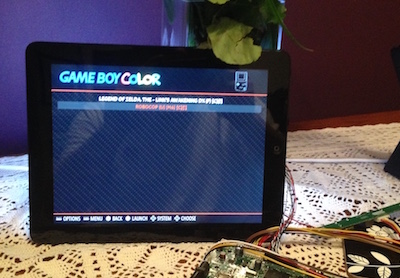
My little mirror 11 inch :-))
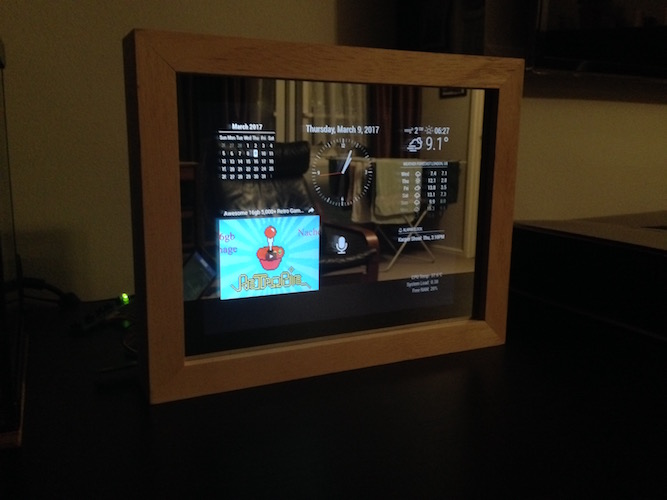
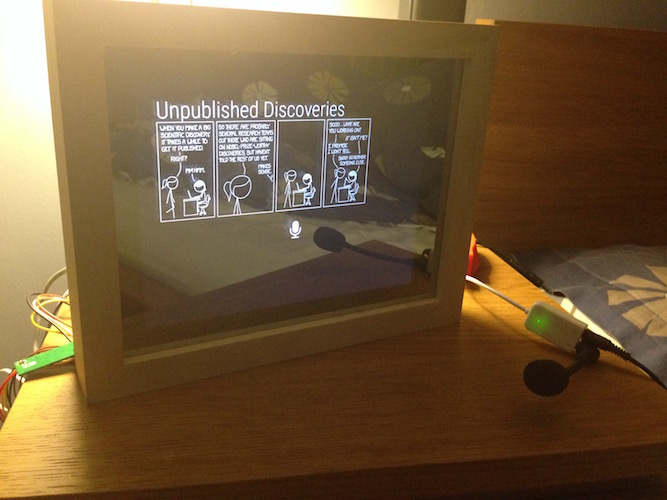
module: DailyXKCD, alert, clock, calendar_monthly, weather forecast, alexapi, alarm clock, iframe, traffic, and some ather not showing due restricted size of old apple iPad first gen
Thanks
-
@michael24h said in -=]!Show Your Module Setup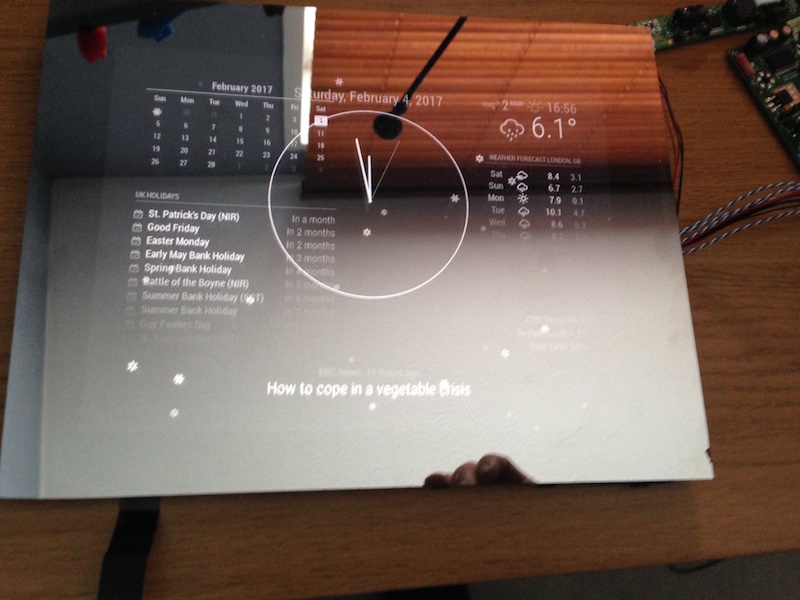
-
@michael24h said in -=]!Show Your Module Setup![=-:
The project isn’t completely finished yet but I can show you guys how far I got to now.
Nice, real nice! :thumbsup_tone2:
So, you have MM on the Pi. How did you connect the Pi to use the iPad screen? The LCD board? I have an old iPad that might become useful again
-
two way to do ths
- pourches Driver Controller Board Kit
- try find old pc screen which you will be able push in to drive for your screen. iPad first gen use samsung screens.
-
If I’m right my first attempt was with IBM screen board. screen was probably 8 to 10 years old :-)))
-
@michael24h thanks for the info
-
@michael24h said in -=]!Show Your Module Setup
-
@michael24h said in -=]!Show Your Module Setup




Hello! It looks like you're interested in this conversation, but you don't have an account yet.
Getting fed up of having to scroll through the same posts each visit? When you register for an account, you'll always come back to exactly where you were before, and choose to be notified of new replies (either via email, or push notification). You'll also be able to save bookmarks and upvote posts to show your appreciation to other community members.
With your input, this post could be even better 💗
Register Login