Read the statement by Michael Teeuw here.
MMM-MyCommute
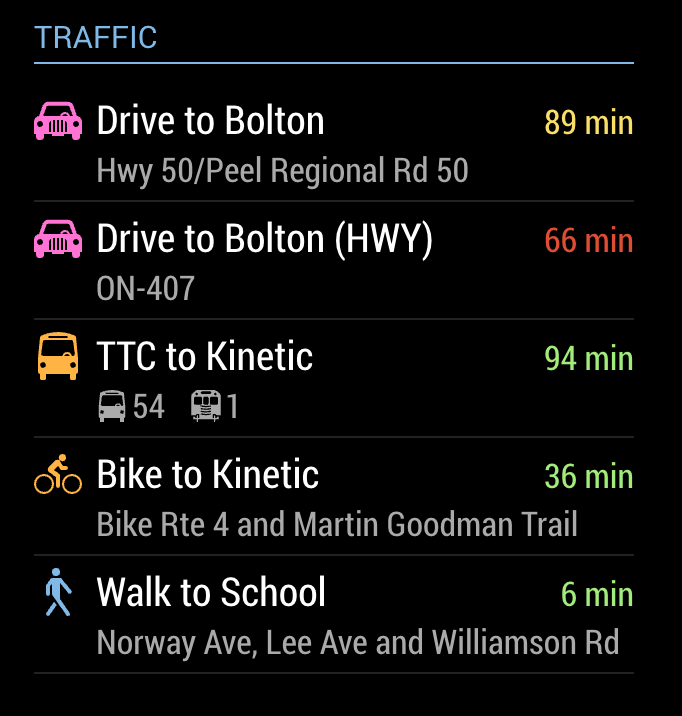
-
This post is deleted! -
Hi, yesterday this module stopped working for me, I reinstalled it using the default config and still not working, I don’t even get the “loading” message
Anybody else?
Thanks
-
Hi, mine was working fine for me this morning.
-
@j-e-f-f - Thanks for creating this module.
I have a question - is it possible to use the Origin property inside the destination objects? The use case is that i’ll like to display the commute to work in the morning and in the evening display the traffic back from work. I believe this will be possible if origin can be defined at each destination level. -
@yupwho no, the module doesn’t work that way. However you can define a second instance if the module and use your work as the origin and route your way home. However it wouldn’t be an accurate representation of commute time because the module reflects current traffic patterns. So it might say your trip home right now is 20 minutes but it might actually be an hour at the time you actually commute home.
-
Does this module still work? I’ve just installed it and get nothing other than “Loading…” no matter what I try. I’ve used the example config (with my own API key) and tried a number from scratch and nothing works.
The MMM-Traffic module this is based on is installed and works so I know my API is working. Anything dumb I should check for to make sure I’ve not screwed up?
Edit: Solved it. When running in Docker I needed to restart the Container for the API key to get picked up and work.
-
@looking Hi looking, I’m having the same an error display how did you solved it ? thanks in advance, FS
-
Is this modul working also in germany?
-
@robiv8 yeah it does work for me perfectly. Can send you my latest config if you want?
-
Au das wäre sehr nett :kissing_face:
-
@aries1984
Bitte mir dann auch wenn moglich.Thanks
-
Newbie here I guess i have to pay for Google API service right? without that this module not going to work correct?
-
@keyun21 You have to set up a pay account, including a credit card, but they give you a specific number of free accesses, and if you keep the module to a timeframe that you’d normally look at it, you’d have a hard time exceeding those uses.
-
@bkeyport said in MMM-MyCommute:
@keyun21 You have to set up a pay account, including a credit card, but they give you a specific number of free accesses, and if you keep the module to a timeframe that you’d normally look at it, you’d have a hard time exceeding those uses.
Thanks a lot I will look into to see how many I can get free and how to set up module to run specific times?
-
Hi everybody,
sorry for the late reply. Haven’t been here much in the last couple of weeks. Here’s my config:
{ module: 'MMM-MyCommute', position: 'bottom_right', header: 'Traffic', classes: 'default everyone', config: { apikey: 'your API Key', origin: 'Marienplatz 1, 80331 München', startTime: '05:00', endTime: '10:00', hideDays: [0, 6], destinations: [ { destination: 'Belgradstraße 13, 80796 München', label: 'Good Food', mode: 'driving', color: '#82E5AA' } ] } }, -
Can this module support Japanese addresses?
The default config and values work for me, but putting in Japanese addresses returns loading… forever. -
This is great and very practical module! Everything is working on me but i would like to remain below USD200 (40K calls)/mo API call request. This means staying below 1.3K calls/day
However, after installed I can see 570+ request call in 2 hours on Google API dashboard. This is despite setting pollFrequency: 1200000 (20mins interval) on MM config.
Any help please?
-
MM is only loading the “loading…” text for this module. All my other modules are showing right. I am getting request on the Google API Console under the Directions API. So I believe that I must have the module installed correctly. Does anyone know why this would be happening?
-
	{
		module: 'MMM-MyCommute',
		position: 'bottom_right',
		config: {
			apikey: 'my api key from google',
			origin: '65 Front St W, Toronto, ON M5J 1E6',
			startTime: '00:00',
			endTime: '23:59',
			hideDays: [0,6],
			destinations: [
  {
				destination: '14 Duncan St Toronto, ON M5H 3G8',
				label: 'Air Canada Centre',
				mode: 'walking',
				color: '#82E5AA'
  },
  ]
  }
},
-
in the MagicMirror folder do
npm check:configfix 1st error, repeat
I think it is the comma after the only destinationcolor: '#82E5AA' }, //< ---loading …
is the default message many modules put up while getting their data
but it failed to get the dataso, this means there was an internal error in the module code
open the developers window
(either npm start dev, or use ctrl-shift-i when mirror is running)
select the console tab, and scroll up to locate any errors, usually red text



Hello! It looks like you're interested in this conversation, but you don't have an account yet.
Getting fed up of having to scroll through the same posts each visit? When you register for an account, you'll always come back to exactly where you were before, and choose to be notified of new replies (either via email, or push notification). You'll also be able to save bookmarks and upvote posts to show your appreciation to other community members.
With your input, this post could be even better 💗
Register Login