Read the statement by Michael Teeuw here.
MMM-MyCalendar
-
@fabbr You can’t nest the braces in CSS. Just take out the
body {and last}entirely. -
@fabbr LoL
Body {
}
Was there, no I was under the impression all the changed were going to be inside the brackets. Sorry it was always my fault. Thank you so much for the help. It now works perfectly!
-
Is it possible to change the color of title and date for each calendar?
-
Just newbie over here. I have used MMM-Mycalendar module to show two different calendar on two separate area of the mirror (bottom_left & bottom_right)
I want heading on each calendar to have different color and if possible icon as well.Is this possible?
-
This module just won’t display a 2-column layout for me despite it being enabled in the config:
{ module: "MMM-MyCalendar", header: "Family Calendar", position: "top_left", // This can be any of the regions. Best results in left or right regions. config: { colored: true, maximumEntries: 6, columns: true, showLocation: false, maxTitleLength: 200, fetchInterval: 120000, fade: false, calendars: [ ..... -
@twosquirrels Does
MMM-MyCalendarsupport a column layout? I can’t find any reference to acolumnsproperty for its config: https://github.com/jclarke0000/MMM-MyCalendar/blob/master/README.mdProblem with config or JavaScript? Copy/paste it into JSHint.
Check out the detailed walkthroughs on install, config, modules, etc. -
@ninjabreadman Page 1 contains an update where it mentions support for 2 columns:
https://forum.magicmirror.builders/topic/2559/mmm-mycalendar?page=1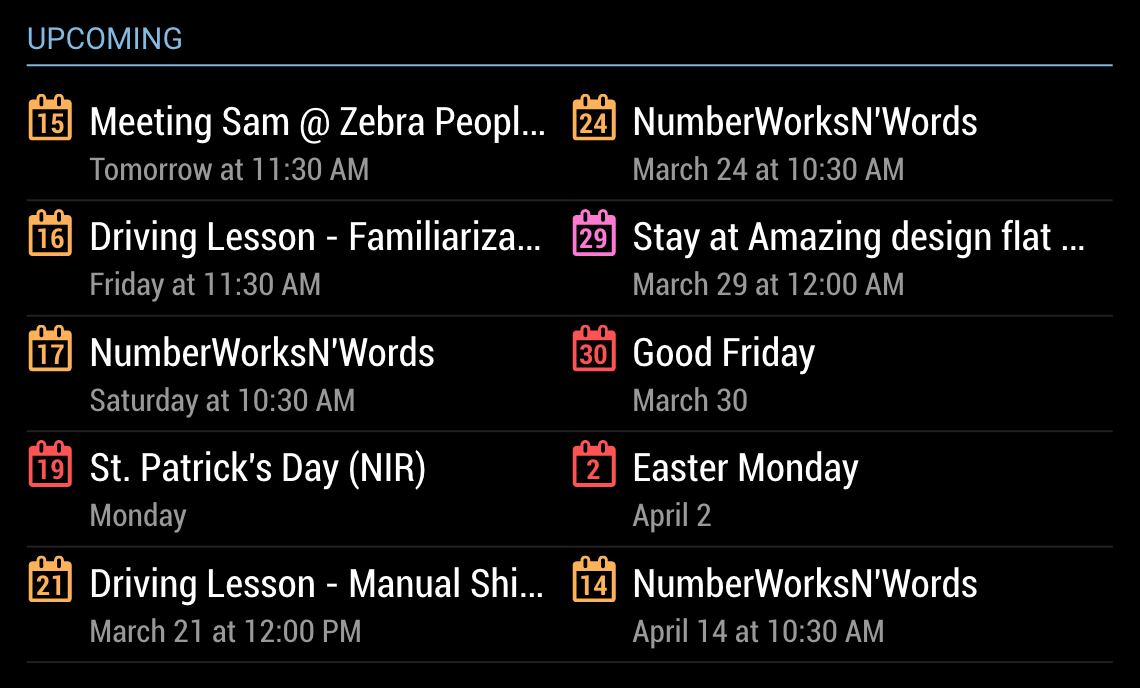
-
@himanshulotia Yes.
First, you can set
colored: truein the config, then addcolor: "#d9b4b2”andcolor: "#a0cfe2"per the docs.Second, have a look at the FontAwesome 4 docs. You could likely insert them into your headings. For how to insert images, you could probably use CSS if you can find the right selectors.
-
@twosquirrels It looks like you need to use the
using_nunjucksbranch. Thedefaultbranch is still (it seems to me, on my phone) 1.0 – it doesn’t contain an.njktemplate file.Problem with config or JavaScript? Copy/paste it into JSHint.
Check out the detailed walkthroughs on install, config, modules, etc. -
Ahh, I see. Silly question - how do I pull from that branch instead of from the master? I googled the differences but it’s not making sense to me.
AHH! I figured it out:
pi@magicmirror:~/MagicMirror/modules $ git clone -b using_nunjucks https://github.com/jclarke0000/MMM-MyCalendar.git Cloning into 'MMM-MyCalendar'... remote: Counting objects: 84, done. remote: Total 84 (delta 0), reused 0 (delta 0), pack-reused 84 Unpacking objects: 100% (84/84), done.@ninjabreadman thank you for pointing this out!
-
Hi
Just wondering if there is anyway I can use custom symbols for calendar entries in place of the ‘day of the month’ logos? Similar to the default calendar module?
Thanks
Stephen -
Hi, it’s really a nice module, but got a small issue here. I’m wondering how to make the event contents left-aligned. I tried to modify some parameters in MMM-MyCalendar.css, but didn’t work.
Thanks!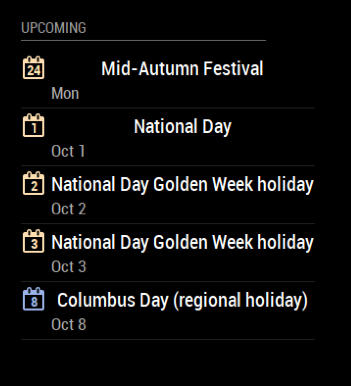
-
change the text-align under title in the css
.MMM-MyCalendar .title { color: #ff0; font-size: 55px; line-height: 115%; font-weight: 600; text-align: left; padding-left: 0; margin-bottom: 2px; white-space: nowrap; text-overflow: ellipsis; border-radius: 15px; overflow: hidden; display: block; margin-top: 4px; } -
@justjim1220 Cool! Thank you so much!
-
This module is great! Thank you!
Is it possible to add a header/title for the day of the week with the items below it? Essentially you would see Monday and the corresponding items below it. Then Tuesday and it’s items, and so forth.
Any thoughts?
-
@hoveeman yeah should be doable. Let me take a look over the next few days.
-
@j-e-f-f Awesome, that would be great! Really appreciate it!
Also, I would envision if there were no items for Wednesday it would not list anything and go straight to Thursday. Thoughts?
-
Hi! Love the module :). Just wondering if there’s a way to space out the columns enough so that the titles don’t get cut off:
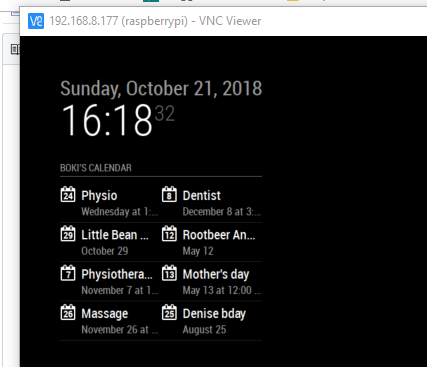
Thank you for your work!!
Boki -
Hey there!
For some time now, i have the following issue:
My MMM-MyCalendar is showing dates wrongly (one day in the past) although they are correct in the used ics-file.
I moved my question over to the “troubleshooting” section (as it seems it fits better there):
-
@bokifide You would need to write some custom CSS to adjust the width of the containing column. The module is designed to used all of the space available in its container.


Hello! It looks like you're interested in this conversation, but you don't have an account yet.
Getting fed up of having to scroll through the same posts each visit? When you register for an account, you'll always come back to exactly where you were before, and choose to be notified of new replies (either via email, or push notification). You'll also be able to save bookmarks and upvote posts to show your appreciation to other community members.
With your input, this post could be even better 💗
Register Login