MagicMirror Forum
    • Recent
    • Tags
    • Unsolved
    • Solved
    • MagicMirror² Repository
    • Documentation
    • 3rd-Party-Modules
    • Donate
    • Discord
    • Register
    • Login
    A New Chapter for MagicMirror: The Community Takes the Lead
    Read the statement by Michael Teeuw here.

    [MMM-OnScreenMenu] Simple On-Screen Menu for controlling the MagicMirror²

    Scheduled Pinned Locked Moved Utilities
    25 Posts 15 Posters 24.3k Views 19 Watching
    Loading More Posts
    • Oldest to Newest
    • Newest to Oldest
    • Most Votes
    Reply
    • Reply as topic
    Log in to reply
    This topic has been deleted. Only users with topic management privileges can see it.
    • S Offline
      shbatm Module Developer
      last edited by shbatm

      Description

      The MMM-OnScreenMenu Module provides a small, customizable, material-style floating action button menu for controlling the MagicMirror².

      Basic Functions:

      1. Control the power to the screen (On/Off/Toggle).
      2. Manage the Mirror (Shutdown/Reboot/Restart MM²/Refresh Window).
      3. Module Visibility (Show/Hide/Toggle).
      4. Send Notifications to Other Modules:
        • Switch Profiles in MMM-ProfileSwitcher
        • Perform other module functions from a button in the menu.

      The menu is designed to be controllable from multiple devices:

      • Mouse Control
      • Touchscreen Control
      • Keyboard Control
      • Bluetooth Remote via MMM-KeyBindings
      • Module Notifications from other modules

      Screenshots

      SEE LIVE DEMO/MOCKUP HERE: https://codepen.io/shbatm/pen/OggMbr/


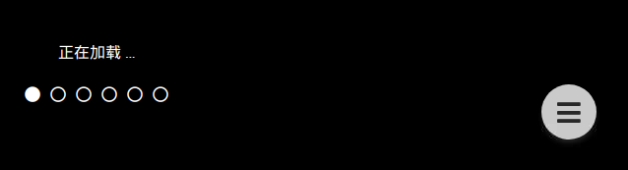
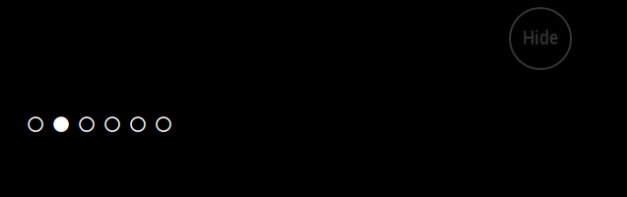
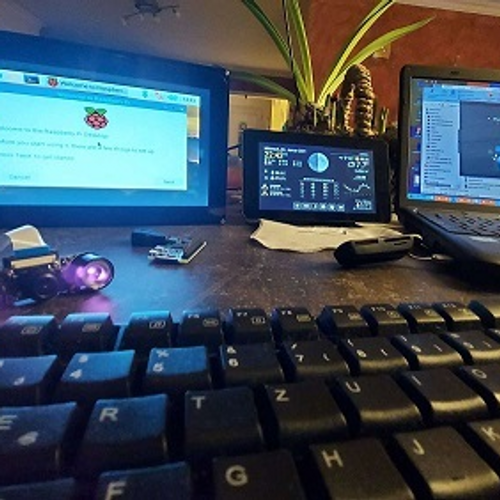
      First: Touch Mode; Middle: Hidden/Mouseover Mode; Last: Demo

      Download:

      [card:shbatm/MMM-OnScreenMenu]


      Version 0.1.3

      • Added menu options for minimizing, toggle fullscreen mode, opening DevTools, stopping MM via PM2,
      • Added delayed menu items (e.g. call a function after a certain timeout–like to turn off the mirror after X seconds)
      • Added external control of the menu/functions from other modules via notifications–includes the ability to call any function the module knows how to handle, even if it’s not in the menu. This lets you use modules like MMM-Buttons or MMM-MPR121 to control the menu.

      Version 0.0.9

      • Initial Public Release for Testing – please let me know via this thread or GitHub Issues if you find any bugs or have any feature requests; always open to feedback!
      1 Reply Last reply Reply Quote 5
      • cowboysdudeC Offline
        cowboysdude Module Developer
        last edited by

        I’ll have to test that on my touch screen ;)
        Looks great!

        A 1 Reply Last reply Reply Quote 0
        • S Offline
          shbatm Module Developer
          last edited by shbatm

          New version posted with expanded options:

          Version 0.1.3

          • Added menu options for minimizing, toggle fullscreen mode, opening DevTools, stopping MM via PM2,
          • Added delayed menu items (e.g. call a function after a certain timeout–like to turn off the mirror after X seconds)
          • Added external control of the menu/functions from other modules via notifications–includes the ability to call any function the module knows how to handle, even if it’s not in the menu. This lets you use modules like MMM-Buttons or MMM-MPR121 to control the menu.

          See the full details of everything the menu can do on the GitHub README:

          [card:shbatm/MMM-OnScreenMenu]

          Remember to re-run npm install after updating:

          cd ~/MagicMirror/modules/MMM-OnScreenMenu
          git pull
          npm install
          
          Mykle1M 1 Reply Last reply Reply Quote 3
          • cruunnerrC Offline
            cruunnerr
            last edited by

            Thats pretty cool. Now i could install a button for each menu option :)

            I like buttons. so i like this module. lol ^^

            Impressive work. Thank you very much.

            1 Reply Last reply Reply Quote 0
            • Mykle1M Offline
              Mykle1 Project Sponsor Module Developer @shbatm
              last edited by

              @shbatm

              Don’t know how I missed this one. Excellent work, sir! :-)

              Create a working config
              How to add modules

              1 Reply Last reply Reply Quote 0
              • M Offline
                M1K3rSz
                last edited by

                Really cool module , i’ve installed it, looks great!
                But ummzzzh i’ve touched on the button Turn off Display, but after a restart mirror shows no display , maybe a stupid question but how can i turn it on again?

                1 Reply Last reply Reply Quote 0
                • S Offline
                  shbatm Module Developer
                  last edited by

                  @M1K3rSz – Glad you tried it! Sorry you ran into some trouble.

                  To get the monitor back on:

                  1. Via ssh: tvservice --preferred && sudo chvt 6 && sudo chvt 7
                    • Sets the HDMI output back on to preferred settings, then changes the virtual terminal off of then back on to the desktop channel. This is the same command that most modules that turn on the monitor uses.
                  2. Via notification sent from another module, such as MMM-Remote-Control:
                    • Notification: ‘ONSCREENMENU_PROCESS_ACTION’,
                      Payload: { actionName:‘monitorOn’ }

                  The Monitor Off menu item is best used when you have another module that wakes up the mirror (PIR sensor, button, etc.).

                  M 1 Reply Last reply Reply Quote 0
                  • M Offline
                    M1K3rSz @shbatm
                    last edited by

                    @shbatm thanks for the quick reply, ive got it work again ;)

                    1 Reply Last reply Reply Quote 0
                    • S Offline
                      sharmstr Project Sponsor
                      last edited by

                      Is there a way to disable hovering all together? I’m using an IR frame and while it does work, the issue is with hovering and closing the menu. Clicking the close (X) icon doesnt work because the cursor is still hovering over the menu, therefore keeping the menu open. You need to click somewhere else on the screen to get it to close. I looked for a way to disable hovering all together since I think that will solve the issue, but couldnt find a way.

                      1 Reply Last reply Reply Quote 0
                      • D Offline
                        dylan
                        last edited by

                        Hi, is there any way to register multiple items in a single button?

                        Something such as (and I’ve tried this ;) )…

                        moduleToggle1: {
                            title: "TL> Clock etc",              
                            icon: "eye-slash", 
                            names: { 
                                     name: "clock", 
                                    name: "calendar"
                            } 
                        },
                        

                        Sorry if this is obvious, just a noob here!! Either way - this is an amazing plugin!!!

                        1 Reply Last reply Reply Quote 0
                        • A Offline
                          alifsuria @cowboysdude
                          last edited by alifsuria

                          @cowboysdude are you creating touchscreen magic mirror?can you teach me?are you using raspbian or window 10 iot core?i saw a video that magic mirror touchscreen with menu and gesture for volume etc…i dont know where to start…please help

                          1 Reply Last reply Reply Quote 0
                          • S Offline
                            shbatm Module Developer
                            last edited by

                            MODULE UPDATED

                            This module has been updated to Version 0.2.1 in the develop channel.

                            Major Changes:

                            • Removed all of the server-side functions in favor of using MMM-Remote-Control pending PR#104. When using this version, you will need to also have MMM-Remote-Control Version 2.0.0 or above installed for all functions to work. This is a strategic move to allow simplification of this module and focus on the front-end, while MMMRC handles the heavy lifting on the back-end.
                            • You can now use MMMRC as a menu item, or the whole menu:
                              0_1546389590028_Capture.PNG

                            Once the pull request is accepted for MMM-Remote-Control, this will be merged into the master branch.

                            1 Reply Last reply Reply Quote 2
                            • B Offline
                              bugman61
                              last edited by

                              Thanks for the great module, it has solved a lot of the issues I had when I was using carousel to organize my modules.

                              Is there a way to set a default hidden/displayed for each module in the menu when starting? I have my MM set up with the clock and a photo slideshow to always be displayed, and then I have 4 ModuleToggles set to show other information when needed (calendar, weather, etc). I would like to be able to start MM with these other modules hidden as opposed to having everything open automatically and having to close each one manually. Alternatively a timer to close modules automatically after XX seconds would work as well. That would also allow us to open a module and see the info and walk away without having to close it manually.

                              S 1 Reply Last reply Reply Quote 0
                              • S Offline
                                shbatm Module Developer @bugman61
                                last edited by

                                @bugman61 said in [MMM-OnScreenMenu] Simple On-Screen Menu for controlling the MagicMirror²:

                                Thanks for the great module, it has solved a lot of the issues I had when I was using carousel to organize my modules.

                                Is there a way to set a default hidden/displayed for each module in the menu when starting? I have my MM set up with the clock and a photo slideshow to always be displayed, and then I have 4 ModuleToggles set to show other information when needed (calendar, weather, etc). I would like to be able to start MM with these other modules hidden as opposed to having everything open automatically and having to close each one manually. Alternatively a timer to close modules automatically after XX seconds would work as well. That would also allow us to open a module and see the info and walk away without having to close it manually.

                                My recommendation would be to use something like MMM-Carousel w/ Navigation to put everything in different slides. You can set the timeout to 0 to keep it on the slide you have chosen, and then add menu items to jump to each slide (this is what I use on one of my mirrors, combined with MMM-KeyBindings to allow control from a bluetooth remote).

                                @bugman61 said in [MMM-OnScreenMenu] Simple On-Screen Menu for controlling the MagicMirror²:

                                Alternatively a timer to close modules automatically after XX seconds would work as well.

                                You can look at MMM-Module-Scheduler to implement this now, or create an issue on GitHub for this module and when I get a chance, I will add the ability to allow multiple actions assigned to a single menu item. This module already has the ability to send delayed actions–multiple actions would allow you to (1) send a switch to slide X action and then a (2) delayed action–after x seconds switch back to home slide.

                                B 1 Reply Last reply Reply Quote 0
                                • B Offline
                                  bugman61 @shbatm
                                  last edited by

                                  @shbatm said in [MMM-OnScreenMenu] Simple On-Screen Menu for controlling the MagicMirror²:

                                  My recommendation would be to use something like MMM-Carousel w/ Navigation to put everything in different slides. You can set the timeout to 0 to keep it on the slide you have chosen, and then add menu items to jump to each slide (this is what I use on one of my mirrors, combined with MMM-KeyBindings to allow control from a bluetooth remote).

                                  This is how I initially had by mirror set up. However I ran into issues with a php form I had in MMM-iFrame-Ping not working correctly. The form worked fine displayed on its own, but I was never able to get the submit buttons to work properly when it was a part of the Carousel. That led me to your module where the form has worked perfectly.

                                  1 Reply Last reply Reply Quote 0
                                  • R Offline
                                    robiv8
                                    last edited by

                                    Beginner question!
                                    With the module “Remote Control” you enter the address in the browser xxx:8080/remote.html
                                    Then you have the menu.
                                    How does it work with OnScreenMenu, or does not work there.
                                    Thanks

                                    S 1 Reply Last reply Reply Quote 0
                                    • S Offline
                                      shbatm Module Developer @robiv8
                                      last edited by shbatm

                                      @robiv8 OnScreenMenu puts a little floating button on your mirror (either visible always, or only visible when you hover over that corner) and gives you a menu on the mirror’s screen itself. The new version has an option to use MMM-Remote-Control and basically takes a small mini version of the “/remote.html” page and puts it in an iFrame on the MIrror’s screen.

                                      Basically – Remote Control is a remote (phone, another computer, etc.) and OSM is for the actual mirror, if you have a touchscreen, or use a mouse, keyboard, or physical remote (w/ MMM-KeyBindings).

                                      1 Reply Last reply Reply Quote 2
                                      • R Offline
                                        robiv8
                                        last edited by

                                        Thanks for the explanation

                                        1 Reply Last reply Reply Quote 0
                                        • M Offline
                                          mrcpu55
                                          last edited by

                                          I just installed Magic Mirror and still learning all the idiosyncrasies of the system. I installed the OnScreenMenu (stable) version and I just found this forum topic. I see there is a new version in the developer channel.

                                          Can I install the developer version (0.2) on top of the current version? How would I completely remove the older version if I have to?

                                          Thanks for all the great work!

                                          Mykle1M 1 Reply Last reply Reply Quote 0
                                          • Mykle1M Offline
                                            Mykle1 Project Sponsor Module Developer @mrcpu55
                                            last edited by Mykle1

                                            @mrcpu55 said in [MMM-OnScreenMenu] Simple On-Screen Menu for controlling the MagicMirror²:

                                            How would I completely remove the older version if I have to?

                                            You can simply rename the current folder in the MagicMirror/modules folder. Then install the developer version. If that works well for you then you can delete the previous folder that you renamed. If the new version does not work for you then you can remove the new version folder and rename the previous version folder back to the way it was.

                                            Create a working config
                                            How to add modules

                                            1 Reply Last reply Reply Quote 0

                                            Hello! It looks like you're interested in this conversation, but you don't have an account yet.

                                            Getting fed up of having to scroll through the same posts each visit? When you register for an account, you'll always come back to exactly where you were before, and choose to be notified of new replies (either via email, or push notification). You'll also be able to save bookmarks and upvote posts to show your appreciation to other community members.

                                            With your input, this post could be even better 💗

                                            Register Login

                                            • 1
                                            • 2
                                            • 1 / 2
                                            • First post
                                              Last post
                                            Enjoying MagicMirror? Please consider a donation!
                                            MagicMirror created by Michael Teeuw.
                                            Forum managed by Sam, technical setup by Karsten.
                                            This forum is using NodeBB as its core | Contributors
                                            Contact | Privacy Policy