Read the statement by Michael Teeuw here.
MMM-voice
-
@strawberry-3.141 I’ve already tryed that, and got the same result:
First “Initialising”, after a few seconds “ERROR” and under the microphone “undefined”Error.log
debug.log
INFO: ngram_search_fwdtree.c(333): Created 28 root, 29 non-root channels, 5 single-phone words
INFO: ngram_search_fwdflat.c(157): fwdflat: min_ef_width = 4, max_sf_win = 25
INFO: continuous.c(307): pocketsphinx_continuous COMPILED ON: Mar 29 2017, AT: 15:15:03Error opening audio device plughw:0 for capture: Device or resource busy
FATAL: “continuous.c”, line 245: Failed to open audio device -
@pepemujica the pi is nit able to use your microphone, can you test it with another one?
-
@strawberry-3.141 Actually, I’ve tried whith an “Online Mic Tester” and could record and listen my voice, so I asume it is able to use the microphone.
Could you recommend me something else?
-
@pepemujica you could try to record on the pi https://stackoverflow.com/questions/28054731/capture-record-audio-input-in-raspberrypi
-
@strawberry-3.141 I can record with the mic when I use arecord -f cd -D plughw:0 -d 10 a.wav and after I can listen
-
@pepemujica the error message says that your microphone is used by something else, so i guess you have to investigate on that
-
Hello, I´m havin problems with this:

Any idea?
-
@daenick what is your os version?
Please create a github issue if you need help, so I can keep track
-
@strawberry-3.141 2017-03-02-raspbian-jessie
-
@daenick can you update your system and try again?
sudo apt-get update ; sudo apt-get upgrade -
Yes, that was the first thind I do, but doesn´t works…
Mysteriously after of the installation of MMM-mail could continue
-
@daenick so it is installed now?
-
No, now I get this:

-
@daenick looks like you executed the installer with sudo
-
@strawberry-3.141 can try again without restart everything?
By the way, you are so friendly. Thanks!
-
@daenick remove the node_modules folder in
MagicMirror/modules/MMM-voicefirst and go into/root/pocketsphinxand executesudo make uninstallsame in/root/sphinxbasethen rerun the installerPlease create a github issue if you need help, so I can keep track
-
@strawberry-3.141 I ran the bash without the sudo. Finish ok
-
@strawberry-3.141 Hello Again,
Finnaly I got the MMM-voice installed, but how can I set the micro as default? Sometimes the micro can “hear me” but mostly of time no
There´s some kind of special configuration with the micro?
Thanks!
-
@strawberry-3-141
I get this error (or is it?) when starting MagicMirror.MMM-voice: Starting pocketsphinx.
(node:1844) DeprecationWarning: Calling an asynchronous function without callback is deprecated.
(node:1844) DeprecationWarning: Calling an asynchronous function without callback is deprecated.
(node:1844) DeprecationWarning: Calling an asynchronous function without callback is deprecated.
(node:1844) DeprecationWarning: Calling an asynchronous function without callback is deprecated.
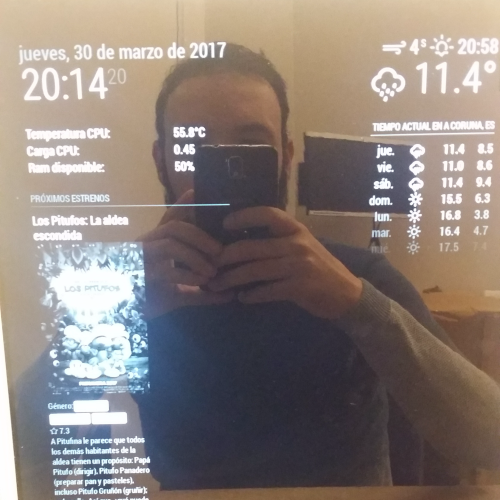
(node:1844) DeprecationWarning: Calling an asynchronous function without callback is deprecated.The microphone icon appears and after it it states “ERROR”, within MagicMirror.
Thanks!
-
@daenick can you give more details about the issue? the only thing that is configurable is the mic the module should use like
microphone: 0ormicrophone: 1…@Advokaten what is inside the error.log, if you only can see numbers in there please enable
debug: truein the config and share the debug.logPlease create a github issue if you need help, so I can keep track

Hello! It looks like you're interested in this conversation, but you don't have an account yet.
Getting fed up of having to scroll through the same posts each visit? When you register for an account, you'll always come back to exactly where you were before, and choose to be notified of new replies (either via email, or push notification). You'll also be able to save bookmarks and upvote posts to show your appreciation to other community members.
With your input, this post could be even better 💗
Register Login