Read the statement by Michael Teeuw here.
MMM-Tube-Status (London Underground)
-
@djbenny07 Is that the entire config file? I ask because it’s not closed properly.
Please put the module configuration that you’re trying to get to work back in and post the entire file for us so we can check it all. We’ll get you running.
-
yes, it is the entire file it currently works.
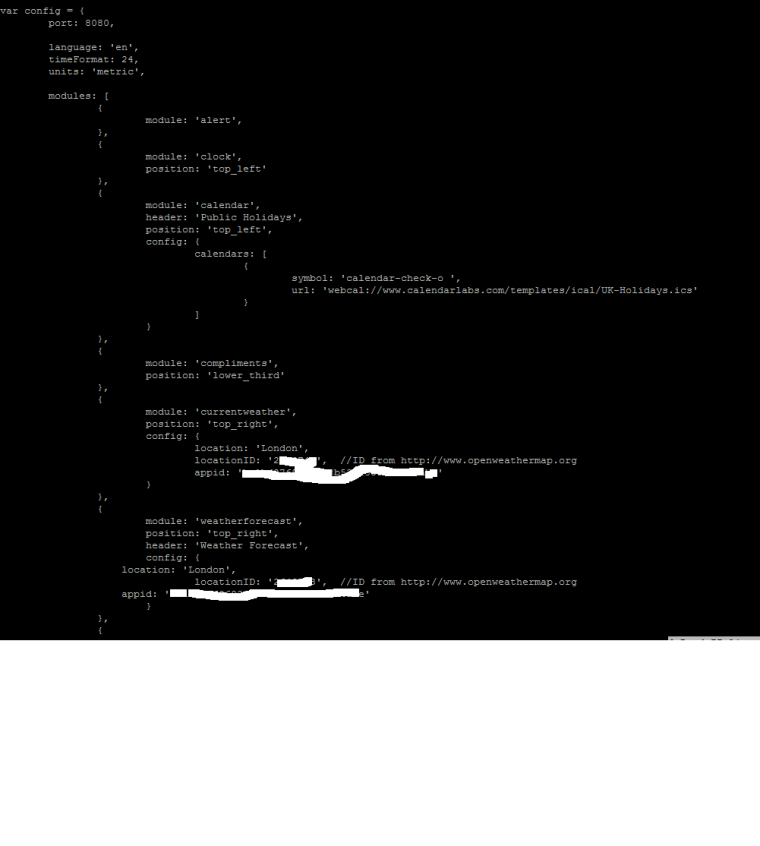
-
@djbenny07 I noticed that at the end of the file the last two lines should change and it should end something like:
{
module: 'weatherforecast',
position: 'top_right',
header: 'Weather Forecast',
config: {
location: 'London',
locationID: '245613', //ID from http://www.openweathermap.org
appid: 'ID Number taken out'
}
}]
};/*************** DO NOT EDIT THE LINE BELOW ***************/
if (typeof module !== 'undefined') {module.exports = config;}If you then want to add the tube status module something like this should work:
{
module: 'weatherforecast',
position: 'top_right',
header: 'Weather Forecast',
config: {
location: 'London',
locationID: '245613', //ID from http://www.openweathermap.org
appid: 'ID Number taken out'
}
},
{
module: 'MMM-Tube-Status',
position: 'top_left',
header: 'Tube Status'
}]
};/*************** DO NOT EDIT THE LINE BELOW ***************/
if (typeof module !== 'undefined') {module.exports = config;}I hope that helps.
-
BTW I have just updated the code so that if the optional show_all=false config is used and all of the lines are offering a good service there is a line displayed to indicate this rather than the module just disappearing.
-
OK I have found that i didn’t copy all the text. the below does not work
’
var config = {
port: 8080,language: 'en', timeFormat: 24, units: 'metric', modules: [ { module: 'alert', }, { module: 'clock', position: 'top_left' }, { module: 'calendar', header: 'Public Holidays', position: 'top_left', config: { calendars: [ { symbol: 'calendar-check-o ', url: 'webcal://www.calendarlabs.com/templates/ical/UK-Holidays.ics' } ] } }, { module: 'compliments', position: 'lower_third' }, { module: 'currentweather', position: 'top_right', config: { location: 'London', locationID: '264443', //ID from http://www.openweathermap.org appid: 'number' } }, { module: 'weatherforecast', position: 'top_right', header: 'Weather Forecast', config: { location: 'London', locationID: '264443', //ID from http://www.openweathermap.org appid: 'Number' } }, { module: 'MMM-Tube-Status' position: 'top_left' header: 'Tube' } { module: 'newsfeed', position: 'bottom_bar', config: { feeds: [ { title: "BBC Top Stories", url: "http://feeds.bbci.co.uk/news/rss.xml" } ], showSourceTitle: true, showPublishDate: true } }, ]};
/*************** DO NOT EDIT THE LINE BELOW ***************/
if (typeof module !== ‘undefined’) {module.exports = config;}
’ -
@djbenny07 you missed 3 commas in there
{ module: 'MMM-Tube-Status', position: 'top_left', header: 'Tube' }, -
@djbenny07 ok there were a couple issues here that my linter picked up:
- the tube module must look like this:
{
module: 'MMM-Tube-Status',
position: 'top_left',
header: 'Tube'
},Note the terminating commas on each line bar the last one in the braces.
- The final line seems to use ticks to quote undefined not single quotes so it should be:
if (typeof module !== 'undefined') {module.exports = config;}It can happen that copying between editors, email clients, browsers, etc introduces this sort of error and it’s a real pain to spot!
I hope this fixes it up for you.
-
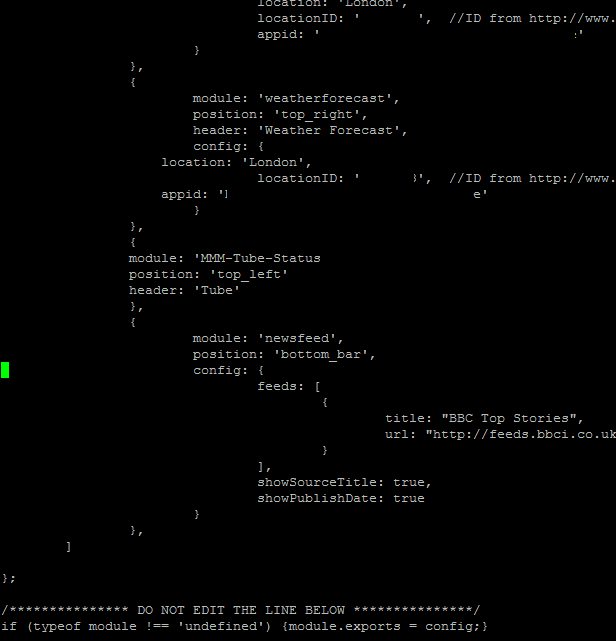
can the position be the same as another module though? i still get the message to saying ‘Please create config file’
as my clock is in top_left
EDIT: Just noticed that i missed the ’ from the module name. added that in and still issue
-
@djbenny07 you are still missing the closing , at the end of the tube module lines, as several users mentioned above
-
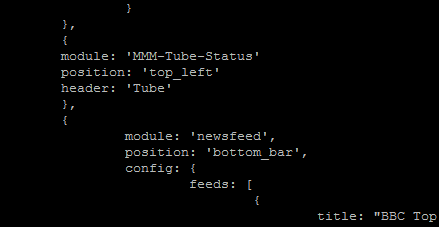
@yawns yes my bad. i noticed this and corrected it. still same message
-
@djbenny07 are you kidding? Look at the three lines you got there for the tube module. All three lines MUST end with a comma
-
@yawns haha, im being really dumb i know. i have finally seen it, long day. thats what im going to blame it on.
its working now!
-
Sometimes a knock at the back of ones head is worth a try.
Good to see it’s finally working :-)
-
@djbenny07 Yeay! It lives :)
-
i presume to update the module i just run this again?
-
@djbenny07
enter the MMM-Tube-Status folder and rungit pull, that should pull all changes from github
If you run the clone command again it will tell you the target directory already exists

Hello! It looks like you're interested in this conversation, but you don't have an account yet.
Getting fed up of having to scroll through the same posts each visit? When you register for an account, you'll always come back to exactly where you were before, and choose to be notified of new replies (either via email, or push notification). You'll also be able to save bookmarks and upvote posts to show your appreciation to other community members.
With your input, this post could be even better 💗
Register Login