@sdetweil So I have to find out how the two parts of this monitor are fastened together?
1
Offline
A New Chapter for MagicMirror: The Community Takes the Lead
Read the statement by Michael Teeuw here.
Read the statement by Michael Teeuw here.
Posts
-
RE: How do I know if a monitor is suitable for a MagicMirror
-
How do I know if a monitor is suitable for a MagicMirror
Hey guys,
I finally finished the software for my MagicMirror and now I want to build it. I struggled a long time to find a good and cheap monitor in the right size. Now I found one but I am not sure I a can use it for my project.
I saw many videos in which people removed the frame around it. I dont know if I can do this with this monitor too. Or if I even have to do this. Also I dont know if a can remove the base without destroying the monitor completely.The monitor I was thinking of is this: https://www.amazon.de/VA279EHE-EyeCare-Monitor-FreeSync-Lautsprecher/dp/B07YN643KC/ref=sr_1_4?keywords=computer%2Bmonitor%2B27%2Bzoll&qid=1648893319&sprefix=27"%2Bcomputer%2Bmonitor%2Caps%2C98&sr=8-4&th=1
-
RE: PIR Sensor doesnt detect movement
@tanvir586 can you send me a link to your monitor?
-
RE: PIR Sensor doesnt detect movement
@tanvir586 I think every monitor has the same behaviour. When you cut the hdmi signal there will be a blue screen “No input signal”.
-
RE: PIR Sensor doesnt detect movement
@tanvir586 Yeah, I worked. Thank you.
But there is one issue. When the monitor turns off, there is a blue screen for about 5 seconds…
How can I fix this? -
PIR Sensor doesnt detect movement
Hey guys,
I am currently working on my Magic Mirror and want to add an PIR Sensor to it.
I use the MMM-PIRModule to turn the monitor off and on.When I run the program by
npm run startthe mirror starts but the minotor instantly turns off and never on again. I dont`t know if the sensor is broken or if I just configured something wrong.The config looks like this:
{
	module: 'MMM-PIR-Sensor',
	config: {
		sensorPIN: 14,
		powerSaving: true,
		offDelay: 30000,
	}
}
If you need more information tell me.
-
RE: updateDom() blocks MagicMirror
@sdetweil I installed the software like in the docs show. So I haven`t installed pm2
-
RE: updateDom() blocks MagicMirror
@sdetweil I installed the software again. Now it works, but I think I will see this error soon again.
btw: I wrote an issues on git: https://github.com/MichMich/MagicMirror/issues/2793 -
RE: updateDom() blocks MagicMirror
@sdetweil
Here is the .pm2/logs/MagicMirror-error.log
https://haste.lyrotopia.net/equzexapal.js
Its always the same errorHere is the .pm2/logs/MagicMirror-out.log
https://haste.lyrotopia.net/mosubanoro.css -
RE: updateDom() blocks MagicMirror
@sdetweil Do you remember my problem yesteray that my magic mirror doesn`t start? I started the program today in the morning. Without doing anythink since yesterday evening, the same error occurs.
The only think I change was that I renamed lenght to length. Than I deleted the module module and copyed the new one.
old post: https://forum.magicmirror.builders/topic/16233/error-while-starting-magic-mirror/29
-
RE: updateDom() blocks MagicMirror
@sdetweil
First: Is there an other option?Second: I added the getData() function in getDom()
        const wrapper = document.createElement("div");
        this.getData();
        if(this.response.lenght <= 0) {
            wrapper.innerHTML = "No Entries";
        } else {
            wrapper.innerHTML = JSON.stringify(this.response);
        }
        return wrapper;
Now the mirror show
UNDEFINEDagain -
RE: updateDom() blocks MagicMirror
@sdetweil What about
JSON.stringify(this.response); -
RE: updateDom() blocks MagicMirror
@sdetweil Is there a Json parser I can use?
-
RE: updateDom() blocks MagicMirror
Not exectly what I wanted :joy:
Why can getDom() not transfrom the array in a readable string? -
RE: updateDom() blocks MagicMirror
@sdetweil I changed getDom() to this:
getDom: function() {
        const wrapper = document.createElement("div");
        if(response.lenght <= 0) {
            wrapper.innerHTML = "No Entries";
        } else {
            wrapper.innerHTML = this.response;
        }
        return wrapper;
	},
There is a check if the array has any entries.
But the mirror shows “undefined”
-
updateDom() blocks MagicMirror
Hey,
I am developing my own first module. Therefore I looked at some other modules and in the dev documentation.
This is what I have right now:
Module.register("MMM-VPlan", {
	defaults: {
		fadeSpeed: 2,
                username: "",
                password: ""
	},

	getStyles: function() {
        return ["MMM-Plan.css"];
	},

    start: function() {
		Log.log("Starting module: " + this.name);

        this.response = {
            "name": "Test",
            "entries": {
                "lessions": "Teacher Subject Room representation"
            }
        };

		//this.getData();
        updateDom();
	},

	getDom: function() {
        const wrapper = document.createElement("div");
        wrapper.innerHTML = response;
        return wrapper;
	},

    getData: function () {
        const request = new XMLHttpRequest();
        request.open('GET', 'http://localhost/vplan/' + username + '/' + password + '/today', true);
        request.onreadystatechange = () => {
          if (request.readyState != 4) {
            return;
          };

          if (request.status === 200) {
            this.response = JSON.parse(request.response);
            this.updateDom();
          } else {
            Log.error(`${this.name}: Could not load data`);
          }

          setTimeout(() => this.getData(), this.config.updateIntervalMs);
        };
        request.send();
      },
})
The getData() function is not in use.
My problem is the getDom() function. If I call updateDom() in the start method, the mirror shows only a black screen without any content. Even the other modules aren`t visible.
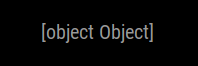
If I delete updateDom() in the start methode, the mirror shows all modules. But my module returns undefined:
-
RE: Error while starting Magic Mirror
@1blaunitrox I will remove the MagicMirror software with all of its modules and install it new