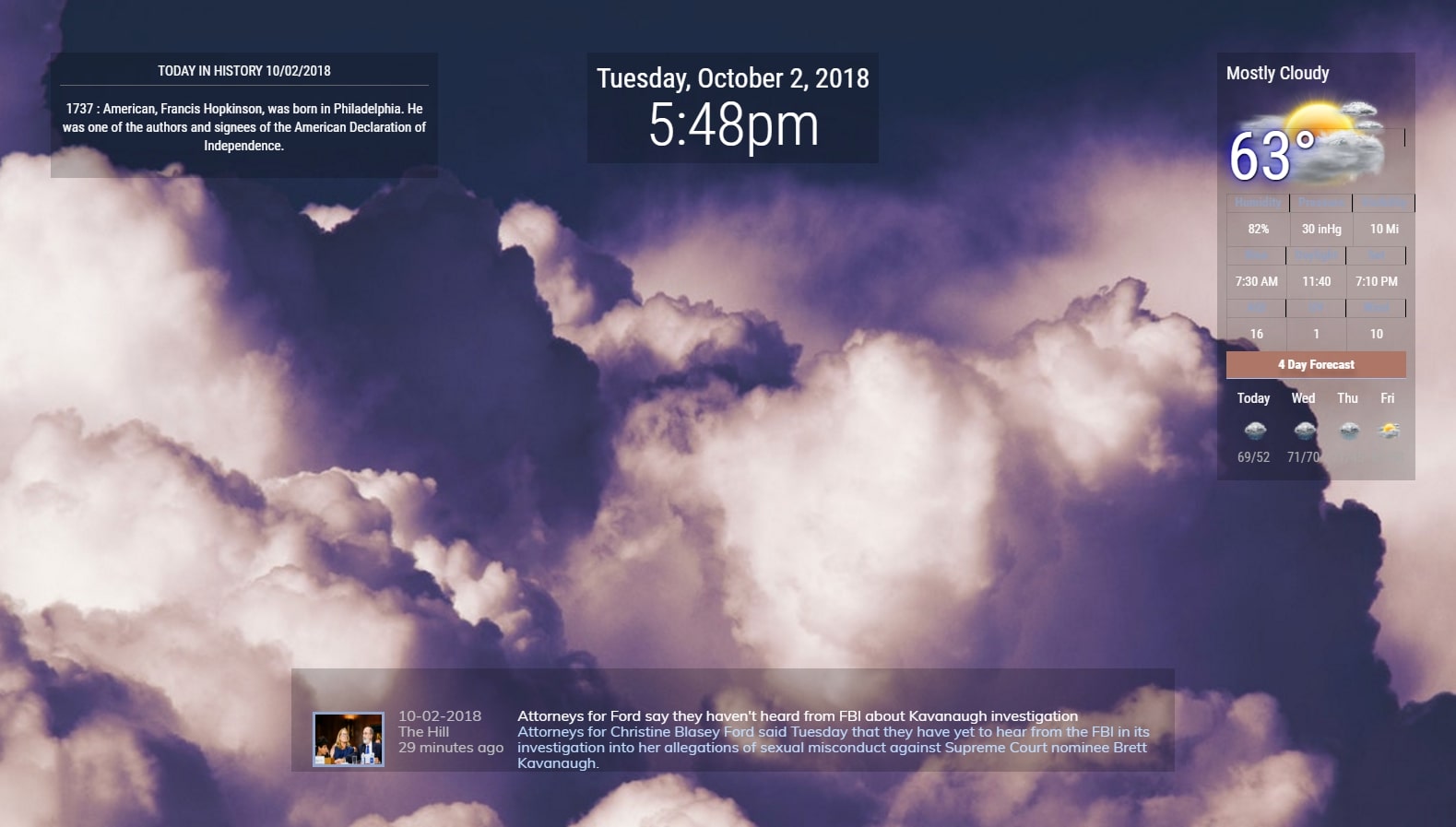
@cyberphox Eh don’t feel bad… I many of us do the same. LOL
I’d be VERY interested in his css for this…
 C
Offline
C
Offline
@cyberphox Eh don’t feel bad… I many of us do the same. LOL
I’d be VERY interested in his css for this…
NOAA3 V3 Lots of changes. IF you have any issues please report here :)
Cannot say this enough…PLEASE read the README. This was basically rebuilt from the ground up and has MANY changes.
Enjoy
MMM-NOAA3 V3.00
Please follow Readme on Github!
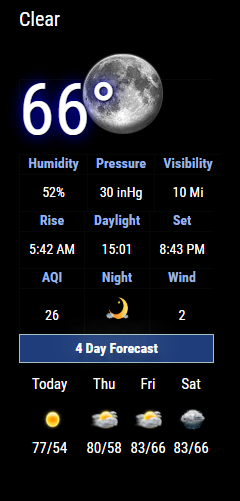
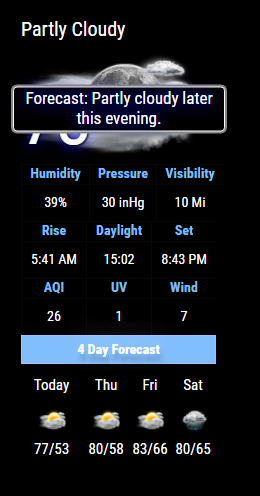
[card:cowboysdude/MMM-NOAA3]
It helps to read a little…
http://searchsecurity.techtarget.com/definition/application-whitelisting
+| ipWhitelist | The list of IPs from which you are allowed to access the MagicMirror². The default value is ["127.0.0.1", "::ffff:127.0.0.1", "::1"]. It is possible to specify IPs with subnet masks (["127.0.0.1", "127.0.0.1/24"]) or define ip ranges (["127.0.0.1", ["192.168.0.1", "192.168.0.100"]]). Set [] to allow all IP addresses. For more information about how configure this directive see the follow post ipWhitelist HowTo |
@adrien00 I have two modules that relay info back and forth to each other. They are weather modules and I get info and send it over to the other module.
I do this because I needed/wanted some weather info to show up in a specific place so I send my ‘payload’ from the 1st module to the 2nd module…
BUT remember if you have a working config file it’s best to make a copy of it before you start tinkering… that way if you have an issue and the mirror won’t start you can always reference your backup to see where you went wrong.
@djsunrise19 said in Phone Notifications:
Great! Does it work with iphone, too? I installed the app on my iphone, but i can’t see the notifications (whatsapp, facebook, twitter, mail, …) in pushbullet.
Iphone…ughhhhhh nice phone but there’s so much you can’t do…
@MMRPi1 Thank you for your patience! :) Glad you got it running now some advice…
IF you have a working config before you make ANY changes to it copy it to config.bak that way you’ll always have a GOOD working config file…
Good Luck!
@dherl0623 Let me check it out :)
do a git pull to update.
Don’t forget to run ‘npm install’ from the ~MagicMirror/modules/MMM-History directory :)
@amanzimdwini said in Failed at the magicmirror@2.0.0 start script 'electron js/electron.js'.:
@Jakllo
I initially had that problem too - you need to be logged in as PI - not root.
I’d suggest starting all over: it really wont take that long. Follow the
tutorial @strawberry-3-141 mentioned (https://forum.magicmirror.builders/topic/236/complete-setup-tutorial) to the letter. It was written by @KirAsh4 & made all of my problem go away. I have now done it 4 times, getting it done in less than an hour from unpacking to having it all run!My raspberry all of a sudden even connected via WiFi, and I am expecting my hair to grow back any day now.
I’m telling you - pure magic, these guys.
All the best
^ This… yes do that!
@ronny3050 said in Phone Notifications:
@cowboysdude I will take a look at iPhones. There has to be a way, could you perhaps ship your iPhone to me for testing ;)
@McSorley I will take a look at that. Stay tuned!
@chengstark thanks a lot! :D others have said that too. Could you list some of the apps that have the icons?
I JUST caught that LOL I would but… LOL
That is awesome!! You just keep making this better and better!!! Thank you!
Any interested in possibly creating an alarm clock that can play a sound when it’s time?
I’d play with this if I had time…
https://www.hackster.io/inmyorbit/build-a-mobile-app-that-connects-to-your-rpi-3-using-ble-7a7c2c
From there go to:
I am always liking to see the humidity with the weather so in the default weather module for MM2 I added it…
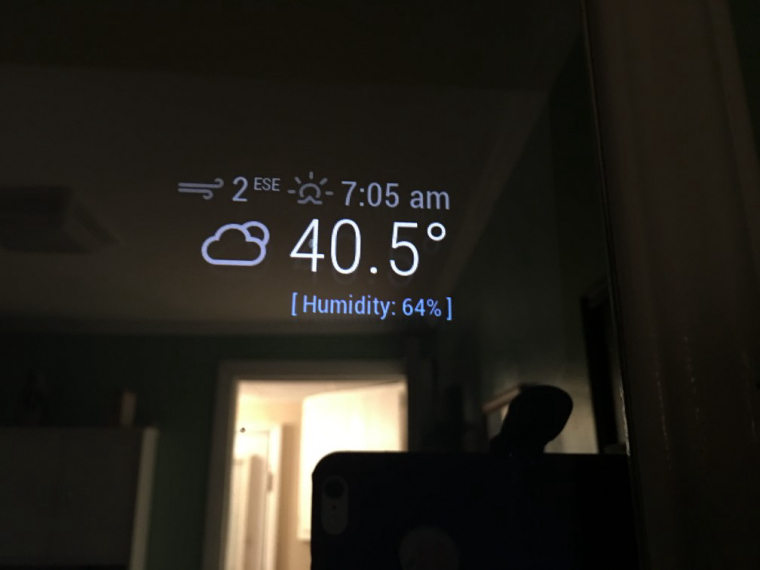
I added a new class to it so I could change the color of the output [in my case blue] so I added this to the custom.css file:
.brightb {
color: #55acee;
}
If anyone is interested I’d be happy to share… just let me know.
I just sent them an email asking if they planned on an API for this… so we’ll see :)