@sdetweil Thanks! Man that was such a rookie mistake, but I completely forgot the basics after not touching my MM for months.
If I may ask a follow up question, how do I update a module when the top banner comes up saying there is an update?
 D
Offline
D
Offline
@sdetweil Thanks! Man that was such a rookie mistake, but I completely forgot the basics after not touching my MM for months.
If I may ask a follow up question, how do I update a module when the top banner comes up saying there is an update?
So I had turned my MM off for a couple weeks when I went on vacation. I just turned it back on and saw that there was an update for MM and the weeklyschedule module so decided to update MM first with ‘git pull’ in cd MagicMirror.
But when I tried starting up the MM with ‘npm start’ after the update there was an error. Decided to reboot my RPi and tried again, but got the same message.
Here is the error I got:
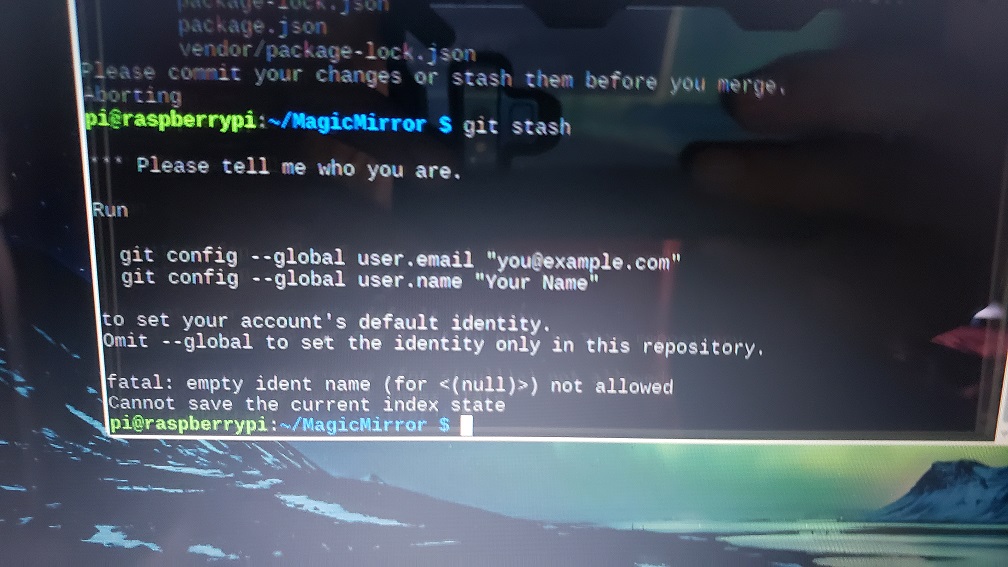
So I learned after the last update that updating MM will reset all the default modules to their default code. (I had edited my compliments). So I got advised by a user here to do a git stash.
But after updating my MM, I can’t get my stash to merge or apply.
I’ve attached pics to show what all I’ve tried.
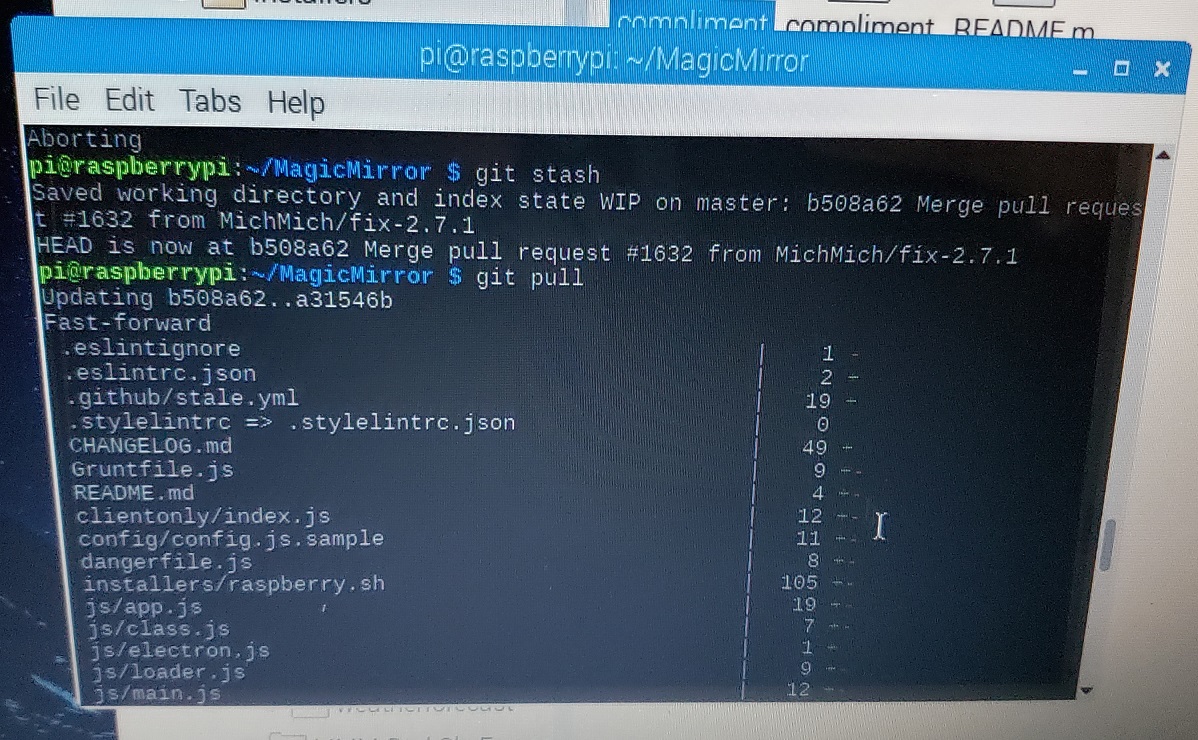
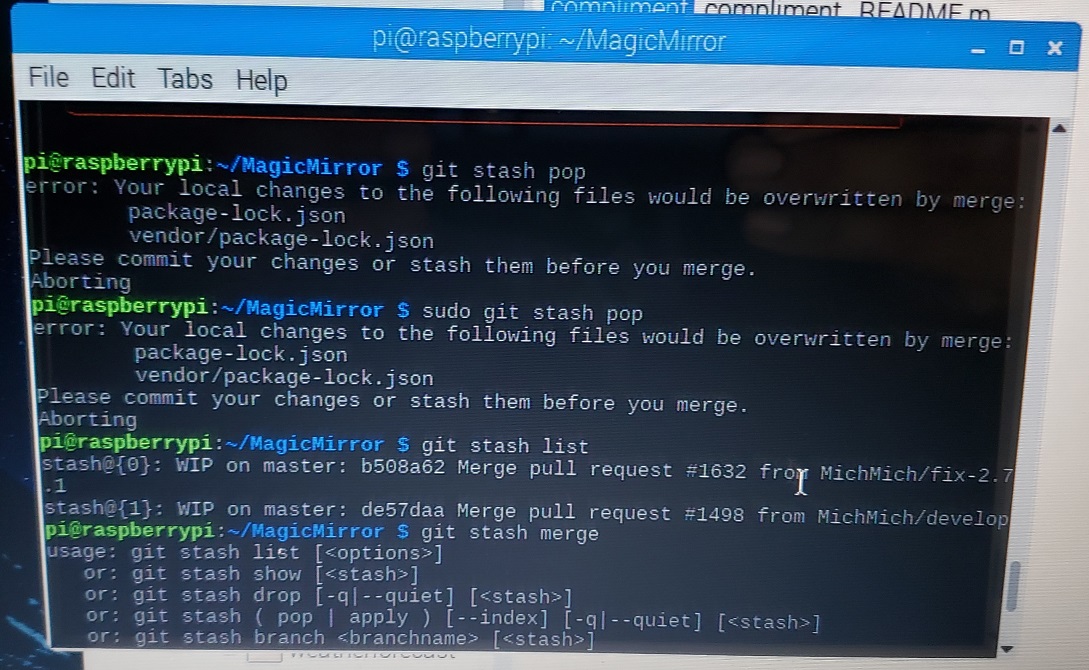
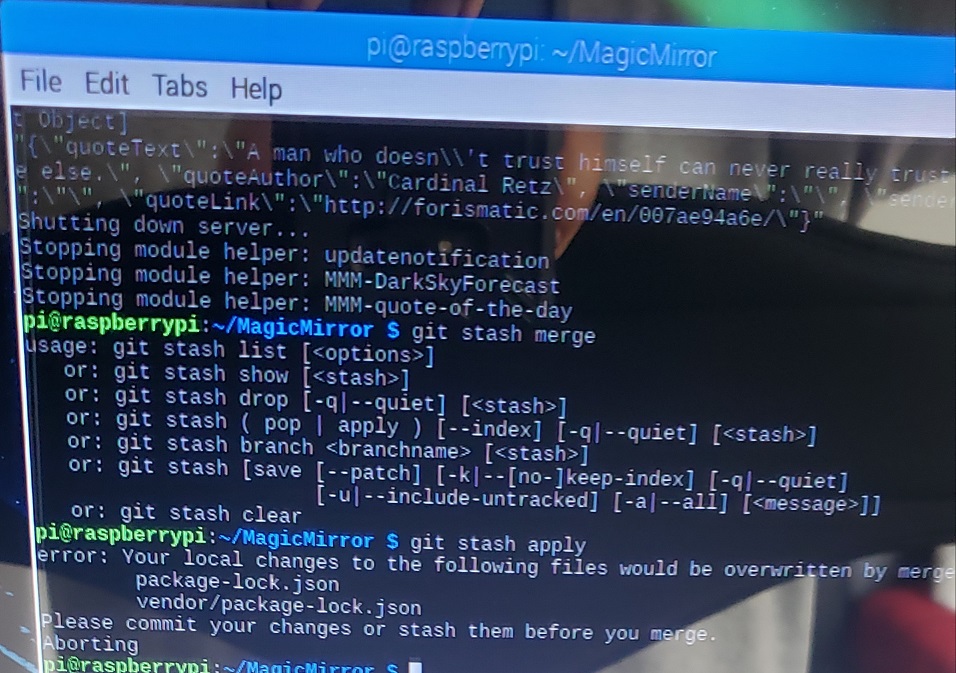
@bhepler Thanks!
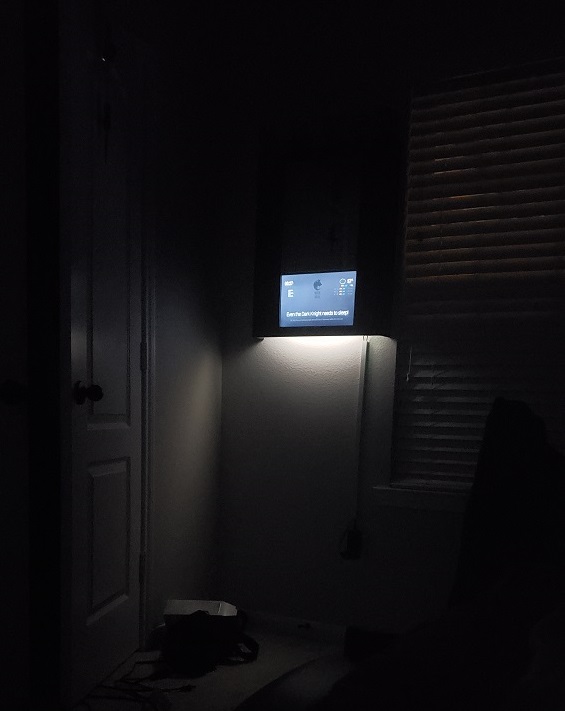
I kept the bottom open thinking it would help with air circulation (and wasn’t worried about light entering from the bottom), but this was a great bonus.
Hehe I actually thought I had gone overboard with that many heat sinks, but I haven’t turned my monitor off even once yet and the back of monitor is still cool as a cucumber!
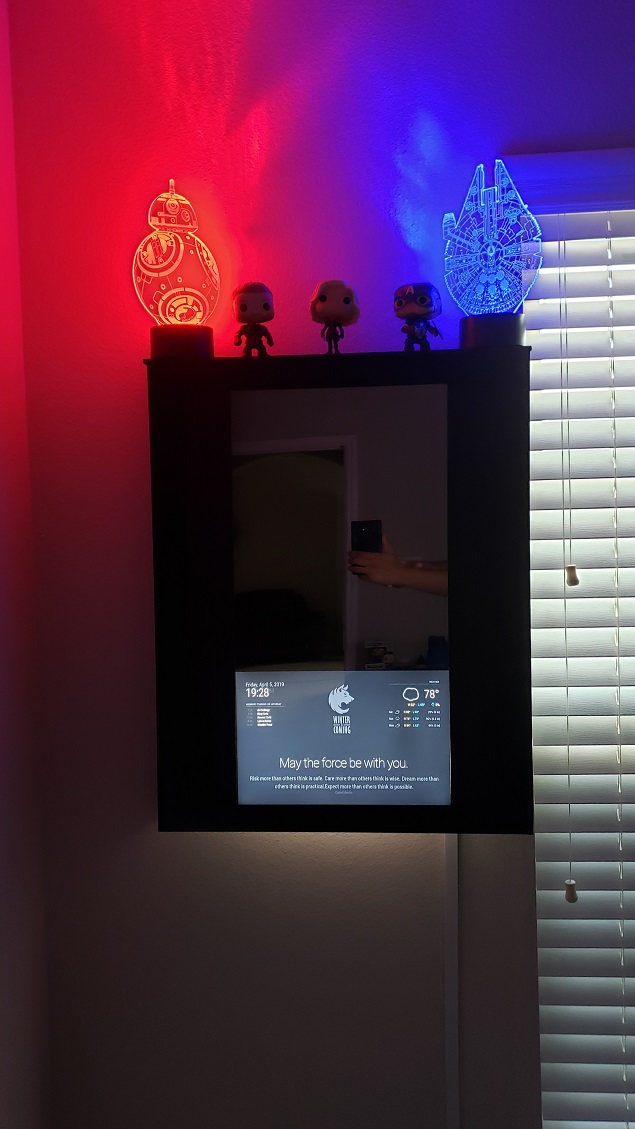
Decided to change up the decor and added two Star Wars LED lamps that are plugged in to the USB ports on the RPi. I can control them with the remote they came with.
https://smile.amazon.com/gp/product/B07MC7GDJ6/
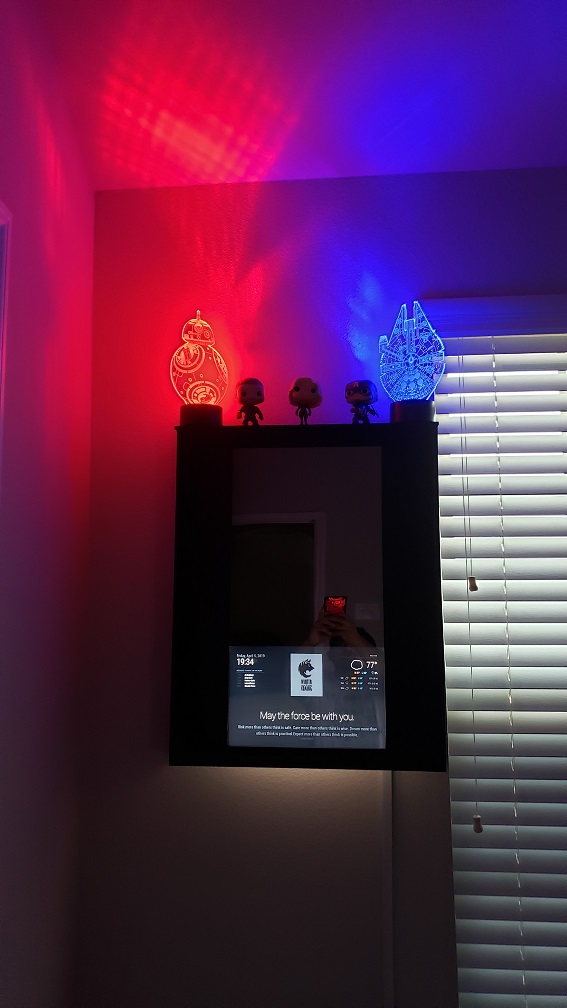
@sdetweil Oh ok, I just did my first stash now.
So let’s say I had done a stash before I had updated; how would I retrieve it after updating?
(So I know what to do next time)
Check out this thread: https://forum.magicmirror.builders/topic/10212/update-help
@thedoorsfanatic helped me fix this problem on mine.
Is it normal for the default modules to reset to factory settings when updating MM?
Just did the MM update to 2.7.1 and noticed my compliments module has reset to its original compliments and time periods.
@thedoorsfanatic Just gave it a go in both the MM directory as well as in general
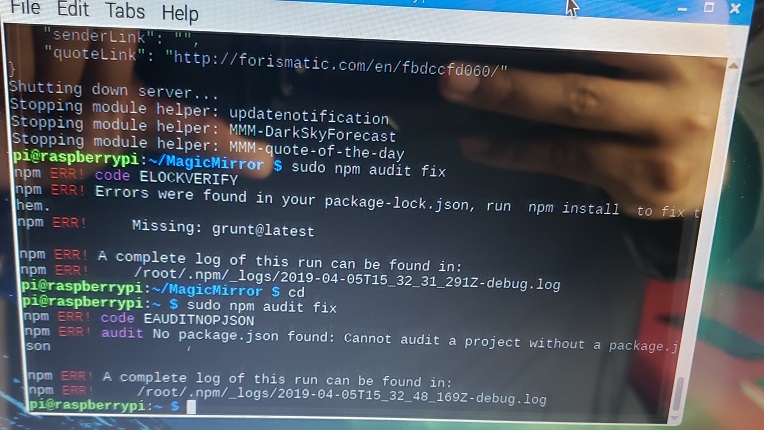
@sdetweil hmmm that makes sense. So would npm audit fix --force help? or just make things worse?
@DæmonEyes I tried npm audit as well
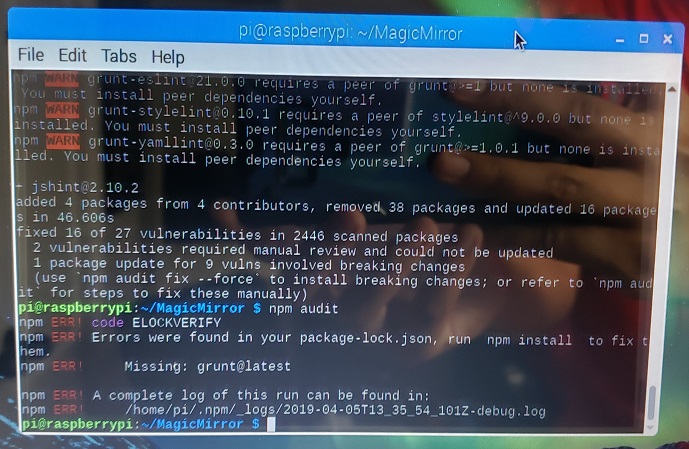
So I just managed to update my MM (with help from @thedoorsfanatic ) and it said I had 27 vulnerabilities and to do an audit fix which I promptly did.
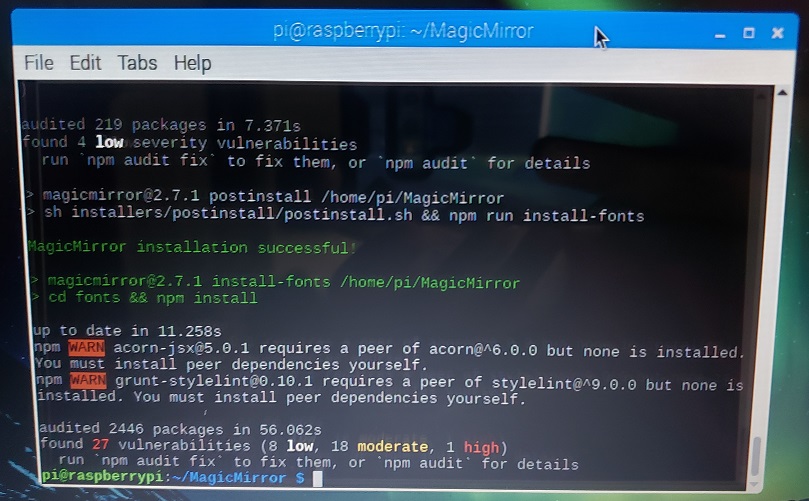
And after that I got that message saying
2 vulnerabilities require manual review and could not be updated
1 package update for 9 vulns involved breaking changes
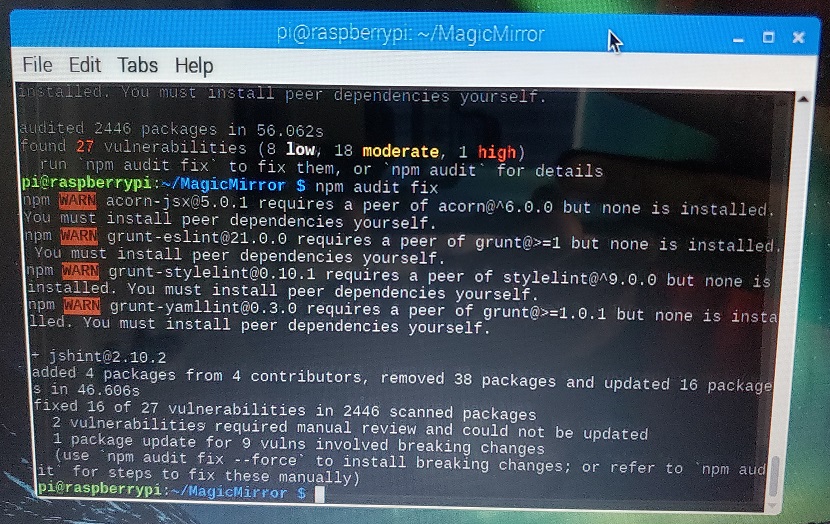
How do I do a manual review? And what are breaking changes? Can I run the npm audit fix --force or should I avoid doing that?
@thedoorsfanatic Thanks, I wasn’t sure what email/username they wanted and I didn’t even have a github profile, so I created one. And then everything worked after that!
@jhwwhite I’m a similar situation, but with a few more lines to my error message
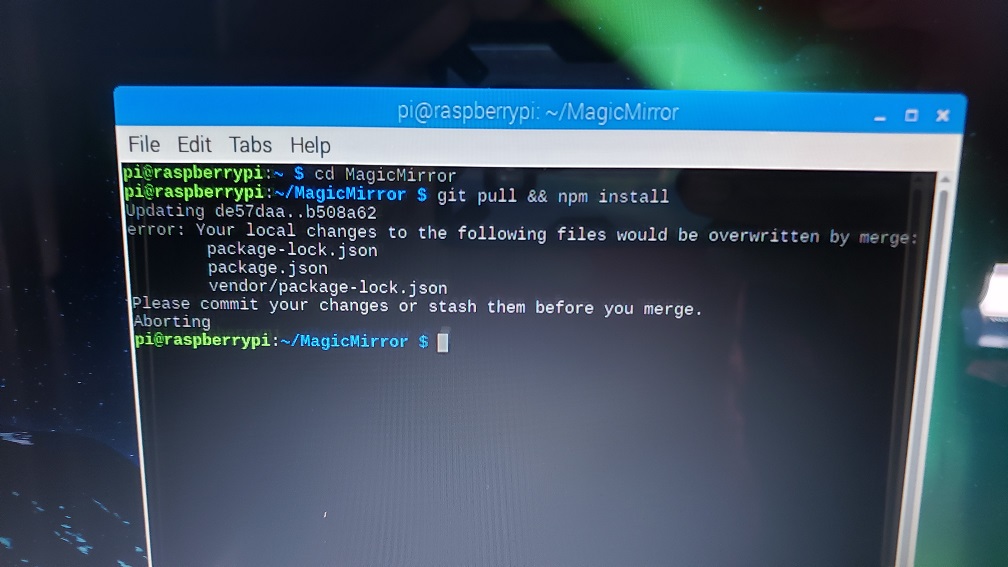
@thedoorsfanatic I tried this but this happened when I tried git stash
So I came across smart mirrors about 2 years ago and planned on building my own one day, but only recently decided to make it a reality. My goal was to build a good MM while trying to minimize cost where ever possible.
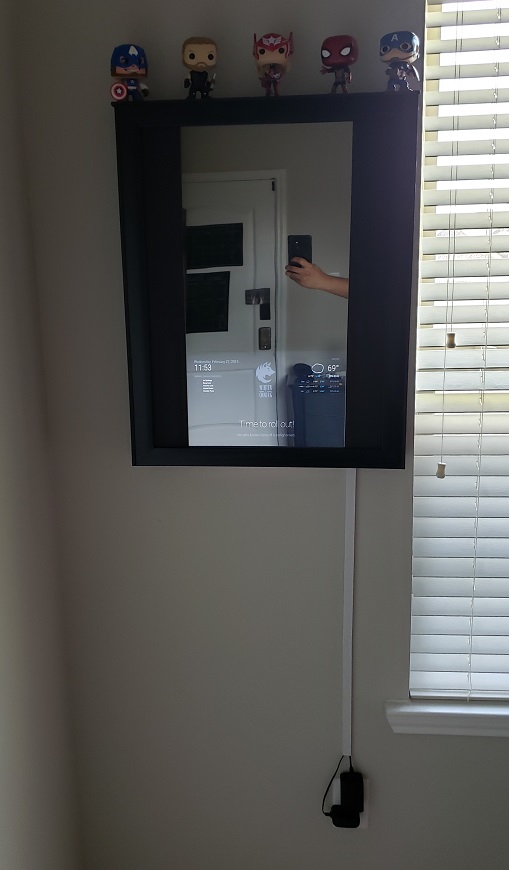
So I wanted a decent size mirror which I could use in my room and felt 12" x 24" was just big enough, but the good frames for that size were harder to find. I’m sure those with wood work experience and the tools could have made their own custom frame for less, but I got an 18" x 24" frame and then added 4" poplar boards to turn it into a shadow box frame. I filled in the 3" gaps on either side with black poster board cut outs.
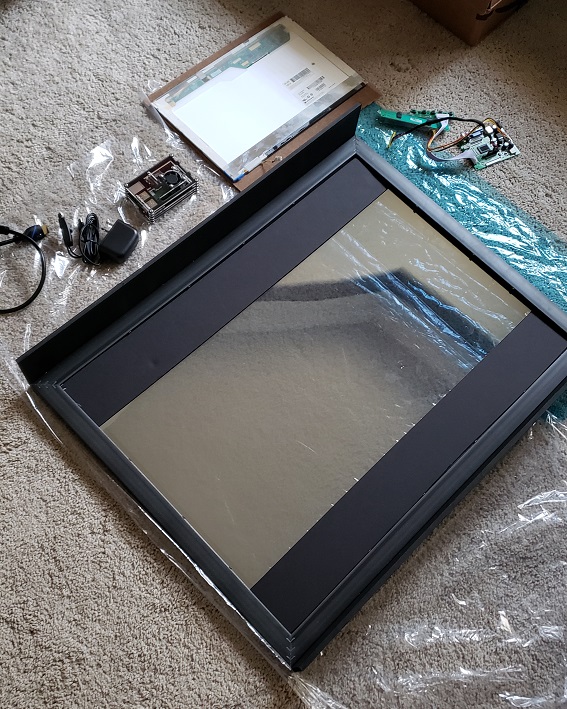
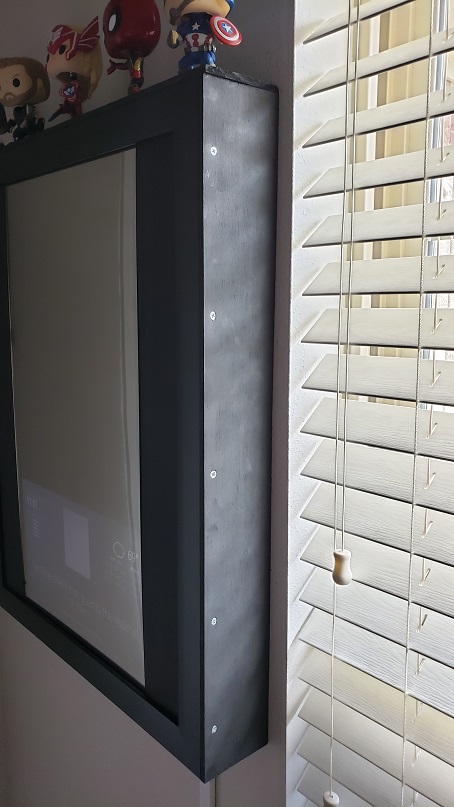
For the monitor I used the screen from my 1st laptop (it’s about 10 years old) and got the appropriate LCD control board for it with a 3V power adapter.
But then the next issue I had was that my monitor was really heating up on the bottom third in the back. I mean it was so hot in that region that I could not even touch it there for more than a second at a time. So I ordered a pack of self-adhesive heat sinks and they have worked impeccably. In the future I do plan on getting a PIR sensor if I can program it to only turn off the monitor when I’m not in the room, but keep the RPi running 24/7.
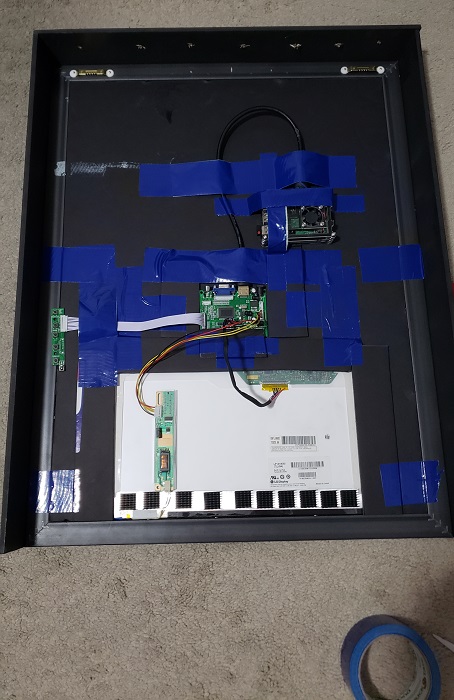
And as you can see from the pictures, I really love duct tape. I even used it to make bands to hold everything in place.
A plus point of keeping the bottom open is that the backlight from the monitor acts as a nightlight which was an unexpected surprise. I was going to add LED strips, but cancelled that plan when I saw this.
Hardware:
Raspberry Pi 3 B+ $38
Raspberry Pi 3 B+ Case with Fan, 3 Pcs Heat Sinks, 5V 3A Power Supply $17
LCD Controller Board $25
12V 3A Power Supply Adapter $10
12" x 24" Acrylic See-Through Mirror, 3mm $37
1.5ft HDMI Cable $5
Easycargo 10pcs 20mm Heatsinks $10
Sandisk 32GB microSD $7
Poster Frame 18’‘x24’’ $12 (had a 60% off regular price coupon from T-mobile Tuesdays)
2 x Black Poster Board 20x30 $6
Two 1/2 in. x 4 in. x 4 ft. S4S Poplar Board $12
Sawtooth Hangers $3
Total: $182
Thanks to @MichMich for developing this awesome software.
Special thanks to @sdetweil who was like Gandalf to me on my MM quest where he helped me when I was stuck at the dreaded Unable to install dependencies while trying to install MM and again guiding me when I was trying to further customize my MMM-Compliments module.
Also special thanks to @Mykle1 who introduced me to his MMM-EasyPix module! I have been loving it.
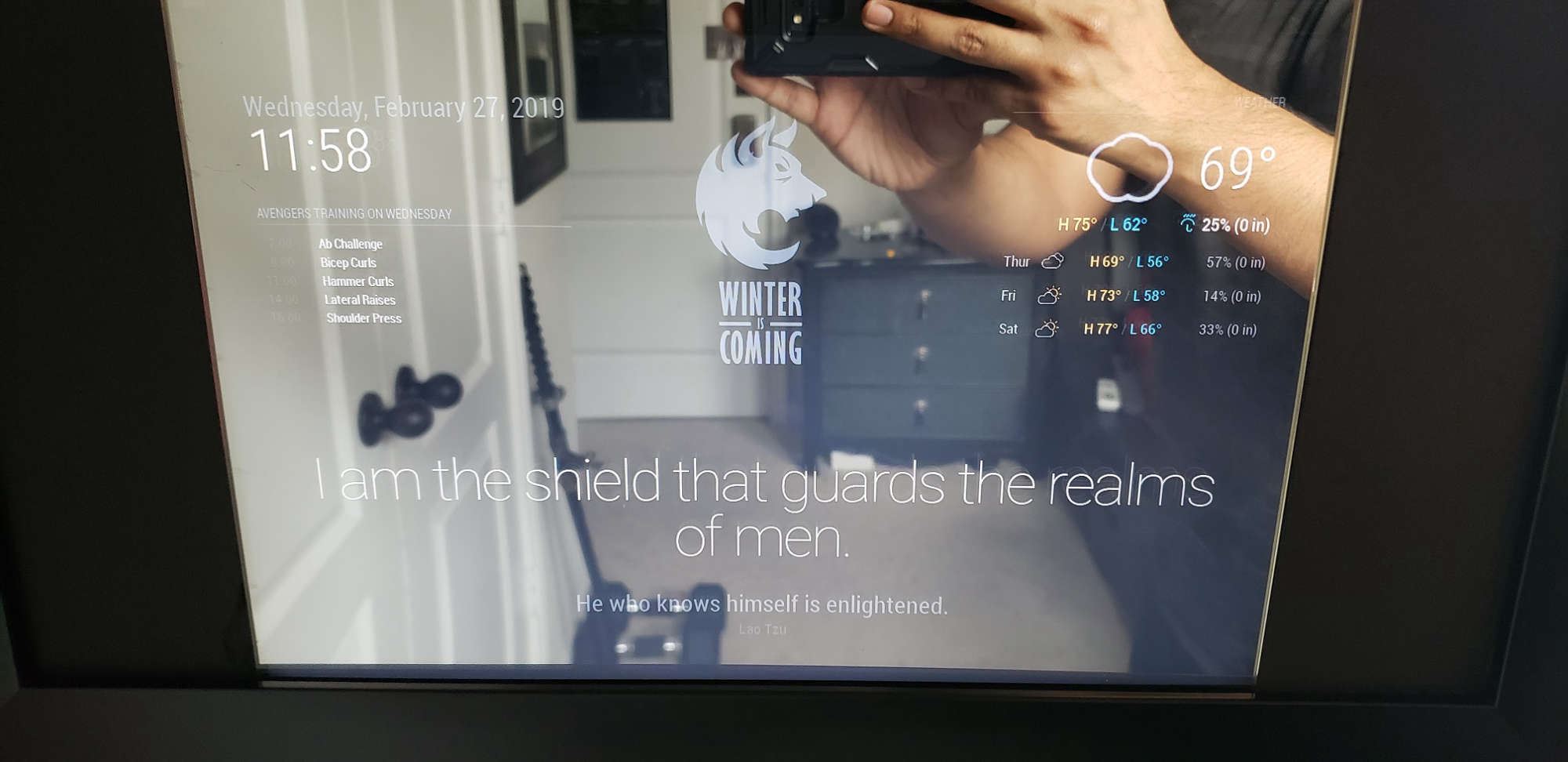
3rd Party Modules used:
Weekly Schedule
EasyPix
Dark Sky Forecast
Quote of the Day
And here is an amateur edited video of the final outcome.
@cr4z33 That looks gorgeous! What was the total cost for the full project?
Also could you post some pics to show the side profile of your mirror when it is up?
@roxx Make sure to post your build in the Show your Mirror page. I’m curious to see how complex and big your build comes out when you’re done. I’ll be posting my own build today or tomorrow.
@cr4z33 I think we all agree that MirrorView is far superior, but the whole point of trying to make due with mirror film is because of the very high cost for MirrorView.