Is there anyway to make the background of MMM-ISS module transparent?
I would like just the letters and values to come through and just have a mirror affect in the background.
Is there anyway to make the background of MMM-ISS module transparent?
I would like just the letters and values to come through and just have a mirror affect in the background.
@Mykle1 I only got as close as the pic I posted…with the Earth and moon to the top left of it.
I’m having a difficult time trying to keep the mirror assembly as thin as possible off the wall and one of the main culprits is the large Pi’s bulky power adapter. Can I switch it out for one like the picture below + USB cable. And what do I need to pay attention to if I do…like Amps for example.
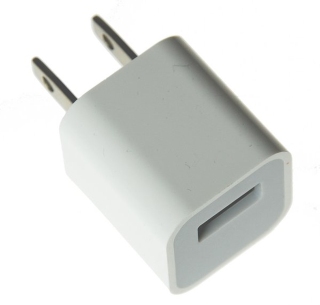
thanks
This is good to know, I also had issues with the margins since I wanted it to look as if the moon was in orbit around the earth. Eventually, I gave up and made it work with mmm-moon-phase. I will probably go back an change it now that I know how to make it work.
thanks Mykle1
The Earth and Moon modules I used are found in the 3rd party modules list:
https://github.com/MichMich/MagicMirror/wiki/3rd-party-modules
These are them specifically:
https://github.com/mykle1/MMM-EARTH
https://github.com/spectroman/mmm-moon-phases
Thanks for the input everyone. I will change the update interval and I guess I will end up installing a roller on/off switch on the power cord same as the one you find on some lamps.
This should insure no data transfer through the night or when we’re out. I can just shut it all down.
Sorry if I missed it but I can’t seem to find information related to the data usage of the Magic Mirror.
I realize it may depends on the modules running but is it something that I would need to worry about if I don’t have unlimited internet?
If I hide the modules overnight using my phone remotely and just un-hide in the morning for a few hours, does the data stop using up when the models are hidden overnight or does it use up data even when all the modules are hidden?
thanks
Hey everyone,
Below is my build but I wanted to first thank everyone for contributing here as I would not have been able to do this without all the info on this site.
Still fine tuning the software as I really would like to have voice control and random YouTube play lists but those two modules are still a struggle for me and can’t get them running.
I picked up the two way mirror (18” x 30”) at a local glass shop for surprisingly cheap…$126.00 CND before taxes.
Further down you will see a valuable and costly oops on my part.
YouTube link: https://www.youtube.com/watch?v=4S79dItWKps
I started by getting myself a 29” LCD TV off of a local “Greggs list” site for $40. Also pick up a mirror and frame from the same site.
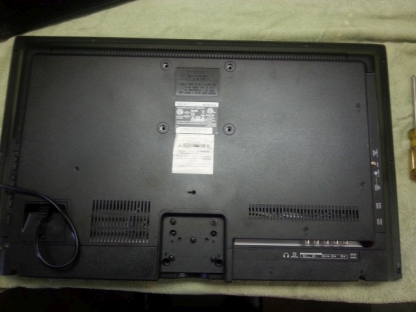
Began building the shadow box frame for the TV and mirror and modified it to fit the TV’s speakers and the PI itself.
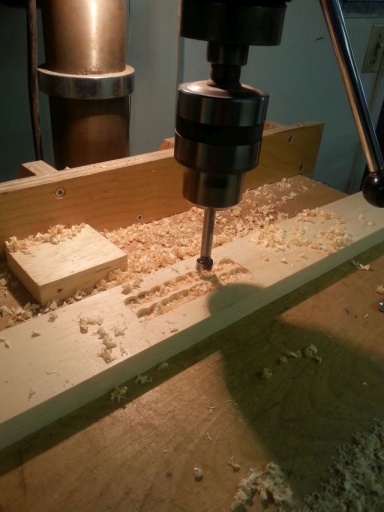
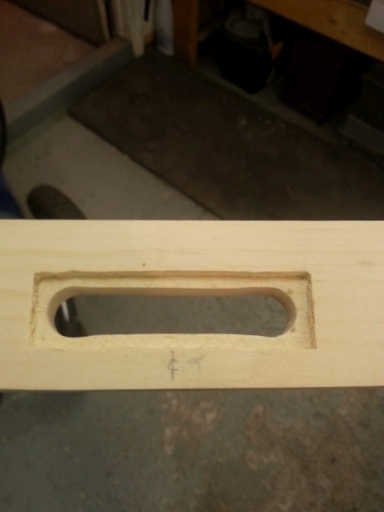
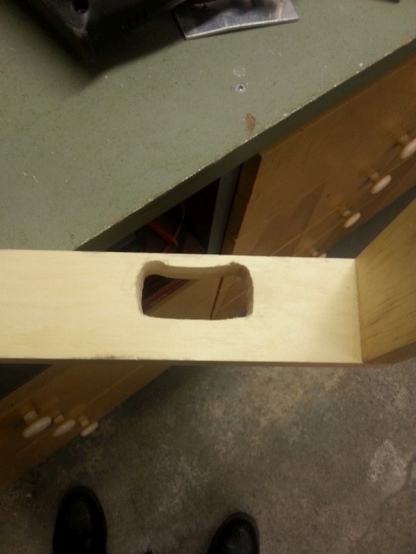
Stripped the TV down as it was way too thick, glued up the shadow box frame and assembled it to the mirror frame to begin fitting it all up. Also tested out the software to insure all is running well.
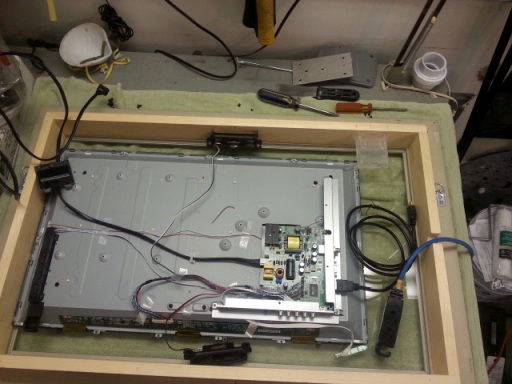
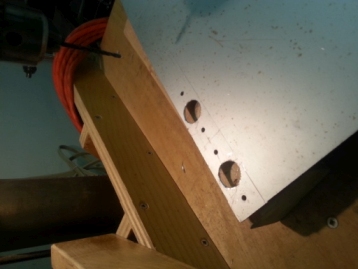
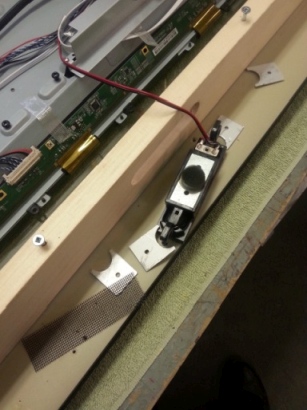
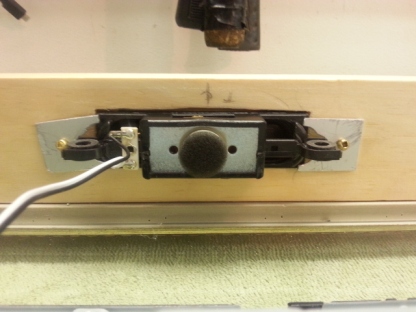
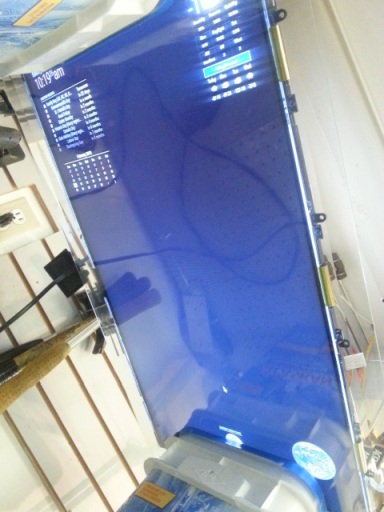
Next I Cut up some wood bracing to center the TV on the mirror. Also bought some black shelf mat material from the local dollar store , fitted it in the shadow box and cut out a hole just big enough for the TV screen.
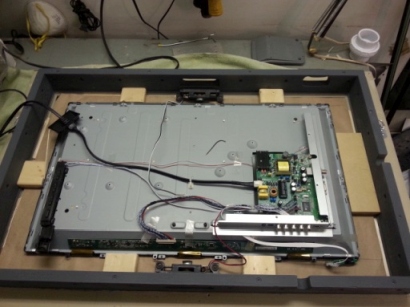
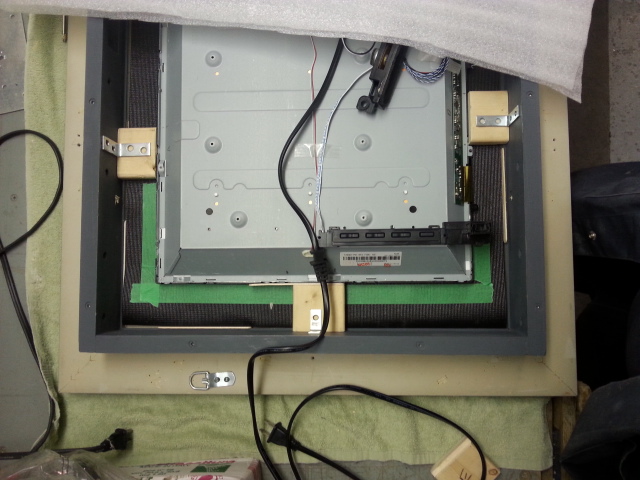
OOPS:
At this point I wanted to give it a last run through with everything connect and realized at some point, with the TV circuits exposed, I somehow shorted something. After days of trouble shooting I gave up and decided to buy another TV.
** Protect your exposed PCB’s
The second TV is a 29 Philips LED so it was thin enough to keep the back casing on to protect the circuit boards. I pretty well fitted it the same way as the first and added some brackets at the bottom left and top right to keep the TV from fall out.
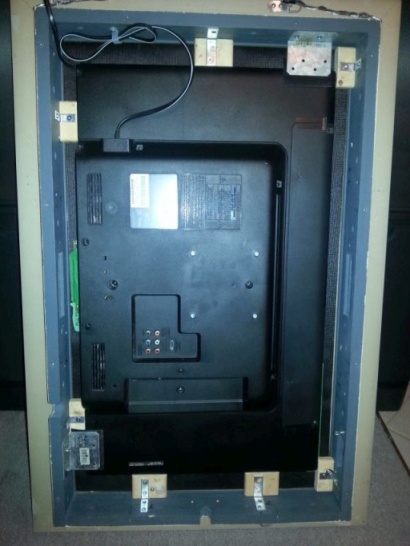
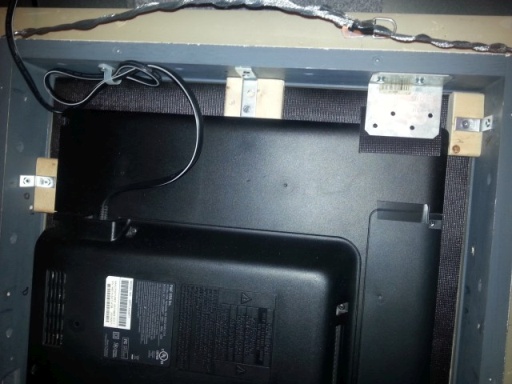
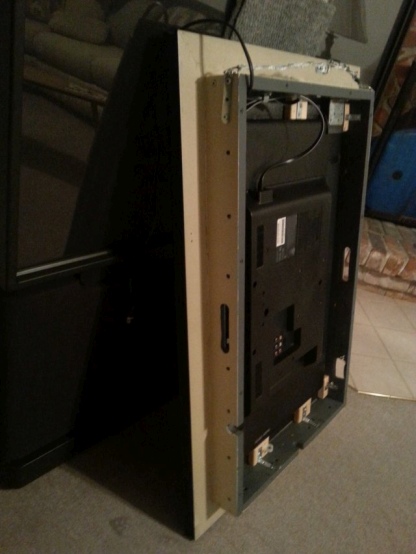
Connected all together and hit the start button. Still need to fine tune some details like auto start, etc but I’m kind of happy with it so far.
Just need permission from wife as to where I’m aloud to pace it
Have two pages of modules alternating with ticker tape news, time and the temperature on the fixed page.
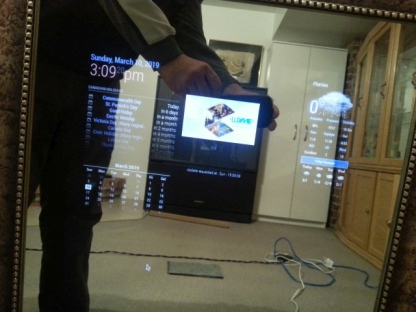
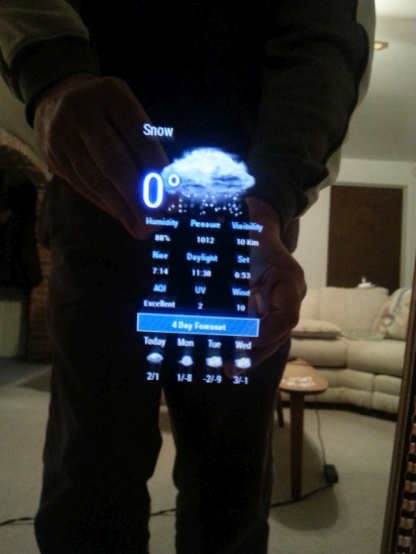
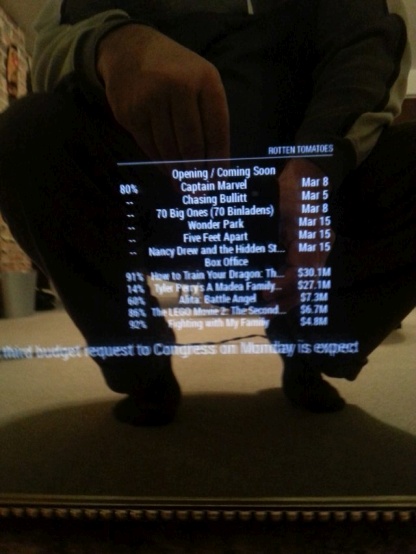
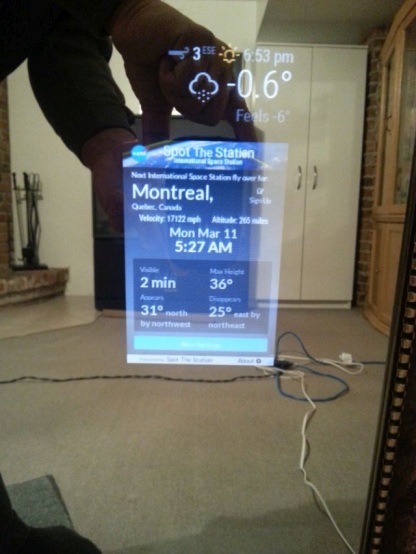
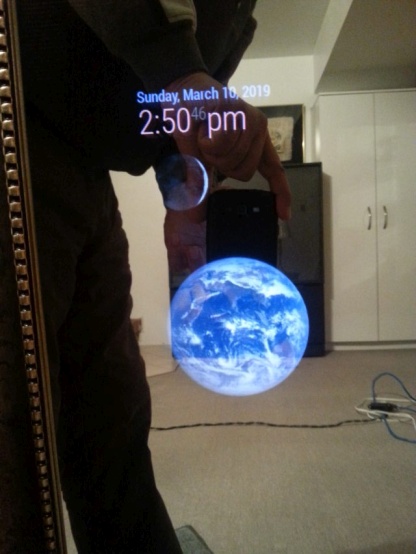
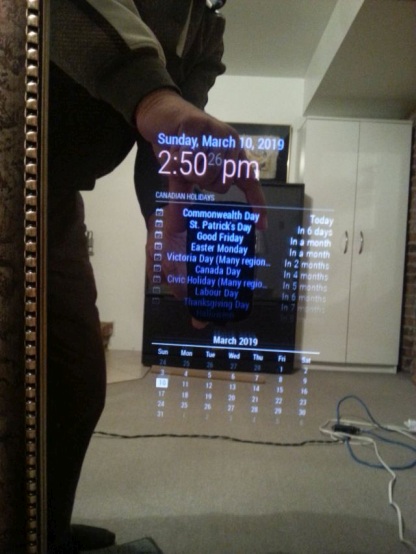
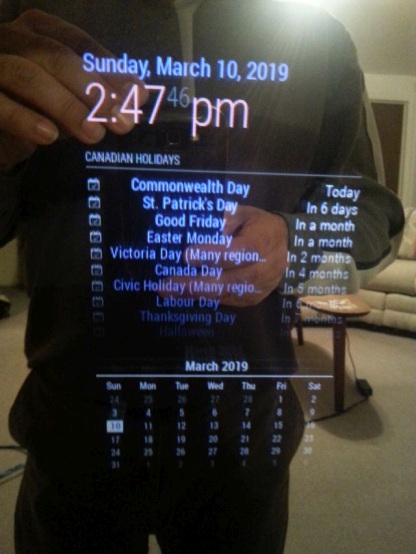
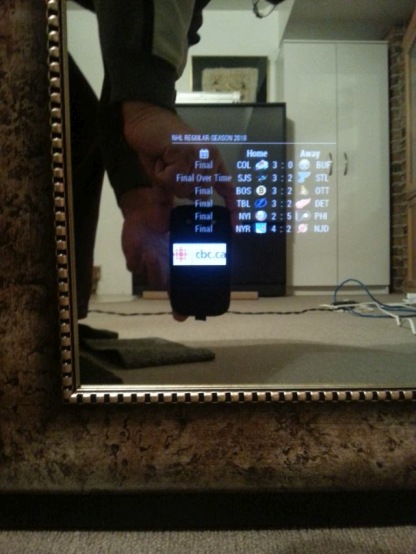
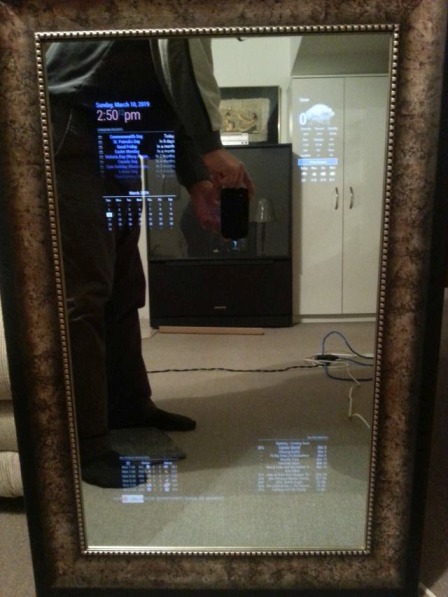
Works fine now. thanks, really appreciate it. If it’s not an exact copy and paste, it’s a challenge for me. But getting there.
Now it a question of playing around trying to get mmm-recipe to show correctly on the bottom_right
tks again
Hey everyone,
As I’ve noted on here before. I’m pretty new at this so if there is a comma or a bracket missing somewhere, I really have a hard time.
I’m almost complete on the construction of my mirror and have pretty well given up on playing any decent YouTube playlist as it just doesn’t want to play , https://forum.magicmirror.builders/topic/8481/mmm-iframe-ping/41?page=5 ,but I can’t seem to find the config portion of the last few modules I wanted to install.
Such as these two:
Why are some modules missing the Config.js entry and where do I go get them?
Thanks.
At first I did only try one module at a time , removing one complete before trying the other. I’ve only recently installed a few at a time just to try different links on each module try to triple my combinations.
I see no difference if I try one at a time or three at the same time. Even have MMM-SmartWebDisplay installed now and it also behaves the same way.
But i will try one at a time again when I get home later.
Wondering if its a Canadian copy right thing? Any Canadians on here have these modules running properly. If so, would love to see which playlists you have running.
Was there any errors on the info I provided?
Wow…did not expect that screen to pop up? Hope I got what you asked for.
Filter:
Load script: modules/MMM-iFrame//MMM-iFrame.js
module.js:477 Module registered: MMM-iFrame
loader.js:152 Bootstrapping module: MMM-iFrame
loader.js:157 Scripts loaded for: MMM-iFrame
loader.js:197 Load stylesheet: modules/MMM-iFrame/MMM-iFrame.css
loader.js:159 Styles loaded for: MMM-iFrame
loader.js:161 Translations loaded for: MMM-iFrame
loader.js:182 Load script: modules/MMM-iFrame-Ping//MMM-iFrame-Ping.js
module.js:477 Module registered: MMM-iFrame-Ping
loader.js:152 Bootstrapping module: MMM-iFrame-Ping
loader.js:157 Scripts loaded for: MMM-iFrame-Ping
loader.js:197 Load stylesheet: modules/MMM-iFrame-Ping/MMM-iFrame-Ping.css
loader.js:159 Styles loaded for: MMM-iFrame-Ping
loader.js:161 Translations loaded for: MMM-iFrame-Ping
MMM-iFrame-Ping.js:30 Starting module: MMM-iFrame-Ping
module.js:156 MMM-iFrame received a system notification: ALL_MODULES_STARTED
module.js:156 MMM-iFrame received a system notification: MODULE_DOM_CREATED
module.js:156 MMM-iFrame received a system notification: DOM_OBJECTS_CREATED
module.js:154 MMM-iFrame received a module notification: WEATHER from sender: MMM-NOAA3
module.js:154 MMM-iFrame received a module notification: CALENDAR_EVENTS from sender: calendar
MMM-iFrame.js:26 update0
MMM-iFrame.js:26 update1
MMM-iFrame.js:26 update2
MMM-iFrame.js:26 update3
MMM-iFrame.js:26 update4
MMM-iFrame.js:26 update5
MMM-iFrame.js:26 update6
Actually been trying both the MMM-iFrame & MMM-iFrame-Ping.
I guess I am the baby of the group after all at 58.
AgP42
The videos are all from YouTube and do not seem to be private. I have tried this three amongst quite a few others. If someone has a pop play list that works, can you please give it to me. I can try it.
https://www.youtube.com/watch?v=LH4Y1ZUUx2g&list=PLw-VjHDlEOguL2K_NwIl_tYcs9_FSt5v_
https://www.youtube.com/watch?v=JGwWNGJdvx8&list=PLMC9KNkIncKtPzgY-5rmhvj7fax8fdxoj
https://www.youtube.com/watch?v=WXBHCQYxwr0&list=PL4o29bINVT4EG_y-k5jGoOu3-Am8Nvi10
I right click on the video while its playing and then click on copy embed code, from there I copy the src and input that into iFrame and/or iFramPing. Which gives me the “video unavailable” when I start the mirror.
When I do the exact same for the following YouTube videos, the vids play fine.
https://www.youtube.com/watch?v=I_bOFxxqXOg&list=PL6GgLDsVQ7J-JEVldGtzIVlmC1MbvIZbO
https://www.youtube.com/watch?v=M3AYuDFdf88&list=PLwMdN-ylsjO5633clbN4nkygVXHpbcFwX
I will try the ctrl-shift-i and will be back soon…hopefully.
Nothing happens when I hit “ctrl” and then the letter ”i” while the mirror is running. Or was I actually suppose to add the plus sign “+”…and I tried that as well. Only thing that works is ctrl Q.
As to my configuration. I assume this is what you are asking for:
{
module: ‘MMM-iFrame-Ping’,
position: ‘bottom_right’, // This can be any of the regions.
config: {
// See ‘Configuration options’ for more information.
url: “https://www.youtube.com/embed/LH4Y1ZUUx2g?list=PLw-VjHDlEOguL2K_NwIl_tYcs9_FSt5v_&autoplay=1&modestbranding=1&iv_load_policy=3”, //url to display
height:“80%”,
width:“80%”,
autoRefresh: false, //set to false for video
updateInterval: 1, //in min. Only if autoRefresh: true
displayLastUpdate: true,
width: “100%”, // Optional. Default: 100%
height: “400px”, //Optional. Default: 100px
scrolling: “no”
}
Will try to do so when I get home from work tonight. May take a few attempts as this very alien to me given that I’m probably older than most all of you…or your dads.
May be worth noting: After a few attempts I noticed if I used my companies playlist, or that of Bombardier, Nord-Gear or any other company / commercial play list, it works fine. Always begins at the same place when started but the module shows up and plays the videos.
But if I try to add a Pop music playlist or any of the popular artist out their, it gives me the “video unavailable.”
As if it’s a copy right issue when going through the mirror.
BTW: I’m in Montreal, Canada
Hey everyone,
Hoping I can jump in here at the beginners level. Been trying to load a number of YouTube modules for a week to no avail.
I’m more old school so this stuff doesn’t come natural to me and I’ve been trying to get iFrame-Ping to work the last few days.
Long story short, all I get is YouTube trying to load on the MM and then “Video unavailable” where the video should be.
The rest of the MM and its modules are working as should be. Strangely enough, I can click on the iframe-Ping module and the whole magic mirror disappears and the Pi switches to YouTube, full screen?
The only way to get out of youtube at this point is with “ctrl Q”.
Can anyone help?
I’ve been researching this for the past two weeks and it seems like removing the paint will not give you just plain glass.
It will expose the silvering needed to create a normal mirror , and removing the back paint and primer will give you an inexpensive two way mirror.
If you search “DIY antique mirror” , the first step is to remove the back paint & primer which turns it into a two mirror. I just can’t find much literature on it other than a very brief mention that the paint is only there to stop it from being a two way mirror. No details of transparency or reflection properties once the paint is removed.
Still hard to believe I can’t find much more than a brief mention like in the following:
https://www.youtube.com/watch?v=IaEaaeajCSI
https://www.youtube.com/watch?v=nUhxlXY-vx0
this is frustrating as the answer feels like it’s to be at the “tip of my tongue”.