MagicMirror Forum
    • Recent
    • Tags
    • Unsolved
    • Solved
    • MagicMirror² Repository
    • Documentation
    • 3rd-Party-Modules
    • Donate
    • Discord
    • Register
    • Login
    1. Home
    2. MMRIZE
    3. Posts
    A New Chapter for MagicMirror: The Community Takes the Lead
    Read the statement by Michael Teeuw here.
    M
    Offline
    • Profile
    • Following 0
    • Followers 9
    • Topics 29
    • Posts 952
    • Groups 0

    Posts

    Recent Best Controversial
    • RE: MMM-CalendarExt3 fine tuning

      @csongor-varga-0

      • For the multilines events; not naturally. It is designed so intentionally. I know it is probably possible with heavy CSS tweak but I will not do or try it by myself.
      • For the (+1) : There might be hidden(skipped) events. (You’ve set skipDuplicated: true)
      posted in Troubleshooting
      M
      MMRIZE
    • RE: MMM-CalendarExt3Agenda Split

      @svenpisa
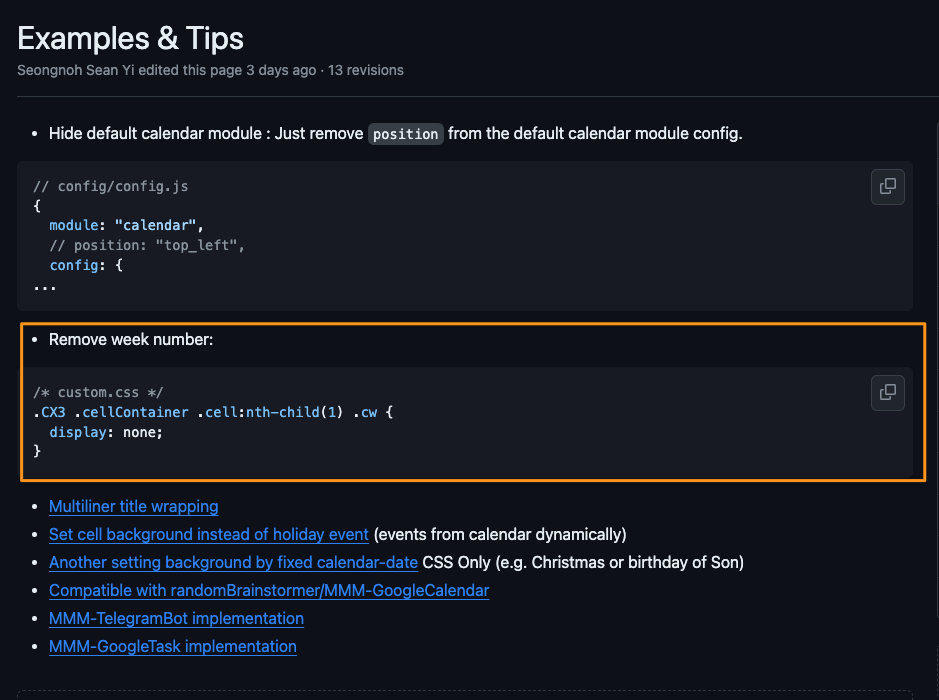
      https://github.com/MMRIZE/MMM-CalendarExt3/wiki/Examples-%26-Tips

      posted in Troubleshooting
      M
      MMRIZE
    • RE: MMM-CalendarExt3Agenda

      @ZiggidyZ
      Sorry for late reply.

      /* In your custom.css */
      .CX3A .cellBody .fullday .event .headline .symbol,
      .CX3A .cellBody .fullday .event .headline .symbol * {
        display: inline-block;
        color: var(--oppositeColor);
      }
      
      
      posted in Utilities
      M
      MMRIZE
    • RE: MMM-CalendarExt3Agenda Split

      @svenpisa
      1.
      5a095d34-36b2-40dd-afa6-b8550832431a-image.png

      1. Assign color into your calendar module config.
      {
      			module: "calendar",
      			header: "US Holidays",
      			position: "top_left",
      			config: {
      				calendars: [
      					{
      						color: "yellow",
      						symbol: "calendar-check",
      						url: "https://ics.calendarlabs.com/76/mm3137/US_Holidays.ics"
      					}
      				]
      			}
      		},
      
      posted in Troubleshooting
      M
      MMRIZE
    • RE: MMM-CalendarExt3

      @wperry530
      Not only popover feature is not abled? Or some other symptom you have?
      If only popover doesn’t work, What browser and version do you use? (Electron or Chromium version I need)

      posted in Utilities
      M
      MMRIZE
    • RE: MMM-CalendarExt3Agenda no longer working after MM update

      @Kelemvor
      1.4.2 is the latest version.

      posted in Troubleshooting
      M
      MMRIZE
    • RE: MMM-CalendarExt3Agenda no longer working after MM update

      @Kelemvor
      Go to directory of CX3A then open the package.json. Could u check the version number?

      posted in Troubleshooting
      M
      MMRIZE
    • RE: CalendarExt3 Correct calendar not displayed

      @sdetweil
      More specific code is needed.
      https://github.com/MMRIZE/MMM-CalendarExt3/wiki/Examples-%26-Tips
      9bcedacd-a6c8-4ad9-bc55-f610ac85af9f-image.png

      posted in Utilities
      M
      MMRIZE
    • RE: MMM-CalendarExt3 CSS issue with full day event text colors, and MMM-CalendarExt3Agenda

      @ZiggidyZ
      Good job. CX3 and CX3A use heavy CSS juggling, so it is not so easy for those who have not experienced this kind of work.
      The only thing I am worried about is that it seems you may modify the CSS file of each module directly.
      All custom CSS things should be performed in /css/custom.css by overriding for future-update-proof.

      posted in Custom CSS
      M
      MMRIZE
    • RE: MMM-CalendarExt3

      @gonzonia Could you send me the ice file(or downloadable url) and your config? (eouia0819@gmail.com)

      posted in Utilities
      M
      MMRIZE
    • RE: MMM-CalendarExt3 show color

      @Fuzzy
      I missed this question, sorry.

      Importing color of the specific events from Google calendar directly is not possible. That’s not this module’s job. Rather, the event provider(e.g. default calendar module, or mmm-googlecalendar) doesn’t support it. Usually that kind of data is not sharable outside of Google Calendar. And standard ics format doesn’t have “color” property of an event.

      Instead, you can assign color manually to the calendar itself or the specific events. But it should be done by yourself.

      posted in Troubleshooting
      M
      MMRIZE
    • RE: MMM-CalendarExt3Agenda

      @luisestrada
      Done. (Released. v1.4.2)
      A new config value, relativeNamedDayOptions, is introduced. Now People can modify the option generally.

      However, for your specific purpose (en X días instead of dentro de X días), further step is needed.

      Only the Mexican locale supports en X días format with relativeNamedDayOptions: {style : 'short' }, other Spanish-locales don’t.
      So to get en X días, you have to use locale: 'es-MX' regardless of which country you live.

      locale: "es-MX",
      relativeNamedDayOptions: {
      	style: "short",
      },
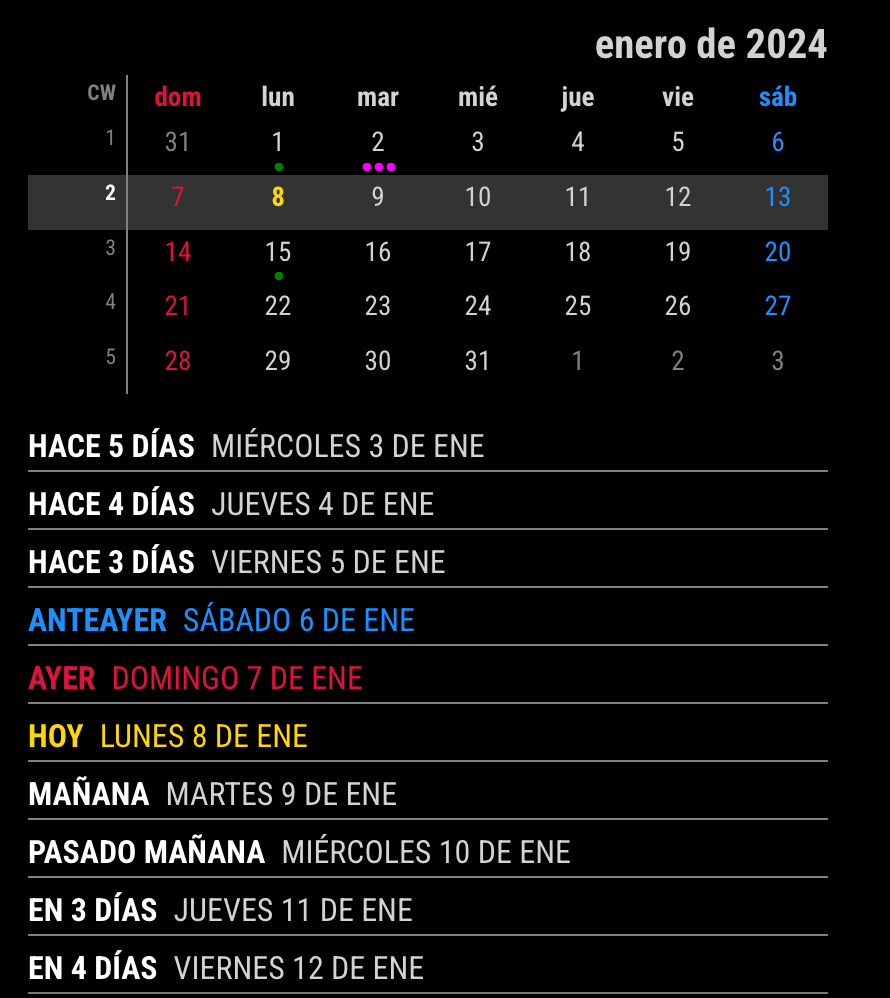
      

      077dac12-38a4-4b6a-8bf3-049b35d08783-image.png

      If you are living in Mexico, there would be no issue. But in other countries where the week starts on Monday, 2 more configuration is needed.

      locale: "es-MX",
      relativeNamedDayOptions: {
      	style: "short",
      },				
      firstDayOfWeek: 1,
      minimalDaysOfNewYear: 4,
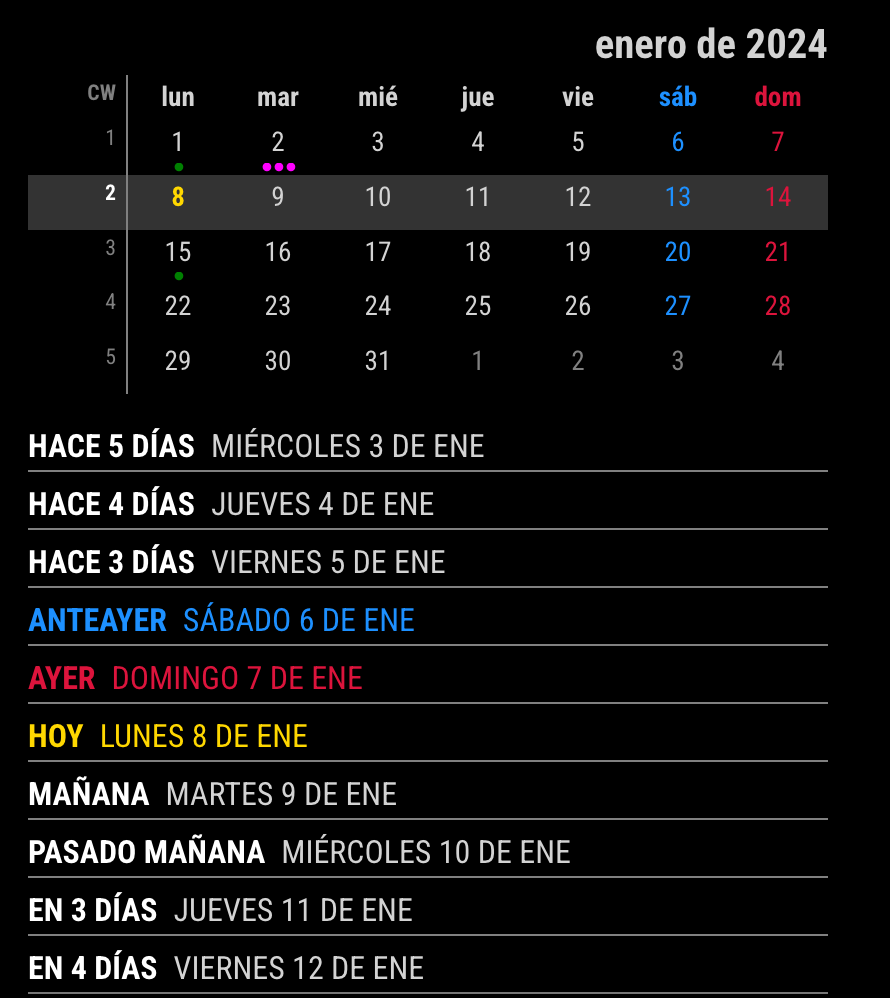
      

      bbfdc421-775f-4233-a6a7-ec64ffea0dc7-image.png

      Of course, if you don’t care dentro de 3 días, You can use any locale under which you live.

      locale: "es-ES",
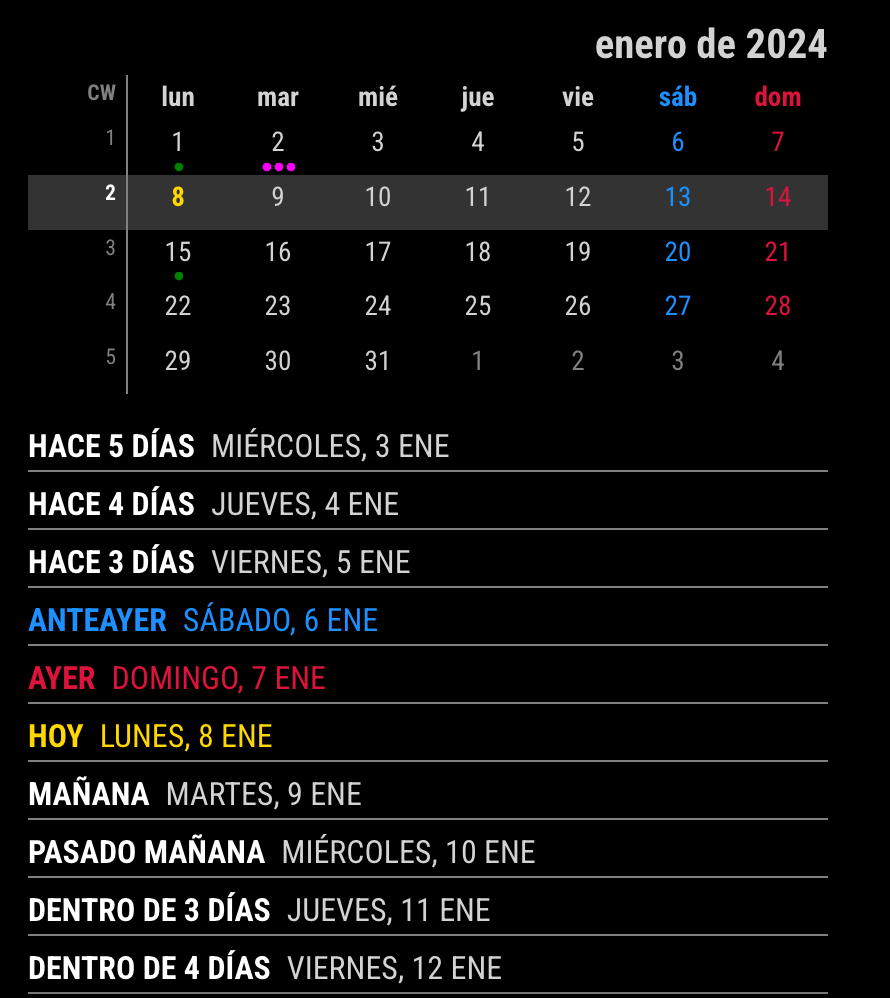
      

      8dfad298-6fea-42ad-bb1d-3a8907e24f22-image.png

      posted in Utilities
      M
      MMRIZE
    • RE: MMM-CalendarExt3Agenda

      @luisestrada
      Almost done (not yet released).
      By the way, which locale did you use and which country are you living?

      posted in Utilities
      M
      MMRIZE
    • RE: MMM-CalendarExt3Agenda

      @luisestrada
      I’ll prepare how to customize it soon. I’m on travel abroad now and will return to next week. Plz wait a while. Until then, you can hide it with css.

      posted in Utilities
      M
      MMRIZE
    • RE: MMM-CalendarExt3 stopped working

      @redink It seems not related to the CX3 module, rather than deep, the default calendar fetch issue.

      posted in Troubleshooting
      M
      MMRIZE
    • RE: MMM-CaelendarExt3 Event Format CSS

      @kshamus
      Use event.class, not event.className.
      5ef76f61-d817-4ae0-9cac-83957e50b515-image.png

      posted in Custom CSS
      M
      MMRIZE
    • RE: MMM-CalendarExt3Agenda

      @CDT
      I’ve fixed it. Thanks for reporting it.

      posted in Utilities
      M
      MMRIZE
    • RE: MMM-CalendarExt3Agenda

      @CDT thanks. I’ll check.

      posted in Utilities
      M
      MMRIZE
    • RE: MMM-CaelendarExt3 Event Format CSS

      @kshamus
      If you want, you can,. But for the default color, you can assign it on default calendar config.

      posted in Custom CSS
      M
      MMRIZE
    • RE: MMM-CaelendarExt3 Event Format CSS

      @kshamus evetTransformer should be placed in config, not css.

      posted in Custom CSS
      M
      MMRIZE
    • 1
    • 2
    • 14
    • 15
    • 16
    • 17
    • 18
    • 47
    • 48
    • 16 / 48