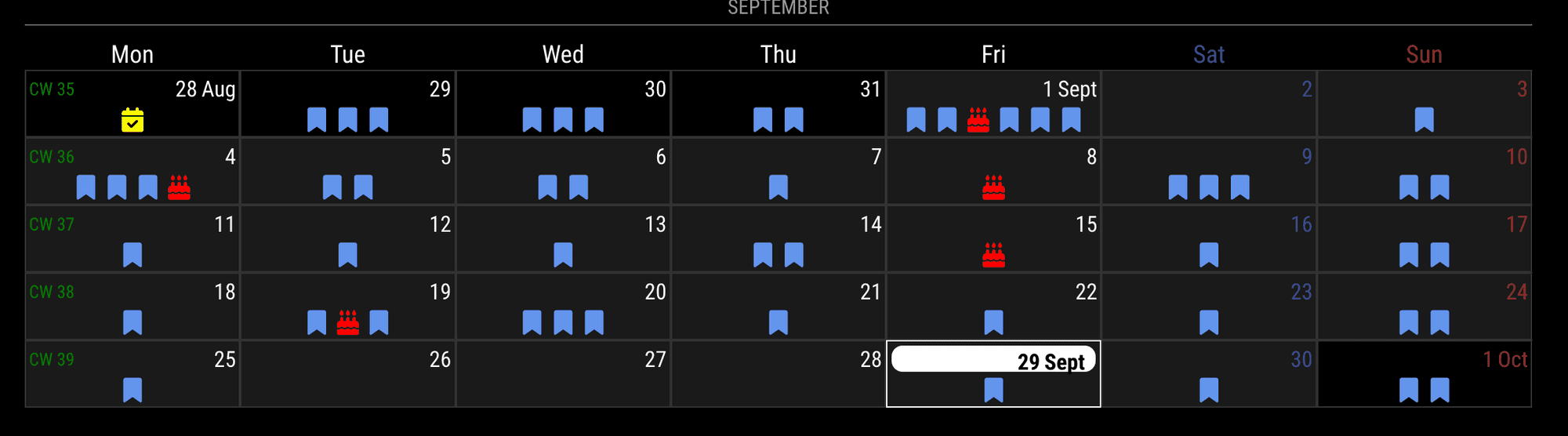
@roth_nj
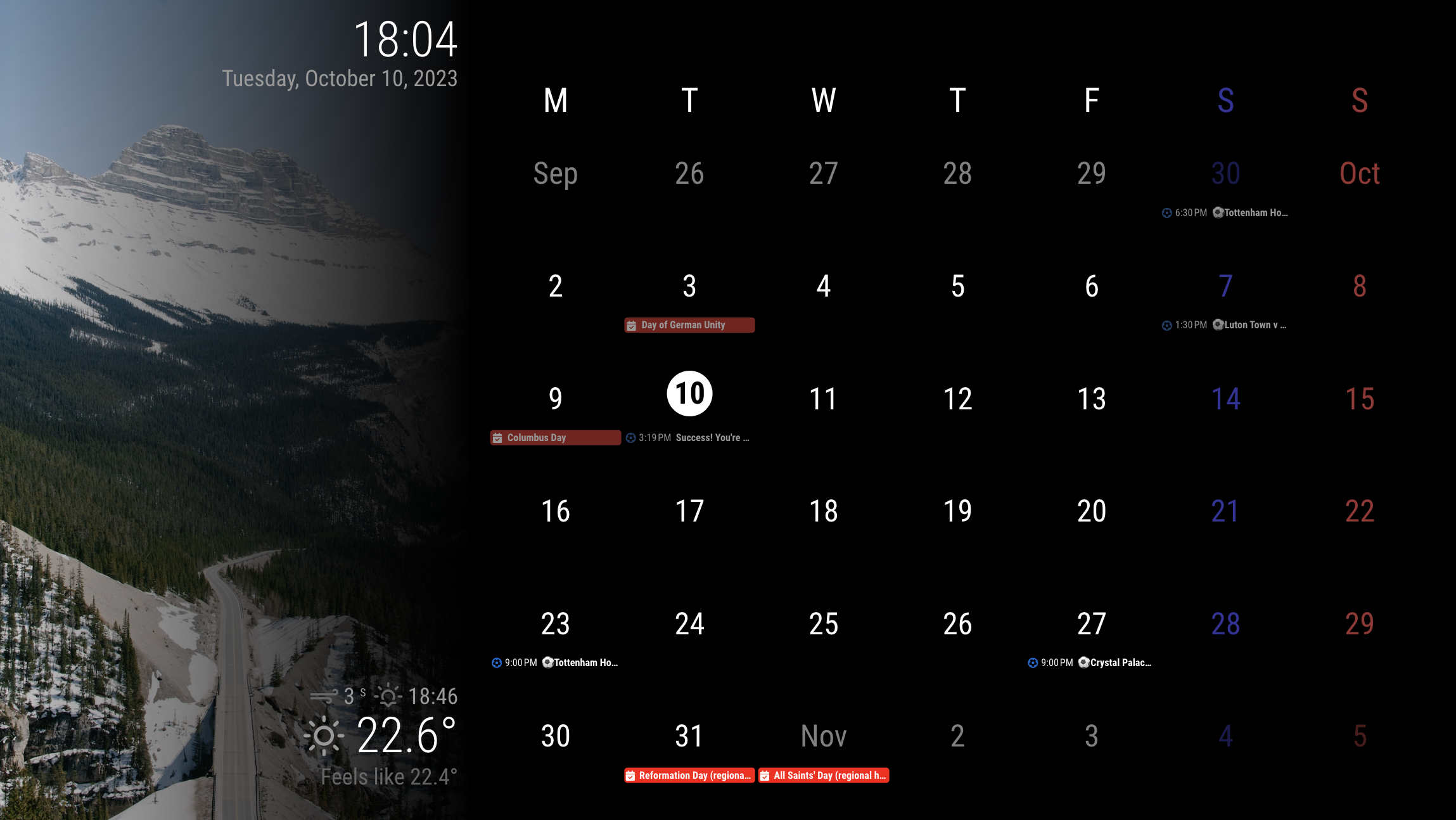
This would be just what you looked at in the previous screenshot.
Only for those modules on the screen, the CSS is severely overridden. So when you add additional modules, you should carefully handle them.
It is designed for resolution 1920 * 1080 horizon screen.
config
modules: [
	{
		module: "alert",
	},
	{
		module: "clock",
		position: "top_left",
		config: {
			displaySeconds: false,
			sendNotifications: false,
		},
	},
	{
		module: "calendar",
		//position: "top_left",
		config: {
			broadcastEvents: true,
			broadcastPastEvents: true,
			maximumEntries: 99,
			calendars: [
				{
					symbol: "calendar-check",
					url: "https://ics.calendarlabs.com/76/mm3137/US_Holidays.ics",
					color: "red",
				},

				{
					symbol: "calendar-check",
					url: "https://calendar.google.com/calendar/ical/ko.german.official%23holiday%40group.v.calendar.google.com/public/basic.ics",
					color: "red",
				},
				{
					symbol: "futbol",
					url: "webcal://ics.ecal.com/ecal-sub/65254bc972b4f3000d0051df/Tottenham%20Hotspur%20FC.ics",
					color: "#0066CC",
				}
			]
		}
	},
	{
		module: "weather",
		position: "top_right",
		config: {
			weatherProvider: "openweathermap",
			type: "current",
			location: "Frankfurt",
			apiKey: "..."
		}
	},
	{
		module: "MMM-CalendarExt3",
		position: "bottom_bar",
		config: {
			locale: "en-US",
			mode: "month",
			maxEventLines: 3,
			headerWeekDayOptions: { weekday: 'narrow' },
			//firstDayOfWeek: 0,
			//minimalDaysOfNewYear: 1,
			useWeather: false,
		}
	},
	{
		module: "MMM-WeatherBackground",
	},
]
I used MMM-WeatherBackground for leftside background image, but you may use other modules.
See where the position I put the modules into and how they might be overridden in the CSS.
CSS (custom.css)
:root {
  --color-text: #999;
  --color-text-dimmed: #666;
  --color-text-bright: #fff;
  --color-background: black;
  --font-primary: "Roboto Condensed";
  --font-secondary: "Roboto";
  --font-size: 20px;
  --font-size-small: 0.75rem;
  --gap-body-top: 20px;
  --gap-body-right: 20px;
  --gap-body-bottom: 20px;
  --gap-body-left: 20px;
  --gap-modules: 20px;
}

.fullscreen.below {
  width: 33.3%;
}

.region.top.bar {
  width: calc(33.3% - 60px);
  padding: 20px;
  height: calc(100vh - 40px);
  position: absolute;
  top: -20px;
  left: 0;
  text-align: right;
  display: flex;
  flex-direction: column;
  justify-content: space-between;
  background-image: linear-gradient(to right, rgb(0 0 0 / 0%), rgb(0 0 0 / 100%));
}

.region.top.left,
.region.top.right {
  box-sizing: border-box;
  text-align: right;
  top: 0;
  position: unset;
}

.region.bottom {
  width: calc(66.7% - 20px);
  padding: 20px;
  height: calc(100vh - 80px);
  position: absolute;
  right: 0;
  top: 0;
}

.region.bottom.left,
.region.bottom.right,
.region.center {
  display: none;
}

.module.MMM-CalendarExt3 .module-header {
  height: 0;
  visibility: hidden;
  line-height: 0;
}

.CX3 {
  --cellheaderheight: 80px;
}

.CX3 .cell {
  border: none;
}

.CX3 .cw {
  display: none;
}

.CX3 .thisMonth {
  background-color: unset;
}

.CX3 .cell:not(.thisMonth) .cellHeader .cellDate * {
  filter: brightness(0.5);
}

.CX3 .weekGrid .weekday {
  font-size: 250%;
  line-height: 250%;
}

.CX3 .cellHeader .cellDate {
  font-size: 250%;
  text-align: center;
  display: flex;
  justify-content: center;
  flex-direction: column;
  align-items: center;
}

.CX3 .cell.today {
  border: none;
}

.CX3 .cell.today .cellHeader {
  justify-content: center;
}

.CX3 .cell.today .cellHeader .cellDate {
  border-radius: 50%;
  max-width: 60px;
  max-height: 60px;
}

.CX3 .cell.today .cellHeader .cellDate .month {
  display: none;
}

.CX3 .week:nth-child(2) .cell:first-child .cellDate :not(.month) {
  display: none;
}

.CX3 .date_1 .cellDate .dateParts:not(.month) {
  display: none;
}

.module.clock .digital {
  display: flex;
  flex-direction: column-reverse;
}
 Click To Play