start: function () {
  // init your module.
  // Not recommended doing your real job here. Because this method is evaluated only one time on startup before all the stuff be prepared (e.g, DOM creating)
  this.timer = null
},

notificationReceived: function (notification, payload, sender) {
  if (notification === 'DOM_OBJECTS_CREATED') {
    // This might be the best position where your real job starts.
    this.myJob()
  }
},

myJob: function () {
  clearTimeout(this.timer)
  let rand = Math.floor( ... ) // random number to pick
  let hour = (new Date()).getHours() // select hour to pick the folder
  // ...  Your logic for picking image by hour and rand

  this.timer = setTimeout(() => {
    // ... Your logic for displaying image picked.

    this.myJob() // recursive execution per updateInterval.
    // It would be a better habbit to use setTimeout instead of setInterval
  }, this.config.updateInterval)
},
M
Offline
A New Chapter for MagicMirror: The Community Takes the Lead
Read the statement by Michael Teeuw here.
Read the statement by Michael Teeuw here.
Posts
-
RE: Need Help Changing Background Image Based on Time
-
MMM-CalDAV
MMM-CalDAV
CalDav broker for MagicMirror
Concept & Motivation
Some CalDAV server doesn’t provide ICAL format, so it cannot be used with MM’s calendar modules.
This module enables MM to convert your CalDAV calendar data into the popular ICAL(
.ics) file. Converted ICAL output is hosted on MM itself.It has no screenshot
Configuration
{
  module: "MMM-CalDAV",
  config: {
    name: "company",
    serverUrl: "http://gw.mycomp.com/principals/users/eouia0819@gmail.com",
    credentials: {
      username: "eouia0819@gmail.com",
      password: "myPassWord!@#$",
    },
    vcalendarHeader: false
  }
},

// If you want additional extra CalDAV connection, just describe it once more. (or multiple times as you need.)
{
  module: "MMM-CalDAV",
  config: {
    name: "homenas",
    serverUrl: "http://mynas.synology.me:5000/caldav/eouia",
    credentials: {
      username: "eouia",
      password: "AnotherPassword!@#$",
    },
    calendarFilter: ["My Calendar", "School Schedule"]
  }
},
Then it will provide the ICAL URL like;
https://localhost:8080/CALDAV/company.ics
https://localhost:8080/CALDAV/homenas.ics
You can use this URL for your calendar modules.
Details : https://github.com/MMRIZE/MMM-CalDAV
-
RE: Calendar Ext2 positionOrder
I believe this is similar to what you want.
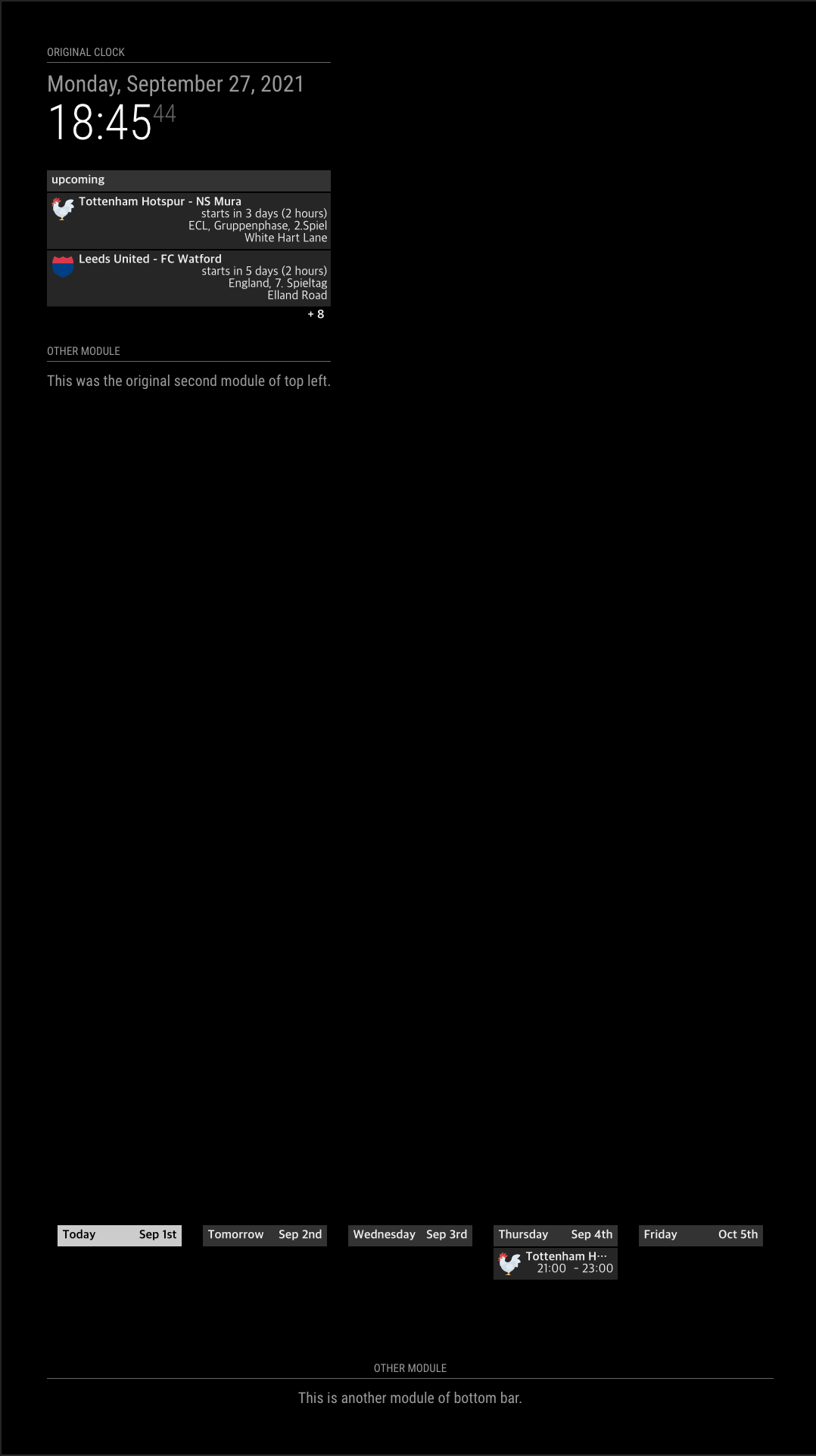
{ module: "MMM-CalendarExt2", config: { calendars: [ { name: "Tottenham", url: "https://www.google.com/calendar/ical/ovb564thnod82u5c4njut98728%40group.calendar.google.com/public/basic.ics", icon: "emojione:chicken" }, { name: "Leeds", url: "https://www.google.com/calendar/ical/h2suh4c1iqvktk4olmfqtth4lg%40group.calendar.google.com/public/basic.ics", icon: "emojione-v1:shield" } ], views: [ { name: "UPCOMING_GAME", calendars: ["Tottenham", "Leeds"], mode: "upcoming", slotMaxHeight: "150px", position: "top_left", positionOrder: 1 }, { name: "DAILY_GAME", calendars: ["Tottenham", "Leeds"], mode: "daily", type: "row", positionOrder: 0, slotCount: 5, slotMaxHeight: "100px", slotSubTitleFormat: "MMM do", position: "bottom_bar" } ], scenes: [ { name: "DEFAULT", views: ["UPCOMING_GAME", "DAILY_GAME"], } ] } } -
RE: Calendar Ext2 positionOrder
@harmzj
I am going on driving in a minute. So cannot reply detailly. If you don’t mind I’ll show you the example in 1-2 hours. Anyway, it will be better to show your current config.js MMM-CalendarExt2 parts here. -
RE: Controller Board crashes after a while
@nyghtx
I used the same hw with you,(in my case, controller is slightly different anyway)
Most possible reason might be the physical connection is broken. Keep the cable plugging tightly. -
RE: Calendar Ext2 positionOrder
@harmzj NO!
Users SHOULD NOT modify source at any reason. You HAVE TO adjust your config file.
See the example; https://forum.magicmirror.builders/topic/15614/mmm-calendarext2-example-request/2 -
RE: Calendar Ext2 positionOrder
@harmzj
Current in top_left regionclock (0) RSS (1)What you want
clock (0)
Your CALEXTVIEW (1)
Rss (2)
Set position order to 1. It will place the view in the second position.
It is zero-based, so if you set 0, it means the first position(clock) -
RE: MMM-CustomElementTime
@cowboysdude
Yup, Every developer can implement his own logic to display time-related stuff. And hundreds of MM modules are there, so hundreds of implementations are existing also, just to display “in 15 days”.
I think it is a kind of waste. So I propose a reusable common HTML tag anyone can use anywhere.But the most benefit of this custom tag is, in my thought, Customizability and Locale-awareness separated from the module itself. Logic-neutral HTML tag could give the ability of easier user-customization without the developer’s effort. That is the purpose of this custom tag.
-
RE: MMM-CustomElementTime
@sdetweil right. Anyway we will not rewrite mm with angular or vue. :) (I prefer vue)
-
RE: MMM-CalendarExt2 Example Request
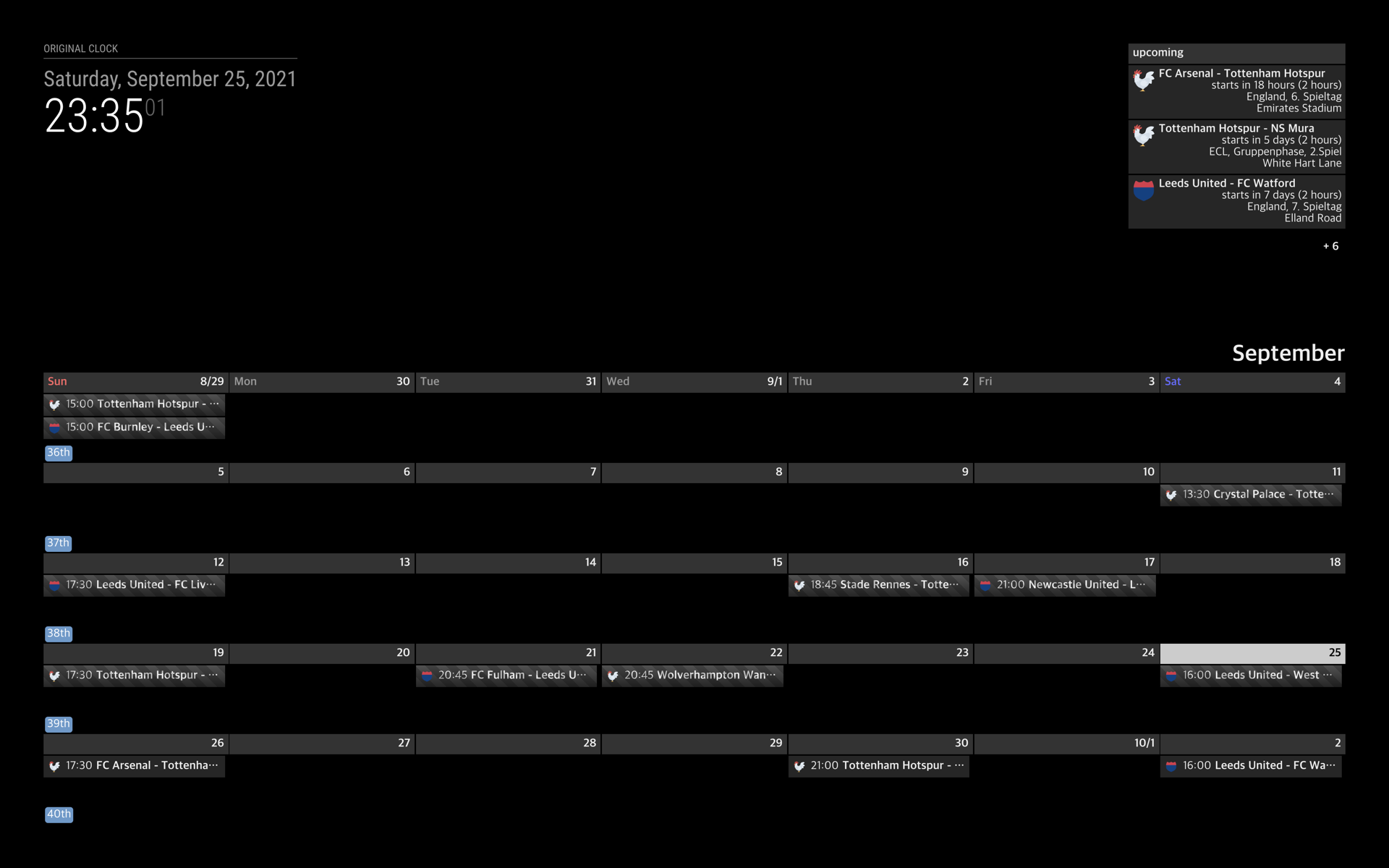
{
  module: "MMM-CalendarExt2",
  config: {
    calendars: [
      {
        name: "Tottenham",
        url: "https://www.google.com/calendar/ical/ovb564thnod82u5c4njut98728%40group.calendar.google.com/public/basic.ics",
        icon: "emojione:chicken"
      },
      {
        name: "Leeds",
        url: "https://www.google.com/calendar/ical/h2suh4c1iqvktk4olmfqtth4lg%40group.calendar.google.com/public/basic.ics",
        icon: "emojione-v1:shield"
      }
    ],
    views: [
      {
        name: "UPCOMING_GAME",
        calendars: ["Tottenham", "Leeds"],
        mode: "upcoming",
        slotMaxHeight: "240px",
        position: "top_right",
      },
      {
        name: "MONTH",
        calendars: ["Tottenham", "Leeds"],
        mode: "month",
        slotMaxHeight: "75px",
        position: "bottom_bar"
      }
    ],
    scenes: [
      {
        name: "DEFAULT",
        views: ["UPCOMING_GAME", "MONTH"],
      }
    ]
  }
},
More config options and CSS customizing are needed to display pretty, but anyway, you can understand the basic concept.
Calendars -> Views -> Secnes.I was the original author of this module, but I ran away from this module’s maintenance, sorry. (I had bad days personally at that period)
I always thought this module has too much over-spec to use simply.
Due to the dying of dependency - momentJS’, this module would be archived anyway in near future. I have no idea whether I make alternative or equivalent at this moment. -
MMM-CustomElementTime
MMM-CustomElementTime
As always, the manual is longer than the codes. What’s wrong with my modules.
- Author: Seongnoh Sean Yi eouia0819@gmail.com
- Repository : https://github.com/MMRIZE/MMM-CustomElementTime
- Version: 1.0.0 (2021-09-24)
I. Motivation & Concept
Tons of MM modules have been handling time-related stuff for many years. A module developer needs to implement his logic to display “in 5 minutes” or “Friday, 25. December”. Yup. It looks pretty straightforward at first glance until considering customizability or localization features. There was a relatively easy solution like
momentJS. But now we are facing of deprecation ofmomentJS. Maybeluxonwould be the best alternative, but…JavaScript environment is evolving every day so fast. Now we can obtain brand new(Frankly, they have existed for several years already) weapons -
Custom ElementandIntl. I think these new features will change (and is changing) the whole things of Javascript applications, including MagicMirror.This MM module gives the custom element
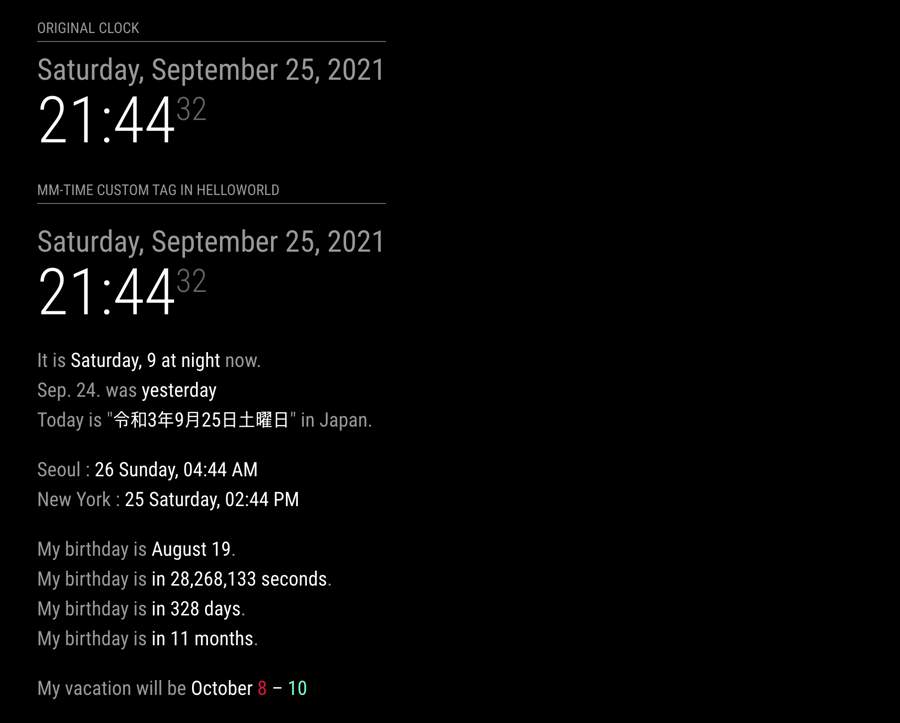
<mm-time>, which candisplay timein the MM screen anywhere.This module is not just for average users, and even more, it is a THING for developers. However, even ordinary users can use this tag wherever they want, and HTML is allowed. For example, you can put this
<mm-time>tag in thehelloworldmodule to display your custom world-clocks or event countdown.For the developer; you can use this tag to reduce your code and not worry about handling displaying time. With just inserting
<mm-time>into your module’s screen output, you don’t need to make logic for taking time-related stuff by yourself. Additionally, this tag can give more than your expectation.This module and custom tag
<mm-time>is made with only pure Javascript. WithoutmomentJSor something 3rd Party dependency, probably you can handle the time how to show, I hope. (But the calculation of time is a different perspective.)Features summary
You can get
<mm-time>custom element (a.k.a web components), which enables to display time with these features;- self-redraw
- alarm
- locale/language-aware
- relative-humanized
- customizable
- programmable/controllable in other modules
- shoot-and-forget about time manipulating.
- without 3rd party library/dependency
- placable anywhere HTML is allowed
More Details;
https://github.com/MMRIZE/MMM-CustomElementTime -
Desktop working gadgets
My desktop clock? calendar? whatever…
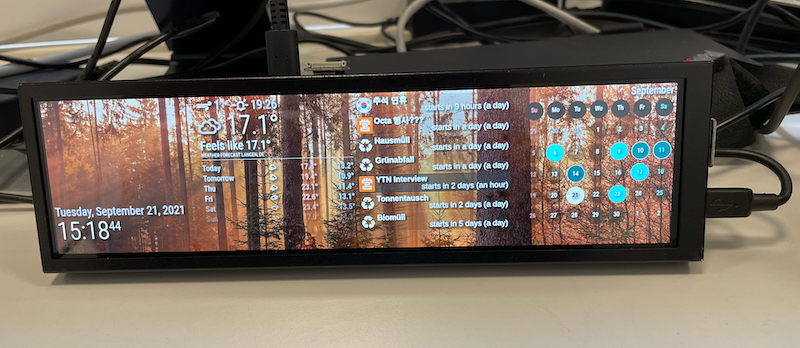
- RPI 4B
- 1920x480 Touch LCD /w case unit from AliExpress.
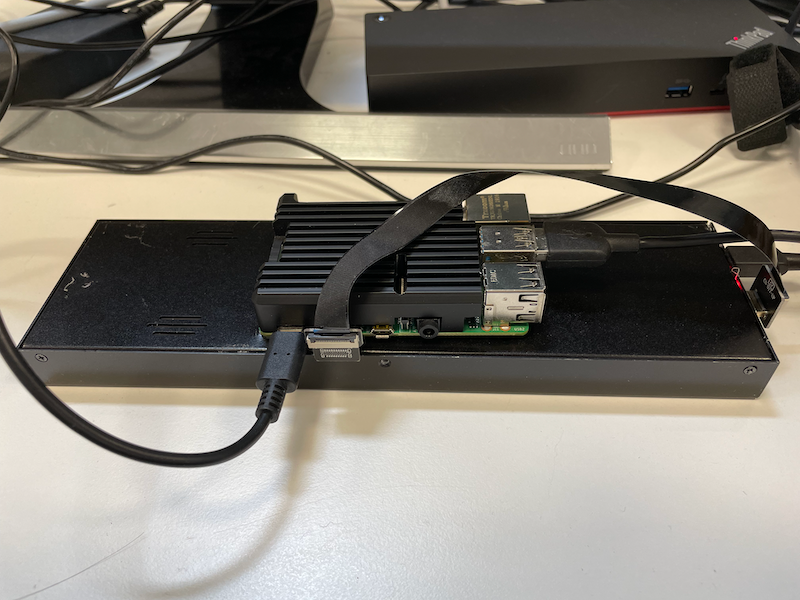
with some modules modification and scripts, it could become a 9to5 office gadget.
I need some more angled plugs for a better look, anyway 90% done.
-
RE: MM Alexa speech to text
@arora1mayank
You cannot make any commercial benefit with GA SDK. it is not allowed.
https://developers.google.com/assistant/sdk/overview -
RE: MM Alexa speech to text
@magmirusr
Idk alexa, but for google assistant embeded machine(e.g. home mini) you can do that already. So I think ideally possible with alexa. Just no one have had interest in it to imply. -
RE: Augmented Reality
@arora1mayank
What’s the definition of AR? What do you want to accomplish ? -
RE: Tell weather, date & time automatically at a specific time.
@suvan
I think it’s possible withMMM-GoogleTTS,MMM-NotificationTriggerandcroncron
0 8 * * * curl --data "notification=YELL_TIME" http://localhost:8080/webhookThis is an example of a daily 8 am execution.
MMM-NotificationTrigger
{
  module: "MMM-NotificationTrigger",
  config: {
    useWebhook:true,
    triggers:[
      {
        trigger: "YELL_TIME",
        fires: [
          {
            fire:"TTS_SAY",
            payload: function(payload) {
              return {
                content: "It is " + new Intl.DateTimeFormat("en-US", { dateStyle: "long", hour: "numeric", dayPeriod: "long" }).format(new Date())
              }
            },
          },
        ],
      },
    ]
  }
},
MMM-GoogleTTS
whatever…I haven’t tested this on real machine.
Instead of direct using
cron, you can useMMM-ScriptSchedulerorMMM-ModuleScheduler. I believe when you are usingMMM-ModuleScheduler,MMM-NotificationTriggermight not be needed. -
RE: Async Functions inside node_helper.js
case "CASE_1":
  scrape("...").then((text) => {
    this.sendSocketNotification("text", text)
  })
  break
Or
case "CASE_1" const AsyncJob = async () => { var text = await scrape("...") this.sendSocketNotification("text", text) } AsyncJob() break -
RE: Help! - Adding and Changing Modules - Newbe
I’m trying to modify the weather module for my location (North Carolina instead of New York). I replaced the openweather ID and API key in the config file but when I start up Magic Mirror that module is stuck on “loading” so I am assuming I’ve done something wrong. At a minimum would just like to get that working,
You can post your configuration (entire contents or just the parts of weather module). We can check what was wrong.
try to have the calendar pull from my work, Office 365 calendar (working on a method I found through here were I import it into Google Calendar and then go from there)
The first to do is find the
iCal(*.ics)feed URL of your target calendar service.add modules (haven’t figured out which ones yet, but the link provided below on adding modules looks to be helpful)
Usually, module developers provide
how-to-install (README.md)document in their module repository.however, what isn’t clear is how I stop that? If I remove the raspberry pi to add modules or make changes, how do I get out of the Magic Mirror (control Q?).
It depends on what method you use. I assume you are using
pm2to manage MM’s running. You can connect MM remotely. After connection, typepm2 stop all, it will stop current MM’s execution. -
RE: [Proposal] Enhanced Translator
@karsten13
I’ll make a PR in a few days. I just need some assurances. :) -
RE: [Proposal] Enhanced Translator
@bkeyport said in [Proposal] Enhanced Translator:
So, let me get this straight, we’re getting international support within vanilla JS?
Well, it’s not about a matter of using Vanilla JS or not. But briefly answered, “possible”.
The main point of this project is;
“Give more freedom to the translation providers and Reduce the burden from the module developers.”
This will not become the alternative of “momentJS”. The main algorithm for WHAT TO SHOW still should be done in the module. But the translation provider could have more freedom for HOW TO SHOW under specific language and locale.