Hello-Lucy!
Almost 2 years old.


 M
Offline
M
Offline
@strawberry-3.141 said in For the life of me:
.MMM-NetworkScanner .fa-ul {
margin-left: 0px;
}
First, thanks again
This worked but it pushed the “mobile” icon to the very edge of the mirror, so I tried 10px, 20px and 30px, until I got this. Nice, but not exactly how I pictured it.
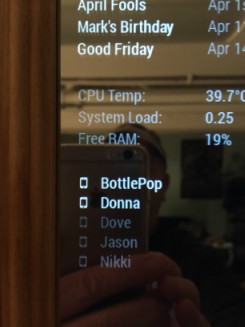
So, I went to the config.js and removed “mobile” from the icon designation, so it looked like this, icon: “”}, That removed the icons but the names were still exactly where they were, as if the space for the icons was still occupied. So, I went back to the “margin-left: 0px;”. That was damn close! I wound up at margin-left: 2px;. Just right!
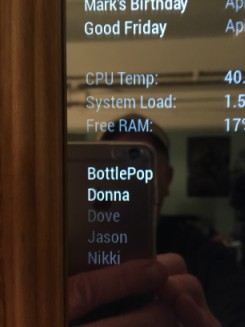
Now I’m going to try to see if I can figure out how to put the mobile icon on the right of the name. I’m not asking for help on that, yet.
@strawberry-3.141 said in Throwing down the gauntlet:
custom.css
I found myself squinting to read the source of the newsfeed in its default, dimmed state, so I jumped all over this. Now, with your css entry, and a little adjustment on my part, I now have my font-size: at 18px and its color: set to #99F.
Every time I think my mirror is perfect, you make it better. genuflecting We are not worthy!
Many thanks, many times. :thumbsup_tone2:
Ever wonder just how often mankind is launching things into space? Once a year? Twice?
Wrong! On a daily basis. Often, several times a day! Don’t believe it? Neither did I.
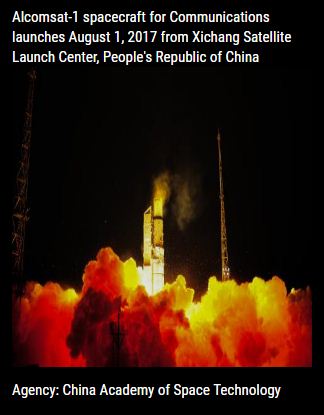
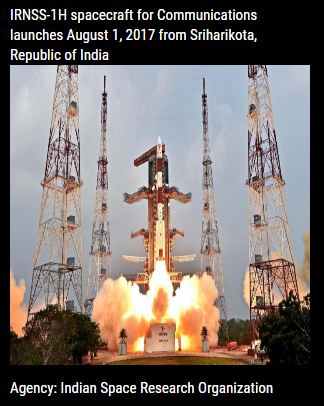
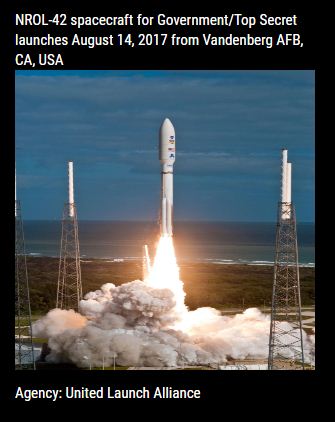
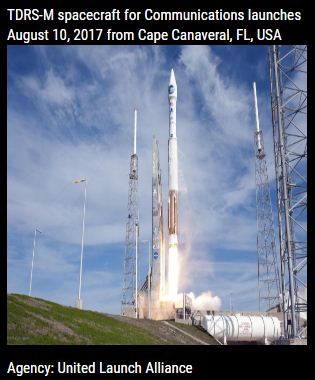
Every 30 seconds, MMM-Launch will tell you the upcoming dates, launch sites,
the spacecraft, who is launching, the missions, the agencies responsible for
each launch, pictures of the spacecraft and a full description of each mission.
 .
. 
 .
. 
[card:mykle1/MMM-Launch]
Hi all,
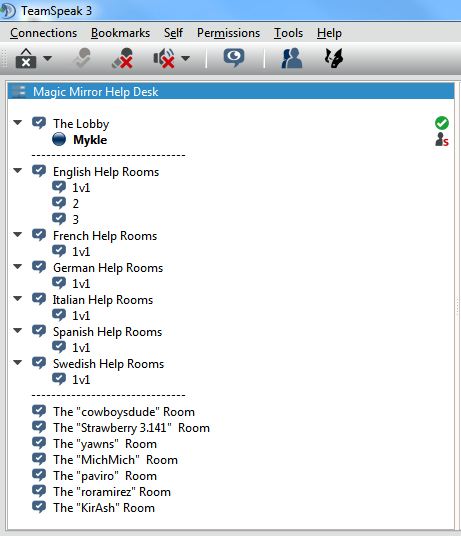
I created this server to facilitate the communication between users on this forum. Using it:
~ Users can get help more quickly and more clearly, especially those that are brand new.
~ Regular users can exchange ideas and desires for new features
~ Moderators, Administrators, Developers can hold meetings in one place
~ Moderators, Administrators, Developers get immediate admin status
~ Specific rooms can be made available instantly, Private and Public
~ Runs in the background so you never have to leave the forums
~ Use it to compliment the forums
~ Exchange files
~ Ask the person helping you if you want to use this feature
~ Ask the person you are helping if they want to use this feature
~ Anything else you can think of
You need a microphone, sound, and the free TeamSpeak client for your platform,
http://www.teamspeak.com/downloads.html
Click on the Connections menu and then click on Connect
Server Address is 173.68.7.240
Enter your Nickname
There is no Server Password. Leave it blank.
Click Connect
Find Options and set up your microphone and Push-To-Talk key. Under Tools menu for Windows
Please have a look around and make suggestions
@yawns said in MMM-SimpleTides:
and in getDom: function() { after preparing/modifying your data you add a simple if/else clause.
I gave it the old college try, and I almost got there on my own. Two simple mistakes fixed and a Carousel() addition all made by @cowboysdude got me up and running. Thanks bro!
@yawns said in TeamSpeak Magic Mirror Help Desk:
Is pizza served as well?
Sure! :-) You want pepperoni? Sausage? Extra cheese?
Static Or Rotating Tides
Based on your latitude and longitude
Extremely small footprint won’t crowd your mirror
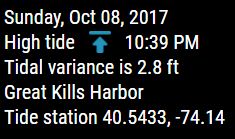
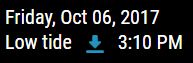
Choose between a 7 day rotation of tides
Or
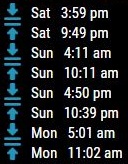
A static display of the next 8 tides
Static
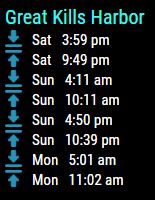
Rotating
Fully annotated css file for coloring, sizing, aligning . . .
[card:mykle1/MMM-SORT]
@Richard238 said in Compliments setup:
What’s it not liking in there?
The , (comma) after ‘lower_third’. It should look like this
{
			module: 'compliments',
			position: 'lower_third',
            config: {
                anytime: [
                    "Compliment 1",
                    "Compliment 2",
                    "Compliment 3"
                ]
},@thetalentedfool said in MMM-Lunartic:
it’s apparently nowhere in the popular search results for debugging MM.
I’ll write up a simple tutorial and post it so that it is easier to find using the forum search function.
You have to do npm start in the MagicMirror directory. So, first cd MagicMirror then npm start
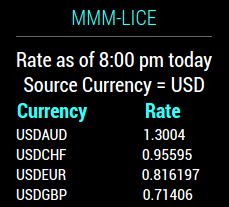
Minor update, as I attempt my first use of tables. Anyway, the formatting is bit more pleasing now, I hope. :-)
@motdog said in MMM-EARTH-Live & MMM-ISS-Live:
Just when I thought I had my mirror set up how I liked it you do this?
haha . . . I’m sorry? :-)
Assuming you’re installing on a Pi 3
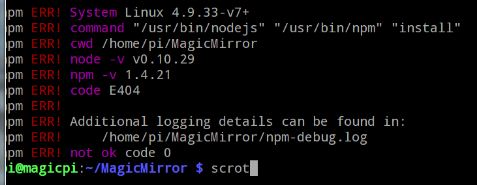
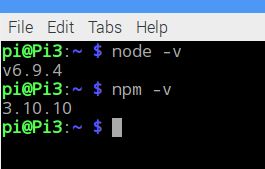
I can tell you that your node and your npm versions need to be updated based on the pictures you provided. It may even be the root of your problem. Personally, I would update those first, then try a manual installation of MM again. There have been some reports of the automatic installer failing without cause. Good luck.
Yours:
Mine:
@BD0G said in MMM-Lunartic:
I praise your willingness to respond with such a helpfulness!
I started on this forum with no knowledge of coding at all. There were people willing to help me then. I still ask for help when I need it. So, this is my way of thanking the people that help(ed) me. :thumbsup:
@paviro said in How to post code on the forum - For absolute beginners:
Thanks @Mykle1! Pinned the post to the top :)
That’s fantastic! Thank you, too!
Is my jealousy showing? :-)
You shouldn’t have to run sudo to launch the mirror. The installation guide states, “DO NOT INSTALL MagicMirror² as the root user! Always do it as the regular, non privileged pi user.”
With that being said, is your console reporting any errors? cd into your MagicMirror directory and run npm start dev and see what you get there