Hi, the same happens to me with https://github.com/lavolp3/MMM-DailyDilbert module. I’ve tried to use two instances of the same module, one with Dilbert, and another with Garfield comic. For that, I’ve git cloned one time the module, change name to MMM-DailyDilbert_Dilbert, git clone again and rename MMM-DailyDilbert_Garfield. Added two tricky-modules to config.js, each one with its own configuration, but doesn’t work, does not show any module or just show only one…
 Q
Offline
Q
Offline
A New Chapter for MagicMirror: The Community Takes the Lead
Read the statement by Michael Teeuw here.
Read the statement by Michael Teeuw here.
Posts
-
RE: How to run two instances of one module?
-
RE: DailyDilbert
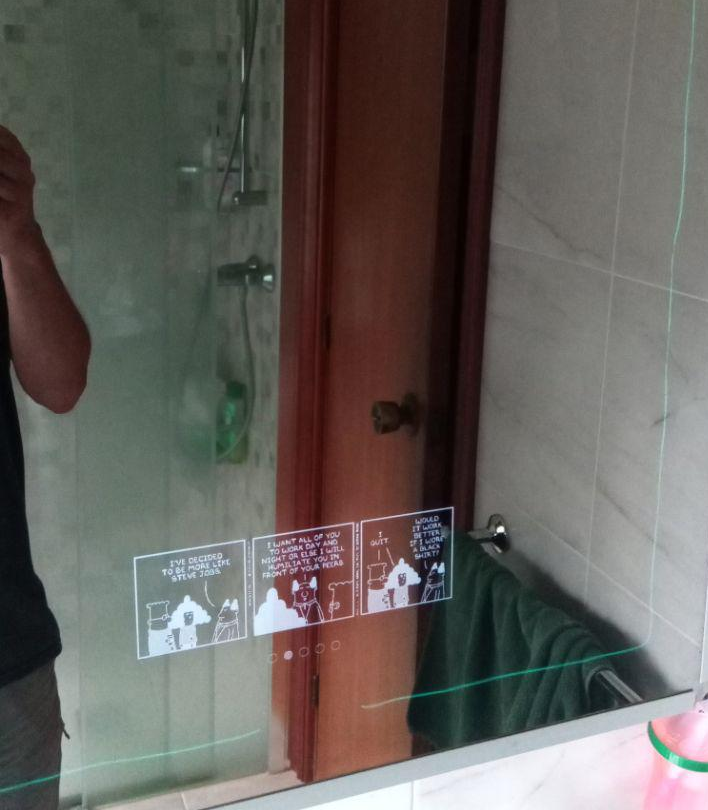
Now it fits perfectly!!
I’ve just have to make git pull inside the module folder. There’s no need to do npm install
Another question, I see that your module is not in the 3rd Party Modules of MM project
https://github.com/MichMich/MagicMirror/wiki/3rd-party-modules
It would be a good idea to include it.
Thanks for your work!!
-
RE: New project in mind
I suppose you must change the slideInterval parameter on the module config.
By default it’s configured to change every 5 minutes:
slideInterval 5 * 60 * 1000If you change that value for this one:
slideInterval 10080 * 60 * 1000It must be change every 7 days.
7 x 24 = 168 hours a week.
168 x 60 = 10080 minutes a week.Hope it helps
-
RE: DailyDilbert
Hi, I’ve just installed MMM-ComicStrips module, everything worked fine, but only one thing I can’t solve, is the width of the comic. I’ve tried to change the comicWidth value on config.js from 500 to 300 but no result.
Before that, I’d tried MMM-DailyDilbert module, and editing custom.css as @lavolp3 said on another post, but same result.
This is how it shows the comic Dilbert on my mirror:
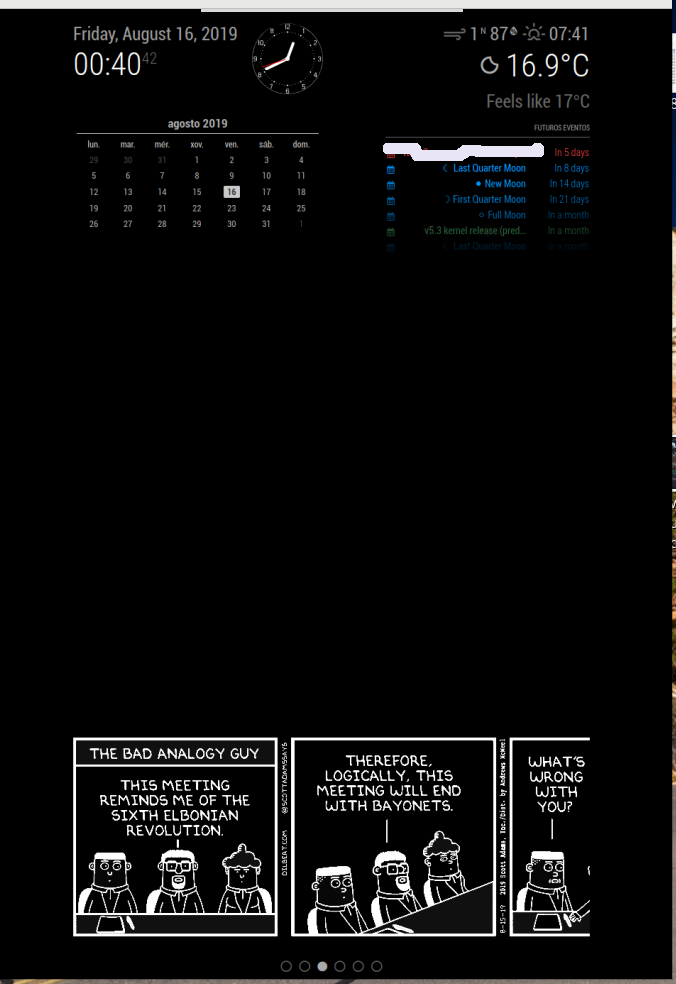
Any idea on how to solve it?
-
RE: New project in mind
Take a look at this module:
https://github.com/kolbyjack/MMM-Wallpaper
I think what you propose already exists
-
RE: MM on a secondary display
Hi, first of all, how is the 7" screen connected to the raspberry? is connected to the HDMI port? And your monitor? I think you can choose which monitor to use on /boot/config.txt file.
Look here, maybe it helps: https://www.raspberrypi.org/documentation/configuration/config-txt/video.md
If your 7" screen is connected with a flat wire to the raspberry, and your monitor with HDMI, I think you can choose wich screen to use on the config.txt too.
-
RE: nodejs Warnings on recent Stretch-Buster update
Finally I’ve found the solution looking at the forum:
sudo npm install npm@latest -g
-
nodejs Warnings on recent Stretch-Buster update
Hi all,
Recently I’ve updated my raspbian stretch to raspbian buster on the Raspberry Pi 3 where I have installed MM (v. 2.8.0). Everything goes well, except for one thing. When I launch the following commands (on a bash script):
#!/bin/bash
cd ~/MagicMirror
npm startThe mirror starts well, but I get these warnings:
npm WARN npm npm does not support Node.js v10.15.2
npm WARN npm You should probably upgrade to a newer version of node as we
npm WARN npm can't make any promises that npm will work with this version.
npm WARN npm Supported releases of Node.js are the latest release of 4, 6, 7, 8, 9.
npm WARN npm You can find the latest version at https://nodejs.org/
After MM starts, some modules are not showed, and I think maybe is for that reason.
How could I solve this?
Thanks in advance! -
RE: Can't upgrade MM 2.7.0 on Raspberry Pi Zero W
Again the same problem when updating to 2.8.0 version
-
RE: Installing on a Pi Zero
Again the same problem when updating to 2.8.0 version
-
RE: Can't upgrade MM 2.7.0 on Raspberry Pi Zero W
No at this moment. Here there is another user with the same problem:
https://forum.magicmirror.builders/topic/9386/installing-on-a-pi-zero/52?page=6
-
RE: Installing on a Pi Zero
I’ve found the same problem on last MM update:
https://forum.magicmirror.builders/topic/10188/can-t-upgrade-mm-2-7-0-on-raspberry-pi-zero-w/2
-
RE: MMM-SystemStats (cpu temp/load, fre ram ...)
Thanks! It works for me, that was the problem.
-
RE: MMM-SystemStats (cpu temp/load, fre ram ...)
Hi,
I’ve updated this module to the last version a few days ago. Before the update, it worked perfectly, but now it does not show anything about SystemStats on my smart mirror.
I’ve have not changed the lines for this module on the config.js file. They are the same before the update. This is my config:
{
                        module: "MMM-SystemStats",
                        position: "top_right", // This can be any of the regions.
                        classes: "small dimmed", // Add your own styling. Optional.
                        config: {
                                updateInterval: "3000",
                                align: "right" // align labels
                        }
                },
What could be wrong with it? Maybe I would have to add something else in this file after the update?
Thanks!
Quique. -
RE: Can't upgrade MM 2.7.0 on Raspberry Pi Zero W
The thing is that I’ve updated MM, but it returns me that error on rpi Zero, but the final result is that MM finally is updated, and everything works ok in all the modules I have installed. How can I downgrade to the old version of electron?
Thanks.
Quique.
-
Can't upgrade MM 2.7.0 on Raspberry Pi Zero W
Hi @MichMich I’ve just try to update my mirrors to version 2.7.0. I’ve got one mirror with raspberry pi zero W, and another one with Raspberry Pi 3B.
It seems the one with RPI 3B updates correctly, but when I try to update the mirrror with RPI ZeroW I get the following error with electron:
Error: GET https://github.com/electron/electron/releases/download/v3.0.13/electron-v3.0.13-linux-armv6l.zip returned 404
That url doesn’t work.
How can I solved it?
Thanks!
-
RE: Do you use a PIR sensor? How do you hide it?
I’ve made an 8 mm hole, as you can see here:
-
RE: MMM-Lunartic
@mykle1 yes, I think so
Galician (gl) iso-8859-1, windows-1252