Hahaha, I’ve heard it two or three days days ago, on last full moon. Awesome!! My sister heard it and she was scared with the wolf sound, hahaha.
 Q
Offline
Q
Offline
A New Chapter for MagicMirror: The Community Takes the Lead
Read the statement by Michael Teeuw here.
Read the statement by Michael Teeuw here.
Posts
-
RE: MMM-Lunartic
-
RE: Bathroom Magic Mirror
Wow!! I like your mirror a lot. Impressive the final result. What are the buttons for?
-
RE: MMM-Lunartic
Hi! I really like this module! It’s so cool!! I’ve just recently updated it to the last version, and I can’t wait for next full moon to hear the wolf audio. I have one doubt about it, when that sound it will be played? Ramdomly or how?
Thanks!
-
My bathroom smart mirror.
Hi!
First of all I would like to thanks to @goldjunge_chriz for the opportunity to acquire a 2-way mirror. It is impressive, much better than the acrylic sheet. And, I’d like to thanks to @MichMich too for the Magic Mirror software.
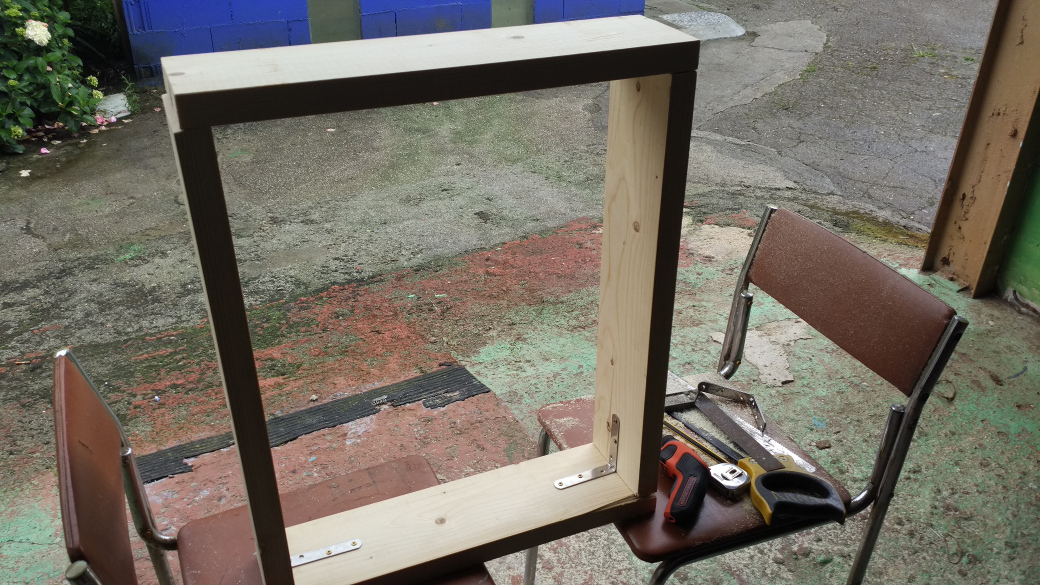
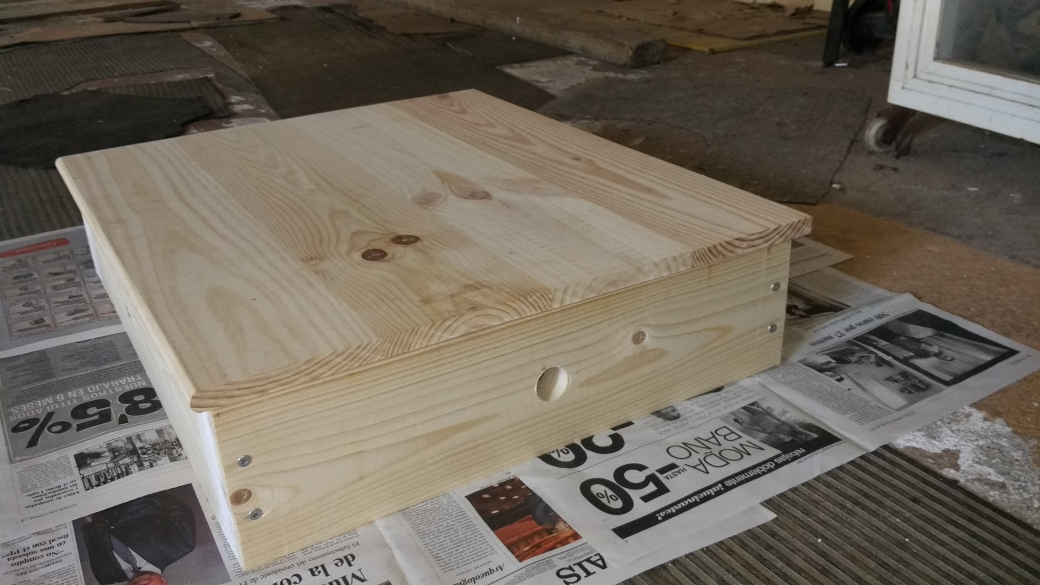
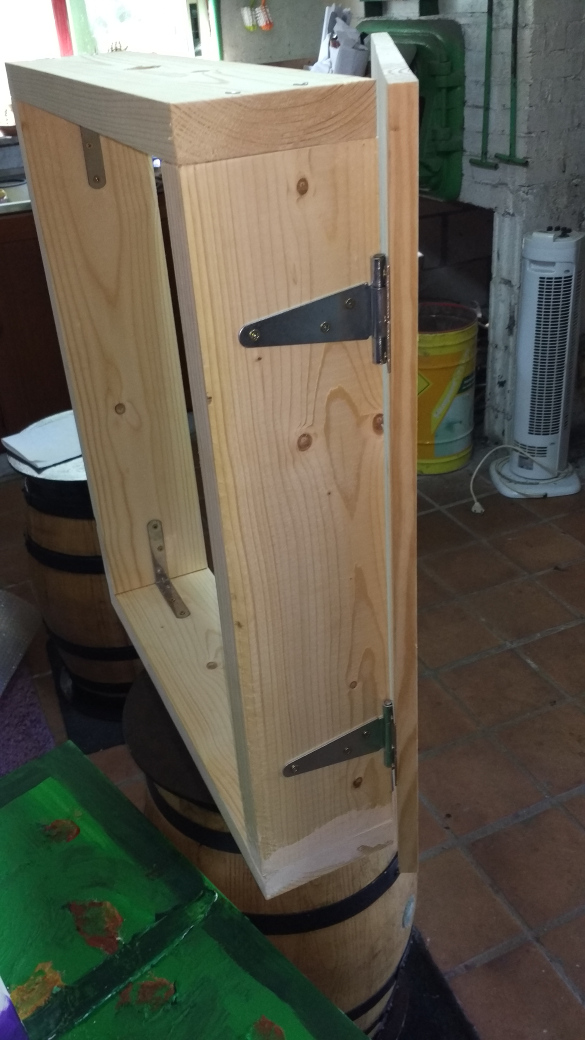
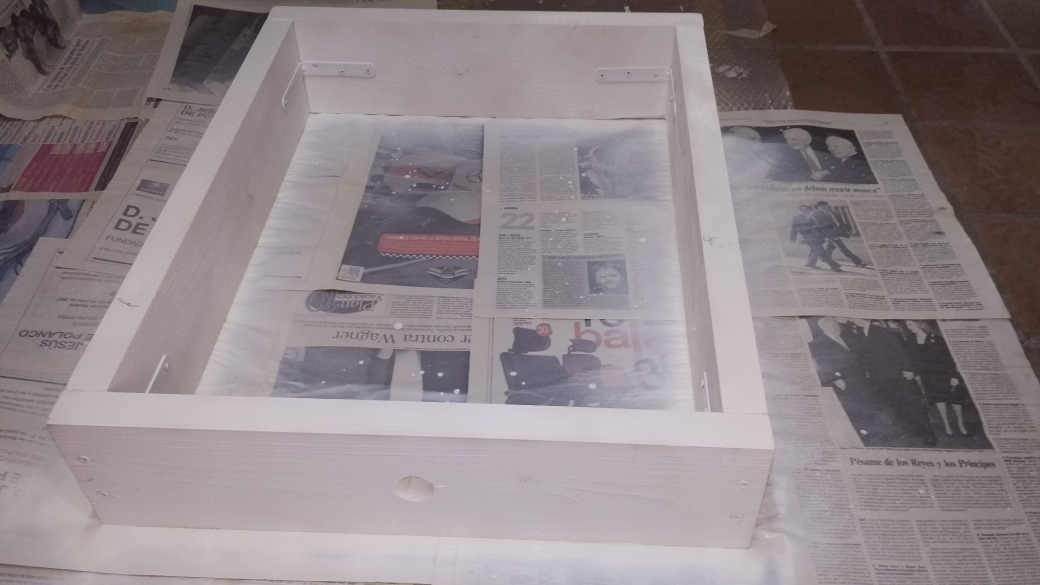
Here I leave some pictures of the montage that I was doing this last summer, at leisure. I have been quite happy with the result. I hope you like it!
I am going to try not to extend myself too much with the explanations, if someone has any doubts, I will kindly answer him.
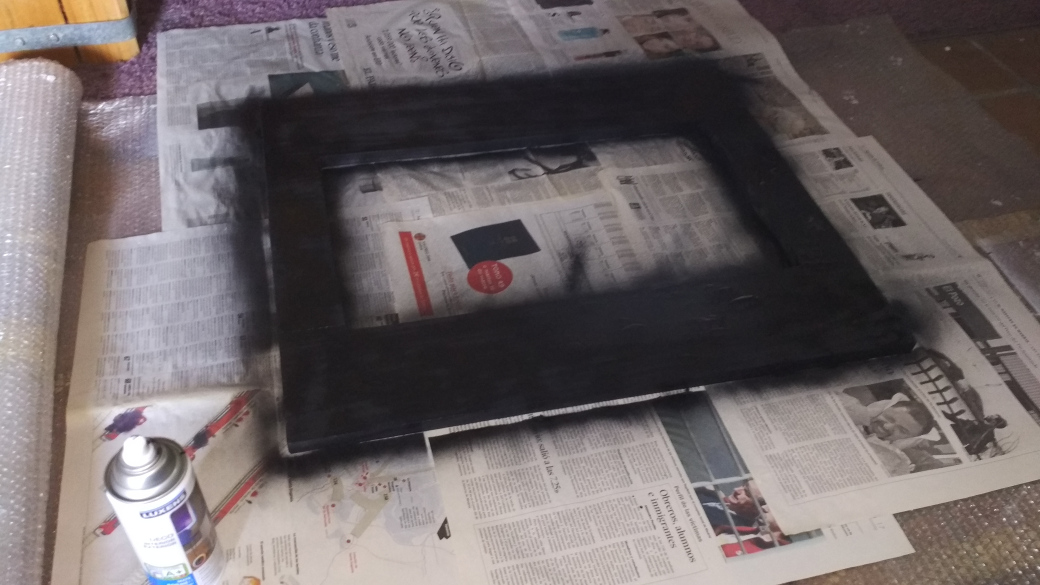
The bathroom cabinet consists of 2 pieces: a frame and a door:
A coat of paint…
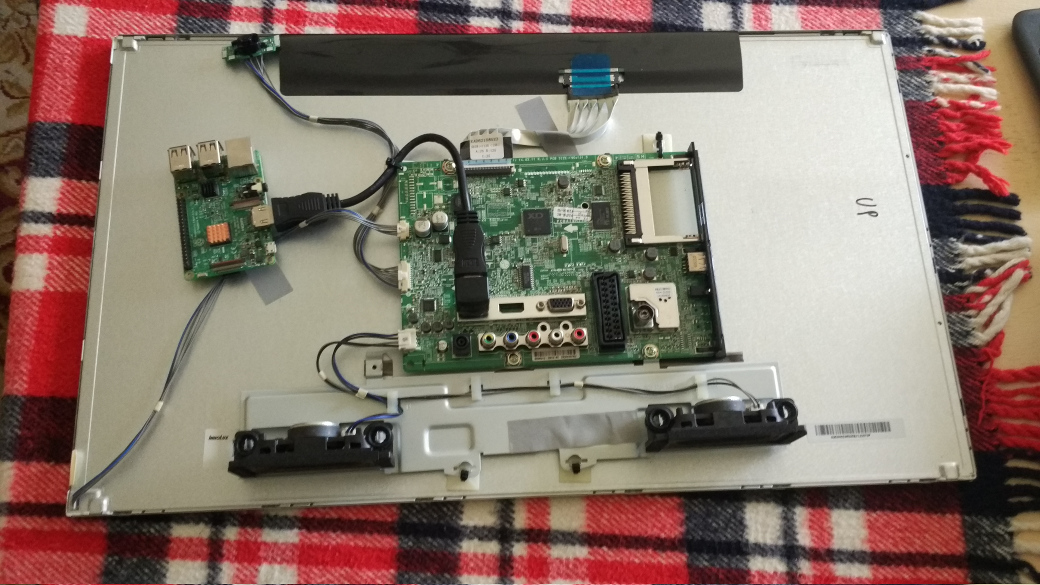
The screen of a second-hand 24-inch LCD TV
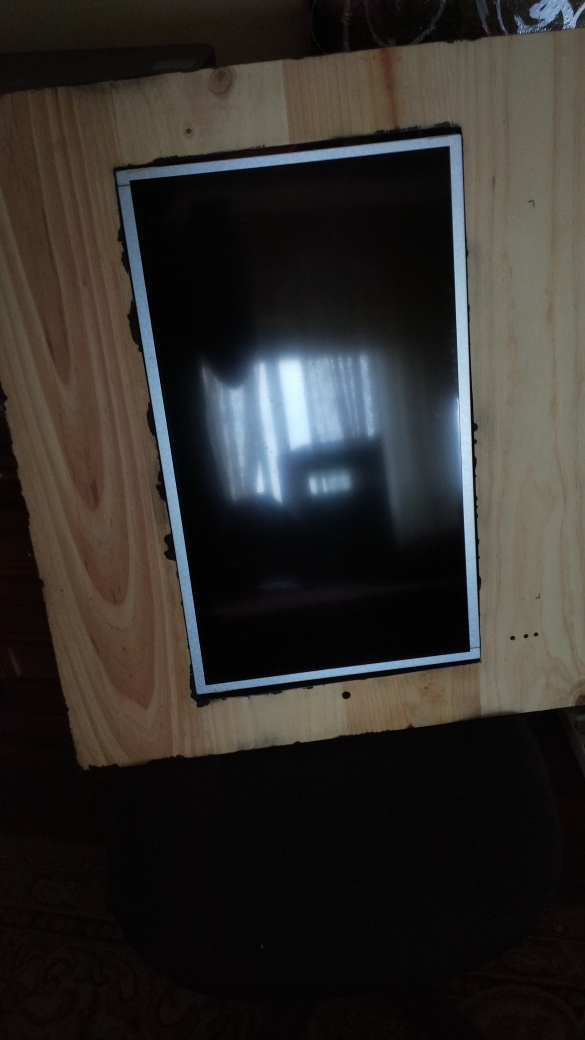
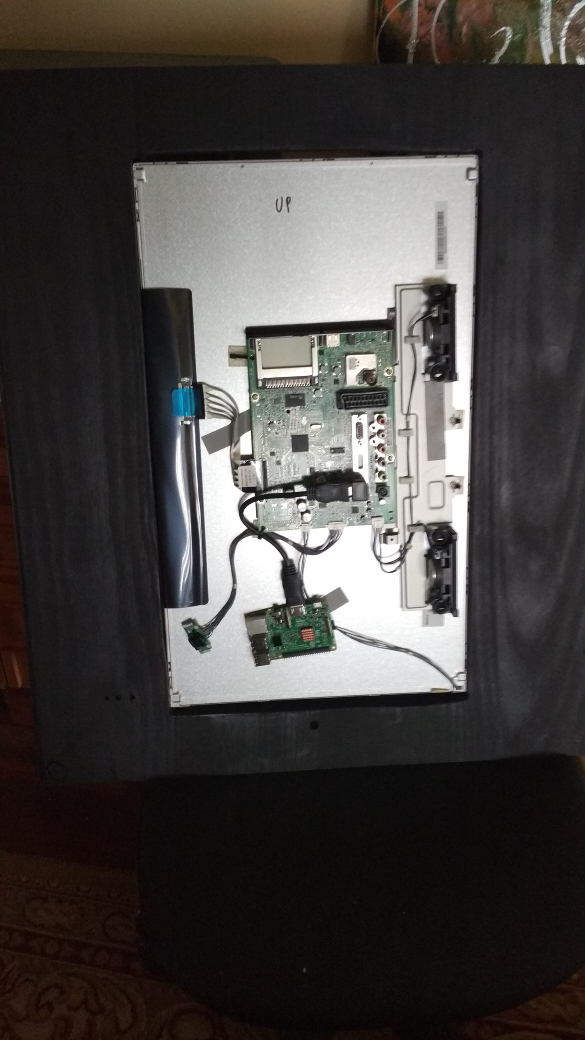
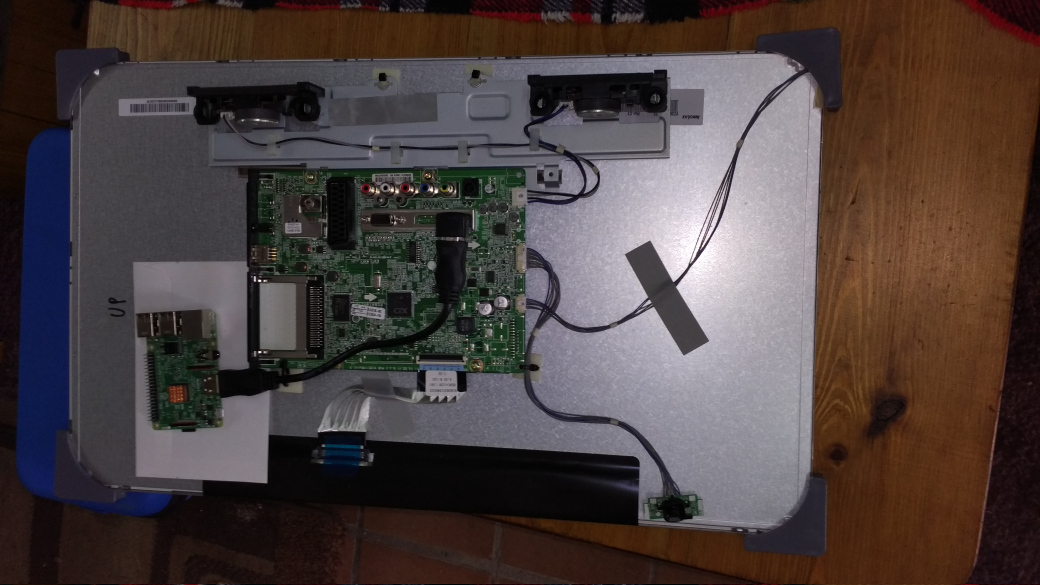
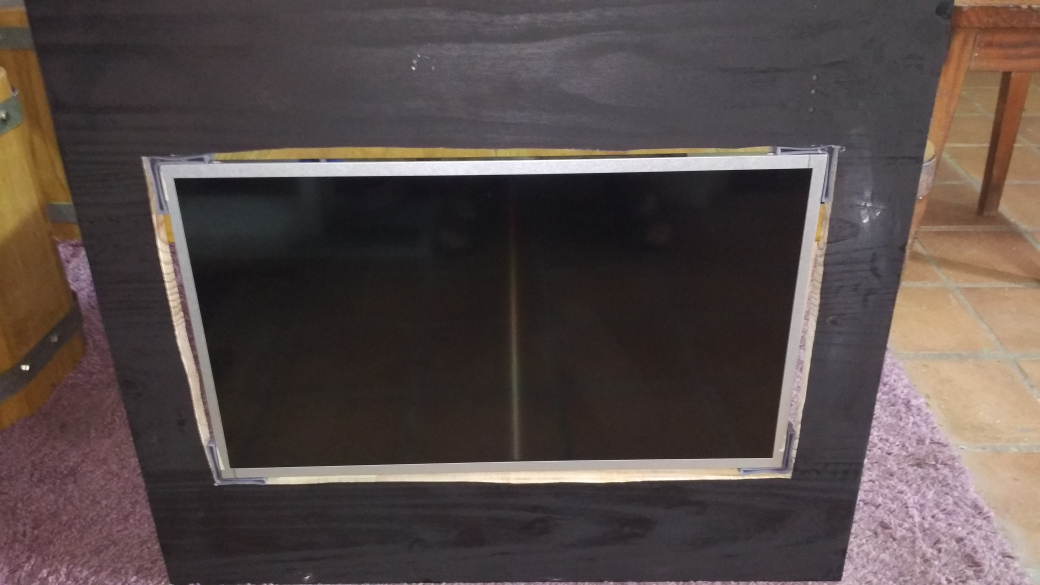
To correct these errors in the cut with the electric saw, I have put some plastic corners and black silicone. This is the result:
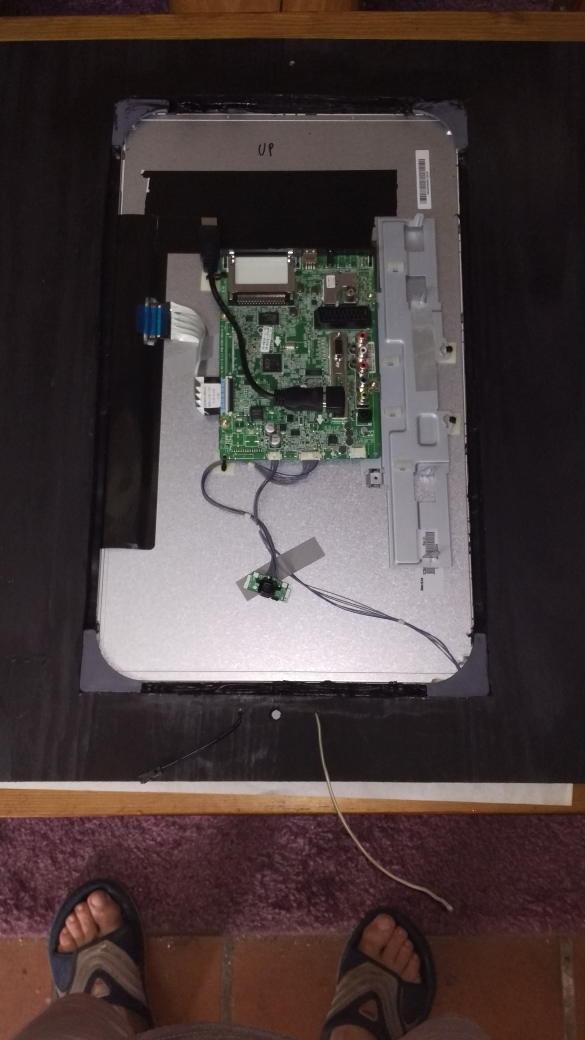
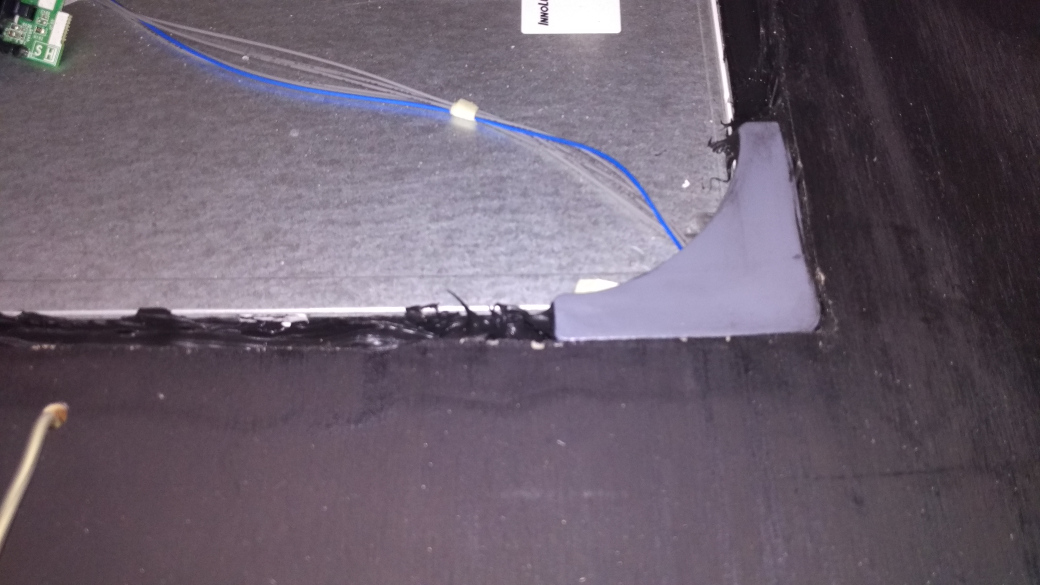
E.L. wire installation:
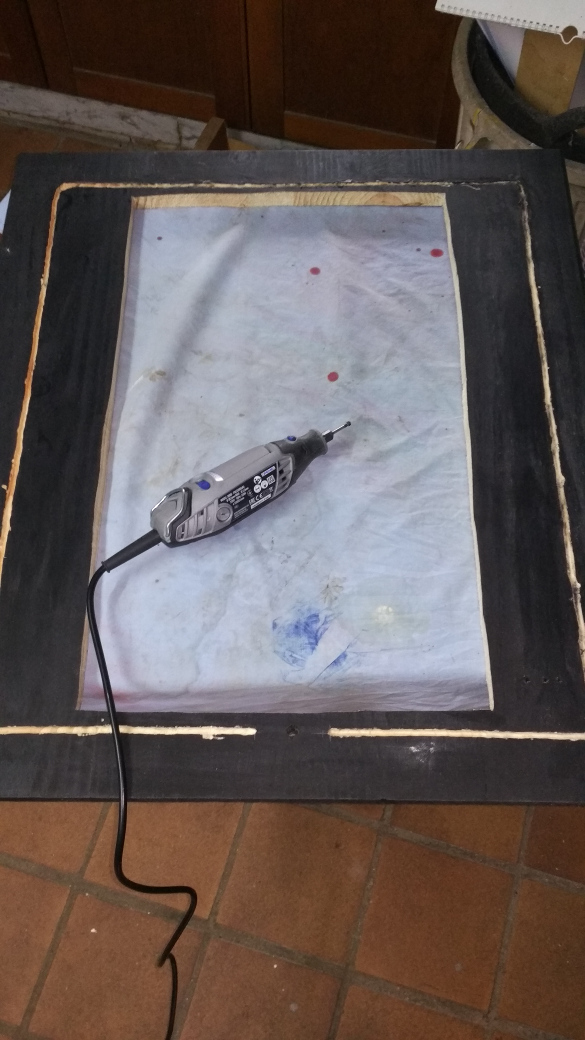
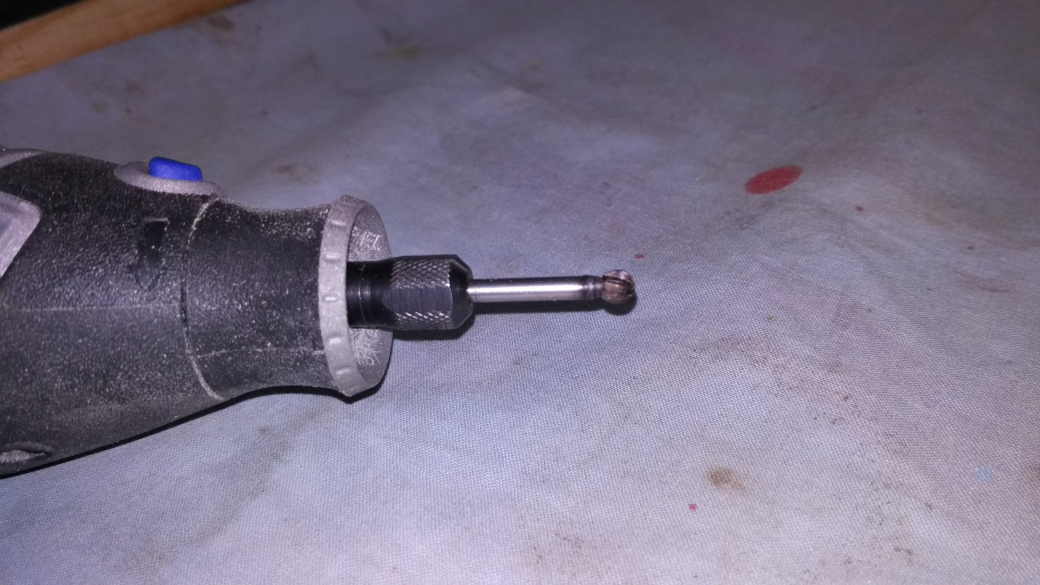
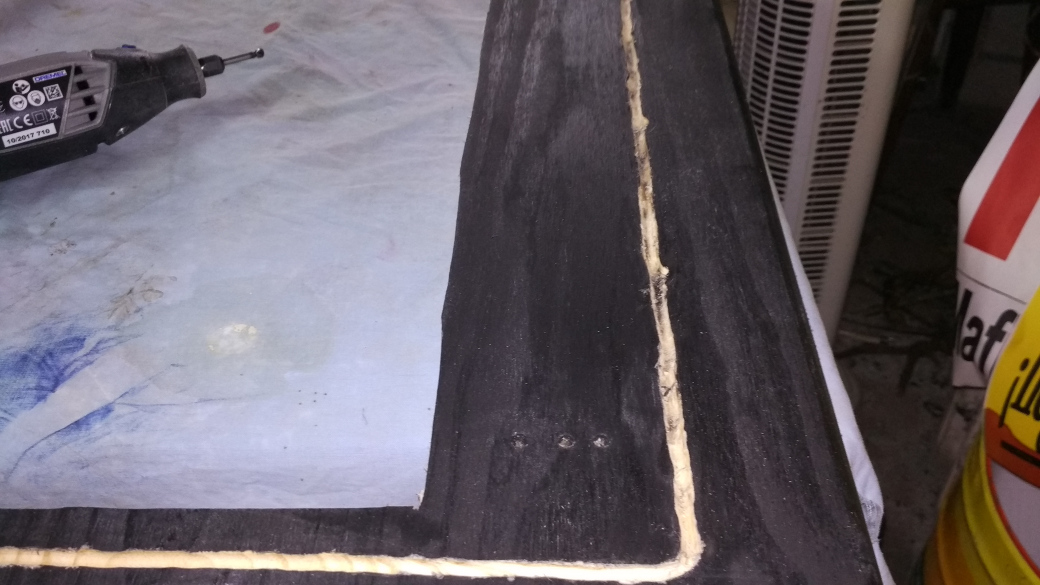
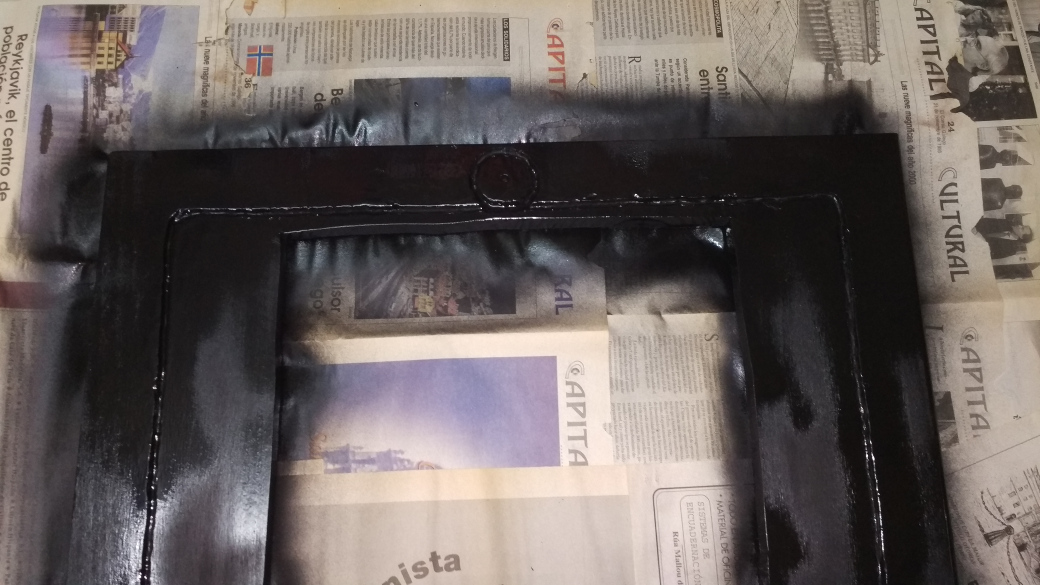
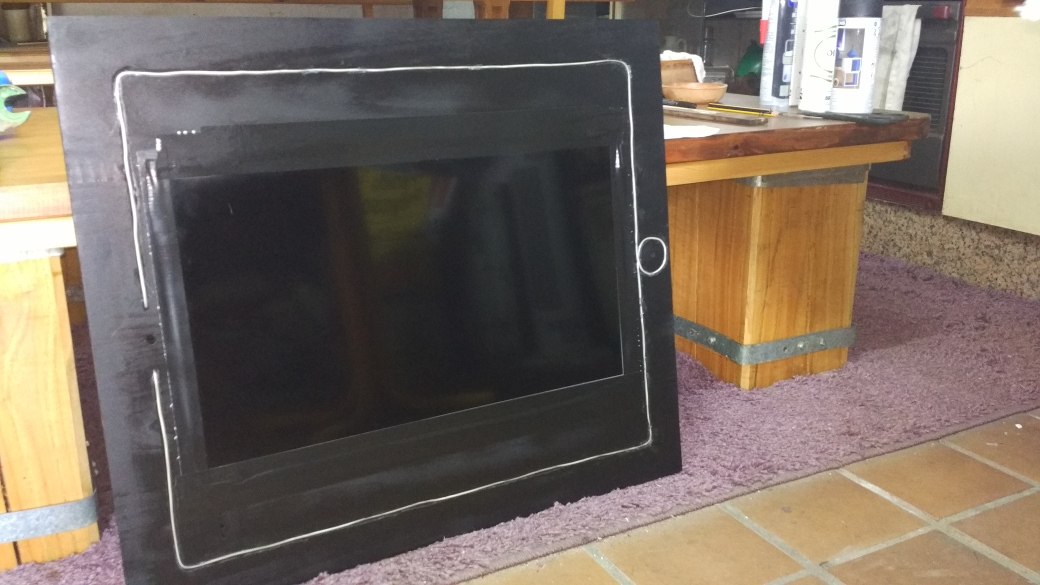
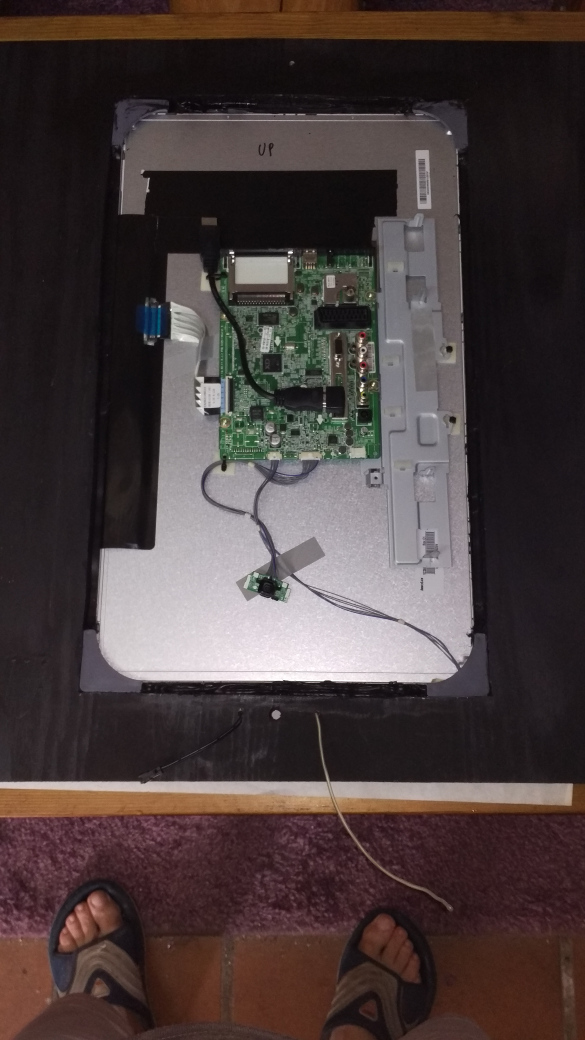
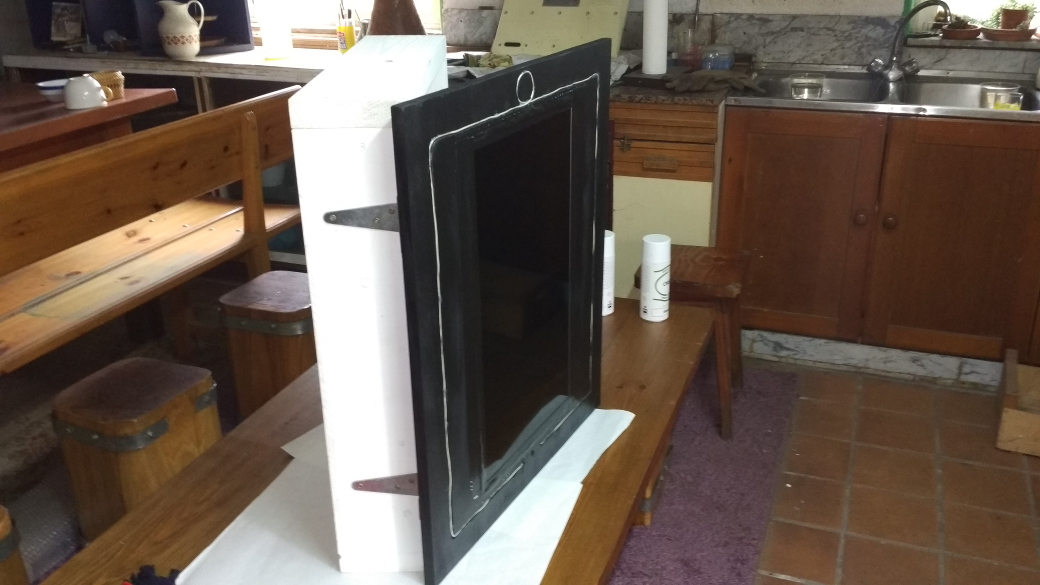
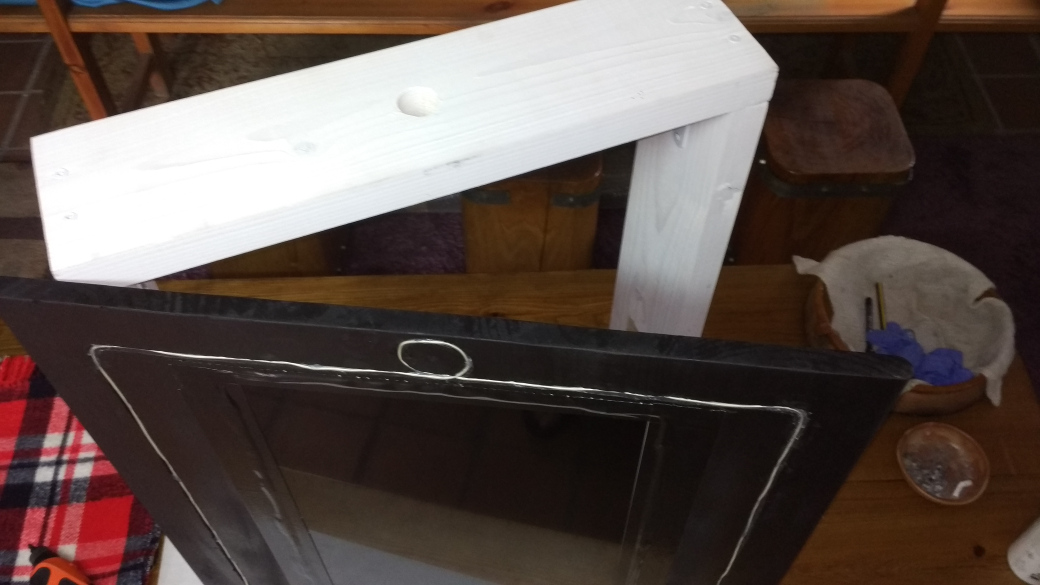
Mirror installation:
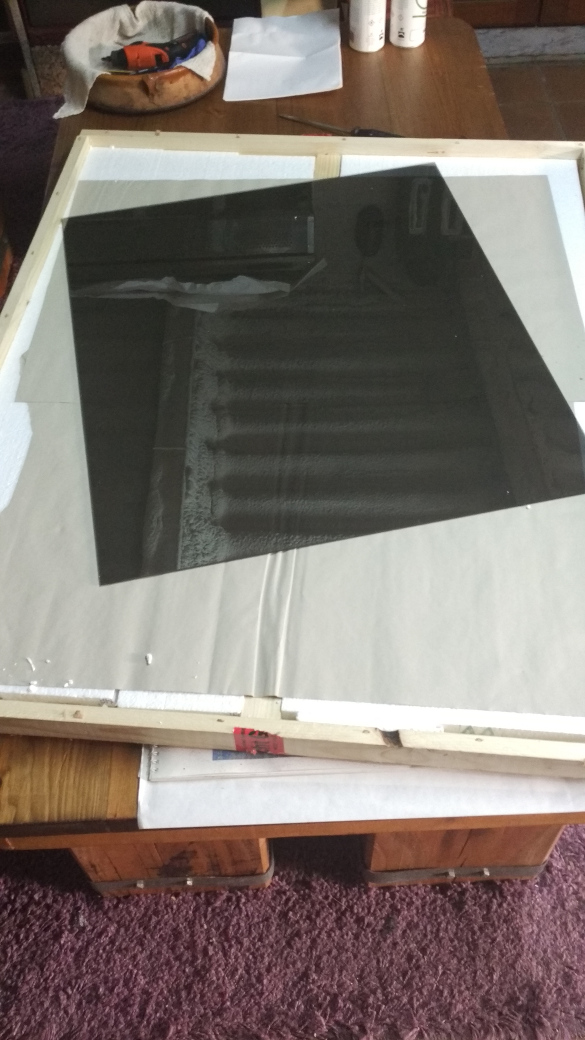
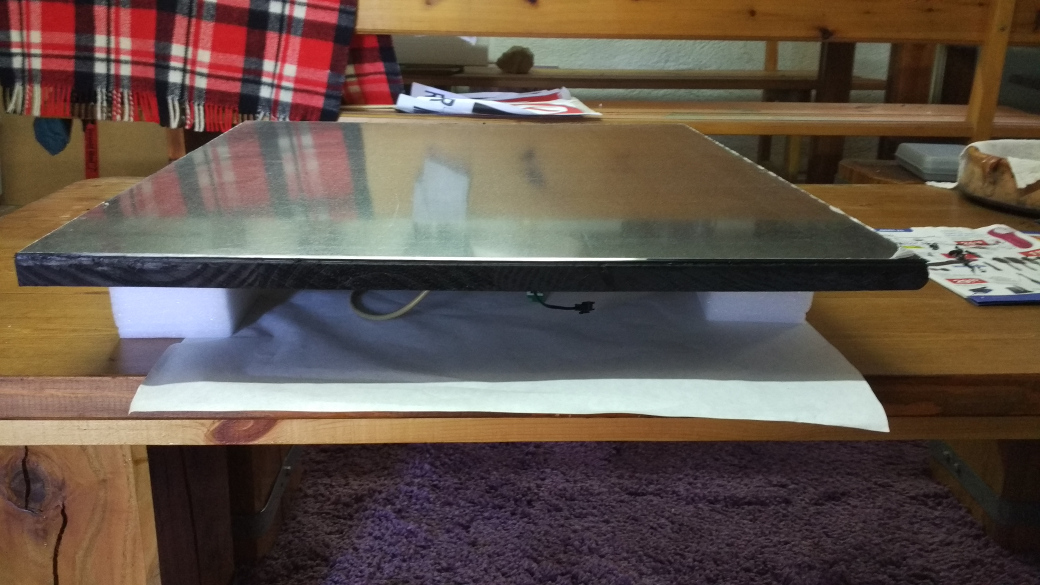
The mirror was glued with black silicone too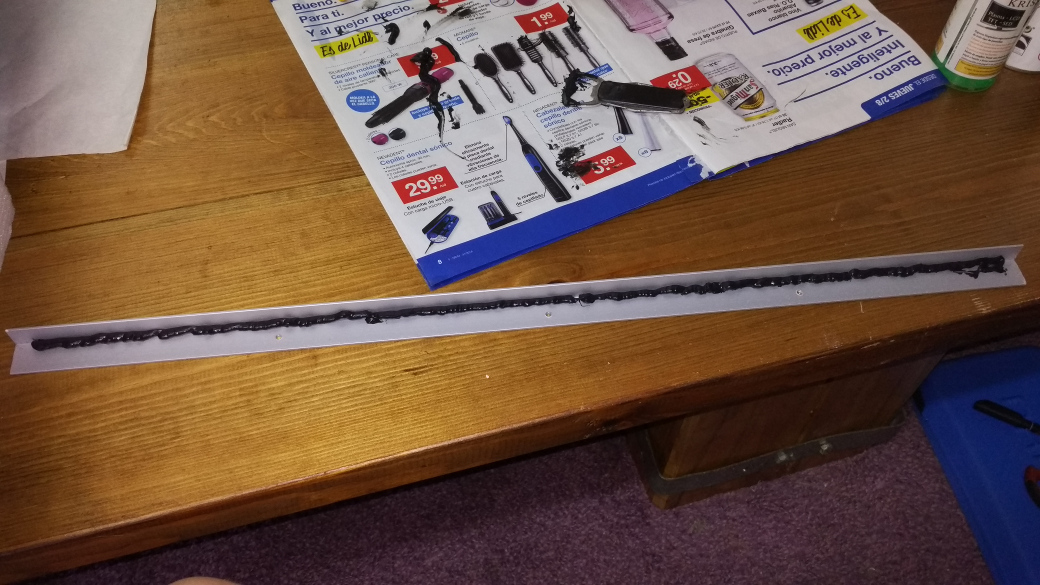
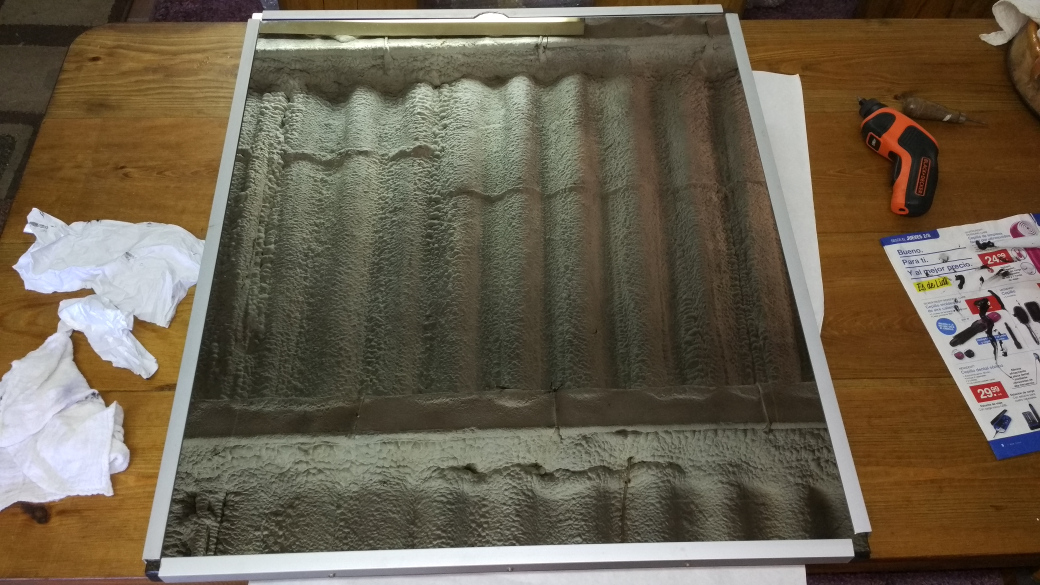
Preparation of the electrical wiring in the frame…
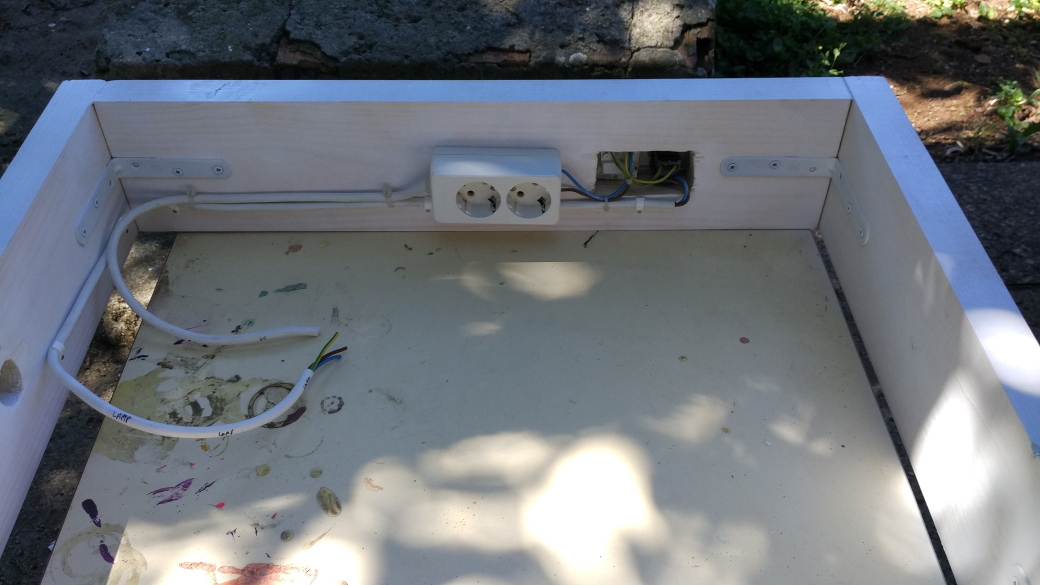
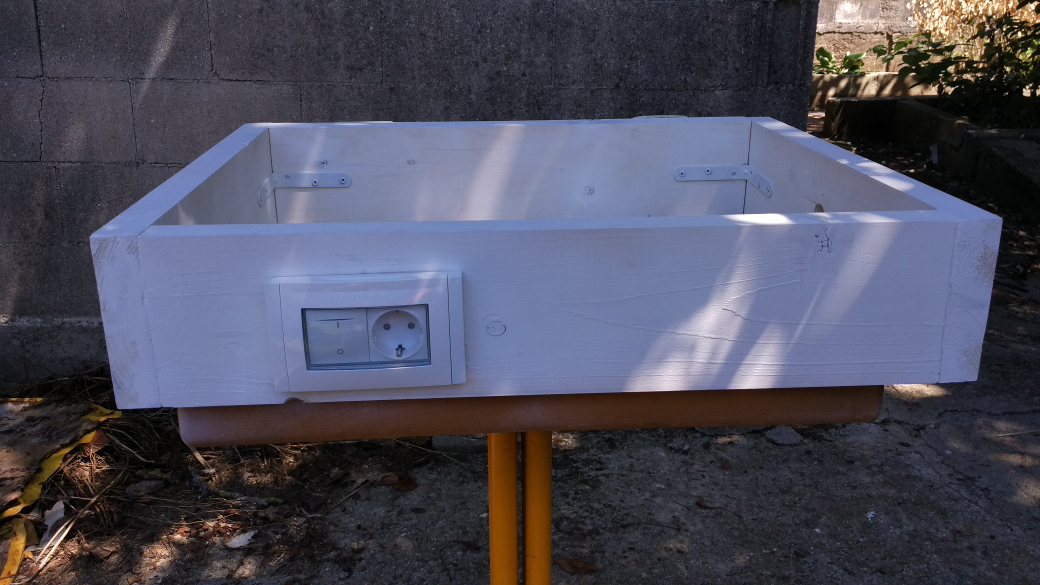
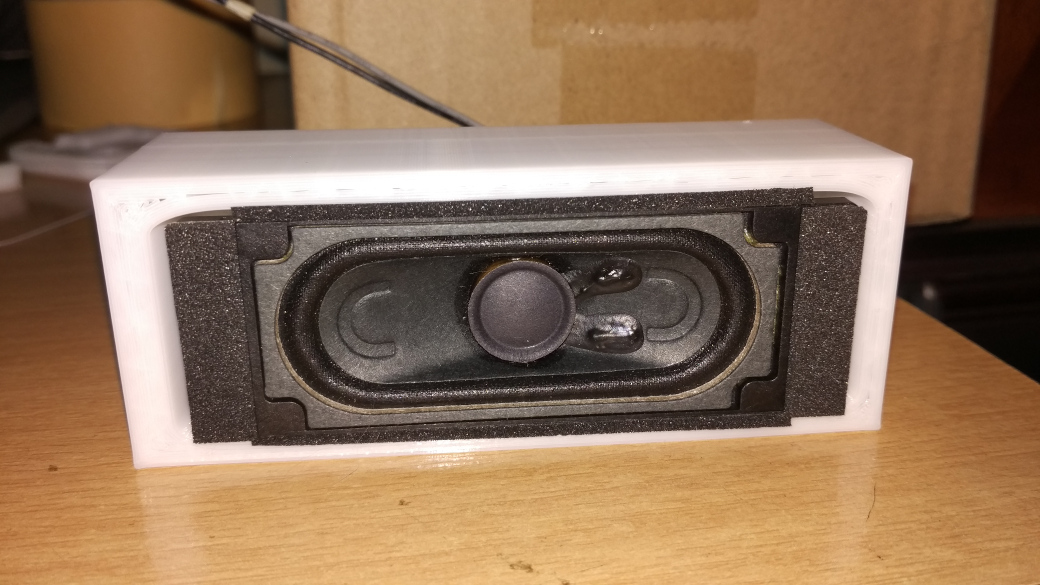
… and the TV speakers. I designed a simple piece in 3D to put them inside (they are available in thingiverse in case someone is interested).
Final assembly:
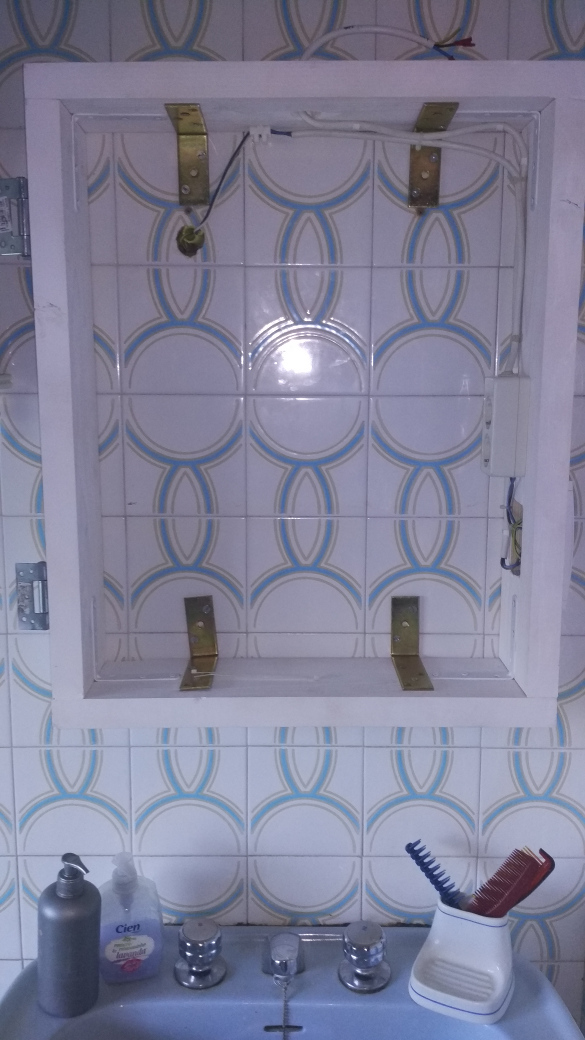
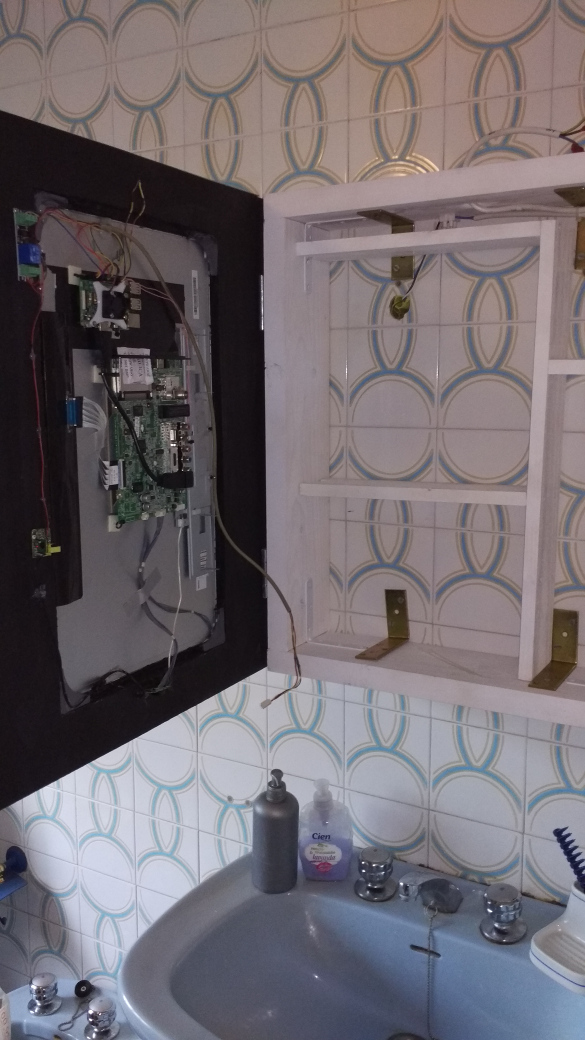
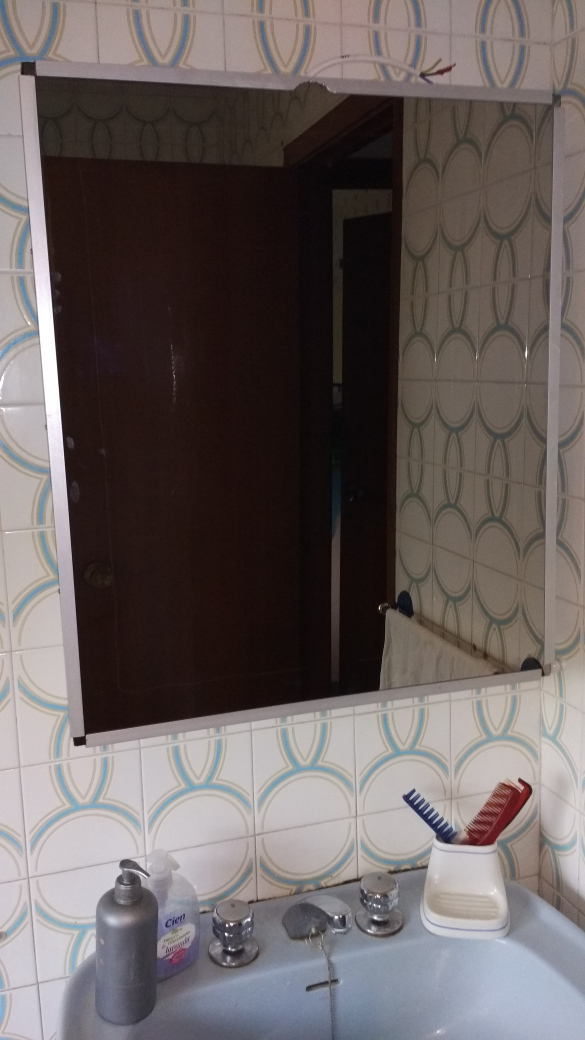
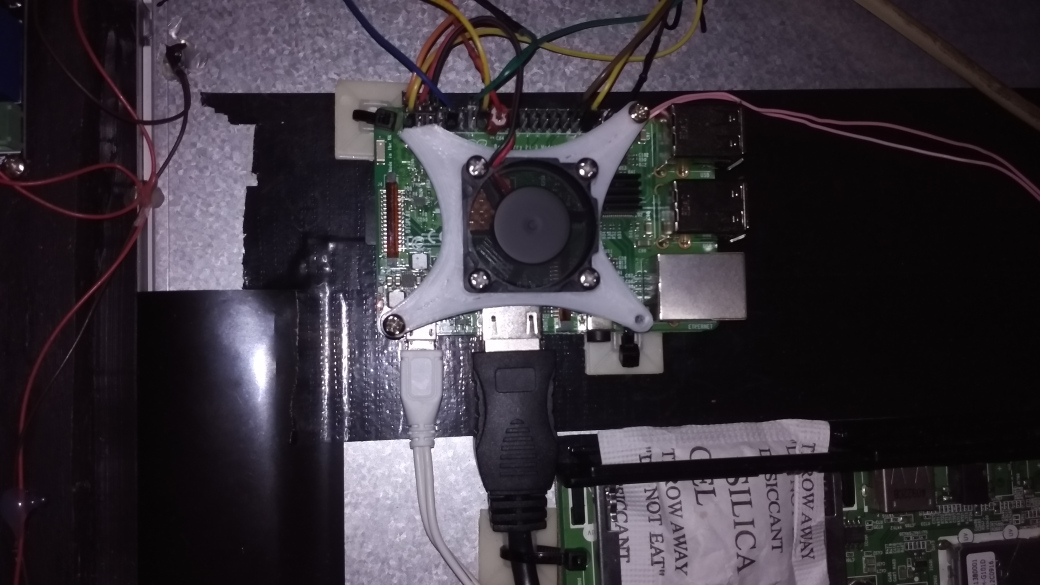
Detail of Raspberry Pi 3B
Last adjustments and … It works !!!
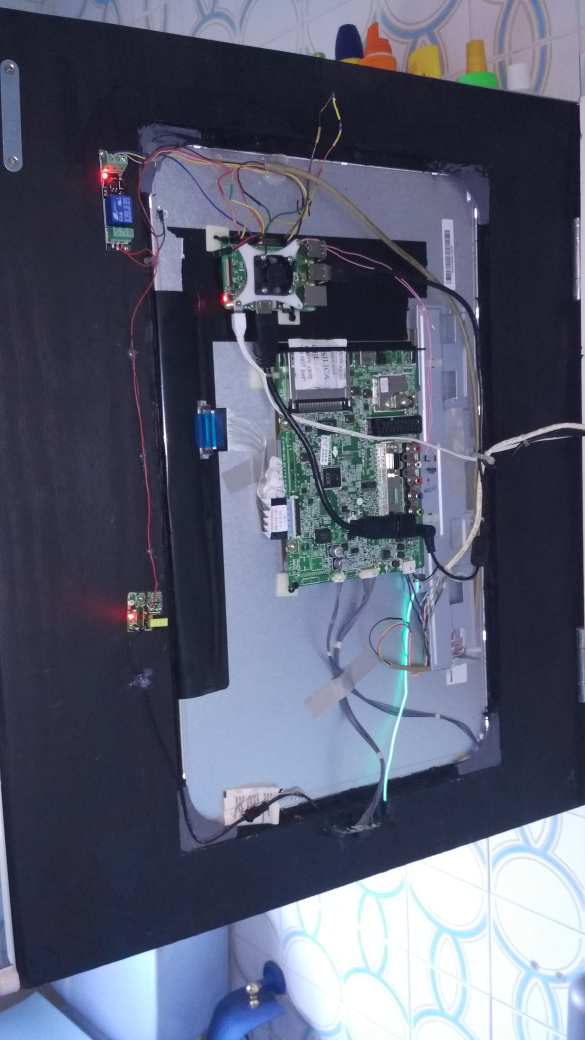
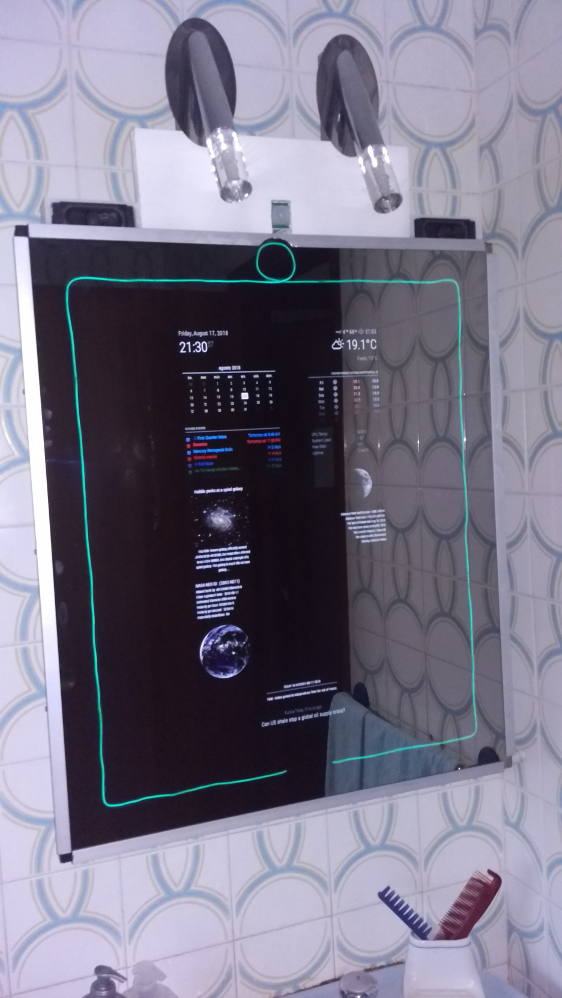
I have made a pdf with the connection scheme of all the electronic part that you can see here (I’ve had to convert to png previously to put it here):
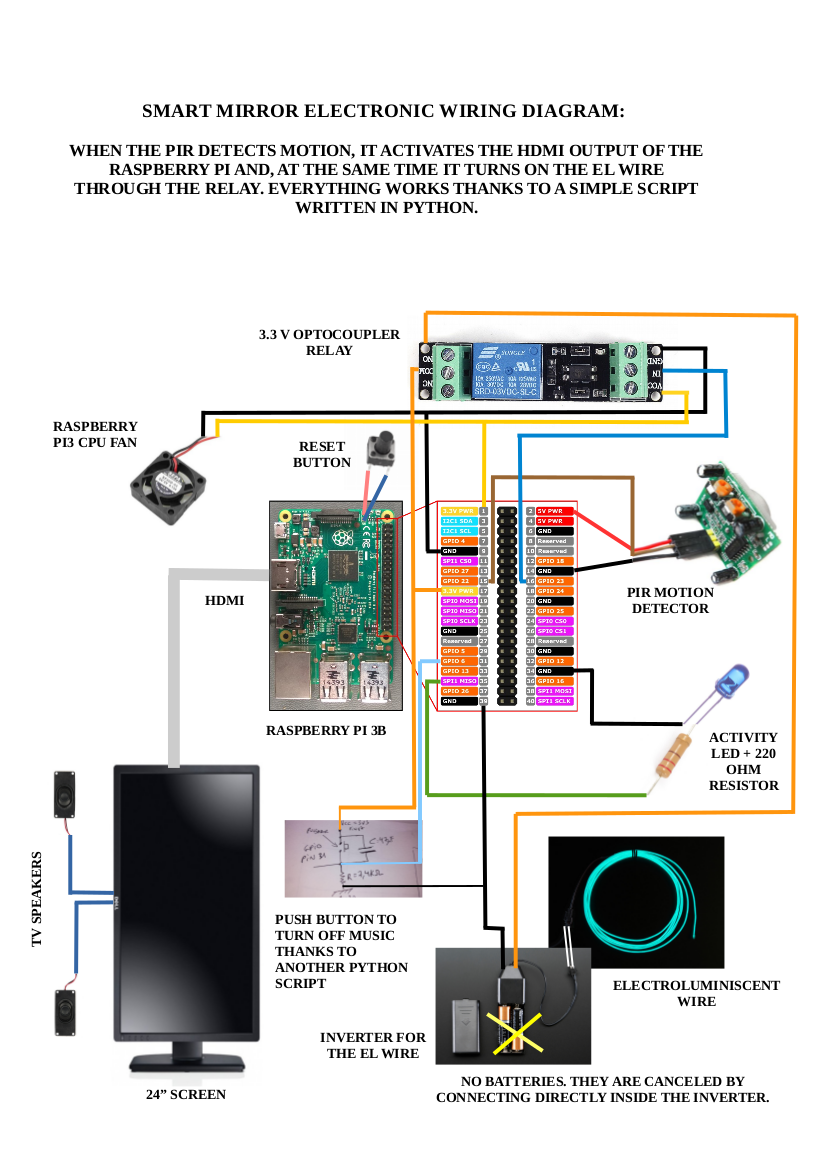
And here is the python3 script to make it all works:
#!/usr/bin/python3
# Para que funcione correctamente, hay que instalar los siguientes
# paquetes:   sudo apt install python3 python3-rpi.gpio

# Script que activa la pantalla y el EL wire cuando detecta movimiento
# a través del sensor de presencia PIR

import RPi.GPIO as GPIO
import time
import os

GPIO.setmode(GPIO.BCM)
GPIO.setup(22, GPIO.IN)						# SALIDA DEL PIR (PIR OUTPUT)
GPIO.setup(23, GPIO.OUT)					# EL WIRE (CABLE ELECTROLUMINISCENTE)
GPIO.setwarnings(False)

time.sleep(120)
os.system('vcgencmd display_power 0')

while True:
    if (GPIO.input(22) == 1):		                # SI DETECTA PRESENCIA (IF MOTION IS DETECTED)
        os.system('ogg123 -qz /media/pi/MUSICA/ &')	# ACTIVA LA MÚSICA (TURN MUSIC ON)
        os.system('vcgencmd display_power 1')	        # ACTIVA HDMI --> ACTIVA PANTALLA (TURN ON SCREEN)
        GPIO.output(23, GPIO.HIGH)			# ENCIENDE EL ELWIRE (TURN ON EL WIRE)
        time.sleep(600)					# "DUERME" 10 MINUTOS (SLEEP 10 MINUTES)
        os.system('vcgencmd display_power 0')		# APAGA SALIDA HDMI --> APAGA PANTALLA (TURN OFF SCREEN)
        GPIO.output(23, GPIO.LOW)			# APAGA EL WIRE (TURN OFF EL WIRE)
        os.system('sudo pkill ogg123')			# MATA PROCESO MÚSICA (TURN OFF MUSIC)
And you can watch a video here:
https://www.youtube.com/watch?v=WOjyTtQLJ6w
I hope you like it as much as I do!!
So far I have not managed to make the music stop when the push button is pressed, but I will end up getting it …
-
I can't upload pictures in a forum post
Hi!
I’m trying to make a new post about my new smart mirror on the “Show your mirror” section, but when I try to upload a picture I’m getting the following error:
“Request Entity Too Large”
Initially, the error was that the picture was over 2048 KB, so I resized it, but now its size is 1.6 MB and I can’t upload any picture, it shows me the error I commented some lines above.
I hope someone can help me.
-
RE: Does a hardware on/off button conflict with the mirror software?
@MWel1977
Hi,It should work without problem with any raspberry with raspbian installed, and MagicMirror works on raspbian ;). The important thing is to connect the button in the apropiate GPIO pins and then the scripts point to that pins. I think the tutorial of the link it should work. Follow instructions on that tutorial.
Make sure the button is a push button instead of a switch.
-
RE: [DONE] New two way community order for all european countries - Open until 03 June 2018
Hello @Goldjunge_Chriz, I’ve received the mirror today. I liked it a lot, only that I had made up the idea that it was a little thicker, but even better for the piece of furniture that I am building (I will put pictures in the “show your mirror” section of the forum when is finished).
I just wanted to ask you a question, in one of the faces of the mirror, there is a film of very fine material, which can be extracted. Does that mean there is one face through which you look better than the other? Or in other words, what is the purpose of protecting only one of the faces with that film? (I put a picture of it)
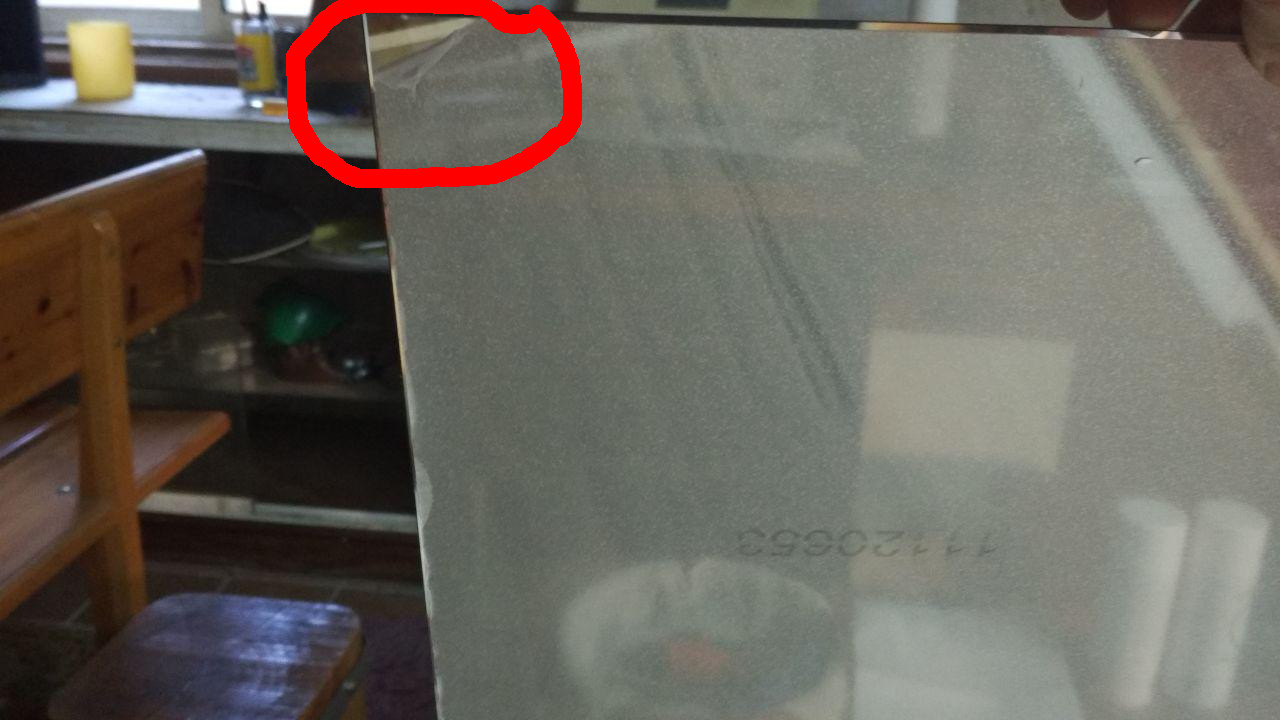
Regards and thank you very much for the management!
-
RE: Mirror in Spain
Por cierto, si te interesa, tenemos un grupo de telegram en español acerca del magic mirror / smart mirror. No somos muchos miembros por ahora, pero a lo mejor alguien te puede dar alguna información más acerca de lo que buscas.
Este es el enlace: https://t.me/smartmirrorRPI
By the way, if you’re interested, we have a telegram group in Spanish about the magic mirror / smart mirror. We are not many members for now, but maybe someone can give you some more information about what you are looking for.
This is the link: https://t.me/smartmirrorRPI
-
RE: Mirror in Spain
Que tamaño buscas? en el enlace puedes seleccionar varias medidas para la lámina acrílica. Si te interesara un espejo de cristal (más caro), hay un usuario en el foro que vende 2 a un 10% de descuento. Este es el enlace: https://forum.magicmirror.builders/topic/8421/i-sell-2-x-two-way-mirrors-out-of-remnant-stock-with-10-discount
What size are you looking for? in the link you can select several measurements for the acrylic sheet. If you are interested in a glass mirror (more expensive), there is a user in the forum that sells 2 to 10% off. This is the link: https://forum.magicmirror.builders/topic/8421/i-sell-2-x-two-way-mirrors-out-of-remnant-stock-with-10-discount
-
RE: I sell 2 x two way mirrors out of remnant stock *with 10 % discount*
I will post this with your permission in a telegram group in Spanish, of which I am an administrator, in case there is someone interested.
-
RE: Mirror in Spain
I bought the acrylic sheet on Amazon USA (amazon.com). This is the link: https://www.amazon.com/gp/product/B017ONH3EG/ref=oh_aui_detailpage_o00_s00?ie=UTF8&psc=1
Yo compré la lámina acrílica en Amazon USA (amazon.com). Este es el enlace: https://www.amazon.com/gp/product/B017ONH3EG/ref=oh_aui_detailpage_o00_s00?ie=UTF8&psc=1
-
RE: PIR Sensor - Sleep LCD monitor
Finally, I’ve finnished my script, and it works like a charm. I paste it here if someone else need it.
#!/usr/bin/python3 # PACKAGES NEEDED TO WORK: sudo apt install python3 python3-rpi.gpio # My screen has an USB port, that turns on when screen is on, and off when screen is off. # So, I made a voltage divider with a few resistors to get 3 volts, to activate pin 6 (BCM) # on the raspberry Pi. In this way, the script can 'know' if Screen is ON or OFF. import RPi.GPIO as GPIO import time import subprocess from subprocess import call GPIO.setmode(GPIO.BCM) GPIO.setup(22, GPIO.IN) # PIR's output GPIO.setup(6, GPIO.IN) # Screen power detector GPIO.setup(25, GPIO.OUT) # Relay Input GPIO.setwarnings(False) while (GPIO.input(6) == 0): # IF SCREEN IS ON if (GPIO.input(22) == 1): # PIR DETECTS MOTION call(('/opt/vc/bin/vcgencmd', ' display_power', '1')) GPIO.output(25, GPIO.HIGH) # RELAY ACTIVATION time.sleep(3) GPIO.output(25, GPIO.LOW) time.sleep(60) # THE TIME WE WANT THE SCREEN TO STAY ON if (GPIO.input(22) == 1): # IF PIR DETECTS A NEW MOVEMENT, time.sleep(60) # ACTIVATES THE MIRROR ANOTHER AMOUNT OF SECONDS else: GPIO.output(25, GPIO.HIGH) # WITH THIS LINE, THE SCREEN POWERS OFF TO SAVE ENERGY time.sleep(3) GPIO.output(25, GPIO.LOW) else: GPIO.output(25, GPIO.LOW) while (GPIO.input(6) == 1): # IF SCREEN IS OFF if (GPIO.input(22) == 1): # PIR DETECTS MOTION call(('/opt/vc/bin/vcgencmd', ' display_power', '1')) GPIO.output(25, GPIO.LOW) # SAME AS ABOVE, BUT THIS TIME DON'T ACTIVATE THE RELAY time.sleep(60) if (GPIO.input(22) == 1): time.sleep(60) else: GPIO.output(25, GPIO.HIGH) # WITH THIS LINE, THE SCREEN POWERS OFF TO SAVE ENERGY, AGAIN time.sleep(3) GPIO.output(25, GPIO.LOW) else: GPIO.output(25, GPIO.LOW) call(('/usr/bin/python3', '/home/pi/SCRIPTS/pir.py')) -
RE: PIR Sensor - Sleep LCD monitor
@cruunnerr
I’ve tried that script yesterday, but it didn’t work for me. Thanks anyway -
RE: PIR Sensor - Sleep LCD monitor
Hello, Have you already solved this issue? I am with the same idea, I have the PIR, a 3.3V relay and a python script so that, when it detects presence, the relay is activated and makes contact on the button to turn the screen on or off.
The sript I’m using is this:
import RPi.GPIO as GPIO
import time

GPIO.setmode(GPIO.BCM)
GPIO.setup(22, GPIO.IN)
GPIO.setup(25, GPIO.OUT)
GPIO.setwarnings(False)

while True:
    if GPIO.input(22):
      	GPIO.output(25, GPIO.HIGH)
    else:
	GPIO.output(25, GPIO.LOW)
PIR output is connected on pin 22 (BCM). Relay input is connected on pin 25 (BCM).
This simple script works correctly, but I want to go one step further. With this crypt, the screen is turned on or off when detecting presence.
My idea is that (when the screen is off), when detecting presence, the screen will turn on for a while (for example 5 minutes), and then turn off again.
For that purpose, I made this modification on the original script:
import RPi.GPIO as GPIO
import time
import commands

GPIO.setmode(GPIO.BCM)
GPIO.setup(22, GPIO.IN)
GPIO.setup(25, GPIO.OUT)
GPIO.setwarnings(False)

while True:
    if GPIO.input(22):
      	GPIO.output(25, GPIO.HIGH)
        commands.getoutput('vcgencmd display_power 1')
        time.sleep (300)
        commands.getoutput('vcgencmd display_power 0')
    else:
	GPIO.output(25, GPIO.LOW)
But this modification doesn’t work. Could someone help me with this? My knowledge in python is very elementary
-
RE: mmm-wu-moon-phases - Moonphases from Weather Underground
@mykle1 Thanks. Cool module! I will try it.
-
mmm-moon-phases don't work for me
Hi, I’ve been using the mmm-moon-phases module for a couple of months without a problem, until yesterday. Suddenly, it stopped working. I tried to re-install it, but it does not load the image of the moon. Which may be due?
I think the problem is that in the module git page https://github.com/spectroman/mmm-moon-phases, on the cache directory there isn’t any image of the moon, bu ti’m not sure…
My installation of Magic Mirror is in a raspberry pi Zero W. It is a shame, because it is a module that I consider quite interesting.
Thanks.