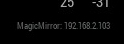
A module to show MagicMirror’s IPv4 Network Address
[card:fewieden/MMM-ip]
 S
Offline
S
Offline
A module to show MagicMirror’s IPv4 Network Address
[card:fewieden/MMM-ip]
you can add something like .ip-font { font-size: 8px; } in custom.css and use this class for your displaying dom or create an own css file for your module because it’s only module related :)
one way would be a module with a node_helper something like
const NodeHelper = require('node_helper');
const exec = require('child_process').exec;

module.exports = NodeHelper.create({
  socketNotificationReceived: function(notification, payload) {
    if (notification === 'GET_IP') {
    exec('host raspberrypi', (error, stdout, stderr) => {
     if (error) {
       console.error(`exec error: ${error}`);
       return;
    }
  this.sendSocketNotification('IP', stdout);
});
}
  }
});
stdout will be something like “raspberrypi has address 192.168.1.20”
it’s a physical button because you can define which pin it’s connected to on gpio in your module config :)
this one is just a virtual button https://github.com/masters1222/mm-hide-all
it is definitely possible to adopt those modules but it’s probably less effort to rewrite them from scratch
there is already a button module for mm2
https://forum.magicmirror.builders/topic/95/button
for voice control there are several people in this forum working on
https://forum.magicmirror.builders/topic/402/to-do-modules
https://forum.magicmirror.builders/topic/54/voice-motion-control/
https://forum.magicmirror.builders/topic/222/voice-control
can you provide links to those modules?
it’s a module so it should go in the modules directory MagicMirror/modules
well i looked in the repository and the author doesn’t say that you have to run the command npm install, so i don’t know why you are trying this?!
you are in the wrong directory cd into it first then npm install
i would like to have a config to limit how many tweets are shown at the same time
for inverting the colours you can insert the css rule filter: invert(100%);
i’m happy that it’s working for you
if you want you can also apply for a free api key here http://api.football-data.org/register to get 50 requests a minute
hey max, like I described in the post before yours i did it like in the instructions and it worked fine, but let’s try together to figure out why it’s not working for you.
you don’t need an api key unless you make over 50 requests a day. at the moment the module only request data from the api if the module gets initialised after starting your mirror. when you dont restart your mirror more than 50 times a day you don’t need one.
because you can see no data available the module should be loaded correctly, but there is probably a problem with the api itself. did you try to put the url in the browser and see if you get a result there maybe the server of the api isn’t available at the moment
http://api.football-data.org/v1/soccerseasons/394/leagueTable
this should give you a result for german bundesliga
report your result on this and then we can see what we can do otherwise if its not working
propably it’s to late but here are some screenshots of modules which don’t need external requirements like api keys etc.
https://www.dropbox.com/sh/to4p64yxuyjqwjf/AACSBpnLjMKmTt1NZFoYKTgJa?dl=0
@sarthak18593 I removed the module from the pi and reinstalled it from scratch and it’s working like before.
So let’s try to figure out what causes the problem for you.
I’m very busy the next days with exams and presentations but I’m trying to help as fast as I possibly can.
Can you post your config please.
Did you try to disable all other modules in the config to see if there’s a conflict to another module?
have a look in here https://forum.magicmirror.builders/topic/240/soccer-standings i had also problems with cors so i used the request module in my node_helper to fix it