A New Chapter for MagicMirror: The Community Takes the Lead
Read the statement by Michael Teeuw here.
  • Update for calext3

    Solved
    4
    0 Votes
    4 Posts
    764 Views
    BKeyportB
    @Michelle-H2020 Once you do the update (git pull, NPM install in module directory) then restart your magic mirror and it’ll disappear.
  • OpenWeatherMapForecast

    Unsolved
    1
    0 Votes
    1 Posts
    203 Views
    R
    I installed openweathermapforecast but I am unable to get it working, it just says loading when running. When I look at the log is says error: null. I have used open weather for other modules and they work but not this one. Does anyone have any ideas thanks
  • No weather warnings in OpenWeatherForecast

    Solved
    7
    1
    0 Votes
    7 Posts
    1k Views
    J
    @sdetweil Looks good now! Thank you :-)
  • How do I get Times for events that happen today instead of "in 3 hours"?

    Unsolved
    4
    0 Votes
    4 Posts
    1k Views
    BKeyportB
    looked back in my archives, and found it: // Force Absolute to Absolute all the time, michmich *really* hates solid dates, apparently. timeformat: "absolute", getRelative: 0, urgency: 0,
  • Can I hide the top line from the Weather Module?

    Unsolved
    1
    0 Votes
    1 Posts
    202 Views
    K
    Hi, In the Weather module, the top line is Wind icon, Wind speed, Wind Direction, and then the Sunrise icon and the Sunrise time. I don’t want to see any of those things. I just want to see the Current Temp line and the Feels Like. If I turn on onlyTemp, I lose the top line, but I also lose the Feels Like, which I’d like to keep. There are some individual flags I can set. If I set ShowSun and Show WindDirection to False, I lose most of what I want, but I still have the wind speed and a wind icon showing. I don’t see any config options to turn off the Windspeed and wind icon completely. Does this option exist? Thanks.
  • MMM-BMW-OW and CC UnhandledPromiseRejectionWarning

    Unsolved
    1
    0 Votes
    1 Posts
    125 Views
    J
    I’m new to MM and have installed on a RPi 4b 4gb with Ubuntu. Installing either of these modules causes the following error: (Use `electron --trace-warnings ...` to show where the warning was created) [01.12.2023 21:05.45.311] [ERROR] (node:7249) UnhandledPromiseRejectionWarning: Unhandled promise rejection. This error originated either by throwing inside of an async function without a catch block, or by rejecting a promise which was not handled with .catch(). To terminate the node process on unhandled promise rejection, use the CLI flag `--unhandled-rejections=strict` (see https://nodejs.org/api/cli.html#cli_unhandled_rejections_mode). (rejection id: 1) Can anyone help sort this out? Thank you!
  • Setting 2 default calendar modules; but weird represent

    Solved
    11
    0 Votes
    11 Posts
    3k Views
    S
    @1a2a3a can u send me some screen shots? either direct or to my mail , same userid at gmail… and the schema3.json file from the module folder
  • MMM-GooglePhotos+MMM-NFL=WTF-Refresh Rates?

    Unsolved
    4
    0 Votes
    4 Posts
    703 Views
    M
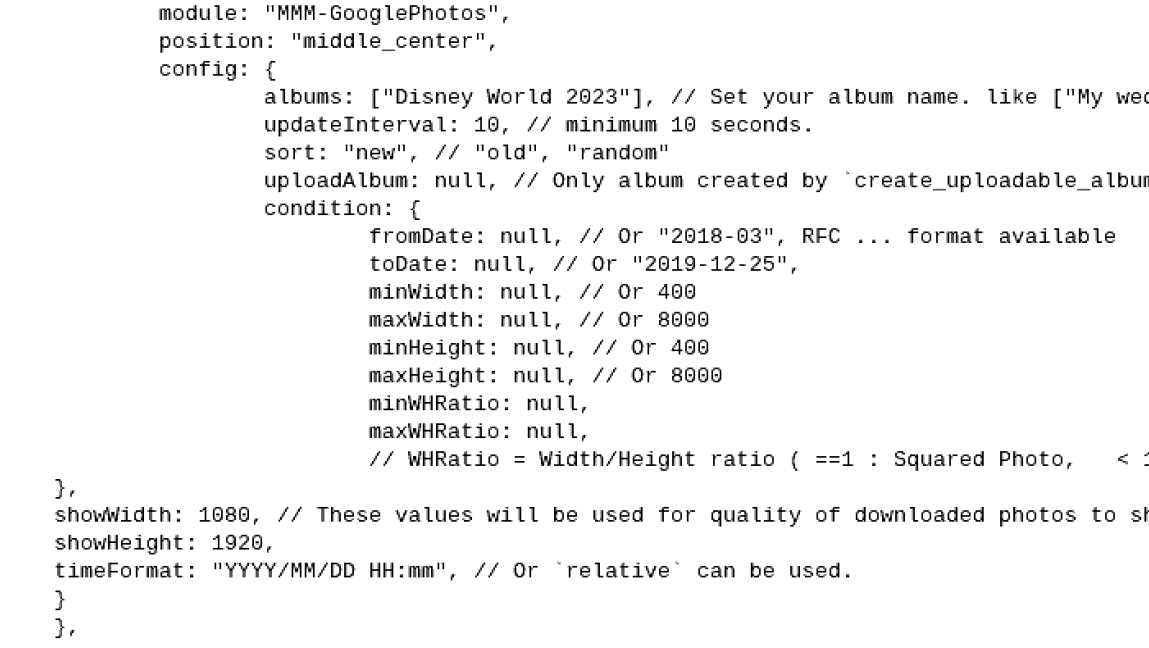
    @JeffreyDaro To save the daily quota, Specify the album to scan, not whole or many albums. Scanning will consume your Quota, And the number of files in target albums will also affect consumption. You can only show 8640 pictures in a day at most, even with 10 seconds. With 60 seconds, you can show around 1400 pictures per day. If you have thousands of pictures in the album, unused pictures would also scanned. (scan 50 pictures would consume 1 call) It could be more efficient. Let’s compute: If you have 5000 pictures in your target album, you will consume 100 calls per scan, and to serve each image, at least 1 call per image would be consumed. But most of the scanned pictures would not be used at all. So, optimise your album. Carefully collect/select pictures to be shown with a proper number. Gather the pictures in one album like 'MM Wallpaper". Keep the number as low as possible, and assign longer updateInterval as some minutes, not seconds. It will help your quota consumption.

  • Help with date format MMM-CalendarExt3

    Solved
    18
    0 Votes
    18 Posts
    5k Views
    M
    @1a2a3a I think you’d better repost this as another new topic. (“Setting 2 default calendar modules; but weird represent”) We are out of the original topic; ppl who don’t have an interest in CX3 will not see this thread.
  • All White MMM-CalendarExt3 & Agenda

    Unsolved
    2
    0 Votes
    2 Posts
    283 Views
    M
    @DarkHelmet1 Gold is dedicated for today or current moment. Blue(dodgerblue) is for weekend_1 Red(crimson) is for weekend_2 You can find those colors in module’s css. So; you can override like this; .CX3A .cell.today .cellDay { color: white; /* It was var(--todayColor) */ } .CX3A .cell.weekend_1 .cellDay { color: white; /* It was dodgerblue */ } .CX3A .cell.weekend_2 .cellDay color: white; /* It was crimson */ } The reason why your selector .CX3A .cellheader .cellHeaderMain .cellDate didn’t work, is this; .cellHeader is right, not .cellheader.
  • ToDoist sits at loading

    Unsolved
    1
    0 Votes
    1 Posts
    282 Views
    N
    Cross posting as I’ve opened this as an issue on the git repo for this but I’m curious if anyone else has figured out a way to get this to work. I installed ToDosit module today and have been struggling to get it to work. I’ve been reading ToDoist’s API documentation and I see a few things that are not up to date per their documentation. In the MMM-ToDoist.js currently the defined API call is apiVersion: “v9”, apiBase: “https://todoist.com/API”, todoistEndpoint: “sync”, But when you go to ToDoist site https://developer.todoist.com/sync/v9/#summary-of-contents The url they have documented is https://api.todoist.com/sync/v9/sync I’ve modified the apiBase to use the new url but that still sits and loads… Looking further into the documentation I think the header needs to be `application/json’ and if this is strictly to pull projects the read API url is https://api.todoist.com/sync/v9/projects/get_data where you only need to pass an API key and project ID. I’m thinking that the node_helper needs to to make a read request and not a post but I’m not entirely sure because the post might be to pull the access token. Unfortunately I can’t seem to figure it out and I’m curious if any else has modified the node_helper or the MMM-Todoist.js to get this to work for them.
  • Brand New Install works until I enable PM2 Autostart

    Unsolved
    9
    0 Votes
    9 Posts
    2k Views
    BKeyportB
    @sdetweil Sam: Just to let you know, if PM2 is not running any tasks, it won’t save with a plain pm2 save - you have to use pm2 save --force to clear the list after deleting everything.
  • MMM-MonthlyCalendar Configuration Help

    Unsolved
    1
    0 Votes
    1 Posts
    214 Views
    D
    Hello, I’m a complete newbie and just started exploring the Magic Mirror setup. I’m trying to set up a weekly calendar and came across the MMM-MonthlyCalendar module. I’m lost as to how to add my Google calendar to this module. I dont see any detailed information in the docs on how to configure the module or where to place the iCal url. Any help or a snippet of your config for this module is appreciated. Thanks.
  • npm start Problem

    Unsolved
    16
    0 Votes
    16 Posts
    5k Views
    S
    @Lockslay yes, probably. flash SD card boot skip updates use my script if u back up w my other script I will restore the config, css, and modules on top.of the new mm after install
  • Builtin calendar module: dateformat, timeformat

    Solved
    3
    0 Votes
    3 Posts
    393 Views
    D
    @sdetweil said in Builtin calendar module: dateformat, timeformat: @DomRep unfortunately the dateFormat/timeFormat/showEnd options apply to ALL calendars, so they would have to be above the calendars:[] list in the doc, the first section of parameters are for ALL calendars… the second section is for individual calendars… So there’s my misunderstanding: It’s a global setting :) Actually, having to set these config values for all calendars alike is fine for me… I just started to test the effect for “calendar two” because I wanted to compare the effect against the others two. In my original post I emphasized this (the SECOND calendar) just to make following my pursuit easier for forum readers. Thank you @sdetweil for the clarification :)
  • Trouble installing MM on Raspberry Pi Desktop for PC

    Solved
    5
    0 Votes
    5 Posts
    1k Views
    S
    @raymondjspigot yeh, that’s the problem , that image is running 64 bit kernel (uname -a) and 32 bit runtime. but it keeps installing the 64 bit version of node, which won’t run in the 32 bit user space.
  • MMM-Caldav not listening on port 8080

    Solved
    16
    0 Votes
    16 Posts
    4k Views
    P
    @MMRIZE , found the issue, you last sentence solved it, i was indeed running the server on port 9090 but I set the url of the calendar to 8080. After changing the port of the calendar url to 9090, all is fine. Thanks for your support!
  • MMM-BackgroundSlideshow does not respond to notifications

    Solved
    3
    0 Votes
    3 Posts
    566 Views
    UncleRogerU
    So the fix appears to be* to add the following line of code to the MMM-BackgroundSlideshow.js file at line ~175: //Quick and dirty fix to redirect the notification this.socketNotificationReceived(notification,payload); Seems to be working now. * https://github.com/darickc/MMM-BackgroundSlideshow/pull/135/commits/48ae1cb12408a119ec9dd07927ce953f9eaa2bf0#diff-58dd4b5e083de0ddd663e45190feabf1cabee2f0e3f6ca048c0f64a731888ff8R175-R176 (Just adding this in case someone comes here to search for an answer first before going to Github.)
  • MMM-OpenmapWeather sunrise and sunset times are GMT

    Unsolved
    5
    0 Votes
    5 Posts
    2k Views
    R
    @MMRIZE said in MMM-OpenmapWeather sunrise and sunset times are GMT: patches: [ { module: “MMM-OpenmapWeather”, method: “processWeather”, patch: function (original, args) { const [ data ] = args const yourDesiredOffset = 5 * 60 * 60 // 5 hours data.sys.sunrise = new Date((data.sys.sunrise + yourDesiredOffset) * 1000).valueOf() data.sys.sunset = new Date((data.sys.sunset + yourDesiredOffset) * 1000).valueOf() original(data) } }, ] } } Rather than trying the “Monkey Patch” I disabled the display of the sunrise/sunset times. There is an undocumented config varable called showSun. Set it to false and they don’t display. I never looked at these times. Easier to turn it off than fix.
  • MMM-GooglePhotos display help

    Solved
    4
    2
    0 Votes
    4 Posts
    1k Views
    S
    @DCSooner so, I use images as a background, so I set fullscreen-below but then you can size it smaller