Read the statement by Michael Teeuw here.
MMM-CalendarExt3
-
@Studio472
I think it could be possible withpreProcessor, but I’m not in front of my computer, so cannot show example at this moment. -
@Studio472
Config:eventTransformer: (event) => { if (event.calendarName === 'MLB') { // I assume you assigned 'MLB' as a calendar name. event.endDate = event.startDate + 1000 // I think 1000ms is safer than 1 hour } return event },Before:
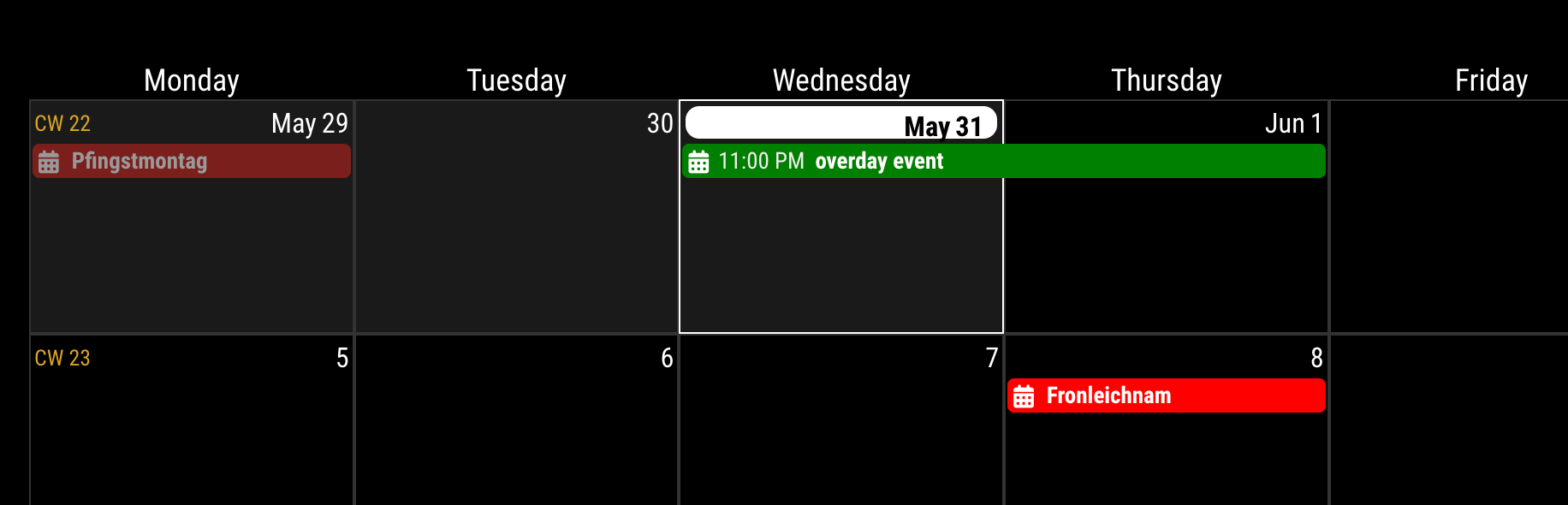
After:
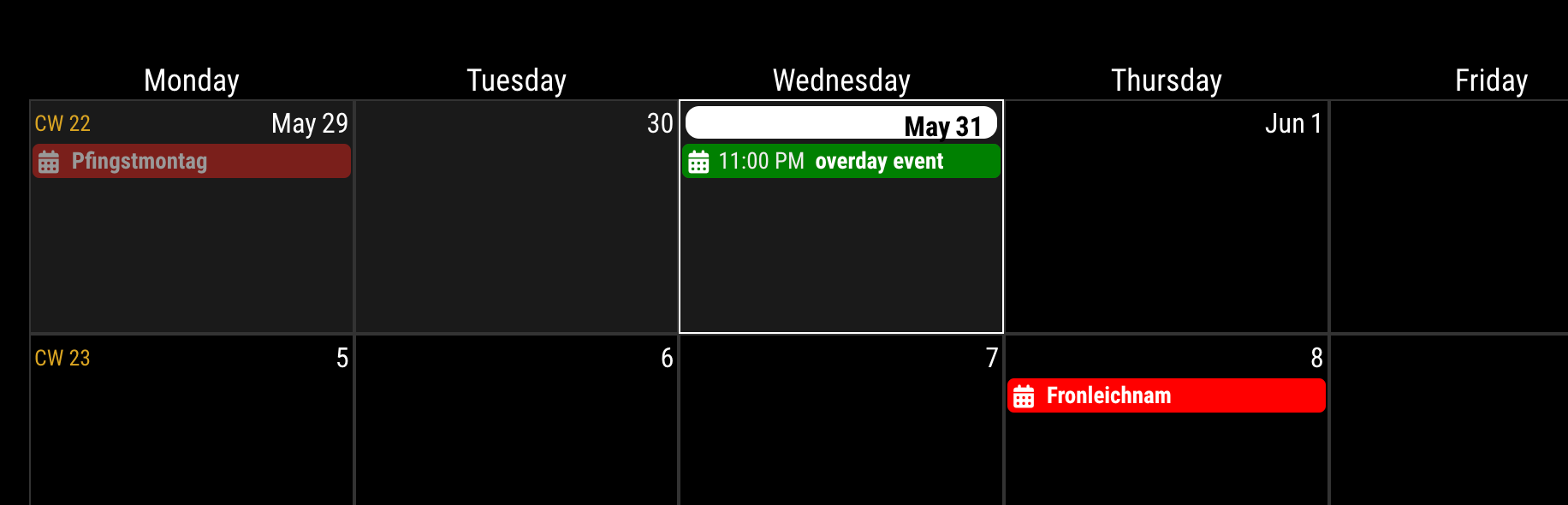
-
Hi
Need some help here.
Trying to get this module to work, but only the “header” of the month is showing. No events is listing, and no dates are showing. In the GoogleCalender module I can see the events, so I know that the GoogleCalender is working.Do someone know what is wrong? My config file is like this:
{ module: 'MMM-GoogleCalendar', header: "Familie Kalender", position: "top_left", config: { calendars: [ { color: "red", name: "FK", broadcastPastEvents: true, // <= IMPORTANT to see past events calendarID: "GOOGLE ID_ deleted from the code" } // add another calendar HERE if needed ] } }, { module: "MMM-CalendarExt3", position: "bottom_center", title: "Familie kalenderen", config: { mode: "month", instanceId: "basicCalendar", locale: 'de-DE', maxEventLines: 5, firstDayOfWeek: 1, calendarSet: ['FK'] } }, -
@Fjerdrumsmoen calendarExt3 gets its data from the default calendar module…
so you have to configure it, and just comment out the position: setting…
-
-
Hmm. All empty when I use the calendar module, also. Tested with the US holidays, and everything stays blank. (Without the heading)
Any other tips?
-
@Fjerdrumsmoen 1st
w default cal module, does the calendar display?
(before u comment out position)did u try the default ext3 config?
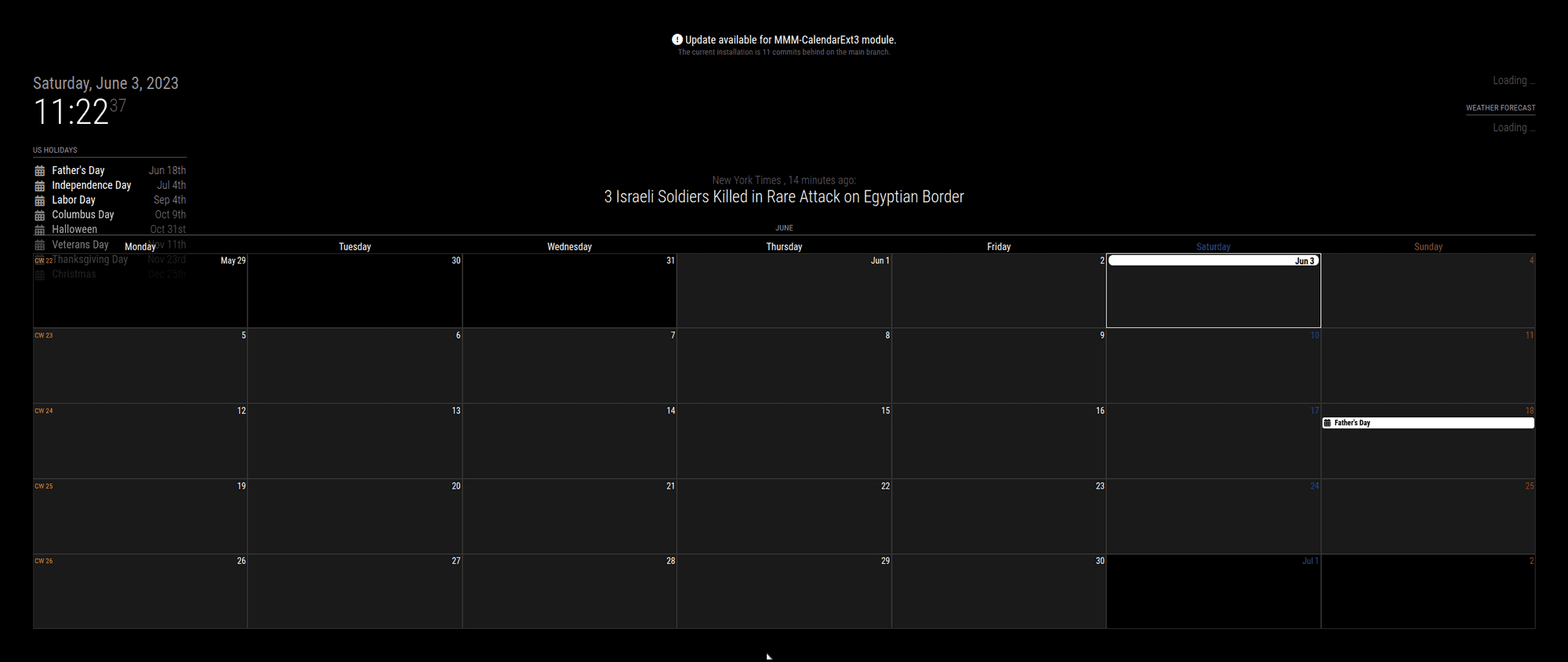
I used the default ext3 config from doc, with the holidays
commented out calendarSet, and locale…{ module: "MMM-CalendarExt3", position: "bottom_bar", title: "", config: { mode: "month", instanceId: "basicCalendar", // locale: 'de-DE', maxEventLines: 5, firstDayOfWeek: 1, //calendarSet: ['us_holiday', 'abfall', 'mytest'], } },got
-
@Fjerdrumsmoen
For google calendar you need some additional config. See thereadme.mdmore. -
Thanks. Now it shows :-)
But not with Google account.
Should i put in this code in the config.js?preProcessor: (e) => { e.startDate = new Date(e.start?.date || e.start?.dateTime).valueOf() e.endDate = new Date(e.end?.date || e.end?.dateTime).valueOf() e.title = e.summary e.fullDayEvent = (e.start?.date) ? true : false return e } -
@Fjerdrumsmoen just use the Google url instead of the holidays… does it show in default calendar?
no… fix that -
@Fjerdrumsmoen
In CX3 module config not global or calendar module. -
1.4.0 (2023-06-04)
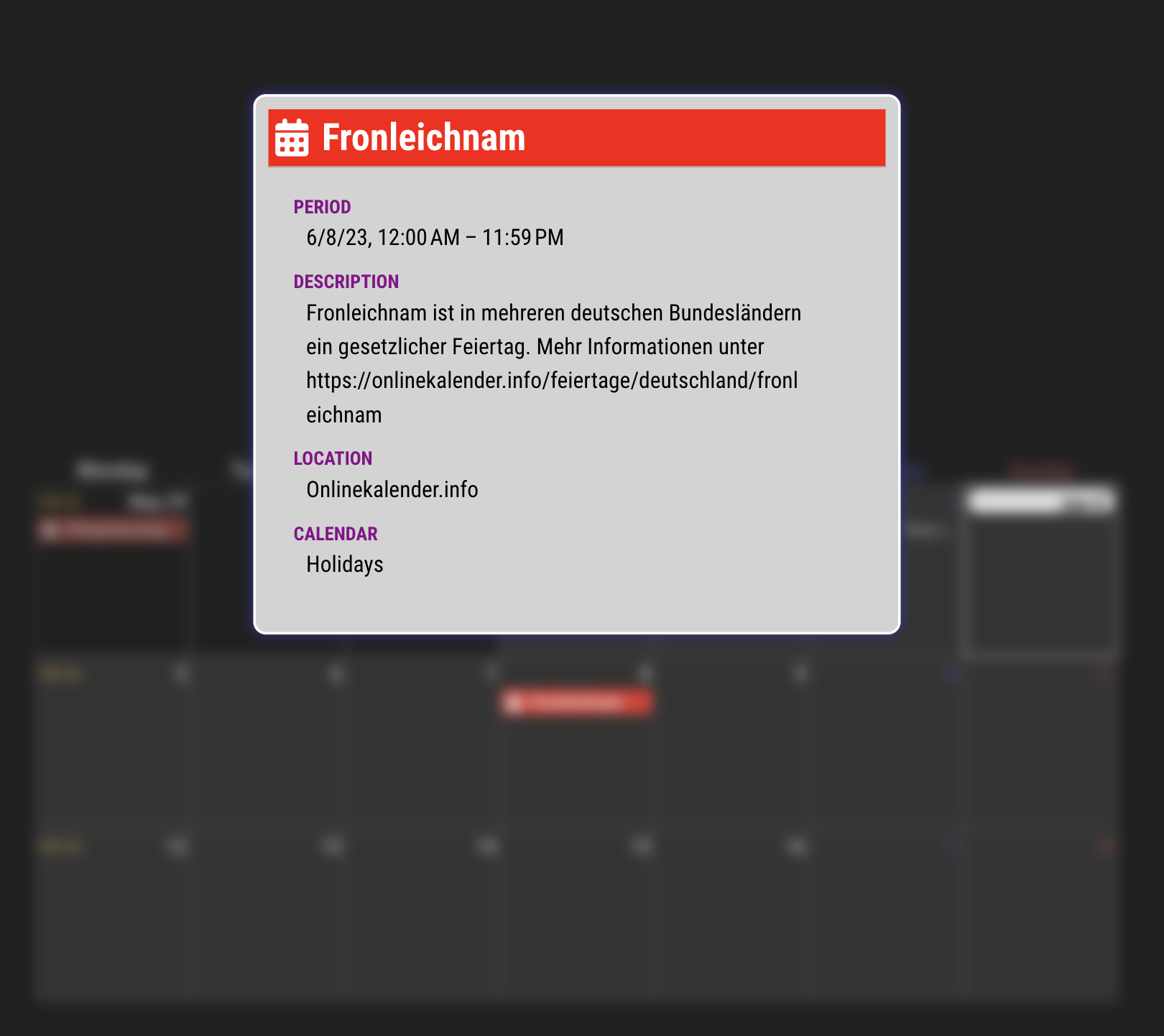
- ADDED (Experimental) Show popover of event details on click/touch (Chrome 114 or Electron 25 needed)
See https://github.com/MMRIZE/MMM-CalendarExt3/discussions/80
- FIXED Clarify code for using MMM-GoogleCalendar module #78 (Thanks to @jcherniak)
- UPDATED Updated CX3_Shared submodule #76 / More robust
oppositeColorcalculation. (Thanks to @btastic)
Preview video is here: https://github.com/MMRIZE/public_ext_storage/issues/1
-
@MMRIZE This is awesome!! Congrats!!!
Unfortunately I don’t have a touch screen but this opens a new world of possibilities for those who have. -
How do I use MMM-CalendarExt3 to show events from MMM-GoogleCalendar? I have MMM-GoogleCalendar setup and it’s displaying events. However, I tried adding MMM-CalendarExt3 to the config and it won’t display anything. Any help is much appreciated.
My config file…
{ module: "MMM-GoogleCalendar", header: "Family Calendar", position: "top_left", classes: "calendar-agenda", config: { calendars: [ { symbol: "calendar-week", calendarID: "myemail@gmail.com", name: "mycalendar" }, ], fade: false, maximumNumberOfDays: 5, showlocation: true, tableClass: "medium", } }, { module: "MMM-CalendarExt3", position: "top_left", config: { instanceID: "I-calendar-month", calendarSet: ['mycalendar'], weeksInView: 3 } }, -
@MM19198 https://github.com/MMRIZE/MMM-CalendarExt3#compatible-with-randombrainstormermmm-googlecalendar
There’s a config snippet there to make it work.
-
@BKeyport I appreciate the quick reply. I tried adding that but unfortunately it didn’t change anything.
Is there anything I need to do with eventNotification?
{ module: "MMM-GoogleCalendar", header: "Family Calendar", position: "top_left", classes: "calendar-agenda", config: { calendars: [ { symbol: "calendar-week", calendarID: "myemail@gmail.com", name: "mycalendar" }, ], fade: false, maximumNumberOfDays: 5, showlocation: true, tableClass: "medium", } }, { module: "MMM-CalendarExt3", position: "top_left", title: "Family Calendar EXT3", config: { mode: "week", instanceID: "I-calendar-month", calendarSet: ['mycalendar'], weeksInView: 3, preProcessor: (e) => { if (e.start?.dateTime) { e.startDate = new Date(e.start.dateTime).valueOf() } else if (e.start?.date) { e.startDate = new Date(`${e.start.date}T00:00:00`).valueOf() } if (e.end?.dateTime) { e.endDate = new Date(e.end.dateTime).valueOf() } else if (e.end?.date) { e.endDate = new Date(`${e.end.date}T00:00:00`).valueOf() } e.title = e.summary e.fullDayEvent = (e.start?.date) ? true : false return e } } }, -
@BKeyport In addition to that code you sent, I also had to add “broadcastEvents: true” to the MMM-GoogleCalendar config. Now I’m able to see events on the MMM-CalendarEXT3 module. Thanks!
-
Working on moving from CX2 to CX3.
A few things I’m being challenged by. Some might be limitations but figured I’d ask
-
In CX2 there were more icon sets available. Is CX3 limited to Font Awesome because the default calendar is?
-
Can CX3 in weekly view start from the current day vs. beginning of the week?
-
I can see there’s a module-header. How can I make the CX3 title from the config show there?
Possible CSS Questions
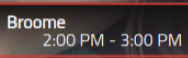
4) I’m having trouble getting the Day header to show only numeric for the whole week. It shows Month Day (Jul 3) in the first two days and then numeric for the rest. (I tried cellDateOptions: “{day: ‘numeric’}” in the config for the module and it shows “7/3/2023” and “7/4/2023” in the first two days. This is what I had to do to hide it with CSS..CX3 .week:nth-child(2) .cell:first-child .cellDate * { display: none; } .CX3 .week:nth-child(2) .cell:first-child .cellDate .day { display: inline-block; } .CX3 .today .cellDate :not(.day) { display: none; }- I had CX2 showing like this with the title on one line and the time on the next. Can that be done?
- How to remove colored dot signifying calendar? I like a border instead?
-
-
for #6, I’m sure it’s something like this, (I use CalendarExt3Agenda, which uses common code):
/* get rid of the icon */ .CX3 .event .headline .symbol { display: none; } -
@gonzonia said in MMM-CalendarExt3:
In CX2 there were more icon sets available. Is CX3 limited to Font Awesome because the default calendar is?
You are right. But I’m planning
Iconifyintegration in the future version soon.Can CX3 in weekly view start from the current day vs. beginning of the week?
From beginning of the week. (by the locale).
For daily view, use CX3A. I think it could show more data conveniently.I can see there’s a module-header. How can I make the CX3 title from the config show there?
{
  module: 'MMM-CalendarExt3',
  header: 'whatever',
  position: 'bottom_bar',
  config: {
    mode: 'month',
    ...
  }
}
When you set
headerin config, the module title will be shown. Inmode:'month', It will be changed to the value asheaderTitleOptionsdefined automatically. Inmode:'week'. It will remain static as you wrote it.
(Do you need more configurable properties for this?)- I’m having trouble getting the Day header to show only numeric for the whole week. It shows Month Day (Jul 3) in the first two days and then numeric for the rest. (I tried cellDateOptions: “{day: ‘numeric’}” in the config for the module and it shows “7/3/2023” and “7/4/2023” in the first two days. This is what I had to do to hide it with CSS.
Weird.
cellDateOptions: {day:'numeric'}should show only the number of the day. What is your locale? or check the typo.I had CX2 showing like this with the title on one line and the time on the next. Can that be done?
May possible, I remember I left the one example in this thread also. But personally I don’t like it because it is not so pretty and somehow wasting the space.
Anyway, It needs heavy CSS tweek, I’ll try to give the example later.


Hello! It looks like you're interested in this conversation, but you don't have an account yet.
Getting fed up of having to scroll through the same posts each visit? When you register for an account, you'll always come back to exactly where you were before, and choose to be notified of new replies (either via email, or push notification). You'll also be able to save bookmarks and upvote posts to show your appreciation to other community members.
With your input, this post could be even better 💗
Register Login