Read the statement by Michael Teeuw here.
Changing icons of the modules Current Weather and Weather Forecast
-
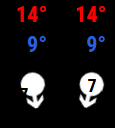
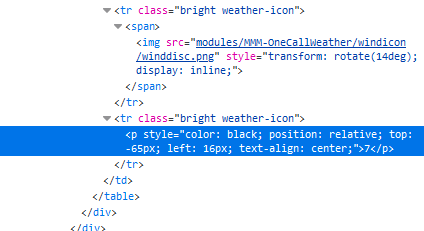
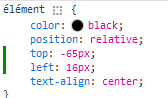
@sdetweil I still need you, in the weather module there are “bubbles” with the wind speed inside, but the numbers are not centered, I made screenshots of the console and I saw where I can change the position however I am unable to put this in my custom css, can you help me please?
-
@Manu85 so, you need to make the selector clause
all the stuff before the {
you know it starts w the module name class (with a leading dot)
the bottom of the html pane has a list of the elements tree. the rightmost is the thing u are selected on
for your prior post (on my phone again)
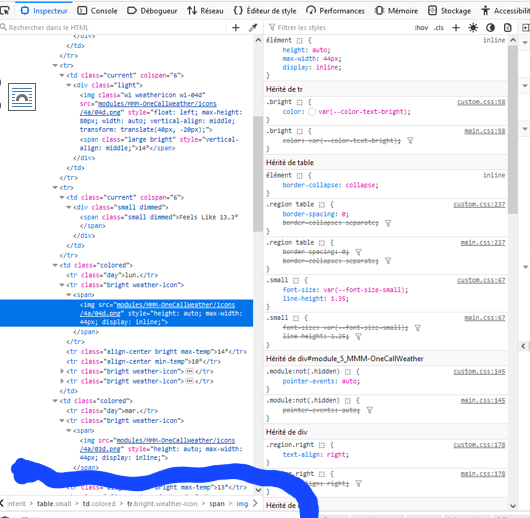
so you need to find the smallest unique list that makes it work. start from the right
and you may have to use !important to force
it. css always uses the most specific attributesdrawing w my thumb…
-
@Manu85 topic.
you should have been able to create a new topic
-
@sdetweil thanks to you I succeeded, I hope I understood the logic well, I will try on other icons to be sure I understand, you are the best
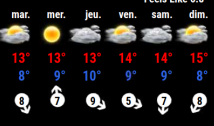
-
@sdetweil I put that in my css…
.MMM-OneCallWeather .weather-icon p { top: -65px !important; left: 16px !important; } -
@Manu85 awesome!!!
-
@Manu85 said in Changing icons of the modules Current Weather and Weather Forecast:
I will try on other icons
it’s the same process icons or text…
-
@Manu85 said in Changing icons of the modules Current Weather and Weather Forecast:
@sdetweil I thought it was going to be simple…but no… I would like to enlarge the wind speed “bubble” because at the moment there is one number but when there are two for example 35 then it will exceed
I selected this part, is it correct?
then in the table I have this, with “img” at the bottom like for the weather icons and I don’t know what to put in css.custom to choose only this part, I tried many things but without success before giving you ask for help again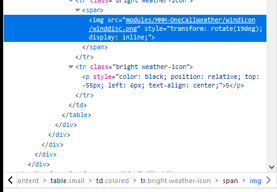
on the right I have this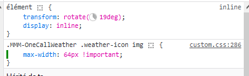
-
@Manu85 sorry I do not know.
-
@sdetweil ok, thanks again for all your help, I’ll try again
-
@sdetweil It’s good I found it, thank you again for your help
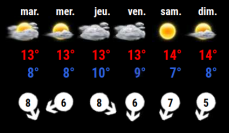
-
@sdetweil for information and for other people I put in my custom.css, thank you for your help
.weather-icon > span > img { height: 72px; /* to adjust the size of the "wind bubble*/ } -
thanks to @KristjanESPERANTO for his help
-
S svenpisa referenced this topic on
-
S sdetweil referenced this topic on
Hello! It looks like you're interested in this conversation, but you don't have an account yet.
Getting fed up of having to scroll through the same posts each visit? When you register for an account, you'll always come back to exactly where you were before, and choose to be notified of new replies (either via email, or push notification). You'll also be able to save bookmarks and upvote posts to show your appreciation to other community members.
With your input, this post could be even better 💗
Register Login