Read the statement by Michael Teeuw here.
ipWhitelist HowTo
-
@Mykle1 like this it works. Thank you for your help!
-
Good. Now all the devices on your network have access. If you want to limit access to specific devices then you should search this forum for ipWhitelist info. This topic has been discussed at length
-
@lavolp3 said in ipWhitelist HowTo:
Maybe I have missed this from someone else, but one important thing about the whitelisting message:
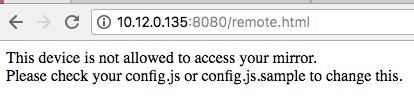
“This device is not allowed to access your mirror.
Please check your config.js or config.js.sample to change this.”
The EXACT SAME message appears (in my case) if the config.js has syntax errors. Locally your mirror will tell you that there is no config file or just give you a black screen, but if you try to reach it from outside through a browser (Firefox and Chrome in my case) with a broken config.js, you will get the whitelisting message above.
So, before trying to get your ipWhitelist in the right shape, make sure you have no other syntax errors with the mirror, e.g. using
npm run config:checkIf you had some and had them corrected, be safe and restart the mirror.
Below you can see the example in my case.pi@magicmirror2:~ $ tail ~/.pm2/logs/mm-out-0.log No helper found for module: helloworld. All module helpers loaded. Starting server on port 8080 ... Server started ... Connecting socket for: updatenotification Sockets connected & modules started ... Launching application. Access denied to IP address: 66.249.93.64 Access denied to IP address: 80.157.5.50 Access denied to IP address: 80.157.5.50 pi@magicmirror2:~ $ cd MagicMirror/ pi@magicmirror2:~/MagicMirror $ npm run config:check > magicmirror@2.1.2 config:check /home/pi/MagicMirror > node tests/configs/check_config.js Checking file... /home/pi/MagicMirror/config/config.js Line 260 col 9 Expected ']' to match '[' from line 26 and instead saw '{'. Line 261 col 16 Expected '}' to match '{' from line 11 and instead saw 'module'. Line 261 col 22 Missing semicolon. Line 261 col 16 Unrecoverable syntax error. (95% scanned). pi@magicmirror2:~/MagicMirror $ sudo nano config/config.js pi@magicmirror2:~/MagicMirror $ npm run config:check > magicmirror@2.1.2 config:check /home/pi/MagicMirror > node tests/configs/check_config.js Checking file... /home/pi/MagicMirror/config/config.js Your configuration file don't containt syntax error :) pi@magicmirror2:~/MagicMirror $ pm2 restart mm Use --update-env to update environment variables [PM2] Applying action restartProcessId on app [mm](ids: 0) [PM2] [mm](0) ✓ ┌──────────┬────┬──────┬─────┬────────┬─────────┬────────┬─────┬──────────┬──────┬──────────┐ │ App name │ id │ mode │ pid │ status │ restart │ uptime │ cpu │ mem │ user │ watching │ ├──────────┼────┼──────┼─────┼────────┼─────────┼────────┼─────┼──────────┼──────┼──────────┤ │ mm │ 0 │ fork │ 901 │ online │ 6 │ 0s │ 18% │ 2.3 MB │ pi │ disabled │ └──────────┴────┴──────┴─────┴────────┴─────────┴────────┴─────┴──────────┴──────┴──────────┘ Use `pm2 show ` to get more details about an app pi@magicmirror2:~/MagicMirror $I wanted to quote this as it just happened to me. MM was working fine remotely. I made some edits to config.js and got the dreaded “This device is not allowed to access your mirror…" message. I hadn’t edited the whitelist, so I started doing all of the network troubleshooting. Seeing this post reminded me I had done some edits and sure enough, I missed a comma somewhere and the screwed it all up. Fixing that unrelated entry in the config.js made this error go away.
-
This post is deleted! -
I have tried all of the suggestions to get MMM-Remote-Control to work and I cannot figure anything out. Any help would be appreciated. I keep getting
Cannot GET /remote.htmland I’m not sure what to do from here. -
That doesn’t sound like an ipWhitelist problem. Did you install MMM-Remote-Control per the instructions? If so, what exactly are you getting your error message on and what are the IPs of your magicmirror and device?
-
This post is deleted! -
Please help me out, i do all the things whatever consulted in forum to access the remote control, but it is not working from my phone, or any other devices.
It just working on the pc from where raspberry pi is operated through vnc.
Please, help me. My project submission date is too close, please help. -
Re: [[Remote-Control] Shutdown](Configure and Update your MagicMirror)
Has anyone found a fix for the issue below? I tried hardcoding my raspberry pi IP address and creating a range of acceptable IP addresses but still not able to access the MagicMirror from my desktop or phone. Any advice?
-
@gjones444
hi
you must configure your config.js and maybe your interent router.This is my adress for global access to the mm2 via internet browser
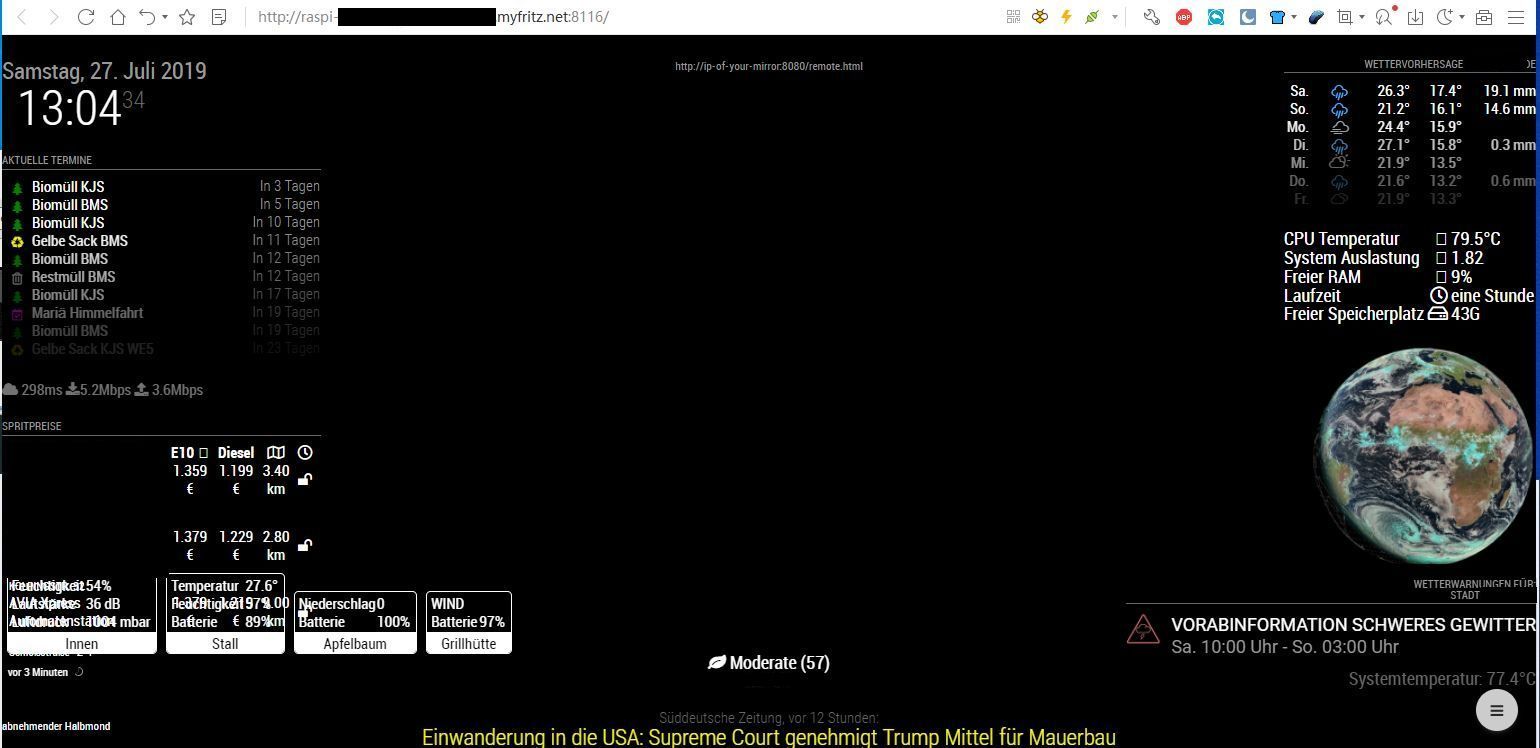
http://raspi-mm2.xxxxxxxxxxxxxx.myfritz.net:8116/
an this is a part of my configuration in my config .js
var config = {
        address: "0.0.0.0",
        port: 8116,
        ipWhitelist: [],
Port forward configuration for my router for global access
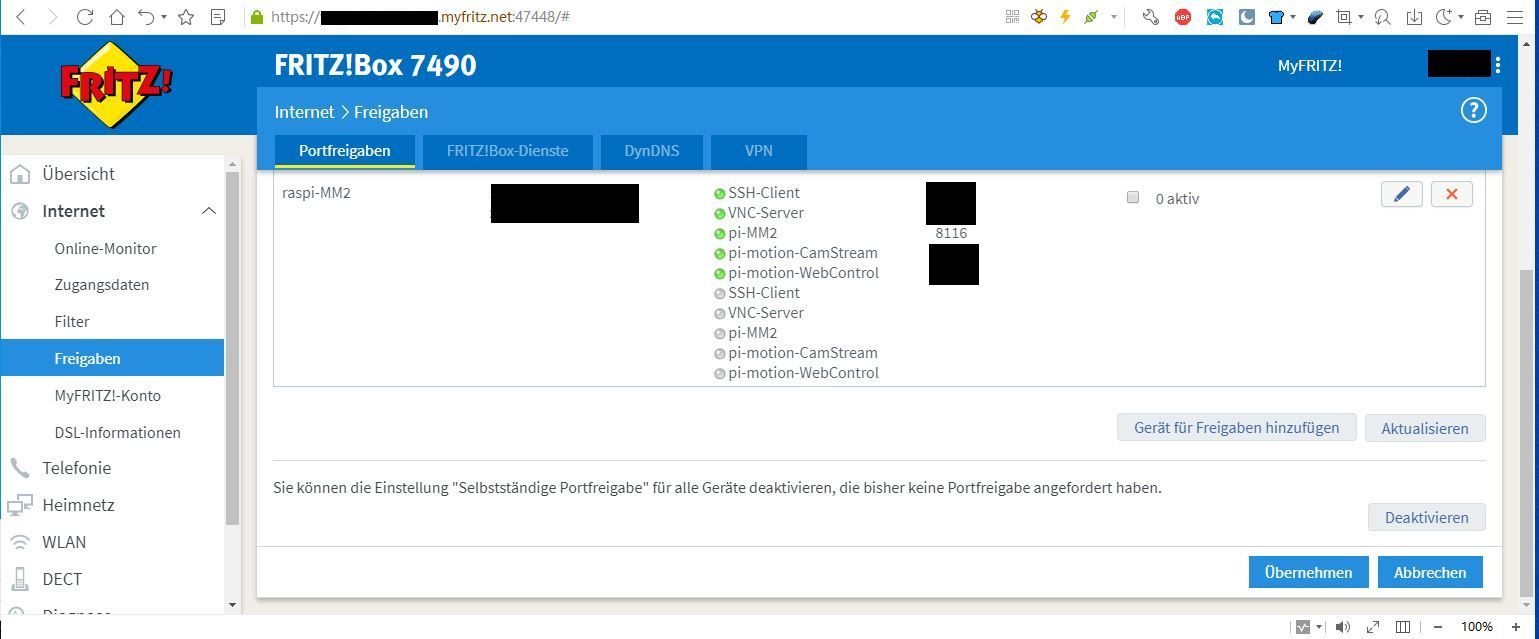
screenshot browser:
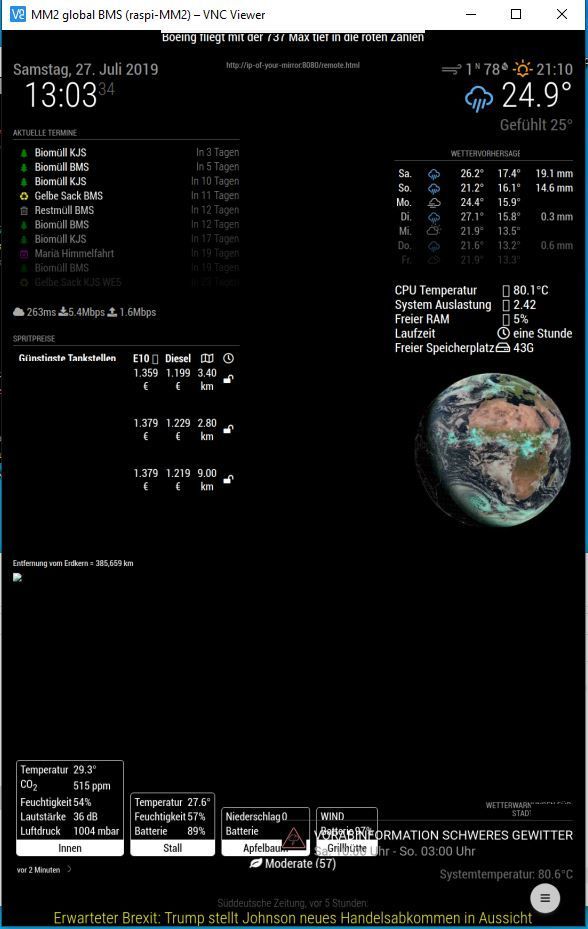
screenshot VNC Viewer:
-
Anyone can help me please?
I tried everything but still cant get an access granted to my IP 192.168.254.107
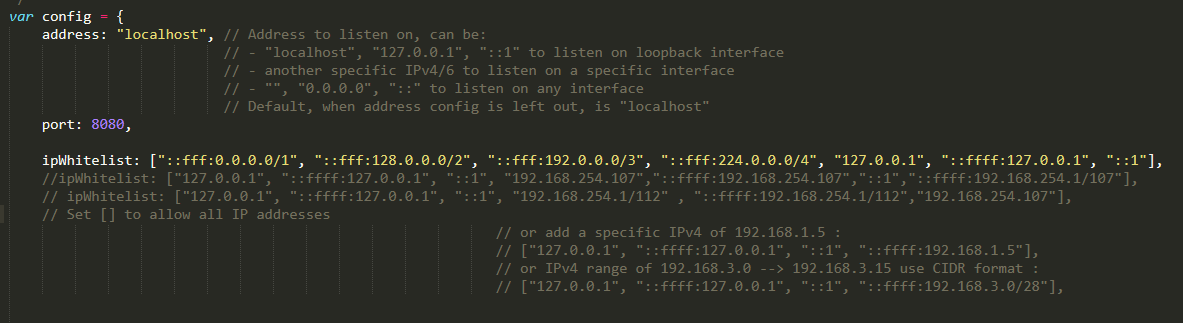
-
@veejae addess: “localhost”, means listen ONLY inside (from myself)…
change to address: “0.0.0.0” (listen from anywhere)
-
This post is deleted! -
Hi
I recently installed MM and am viewing on screen rather than on a mirror. I’m unable to view MM in a web browser from another machine in the network. I get
This site can’t be reached
192.168.0.113 refused to connect.I’ve gone through this topic and tried the various suggestions including turning off IPv6. No joy.
No errors or connection refused messages in the pm2 logs. I’ve run config:check and it runs clean.netstat -lnpt Proto Recv-Q Send-Q Local Address Foreign Address State PID/Program name tcp 0 0 0.0.0.0:5900 0.0.0.0:* LISTEN - tcp 0 0 127.0.0.1:8080 0.0.0.0:* LISTEN 1861/electron.js tcp 0 0 0.0.0.0:22 0.0.0.0:* LISTEN -I’m trying to access with http://192.168.0.113. Ssh to the pi is fine.
Any ideas? -
Setting address: “0.0.0.0” has solved this.
-
really? this topic has 63k views, so it is litterally really annoying and problematic to a lot of people.
It is a website for a mirror, how hard do you want to make it to be set up? the website should be served to anybody who can access it. IT pros who need to secure it will be able to, without this trickery. this is bs. -
@openPhiL
Well, suggest a better solution then. Maybe in a more constructive way.
Or just go ahead find something else. -
Hi everybody,
I want to connect from the outside on my maggic. I configured the config.js file like this: ipWhitelist: [“127.0.0.1”, “:: ffff: 127.0.0.1”, “:: 1”, “0.0.0.0”], // Set [] to allow all IP addresses but I don’t have remote access.
Thank you for your help. -
@greda said in ipWhitelist HowTo:
ipWhitelist: [“127.0.0.1”, “:: ffff: 127.0.0.1”, “:: 1”, “0.0.0.0”]
u mean inside your home?
address: "0.0.0.0".
ipWhitelist:[],
127.0.0.1 means ONLY from the same box as MM on it.
-



Hello! It looks like you're interested in this conversation, but you don't have an account yet.
Getting fed up of having to scroll through the same posts each visit? When you register for an account, you'll always come back to exactly where you were before, and choose to be notified of new replies (either via email, or push notification). You'll also be able to save bookmarks and upvote posts to show your appreciation to other community members.
With your input, this post could be even better 💗
Register Login