Read the statement by Michael Teeuw here.
MMM-EARTH-Live & MMM-ISS-Live
-
MMM-EARTH-Live
-
Spectacular Live Stream of Earth from the International Space Station
-
See our world, live and in motion
-
Wonder at, and appreciate the gift that is our home
Download:
[card:mykle1/MMM-EARTH-Live]
Version 1.0.0
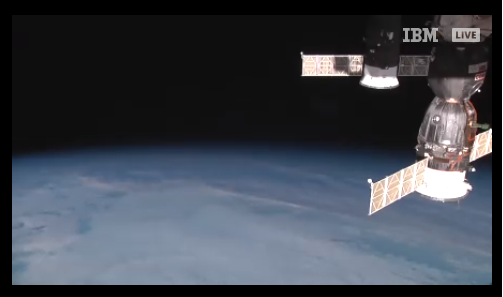
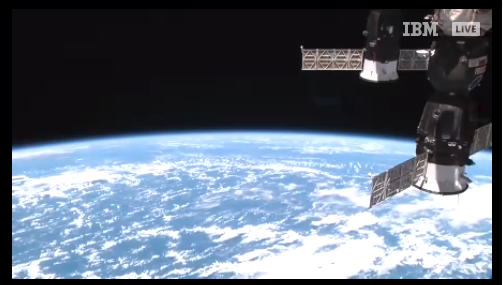
And . . . . . . . . . . . . . . . . . . . . . . . . . . . . . . . . . . . . . . . . . . . . . . . . . .
MMM-ISS-Live
-
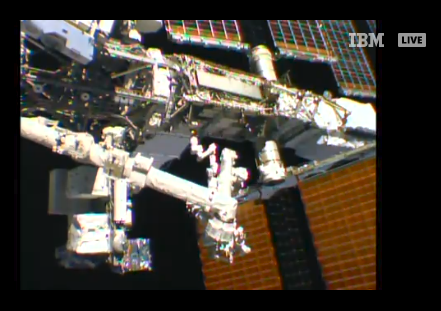
Spectacular Live Stream of the workings of the International Space Station
-
Will, at times, include interior video of the ISS, the crew and audio.
Download:
[card:mykle1/MMM-ISS-Live]
Version 1.0.0
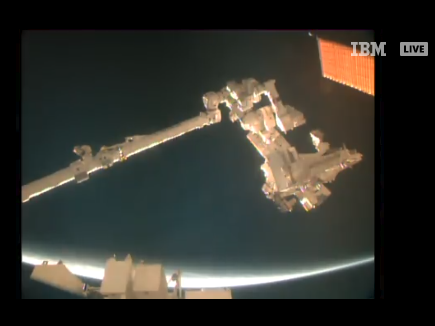
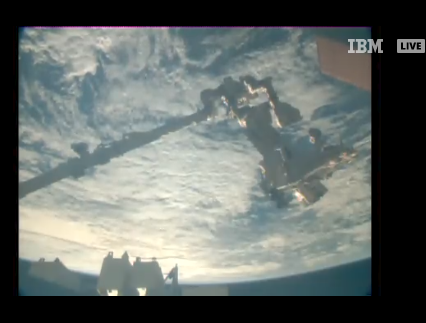
-
-
Just when I thought I had my mirror set up how I liked it you do this?
Thanks
-
@motdog said in MMM-EARTH-Live & MMM-ISS-Live:
Just when I thought I had my mirror set up how I liked it you do this?
haha . . . I’m sorry? :-)
-
More cool contributions from @Mykle1 !! Thank you for providing these modules. Really appreciate the time and effort.
-
@jcasman said in MMM-EARTH-Live & MMM-ISS-Live:
Thank you for providing these modules. Really appreciate the time and effort.
You are welcome, sir. I really enjoy doing this. If people like my modules then it is even more satisfying for an old dude like me. I do appreciate your kind words. Thank you, my friend. :thumbsup:
-
@Mykle1 Two excellent modules.
Your work is greatly appreciated. -
@stacywebb said in MMM-EARTH-Live & MMM-ISS-Live:
@Mykle1 Two excellent modules.
Your work is greatly appreciated.
And I wholeheartedly agree -
When my MagicMirror starts, the ISS module appears, but I have to click a play button on it, to start the app. Is this as should be, or is there a way to get the live stream, when the mirror starts without any interaction.
Great module though -
@TamP said in MMM-EARTH-Live & MMM-ISS-Live:
When my MagicMirror starts, the ISS module appears, but I have to click a play button on it, to start the app. Is this as should be, or is there a way to get the live stream, when the mirror starts without any interaction.
Great module thoughIt absolutely should start without clicking a play button. When did you clone the repo? My initial upload to the repo required you to click a play button but a later upload/update included the fix for that.
Have you modified anything?
Line 38 of the MMM-ISS-Live.js file should look like this:
iframe.src="https://www.ustream.tv/embed/9408562?html5ui?autoplay=1";If it does not you should do a
git pullin the MMM-ISS-Live directory -
@Mykle1 line 38 is correct but I did a git pull anyway but to no avail
-
starting with one of the newer electron builds, (and chrome, and mozilla) they have implemented a new ’ no autoplay’ policy.
they require a user to click on the web page somewhere to enable autoplay…there is a workaround
edit mm/js/electron.js
and change the code like thisfunction createWindow() { app.commandLine.appendSwitch('autoplay-policy', 'no-user-gesture-required'); //< -------- added var electronOptionsDefaults = {then restart MM… autoplay will work now
-
Thanks for that, It does as you say and starts without the playbutton
-
@sdetweil said in MMM-EARTH-Live & MMM-ISS-Live:
starting with one of the newer electron builds, (and chrome, and mozilla) they have implemented a new ’ no autoplay’ policy.
I did not know this. Thank you, Sam. :thumbsup:
-
I’ll be checking this out after work today, thank you
-
@Mykle1
hi Mykle1
Thanks for this great module
I am receiving the following message:

Do you have an idea?
Thanks a lot
Best Regards -
Hi @Vauxdvihl,
I had the same problem with another module. You can find what worked for me here: https://forum.magicmirror.builders/topic/11185/electron-browser-outdated
Good luck! -
@rudibarani i submitted a change request to upgrade to 6.0.12 on the next update
-
Hi @Mykle1,
After lunartic I also installed these two modules: MMM-ISS Live and MMM-Earth Live. I’m your fan …:grinning_face_with_smiling_eyes:I have the problem mentioned by @Vauxdvihl and @rudibarani, but for the ISS Live module I was able to close the message with the mouse, for the Earth Live module it is not possible … the pointer has no effect!
Could you help me?Thanks for your interesting modules.
@Mykle1 PS: do you like my “Astronomy” page? :smiling_face_with_open_mouth_cold_sweat:
-
@Egnos said in MMM-EARTH-Live & MMM-ISS-Live:
@Mykle1 PS: do you like my “Astronomy” page?
I do. I like all things related to the cosmos. :thumbsup:
I just loaded up both modules and was able to close both warning messages. The modules are both working as expected, as you can see from the screenshot. Can you please try again?

-
@Mykle1 said in MMM-EARTH-Live & MMM-ISS-Live:
@Egnos said in MMM-EARTH-Live & MMM-ISS-Live:
I just loaded up both modules and was able to close both warning messages. The modules are both working as expected, as you can see from the screenshot. Can you please try again?
/>Do I have to enable the mouse pointer or do I have to be on t the module?




Hello! It looks like you're interested in this conversation, but you don't have an account yet.
Getting fed up of having to scroll through the same posts each visit? When you register for an account, you'll always come back to exactly where you were before, and choose to be notified of new replies (either via email, or push notification). You'll also be able to save bookmarks and upvote posts to show your appreciation to other community members.
With your input, this post could be even better 💗
Register Login