MagicMirror Forum
    • Recent
    • Tags
    • Unsolved
    • Solved
    • MagicMirror² Repository
    • Documentation
    • 3rd-Party-Modules
    • Donate
    • Discord
    • Register
    • Login
    A New Chapter for MagicMirror: The Community Takes the Lead
    Read the statement by Michael Teeuw here.

    Fresh Install

    Scheduled Pinned Locked Moved General Discussion
    49 Posts 6 Posters 19.4k Views 6 Watching
    Loading More Posts
    • Oldest to Newest
    • Newest to Oldest
    • Most Votes
    Reply
    • Reply as topic
    Log in to reply
    This topic has been deleted. Only users with topic management privileges can see it.
    • johnnyboyJ Offline
      johnnyboy @BKeyport
      last edited by

      @BKeyport
      Am I entering the correct text into Terminal?
      Is path right? Is spacing right?

      Unsure here so trying all sorts to no avail

      1 Reply Last reply Reply Quote 0
      • S Offline
        sdetweil
        last edited by

        @johnnyboy said in Fresh Install:

        udonano/boot/config.txt

        always a space between command and path

        sudo nano /boot/config.txt
        

        Sam

        How to add modules

        learning how to use browser developers window for css changes

        johnnyboyJ 1 Reply Last reply Reply Quote 0
        • S Offline
          sdetweil @BKeyport
          last edited by

          @BKeyport he has a some mods… so, trying to help get it up and running and find them

          Sam

          How to add modules

          learning how to use browser developers window for css changes

          1 Reply Last reply Reply Quote 0
          • johnnyboyJ Offline
            johnnyboy @sdetweil
            last edited by johnnyboy

            @sdetweil said in Fresh Install:

            @johnnyboy said in Fresh Install:

            udonano/boot/config.txt

            always a space between command and path

            sudo nano /boot/config.txt
            

            Thanks… that got me in… i entered that txt in a space… rebooted… and still in landscape?

            Tried again, entered sudo nano /boot/config.txt … same as you say with spaces… but now the terminal text that wss within the config has gone… and at bottom it says [Directory ‘boot’ does not exist ]

            I then look in the boot folder, and i now have - config.tx… config.txt save 1… config.txt save 2… and config.tct save 3 and within all 3 saved ones, it shows - display_rotate=1

            johnnyboyJ 1 Reply Last reply Reply Quote 0
            • johnnyboyJ Offline
              johnnyboy @johnnyboy
              last edited by

              @johnnyboy
              Ok… got back in after a reboot… how do i enter display_rotate=1

              Do i find a space and type it in… and how do i save that entry before re-booting?

              S 1 Reply Last reply Reply Quote 0
              • S Offline
                sdetweil @johnnyboy
                last edited by

                @johnnyboy hit enter, add a new line, type the text, hit ctrl-o to save, ctrl-x to exit

                Sam

                How to add modules

                learning how to use browser developers window for css changes

                johnnyboyJ 1 Reply Last reply Reply Quote 0
                • johnnyboyJ Offline
                  johnnyboy @sdetweil
                  last edited by

                  @sdetweil

                  do i enter # before text, same as everything else in there or simply that text on its own?

                  johnnyboyJ S 2 Replies Last reply Reply Quote 0
                  • johnnyboyJ Offline
                    johnnyboy @johnnyboy
                    last edited by

                    @johnnyboy

                    display_rotate=1

                    Then I click on Ctrl o… and it asks "file name to write: boot/config.txt

                    1 Reply Last reply Reply Quote 0
                    • S Offline
                      sdetweil
                      last edited by

                      @sdetweil needs to be /boot/config.txt

                      Sam

                      How to add modules

                      learning how to use browser developers window for css changes

                      1 Reply Last reply Reply Quote 0
                      • S Offline
                        sdetweil @johnnyboy
                        last edited by

                        @johnnyboy # is a comment, so whatever is after # on that line is ignored

                        Sam

                        How to add modules

                        learning how to use browser developers window for css changes

                        johnnyboyJ 1 Reply Last reply Reply Quote 0
                        • johnnyboyJ Offline
                          johnnyboy @sdetweil
                          last edited by

                          @sdetweil

                          Yeah… the text that says " File name to write: /boot/config.tx"
                          That is hard written in grey… below that it gives options… G get help C cancel M-D Dos Format M-M Mac format M-A Append M-P Prepend M-B Backup file ^ to files

                          S 1 Reply Last reply Reply Quote 0
                          • S Offline
                            sdetweil @johnnyboy
                            last edited by

                            @johnnyboy yes, just confirming the filename, you can change it if u need to… you can edit a NEW file and have NO name specified in advance…

                            Sam

                            How to add modules

                            learning how to use browser developers window for css changes

                            johnnyboyJ 1 Reply Last reply Reply Quote 0
                            • johnnyboyJ Offline
                              johnnyboy @sdetweil
                              last edited by johnnyboy

                              @sdetweil said in Fresh Install:

                              @johnnyboy yes, just confirming the filename, you can change it if u need to… you can edit a NEW file and have NO name specified in advance…

                              So how do i proceed? If I click ^cancel, i go back to my entry… then as soon as i click ^o to save, it goes to thst part that says file name…
                              I cannot save and exit past there.

                              I cannot hit ^x to exit as it wont work there… as if i need to select an option from the boxes below… I can only select ^c to cancel and go back.

                              S 1 Reply Last reply Reply Quote 0
                              • S Offline
                                sdetweil @johnnyboy
                                last edited by

                                @johnnyboy you hit enter
                                then it saves the file

                                then u hit ctrl-x to exit the editor

                                Sam

                                How to add modules

                                learning how to use browser developers window for css changes

                                johnnyboyJ 1 Reply Last reply Reply Quote 0
                                • johnnyboyJ Offline
                                  johnnyboy @sdetweil
                                  last edited by johnnyboy

                                  @sdetweil said in Fresh Install:

                                  @johnnyboy you hit enter
                                  then it saves the file

                                  then u hit ctrl-x to exit the editor

                                  Ok… but I just re-booted… then back into terminal… back into boot config.txt… and there is display_rotate=1 right at very top of the config.txt window in terminal…
                                  I also looked into File Manager - Boot - and see there is another 2 x saved copys of config.txt docs…

                                  So it seems it did save, but not executed to portrait on re-boot?

                                  S 1 Reply Last reply Reply Quote 0
                                  • S Offline
                                    sdetweil @johnnyboy
                                    last edited by

                                    @johnnyboy ok, I can’t help with that. I searched for instructions and passed them along… I don’t have any portrait on pi… I do on ubuntu, but they have a UI that does it live… click, push a button

                                    Sam

                                    How to add modules

                                    learning how to use browser developers window for css changes

                                    1 Reply Last reply Reply Quote 0
                                    • Mykle1M Offline
                                      Mykle1 Project Sponsor Module Developer
                                      last edited by Mykle1

                                      display_rotate=1

                                      Isn’t display_rotate=1 landscape? Wouldn’t portrait be display_rotate=0?

                                      scratching my head

                                      Create a working config
                                      How to add modules

                                      S 1 Reply Last reply Reply Quote 0
                                      • S Offline
                                        sdetweil @Mykle1
                                        last edited by

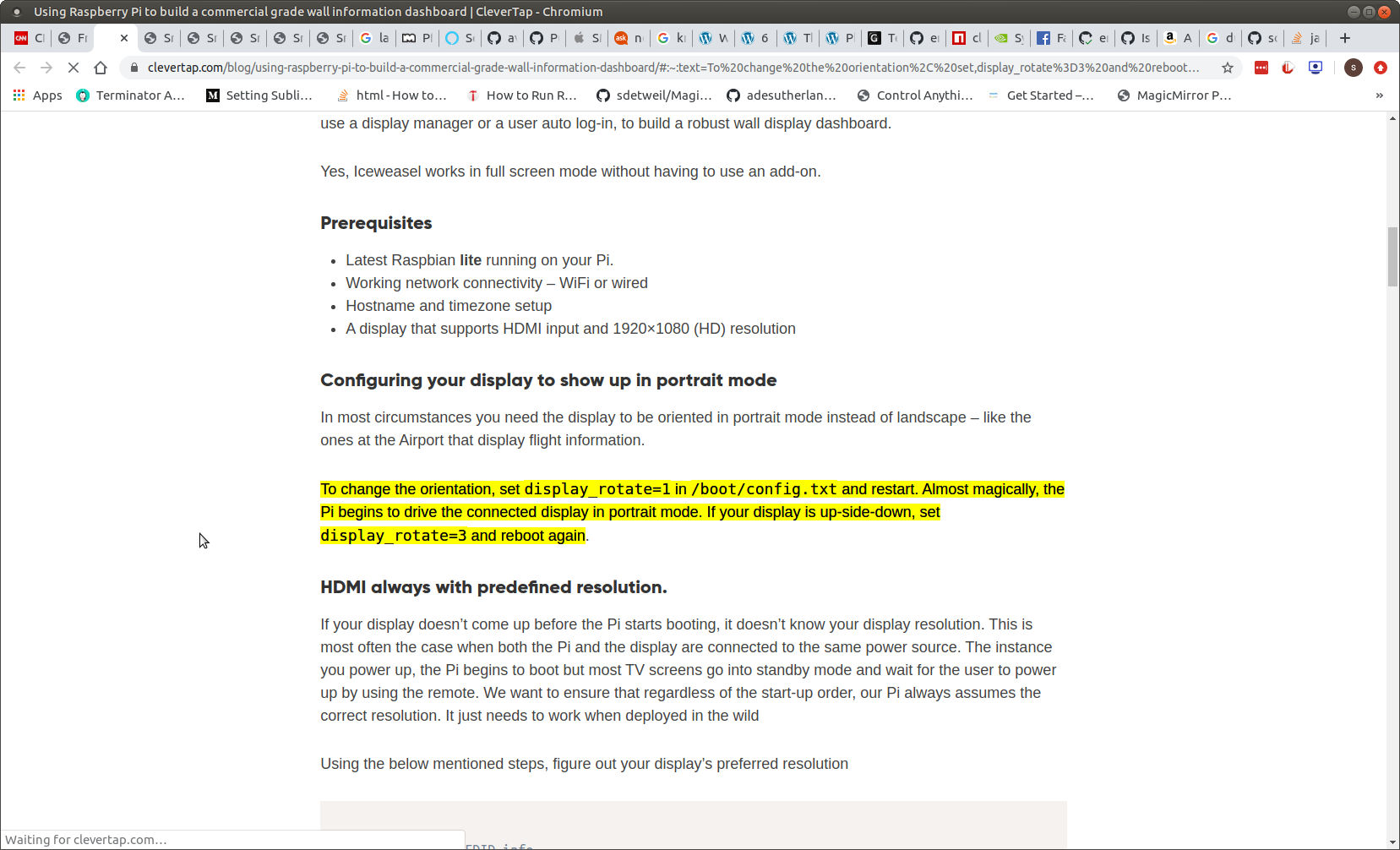
                                        @Mykle1 pages says

                                        Screenshot at 2020-06-12 14-47-38.png

                                        Sam

                                        How to add modules

                                        learning how to use browser developers window for css changes

                                        Mykle1M 1 Reply Last reply Reply Quote 0
                                        • Mykle1M Offline
                                          Mykle1 Project Sponsor Module Developer @sdetweil
                                          last edited by

                                          @sdetweil

                                          My bad. Senior moment. :-)

                                          Create a working config
                                          How to add modules

                                          johnnyboyJ 1 Reply Last reply Reply Quote 0
                                          • johnnyboyJ Offline
                                            johnnyboy @Mykle1
                                            last edited by

                                            @Mykle1

                                            😔… oh well… my new lease of life with my MM was very short lived.

                                            My mirror is fixed in portrait… so having the system in Lanscape is of no use to me at all.

                                            Surely not every user here is using MM in Landscape?

                                            S 1 Reply Last reply Reply Quote 0

                                            Hello! It looks like you're interested in this conversation, but you don't have an account yet.

                                            Getting fed up of having to scroll through the same posts each visit? When you register for an account, you'll always come back to exactly where you were before, and choose to be notified of new replies (either via email, or push notification). You'll also be able to save bookmarks and upvote posts to show your appreciation to other community members.

                                            With your input, this post could be even better 💗

                                            Register Login

                                            • 1
                                            • 2
                                            • 3
                                            • 2 / 3
                                            • First post
                                              Last post
                                            Enjoying MagicMirror? Please consider a donation!
                                            MagicMirror created by Michael Teeuw.
                                            Forum managed by Sam, technical setup by Karsten.
                                            This forum is using NodeBB as its core | Contributors
                                            Contact | Privacy Policy