Read the statement by Michael Teeuw here.
[MMM-JaST] Just another Stock Ticker (new: version 2.x)
-
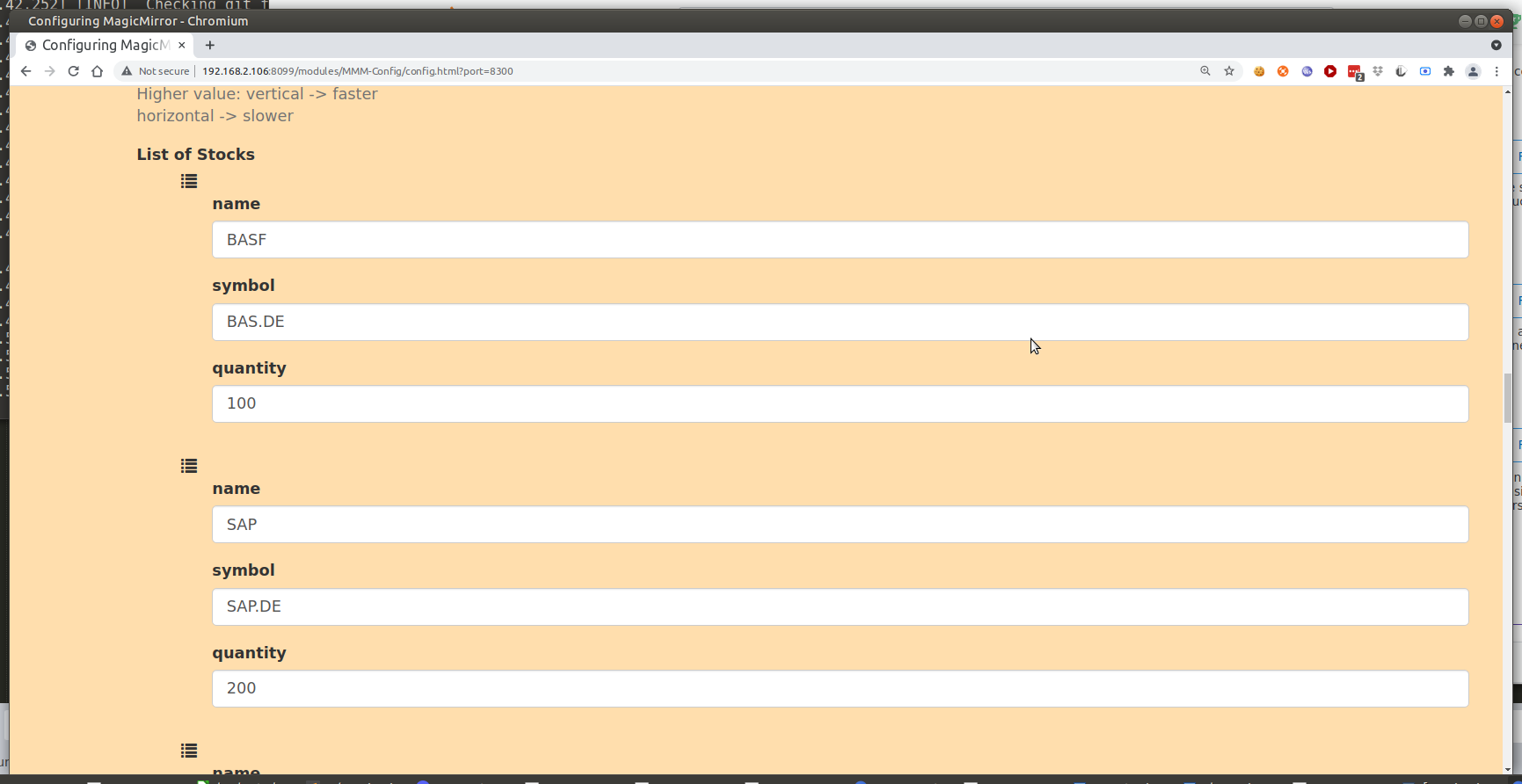
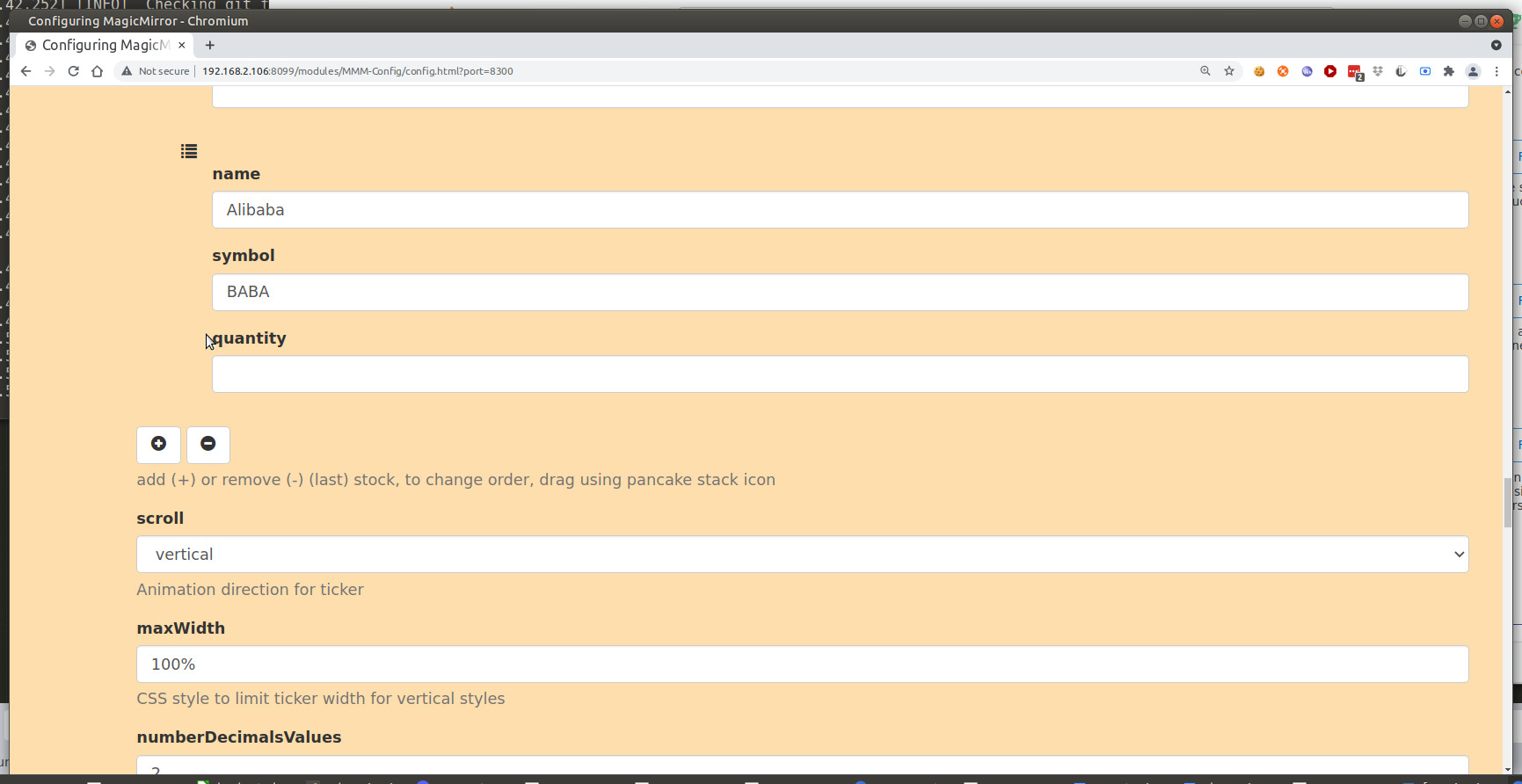
I submitted a PR for jast to improve the form for the stocks list
-
Great module and I think this is a simple request. I would like for the ticker to only change to red or green if the stock moves by more than 5%. In VerticalStockList.njk, I changed the code as follows (and added a “same” color in the CSS, but it did not do anything. Super bonus points if I can make a movement of more than 7% show an image.
{{ utils.getStockName(stock) }}: {% if utils.getStockChange(stock) > 3 %} {% set colorClass = “high” %} {% elif utils.getStockChange(stock) < 3 %} {% set colorClass = "low " %} {% else %} {% set colorClass = “same” %}
-
Hey, I wanted to know if it’s possible to make a static always there Portfolio Value… that changes as the stocks listed change in price, but is always shown, and have the stocks ticker above / below the portfolio value, and not scroll to the portfolio value as it would be permanently shown… e.g
Scrolling stocks ticker
Portfolio Value: xxxxPossibly also add a static always shown portfolio change value / change percentage that isn’t included in the scroll.
I would opt for the Static option for all as you can in the config but it takes up too much room on the mirror and I was wondering if what i’ve stated is configurable? Thanks
ALSO. Having issues with the default module of ‘currentweather’. This MMM-Jast module makes my currentweather module disappear. It loads, then as soon as MMM-Jast loads, currentweather disappears. As soon as I remove MMM-Jast from the config, then currentweather works again.
-
@masonr1209 please open two issues on GitHub on that. I’ll check them when I have more time again
-
Hi,
how can I format the Output Numbers?
like 34,265.37$ or
34.265,37$ according the settings. -
Hi @jo-0,
MMM-JaST follows the formatting rules for your locale which is set in your config.js
The comma as decimal separator is common for German locale for example (de-DE) where the dot as decimal separator is common for English locales (en-GB)var config = { .. language: "de", locale: "de-DE", timeFormat: 24, units: "metric", modules: ... }Keep in mind that locale settings can affect all modules. MMM-JaST has an option to override global platform locale settings. Just add the following to your Jast module config:
modules: [ { module: "MMM-Jast", config: { ... locale: "de-DE", // or any other desired locale for number formatting ... } } ] -
@jalibu thanks for fast answering,
Doesn’t work the way I want it to.
I just want the separator for the thousands.
modules locale: “de-DE”,
Jast lokale:
de-DE gives 14170,85$
en-GB gives US$14170.85
What I want is 14.170,85$ -
-
@jalibu said in [MMM-JaST] Just another Stock Ticker (new: version 2.x):
useGrouping: true,
it does not work.
I run scroll: “none” -
@jo-0
Btw. I’m new in MMM.
I got the message that there is an update for JaST.
How can I get this
git pull
npm install --only=production
does not help -
@jo-0 in the module folder, right?
-
@jo-0 said in [MMM-JaST] Just another Stock Ticker (new: version 2.x):
@jalibu said in [MMM-JaST] Just another Stock Ticker (new: version 2.x):
useGrouping: true,
it does not work.
I run scroll: “none”please PN me your module config
-
@jalibu don’t know how to PN
therefore here:
{
module: “MMM-Jast”,
position: “bottom_right”, //“bottom_center”,
config: {
locale: “de-DE”,
useGrouping: true,
stocks: [
{ name: “DOW 30”, symbol: “^DJI”, quantity: 10 },
//{ name: “S&P 500”, symbol: “^GSPC”, quantity: 15 },
{ name: “Nasdaq 100”, symbol: “^NDX” },
//{ name: “DAX 30”, symbol: “^GDAXI” },
{ name: “EUR/USD”, symbol: “EURUSD=X”}
],
maxWidth: “100%”,
updateIntervalInSeconds: 300,
fadeSpeedInSeconds: 15, //3.5,
scroll: “none”, // One of [“none”, “vertical”, “horizontal”]
useGrouping: false,
currencyStyle: “symbol”, // One of [“code”, “symbol”, “name”]
lastUpdateFormat: “HH:mm”,
showColors: true,
showCurrency: true,
showChangePercent: true,
showChangeValue: false,
showChangeValueCurrency: false,
showLastUpdate: false,
showPortfolioValue: false,
showPortfolioGrowthPercent: false,
showPortfolioGrowth: false,
numberDecimalsValues: 2,
numberDecimalsPercentages: 1,
virtualHorizontalMultiplier: 2
}
}, -
@jo-0 he meant pm, private message
-
@sdetweil I know, but where can I find the email address?
-
@jo-0 not email. chat here,
click his username,
then 3 dots to the right,
start new chat -
@jo-0 you have useGrouping property twice in your settings. As true and as false. remove the ‚useGrouping: false‘ and it will work
-
@jalibu Hi,
workes fine now! Exactly how i wanted it.
thank you.But next:
how can I update the modul?
‘git pull’
decline with the notice ‘please committen or stashen …’
cancellation.
Not sure what to do. -
@jo-0 in the modules/MMM-Jast folder try to execute
git reset --hardfirst and continue withgit pullandnpm install --only=productionin a second step. -
@jalibu
thank you very much, that was the solution

Hello! It looks like you're interested in this conversation, but you don't have an account yet.
Getting fed up of having to scroll through the same posts each visit? When you register for an account, you'll always come back to exactly where you were before, and choose to be notified of new replies (either via email, or push notification). You'll also be able to save bookmarks and upvote posts to show your appreciation to other community members.
With your input, this post could be even better 💗
Register Login