Read the statement by Michael Teeuw here.
UPDATE: Replaced my PIR-Sensor with a Doppler Microwave Sensor.
-
@lavolp3 Ah…now I got you.
There are two options to reduce the sensor range:
Option 1: The aluminum taped “Magic Box” like described here.
Option 2: Replacing a resistor on the sensor to reduce the sensor range.I haven’t yet tried option2, as I’m waiting for some parts to do it. As soon as I got them I’ll test that option and will give feedback. For the time beeing, I just can make a statement for option 1, which requires no additional resistor.
Maybe there is also an option 3, a combination of option 1 and 2…we’ll see.
-
@Mykle1 said in Replaced my PIR-Sensor with a Doppler Microwave Sensor.:
Excellent description. I like your innovation. I’m guessing this is going to replace the PIR sensor. I think most people have the same feeling as you about the appearance of the PIR. It does distract from the “magic”. Well done! :thumbsup:
That would be the idea…easier to ‘hide’… the PIR is nice but ugly.
-
@Fozi said in Replaced my PIR-Sensor with a Doppler Microwave Sensor.:
RCWL-0516 microwave sensor
Thank you so much for this…ordering one so I can get rid of the ugly PIR in my bathroom!!!
Awesome job!! -
@cowboysdude Thanks! I’m looking forward to your experiences with the sensor!
-
@Fozi
I’ll try this out hopefully tonight but not with an Aluminium tape but with aluminum foil. Should work as well as far as I can see. -
@lavolp3 yes, should do equally. I had some leftover of the tape and it was more convenient to apply. I found some post from you a few months ago, when you struggled to make the sensor work. I hope you get some better results now.
-
@Fozi Is there a wiring diagram for this? I know where the wires on my pi are and there two wires running to the sensor but where are they connected on the actual sensor?
Thanks!
-
@cowboysdude
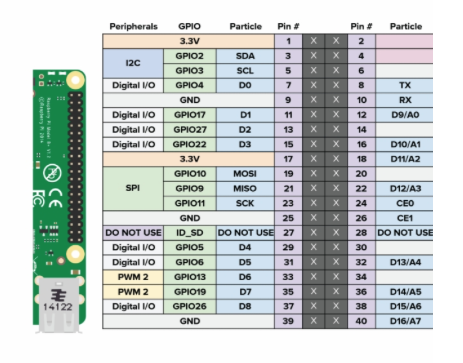
You only use Vin (5V), Vout and GND. CDS (for applying a photo diode) and 3V3 (delivers 3.3V output) remain unused. For Vout you can use also oher GPIO pins (labeled “Digital I/O” in the 2nd diagram), in case GPIO_4 is already used.The ferrite bead is optional. It is a left over from the PIR sensor I had attached. If you may need one, you can dismantle an old VGA cable and use that one.
Here the wireing diagram: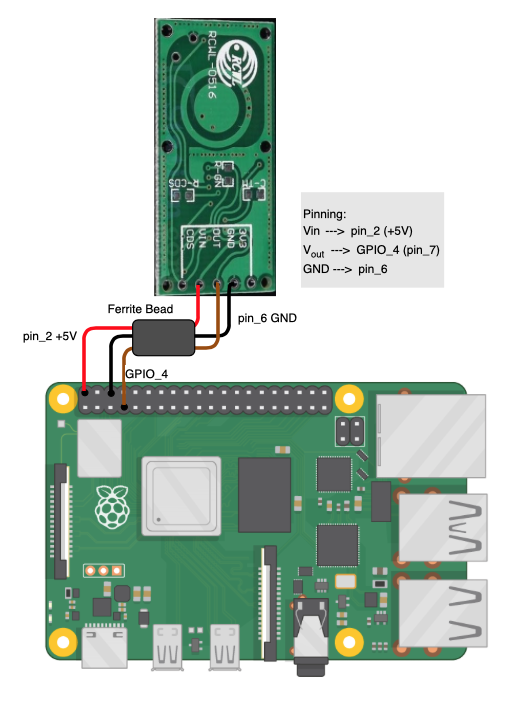
-
Super Awesome yet again!! Thank you! I don’t use the PIR module… I have a Python script I run behind everything. It works very well for me but this will work so nice, and now I can move it behind the glass!
Now if I can just remember where I put my ferrite beads… I know I have some … but where LOL
-
Hi folks,
sooner than expected I modified the sensor with a trimmer resistor.
For that I also updated my initial post and enhanced the tutorial, where now both options are described. Enjoy and give me your feedback, how that works for you. -
@Fozi nice update… very clear and helpful
-
Once again excellent work! I love the trimmer it’s a great idea for those with limited space!
For some strange reason I have left a gap at the top of my mirror that fits what I build perfectly!
I wanted a bigger mirror so I bought the glass oversized and centered the monitor in it :)This, accidently, left me enough room to fit this in perfectly!
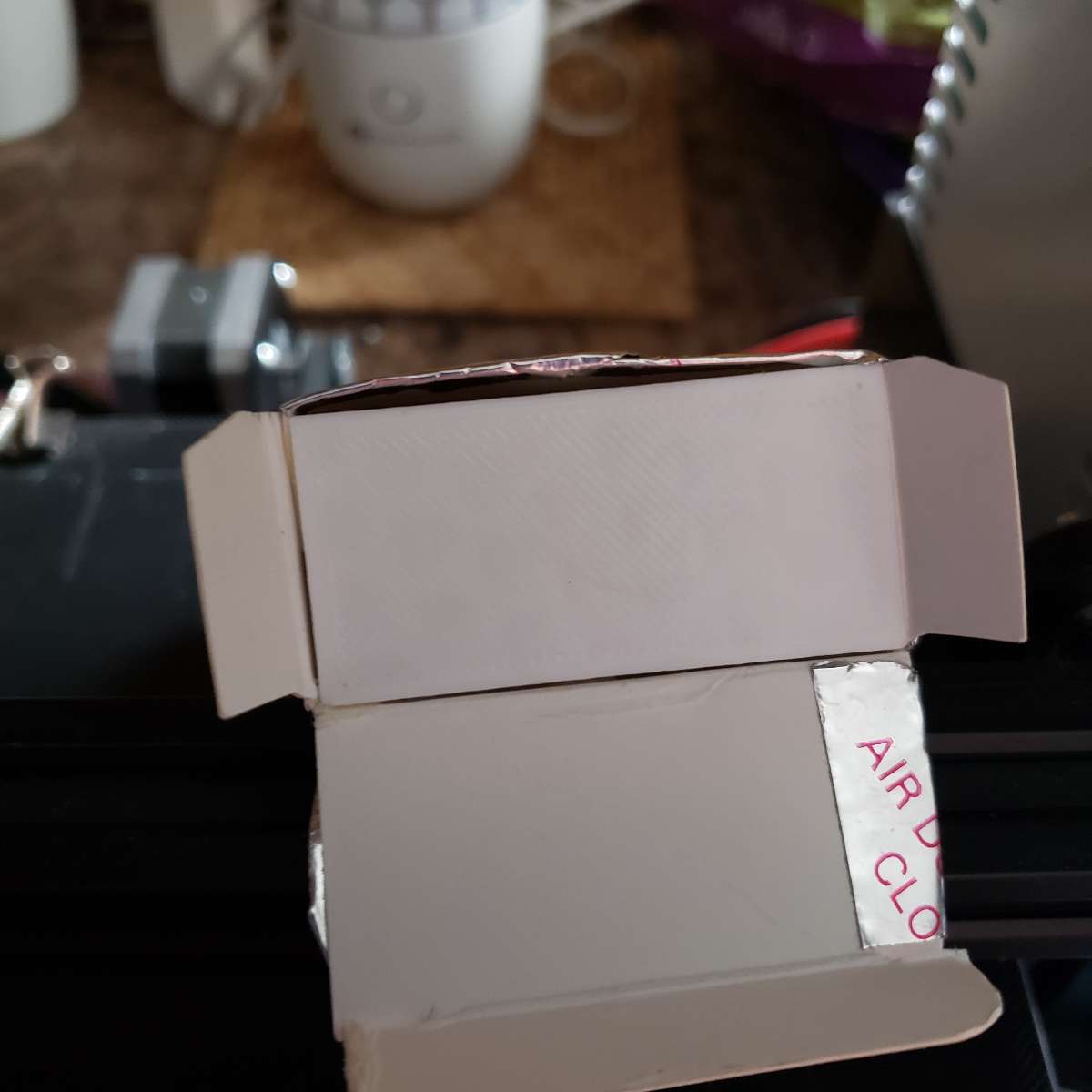
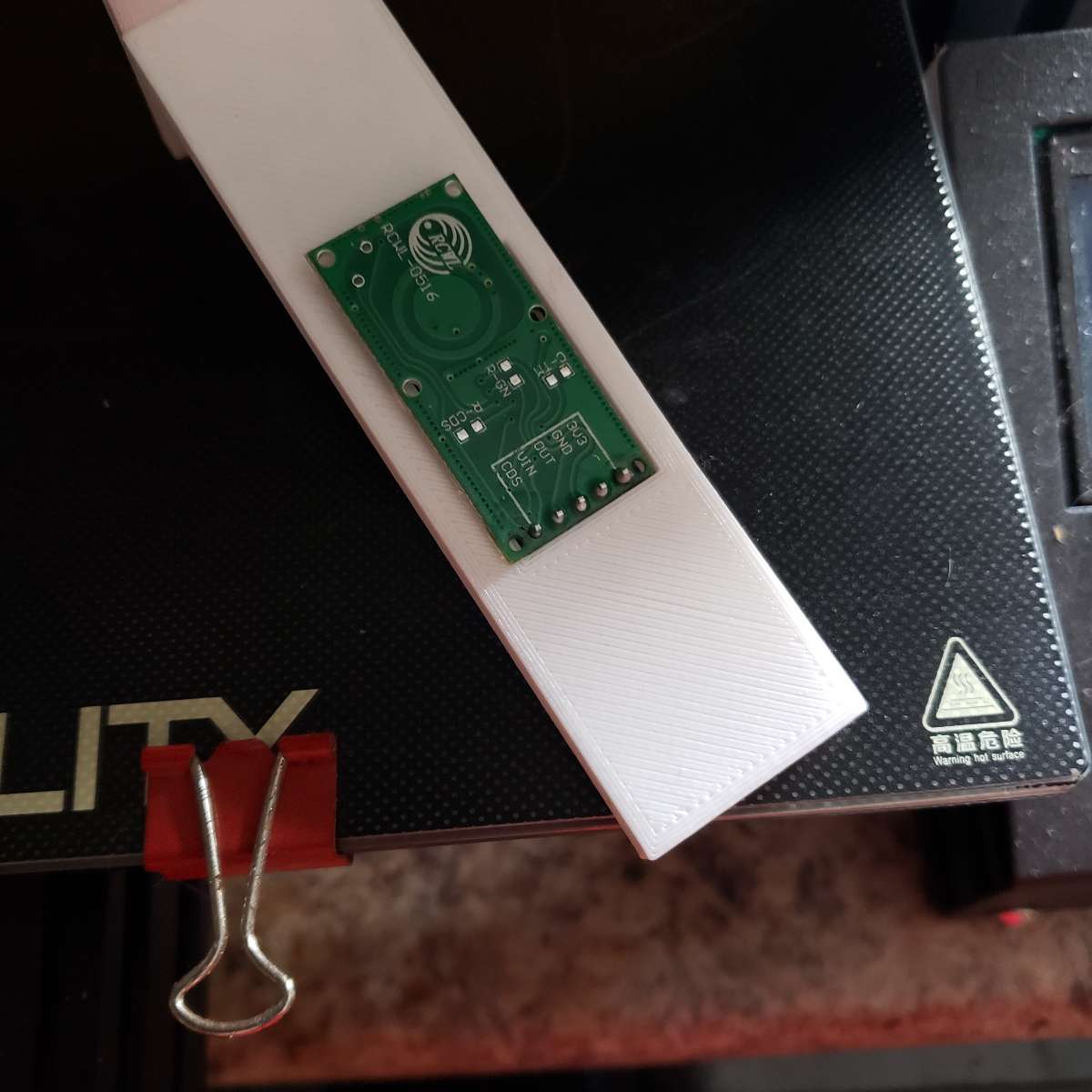
So what I did was design a “T” with a whole in it to mount the sensor and install it inside the box.
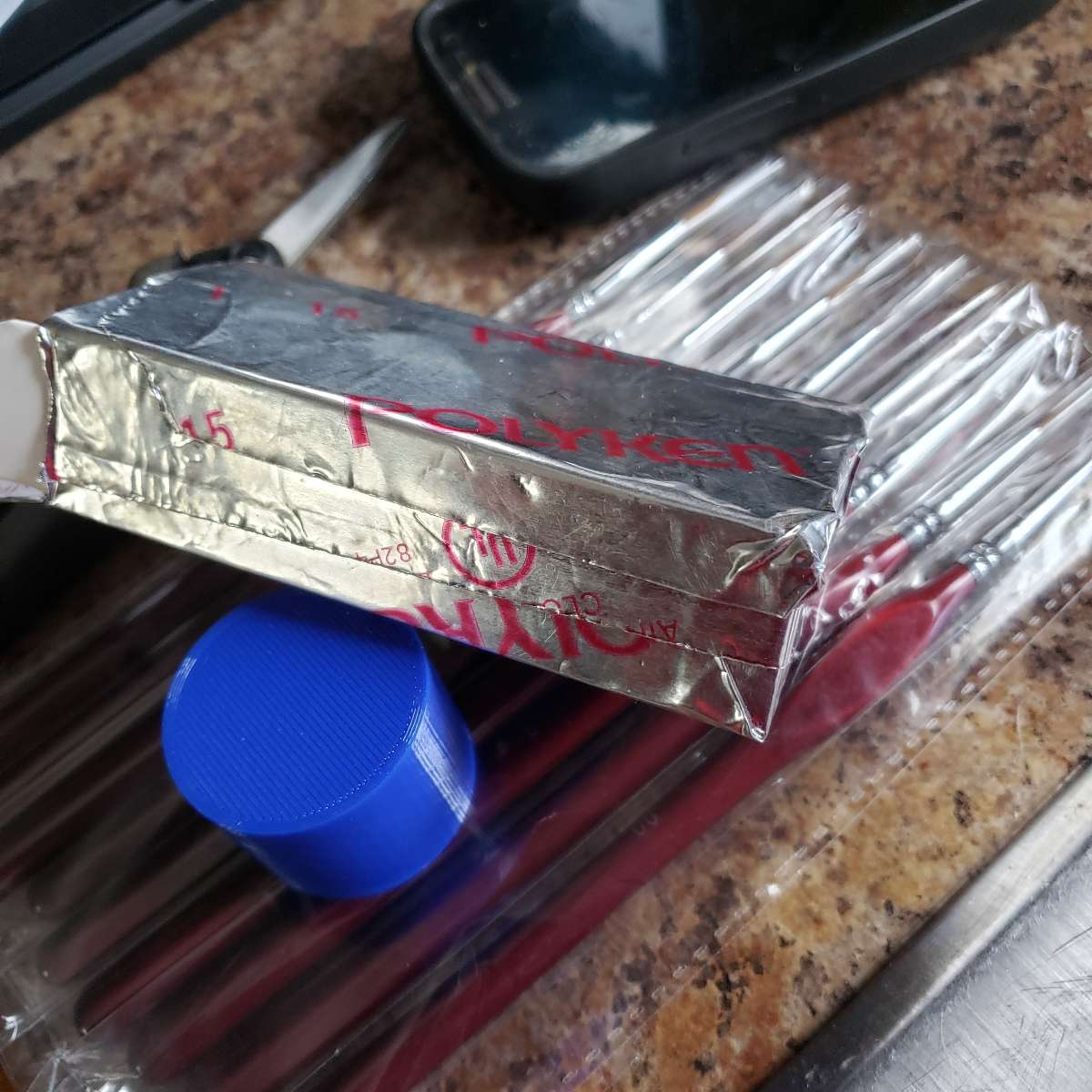
I am a contractor so having aluminum tape was not a hard thing for me to come up with.Thank you @Fozi for this entire project! Allows me to get rid of the ugly PIR sensor outside the mirror and place a sensor behind the scenes but works as intended.
So for me option 1 works great! This won’t work for everyone but in my case perfect!
[Have NOT installed it in the mirror yet but will today]Here’s the pictures.
Box
3d PLA Printed ‘T’
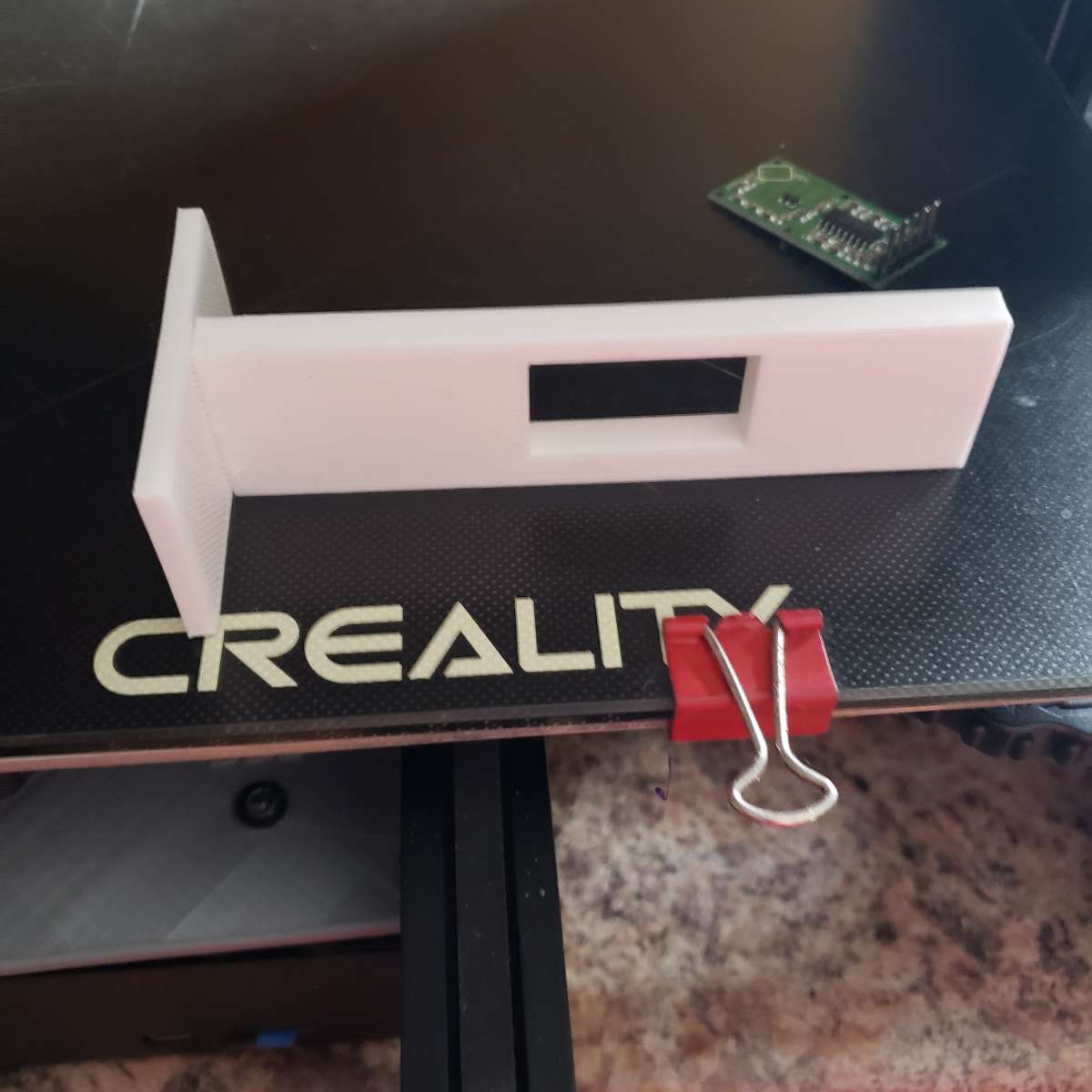
Fits inside of box
Picture of sensor on ‘T’
Once again, Thank you @Fozi !!!
-
@Fozi said in UPDATE: Replaced my PIR-Sensor with a Doppler Microwave Sensor.:
sooner than expected I modified the sensor with a trimmer resistor.
For that I also updated my initial post and enhanced the tutorial, where now both options are described.Dude, (can I call you dude?) although I don’t use a sensor (I have a cam on my first mirror w/Pi) I appreciate what you’ve done here. I’ll say it again (in different words), I think this is the death knell of the PIR sensor. So, thanks. :thumbsup:
Peace!
-
@cowboysdude I‘m totally happy that I cold help and to receive so positive feedback! I love it when a plan works!😁 Thanks!
This T-shaped holder, is it 3D-printed or an off-the-shelf available part? It‘s totally cool! -
@Mykle1 said
Dude, (can I call you dude?) although I don’t use a sensor (I have a cam on my first mirror w/Pi) I appreciate what you’ve done here. I’ll say it again (in different words), I think this is the death knell of the PIR sensor. So, thanks. :thumbsup:
Sure, call me Dude, if you like😁
Let‘s get the warts outta here!🤣 and thanks for the overwhelming feedback!
-
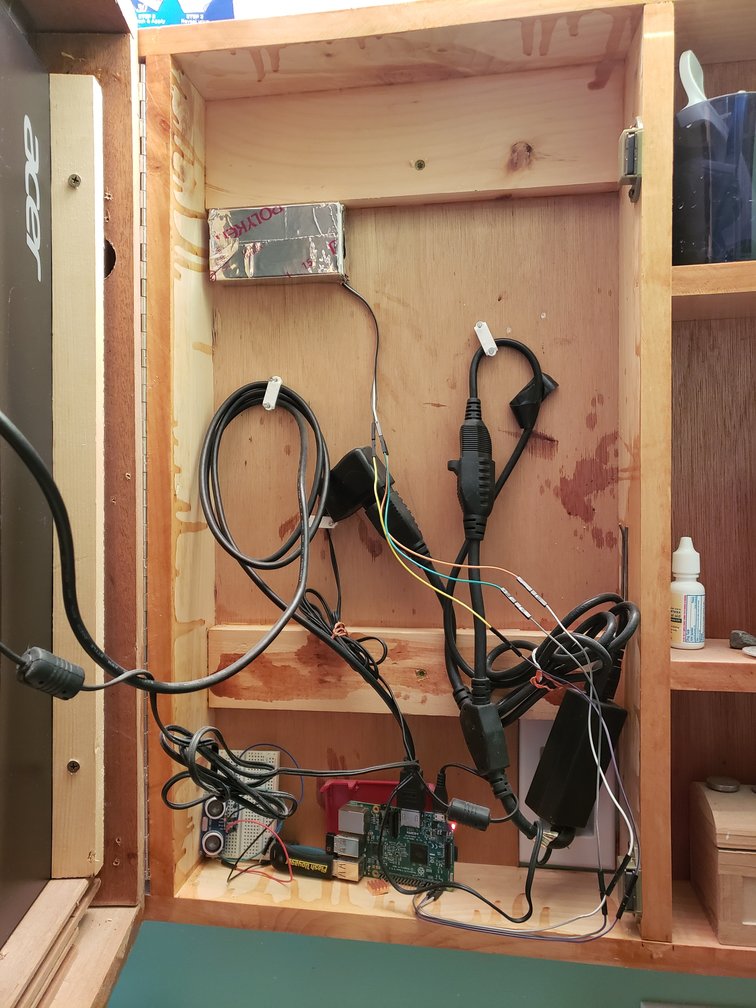
Ok so here’s my final and it’s working perfectly! I tried it in various spots.
Thanks to @Fozi again…now there’s a very complete forum topic that anyone can follow!!
I added 2 additional layers of aluminum tape… there are no untaped spaces on the box anywhere… then moved it to the back of the cabinet and now you have to walk up to it to make it come on… PERFECT!! :)
I tried behind the glass… too sensitive
I tried taped to the back of the monitor … too sensitive.
Moved to the back of the cabinet which makes it about 4" away from the glass… BINGO!![PS… don’t mind my ugly wiring LOL]
-
@cowboysdude Great News, excellent!👍🏻
-
@cowboysdude
am I seeing it right that also the side of the case looking at you is aluminium taped?
So the whole case is taped in your case? -
@cowboysdude @Fozi Guys, which module are you using for the recognition?
I can’t get neither MMM-PIR-Sensor nor MMM-PIR to work currently. Both have the same problem with epoll which is installed via the node module “onoff”, if I see correctly.
What are you using?
THe mirror won’t load with any of the modules activated giving the errorThe module '/home/pi/MagicMirror/modules/MMM-PIR/node_modules/onoff/node_modules/epoll/build/Release/epoll.node' was compiled against a different Node.js version using NODE_MODULE_VERSION 67. This version of Node.js requires NODE_MODULE_VERSION 64. Please try re-compiling or re-installing the module (for instance, using `npm rebuild` or `npm install`).@cowboysdude I remember you’re using your own script?
@Fozi you?node v 11.4.0
npm v 6.13.0 -
@lavolp3 I use my own for that… it’s not a module but it’s right here.
https://github.com/cowboysdude/Pir-Sensor
Easy to follow :)
The box is just a cardboard box taped with alum duct tape. I am however waiting for my trimmer resister so I can tune it down and take it out of the box. I only want the mirror to come on when someone walks up to it…say like 2 ft. away… so it doesn’t come on when I walk by the bathroom doorway… looks more like a pro thing :)




Hello! It looks like you're interested in this conversation, but you don't have an account yet.
Getting fed up of having to scroll through the same posts each visit? When you register for an account, you'll always come back to exactly where you were before, and choose to be notified of new replies (either via email, or push notification). You'll also be able to save bookmarks and upvote posts to show your appreciation to other community members.
With your input, this post could be even better 💗
Register Login