MagicMirror Forum
    • Recent
    • Tags
    • Unsolved
    • Solved
    • MagicMirror² Repository
    • Documentation
    • 3rd-Party-Modules
    • Donate
    • Discord
    • Register
    • Login
    A New Chapter for MagicMirror: The Community Takes the Lead
    Read the statement by Michael Teeuw here.

    Weatherunderground - currently - hourly - daily - configurable

    Scheduled Pinned Locked Moved Troubleshooting
    126 Posts 26 Posters 225.7k Views 13 Watching
    Loading More Posts
    • Oldest to Newest
    • Newest to Oldest
    • Most Votes
    Reply
    • Reply as topic
    Log in to reply
    This topic has been deleted. Only users with topic management privileges can see it.
    • D Offline
      djsunrise19
      last edited by

      Thanks @pugsly, I checked that again, only with the following config:

      	{
      		module: 'MMM-Wunderground',
      		position: 'top_right',
      		config: {
      			apikey: 'XXXXXX',
      			pws: 'locid:NLXX8014;loctype:1'
      		}
      	},	
      

      Result is still a black screen. I can see that error on the console (on my computer):
      Cannot GET /modules/MMM-Wunderground//MMM-Wunderground.js

      But the file is in the folder. Weird!

      1 Reply Last reply Reply Quote 0
      • D Offline
        djsunrise19
        last edited by

        Perhaps I found something: The Filename is: MMM-WunderGround.js. Tha app is looking for MMM-Wunderground.js. If I change the filename to MMM-Wunderground.js, the mirror starts, but the Module don’t work.

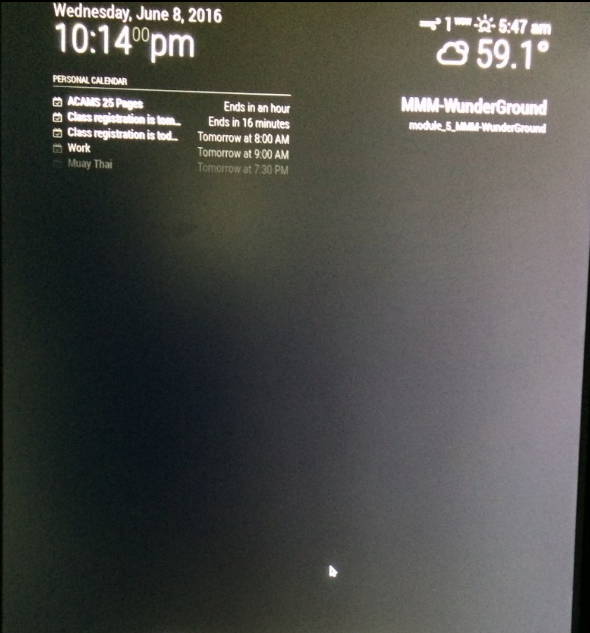
        I only see this:
        0_1464276980611_upload-f8788a81-cd89-4a52-806e-da102ea6f282

        1 Reply Last reply Reply Quote 0
        • D Offline
          djsunrise19
          last edited by

          Any ideas?

          1 Reply Last reply Reply Quote 0
          • D Offline
            djsunrise19
            last edited by

            I cloned your repo to MMM-WunderGround and edited the module name also. Now it works. You should change your Readme.

            Thanks for the cool module ;).

            RedNaxR 1 Reply Last reply Reply Quote 2
            • RedNaxR Offline
              RedNax Module Developer @djsunrise19
              last edited by

              @djsunrise19 Thanks for spotting my mistake :D I’ve modified the readme accordingly. Enjoy!

              1 Reply Last reply Reply Quote 0
              • M Offline
                MagicCrumps1
                last edited by

                it’s taking me forever but How do i change pws: ‘locid:’ for san francisco? I cant find the location ID for my city using google

                1 Reply Last reply Reply Quote 0
                • strawberry 3.141S Offline
                  strawberry 3.141 Project Sponsor Module Developer
                  last edited by paviro

                  Can be any WU api location info.

                  US Example: NY/New_York
                  Example: locid:NLXX8014;loctype:1

                  so just change it to CA/San_Francisco

                  Please create a github issue if you need help, so I can keep track

                  1 Reply Last reply Reply Quote 0
                  • M Offline
                    MagicCrumps1
                    last edited by MagicCrumps1

                    I’m getting a blank screen. Any idea why?

                    	{
                    		module: 'MMM-WunderGround',
                    		position: 'top_right',
                    		header: 'Weather Forecast',
                    		config: {
                    		    apikey: 'a1fa37eaff91b5450c',
                    		    pws: 'CA/San_Francisco',
                    		    fctext: '1',
                    			  fcdaycount: '5',
                    			  fcdaystart: '0',
                    			  hourly: '1',
                    			  hourlyinterval: '3',
                    				hourlycount: '2',
                    				alerttime: 1000,
                    				alerttruncatestring: 'english:'	            
                    		}
                    	},
                    
                    RedNaxR 1 Reply Last reply Reply Quote 0
                    • RedNaxR Offline
                      RedNax Module Developer
                      last edited by

                      Config looks good, could you have a look at your logs?

                      See here for some troubleshootign info: https://forum.magicmirror.builders/topic/86/how-to-troubleshoot

                      1 Reply Last reply Reply Quote 0
                      • RedNaxR Offline
                        RedNax Module Developer @MagicCrumps1
                        last edited by

                        @MagicCrumps1 On the other hand, you api key seems to be invalid. (if the key in your post is indeed your key):

                        {
                          "response": {
                          "version":"0.1",
                          "termsofService":"http://www.wunderground.com/weather/api/d/terms.html",
                          "features": {
                          }
                        		,
                        	"error": {
                        		"type": "keynotfound"
                        		,"description": "this key does not exist"
                        	}
                        	}
                        
                        M 2 Replies Last reply Reply Quote 0
                        • M Offline
                          MagicCrumps1 @RedNax
                          last edited by MagicCrumps1

                          This post is deleted!
                          1 Reply Last reply Reply Quote 0
                          • M Offline
                            MagicCrumps1 @RedNax
                            last edited by paviro

                            @RedNax Still not working. Sorry, I should have included that I added a few extra keys to my personal api key thus making them invalid.

                            Loading config …
                            Loading module helpers …
                            No helper found for module: alert.
                            No helper found for module: clock.
                            Initializing new module helper …
                            No helper found for module: compliments.
                            No helper found for module: currentweather.
                            No helper found for module: MMM-WunderGround.
                            Initializing new module helper …
                            All module helpers loaded.
                            Starting server op port 8080 …
                            Server started …
                            Connecting socket for: calendar
                            Starting node helper for: calendar
                            Connecting socket for: newsfeed
                            Starting module: newsfeed
                            Sockets connected & modules started …
                            Launching application.
                            
                            1 Reply Last reply Reply Quote 0
                            • KirAsh4K Offline
                              KirAsh4 Moderator
                              last edited by

                              That looks like everything did load up properly there. There’s a way to look at electron’s console logs but I don’t know what the keystroke is (maybe CTRL-W?). But, at times like this, I find it’s easier/faster for me to debug by using a different machine with Chrome/Firefox and load up the mirror that way by going to the rpi’s IP and port: http://10.0.0.1:8080 (assuming your rpi’s IP is 10.0.0.1, change it to match yours.) Black screen or not, you can always hit F12 on a windows browser and pull up the console log. Look for Javascript errors.

                              A Life? Cool! Where can I download one of those from?

                              1 Reply Last reply Reply Quote 0
                              • M Offline
                                MagicCrumps1
                                last edited by

                                Thanks KirAsh4 and RedNax! I resolved it. What happened was that I entered
                                location: ‘San Francisco’
                                locationid: ‘5391959’

                                on the currentweather module.

                                I decided to delete the locationid key and left it blank and voila! It works now! You guys rock!

                                1 Reply Last reply Reply Quote 0
                                • M Offline
                                  MagicCrumps1
                                  last edited by

                                  @RedNax do you happen to know why my MMM-WunderGround module is not showing the forecast?

                                  0_1465449394807_upload-42252077-f895-4414-a919-4178207675af

                                  1 Reply Last reply Reply Quote 0
                                  • RedNaxR Offline
                                    RedNax Module Developer
                                    last edited by RedNax

                                    Any errors in the console or the web inspector?

                                    https://forum.magicmirror.builders/topic/86/how-to-troubleshoot

                                    1 Reply Last reply Reply Quote 0
                                    • S Offline
                                      Shockwave
                                      last edited by

                                      This module is fantastic, thank you. I was wondering about getting weather for multiple areas. Is there a way to do that within the program or would I need to copy the directory to say, MMM-WunderGround2?

                                      RedNaxR 1 Reply Last reply Reply Quote 0
                                      • RedNaxR Offline
                                        RedNax Module Developer @Shockwave
                                        last edited by

                                        @Shockwave Thanks :) To use the module twice you can just enter multiple wunderground config sections in your config.js. It will then display both. There is no need to install the actual module twice.

                                        S 1 Reply Last reply Reply Quote 0
                                        • S Offline
                                          Shockwave @RedNax
                                          last edited by

                                          @RedNax Hey thanks for the quick response! I have 2 locations up and running and great. Unfortunately I now have another question. :smile: There is a special weather statement for one of my 2 locations, and it popped up an alert which is really cool. However, the popup alert just said, Special Statement, which is just the subject text, for lack of a better description. Is that the expected behavior?

                                          Special Statement
                                          Issued: 1:49 PM EDT Jun. 27, 2016 – National Weather Service

                                          … A strong thunderstorm with intense lightning will impact central
                                          Oconee County until 230 PM EDT…

                                          At 148 PM EDT… Doppler radar was tracking a strong thunderstorm
                                          with intense lightning 5 miles northwest of Walhalla… or near
                                          Oconee State Park… moving southeast at 25 mph.

                                          Locations to be impacted include…
                                          Walhalla… Westminster… Oconee State Park… Lake Keowee and Mountain
                                          Rest.

                                          In addition to intense lightning… pea size hail and wind gusts up to
                                          40 mph will be possible in these areas.

                                          RedNaxR 1 Reply Last reply Reply Quote 0
                                          • pugslyP Offline
                                            pugsly
                                            last edited by paviro

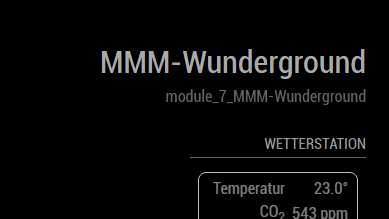
                                            Quick question about this module and some of the icon classes. I found which ones I need to change for the high and low temperature in the custom.css file, which works great. What I can’t figure out is how come I can’t get sunset to change to orange, and sunrise to yellow. I am pretty sure its the right icon.

                                            .wi.wi-thermometer {
                                              color: #ff0000; /* Red */
                                            }
                                            
                                            .wi.wi-thermometer-exterior {
                                              color: #0000ff; /* Blue */
                                            }
                                            
                                            .wi.wi-umbrella {
                                              color: white;
                                            }
                                            
                                            wi.wi.sunset {
                                              color: orange;
                                            }
                                            wi.wi.sunrise {
                                              color: yellow;
                                            }
                                            
                                            1 Reply Last reply Reply Quote 0

                                            Hello! It looks like you're interested in this conversation, but you don't have an account yet.

                                            Getting fed up of having to scroll through the same posts each visit? When you register for an account, you'll always come back to exactly where you were before, and choose to be notified of new replies (either via email, or push notification). You'll also be able to save bookmarks and upvote posts to show your appreciation to other community members.

                                            With your input, this post could be even better 💗

                                            Register Login

                                            • 1
                                            • 2
                                            • 3
                                            • 4
                                            • 5
                                            • 6
                                            • 7
                                            • 7 / 7
                                            • First post
                                              Last post
                                            Enjoying MagicMirror? Please consider a donation!
                                            MagicMirror created by Michael Teeuw.
                                            Forum managed by Sam, technical setup by Karsten.
                                            This forum is using NodeBB as its core | Contributors
                                            Contact | Privacy Policy