Read the statement by Michael Teeuw here.
[MMM-RTSPStream] - Video Streaming from Live Feeds & Security Cameras
-
Some tips/improvements.
I’ve disabled the sound in the omx-stream by adding the arguments “-n”,“-1”, in the node_helper.js
 payload.forEach(s => {
            var args = ["--live", "--video_queue", "4", "--fps", "30","-n","-1",
                this.config[s.name].url
            ];
I had problems with the omx-streams (i have three) not restarting correctly. So instead of stopping the processes and then starting, i’ve changed the command to restart.
for (var proc in list) { if ("name" in list[proc] && namesM.indexOf(list[proc].name) > -1) { if ("status" in list[proc].pm2_env && list[proc].pm2_env.status === "online") { console.log(`PM2: ${list[proc].name} already running. Stopping old instance...`); // pm2.stop(list[proc].name, errCB); pm2.restart(list[proc].name, errCB); } } } -
what is the right process to follow for a new installation? the github page or the explanation on page 17?
-
I have RTSP enabled on my Wyze camera, but nothing displays with this module. The URL it provides is in the format:
rtsp://USER:PASSWORD@ADDRESS/liveI noticed that it doesn’t provide the actual file extension such as .mov so I’m wondering if that’s preventing this from working for me.
-
Can you try this ?
$ omxplayer --avdict rtsp_transport:tcp --live --video_queue 4 --fps 30 --win "0 0 480 320" rtsp://USER:PASSWORD@ADDRESS/liveTo see if it works standalone.
I forgot if a license is needed for the camera stream, but to know if a license is present:
$ vcgencmd codec_enabled MPG2 -
Started at page 17 and running on the latest develop branch and trying to use omxplayer. Open GL fake is running with 128. Using VLC on a windows PC I’m able to get the RTSP stream working.
In VLC I chose network stream use the URL
rtsp://admin:******@192.168.200.4:554/cam/realmonitor?channel=1&subtype=0
I do have select ‘Active Transcoding’ and use Video -H.264 + MP3 (MP4)When I run it on MagicMirror I get this:
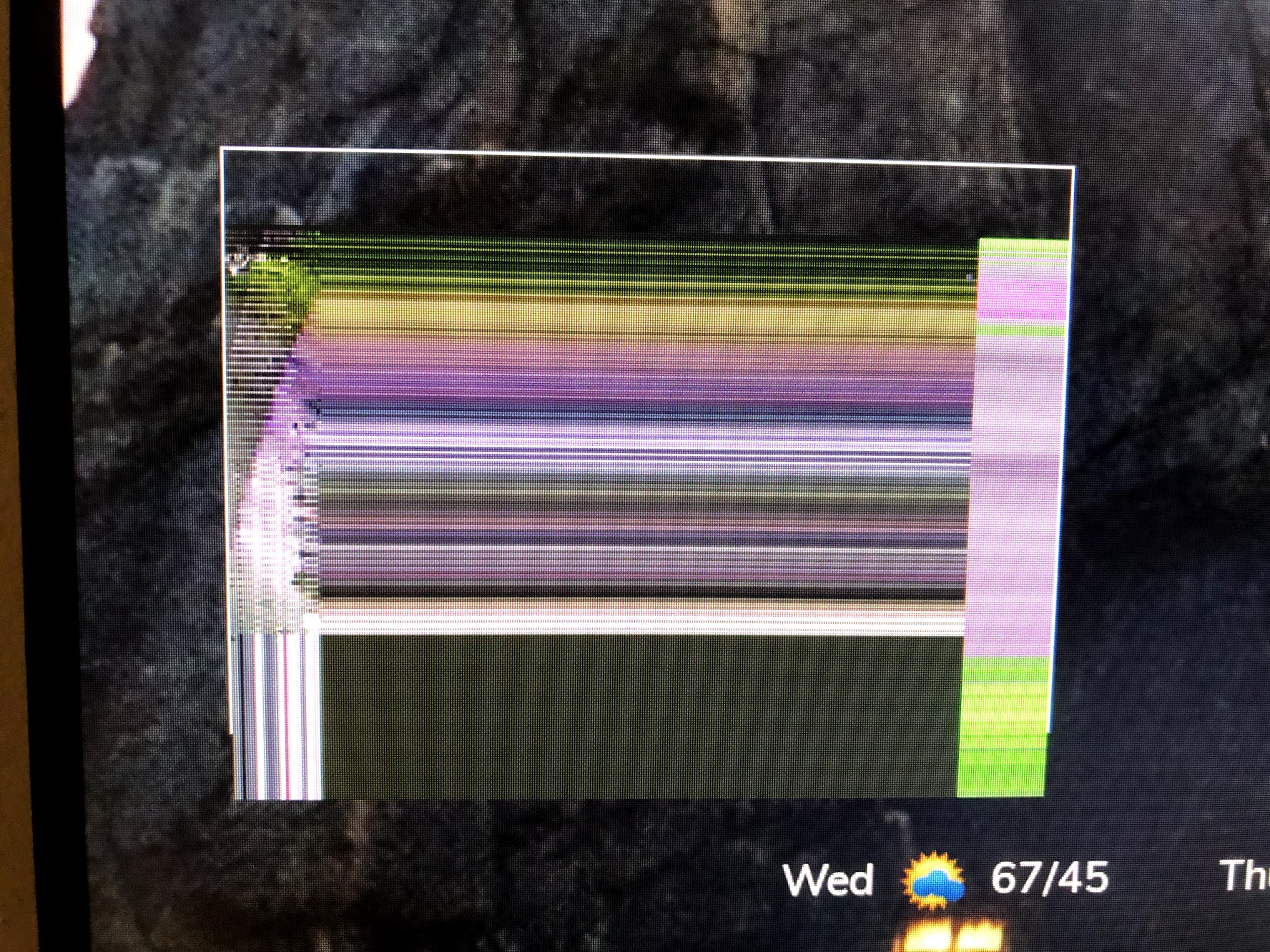
It’s an Amcrest Camera. I’m able to test using the “Big Buck Bunny” and that works great.
-
@0YXmEQ
Update: This issue appears specific to my Amcrest Camera. I’m able to stream my Arecont Camera.On that not my Arecont Camera has 4 lenses. How could have to RTSP stream windows side by side? Each showing one lense with no border?
rtsp://192.168.200.10/h264.sdp2?res=full&doublescan=0&ssn=466
rtsp://192.168.200.10/h264.sdp3?res=full&doublescan=0&ssn=467 -
Im trying to use the VLC player on the “develop” branch code. Im running into issues with VLC. If I set my localplayer to omxplayer then everything works fine. If I change it to “vlc” I dont not get a picture. Is there something else I need to change for it to work? Thanks!
-
@SH20192 said in [MMM-RTSPStream] - Video Streaming from Live Feeds & Security Cameras:
Im trying to use the VLC player on the “develop” branch code. Im running into issues with VLC. If I set my localplayer to omxplayer then everything works fine. If I change it to “vlc” I dont not get a picture. Is there something else I need to change for it to work? Thanks!
disregard. didnt realize I needed to reload the node modules. seems to have fixed the issue.
-
This post is deleted! -
Hey guys I’m running into trouble getting my Reolink cameras to show. I can open the stream in vlc player but just get an outlined box on my magicmirror. Any idea what I’m doing wrong? It’s probably something simple. Here’s my code minus the username and password of course :)
{ module: "MMM-RTSPStream", position: "middle_center", header: "Front", config: { autoStart: true, rotateStreams: false, rotateStreamTimeout: 10, moduleWidth: 354, moduleHeight: 240, localPlayer: 'omxplayer', remotePlayer: 'none', showSnapWhenPaused: true, remoteSnaps: true, stream1: { name: 'Backdoor', url: 'rtsp://user:pass@192.168.1.42:554//h264Preview_01_main', frameRate: '10', snapshotType: 'url', snapshotRefresh: 10, width: undefined, height: undefined, }, } }, -
Check your IP string here: https://www.ispyconnect.com/man.aspx?n=Reolink mine uses h264Preview_01_sub for instance.
I do use ffmpeg for the picture as it seems to work better for my system - I have an RLC-410.
		module: "MMM-RTSPStream",
		position: "top_center",
		config: {
			autoStart: true,
			rotateStreams: false,
			moduleWidth: 640,
			moduleHeight: 360,
			localPlayer: 'ffmpeg',
			remotePlayer: 'ffmpeg',
			showSnapWhenPaused: false,
			remoteSnaps: false,
			omxRestart: 2,
			stream1: {
				name: 'Front Camera',
				url: 'rtsp://user:pass@FrontCam/h264Preview_01_sub',
				protocal: "ucp",
				width: 640,
				height: 360,
				ffmpegPort: 9999,
				shutdownDelay: 0,
			},
		}
	},
Oh, and if you want to get rid of the white box (I find it distracting) in your custom.css file:
.MMM-RTSPStream .innerWrapper {
border: 0;
} -
Thanks for the link. Mine is the RLC-420 and says h264Preview_01_main. I even tried just using your code and replacing with my credentials but all I can get is a gray box. Strange thing is I can open main or sub in vlc just fine. I thought this was going to be an easy project haha
-
try ffmpeg, might be something wrong with the main player.
-
I did actually. It shows a pause button when I hover over it but just gives me a black screen. :(
-
hmmm. have you tried changing to “sub” rather than “main”? The “sub” feed is the lower quality feed, and better suited for RPI…
-
Hey Guys,
i face some problems to get the RTSP module to work with my stream and wonder if @shbatm or someone else can help.
Objective is to use the live dvb-c feed provided by an AVM FritzBox 6490 cable router to display the tv program on the MagicMirror (v2.7.1).
The link given by the FritzBox is working fine with the VLC player on the Raspberry but when using the same link in the RTSP module it remains a black screen.
Stream Link FritzBox:
rtsp://192.168.178.1:554/?avm=1&freq=394&bw=8&msys=dvbc&mtype=256qam&sr=6900&specinv=0&pids=0,16,17,18,20,266,593,594,595,598,1801,1802,1803———
Config used from generator:{ module: "MMM-RTSPStream", position: "middle_center", config: { autoStart: true, rotateStreams: false, rotateStreamTimeout: 10, moduleWidth: 354, moduleHeight: 240, localPlayer: 'omxplayer', remotePlayer: 'none', showSnapWhenPaused: false, remoteSnaps: false, stream1: { name: 'test1', url: 'rtsp://184.72.239.149/vod/mp4:BigBuckBunny_115k.mov', frameRate: 'undefined', width: undefined, height: undefined, }, stream2: { name: 'test2', url: 'rtsp://192.168.178.1:554/?avm=1&freq=394&bw=8&msys=dvbc&mtype=256qam&sr=6900&specinv=0&pids=0,16,17,18,20,266,593,594,595,598,1801,1802,1803', frameRate: 'undefined', width: undefined, height: undefined, }, } },———
Some findings:
- When using above link from the FritzBox in VLC player, the stream is working inside VLC Player
- When using the Big Bunny test file on the mirror its starts automatically and running well
- Tried both in the config generator, rotating streams and show streams in parallel, it brings the same result.
The BigBunny streams is showing correctly with audio and video, FritzBox stream box will show grey frame with black content only and no sound.
—————
The console shows the following logs:Starting stream stream1 with args: [
“–avdict”,
“rtsp_transport:tcp”,
“–win”,
“351, 708, 703, 950”,
“–live”,
“–video_queue”,
“4”,
“–fps”,
“30”,
“rtsp://184.72.239.149/vod/mp4:BigBuckBunny_115k.mov”
]
Starting stream stream2 with args: [
“–avdict”,
“rtsp_transport:tcp”,
“–win”,
“351, 968, 703, 1210”,
“–live”,
“–video_queue”,
“4”,
“–fps”,
“30”,
“rtsp://192.168.178.1:554/?avm=1&freq=394&bw=8&msys=dvbc&mtype=256qam&sr=6900&specinv=0&pids=0,16,17,18,20,266,593,594,595,598,1801,1802,1803”
]
Starting PM2 for omx_stream2
PM2 started for omx_stream2
Starting PM2 for omx_stream1
PM2 started for omx_stream1————
Great if you have an idea and can let me know what to change to get this running.
Bill -
Hi,
I would remove stream1 from the config (and rename stream2 to stream1) since you know “test1” passed.
What does this say ?
$ vcgencmd codec_enabled MPG2And when MM is started, do you see omxplayer processes ?
$ ps -eaf | grep -v grep | grep omxplayer
$ pm2 status
And standalone (best without any omxplayer process(es) active) ?
$ /usr/bin/omxplayer --avdict rtsp_transport:tcp --live --video_queue 4 --fps 30 --win 351 968 703 1210 rtsp://192.168.178.1:554/?avm=1&freq=394&bw=8&msys=dvbc&mtype=256qam&sr=6900&specinv=0&pids=0,16,17,18,20,266,593,594,595,598,1801,1802,1803 -
Hi and thank you.
Adapted the config as suggested and renamed the streams.
checked your requested topics:
pi@raspberrypi:~ $ vcgencmd codec_enabled MPG2
MPG2=disabled
Is the MPG2 codec mandatory?
pi@raspberrypi:~ $ /usr/bin/omxplayer --avdict rtsp_transport:tcp --live --video_queue 4 --fps 30 --win 351 968 703 1210 rtsp://192.168.178.1:554/?avm=1&freq=394&bw=8&msys=dvbc&mtype=256qam&sr=6900&specinv=0&pids=0,16,17,18,20,266,593,594,595,598,1801,1802,1803
[1] 1346
[2] 1347
[3] 1348
[4] 1349
[5] 1350
[6] 1351
[7] 1352
[2]   Fertig                  freq=394
[3]   Fertig                  bw=8
[4]   Fertig                  msys=dvbc
[5]   Fertig                  mtype=256qam
pi@raspberrypi:~ $ File "968" not found.
Starting stream stream1 with args: [ "--avdict", "rtsp_transport:tcp", "--win", "351, 708, 703, 950", "--live", "--video_queue", "4", "--fps", "30", "rtsp://192.168.178.1:554/?avm=1&freq=394&bw=8&msys=dvbc&mtype=256qam&sr=6900&specinv=0&pids=0,16,17,18,20,266,593,594,595,598,1801,1802,1803" ] Starting PM2 for omx_stream1 PM2 started for omx_stream1pi@raspberrypi:~ $ ps -eaf | grep -v grep | grep omxplayer pi 3533 2023 0 15:57 ? 00:00:00 bash /usr/bin/omxplayer --avdict rtsp_transport:tcp --win 351, 708, 703, 950 --live --video_queue 4 --fps 30 rtsp://192.168.178.1:554/?avm=1&freq=394&bw=8&msys=dvbc&mtype=256qam&sr=6900&specinv=0&pids=0,16,17,18,20,266,593,594,595,598,1801,1802,1803 pi 3551 3533 0 15:57 ? 00:00:00 bash /usr/bin/omxplayer --avdict rtsp_transport:tcp --win 351, 708, 703, 950 --live --video_queue 4 --fps 30 rtsp://192.168.178.1:554/?avm=1&freq=394&bw=8&msys=dvbc&mtype=256qam&sr=6900&specinv=0&pids=0,16,17,18,20,266,593,594,595,598,1801,1802,1803 pi@raspberrypi:~ $ -
The last output actually looks good.
Processes are there.
Do they remain present after a few minutes, with same PID’s ?Can you try this again using quotes around the --win parameter ?
$ /usr/bin/omxplayer --avdict rtsp_transport:tcp --live --video_queue 4 --fps 30 --win '351 968 703 1210' rtsp://192.168.178.1:554/?avm=1&freq=394&bw=8&msys=dvbc&mtype=256qam&sr=6900&specinv=0&pids=0,16,17,18,20,266,593,594,595,598,1801,1802,1803It can be that a mpeg2 license is necessary.
I know that for satellite TS streams it is.
http://www.raspberrypi.com/mpeg-2-license-key/When you stream it via VLC Player, you can see under Media Information - Codec Details what codec is being used.
-
not sure if i can check this correctly with the processes but if i run the test file (Big Bunny) it runs for minutes…
tried it with quotes around the win parameter:
pi@raspberrypi:~ $ $ /usr/bin/omxplayer --avdict rtsp_transport:tcp --live --video_queue 4 --fps 30 --win '351 968 703 1210' rtsp://192.168.178.1:554/?avm=1&freq=394&bw=8&msys=dvbc&mtype=256qam&sr=6900&specinv=0&pids=0,16,17,18,20,266,593,594,595,598,1801,1802,1803
[1] 1563
[2] 1564
[3] 1565
bash: $: Kommando nicht gefunden.
[4] 1566
[5] 1567
[6] 1568
[7] 1569
[1]   Exit 127                $ /usr/bin/omxplayer --avdict rtsp_transport:tcp --live --video_queue 4 --fps 30 --win '351 968 703 1210' rtsp://192.168.178.1:554/?avm=1
[2]   Fertig                  freq=394
[4]   Fertig                  msys=dvbc
[5]   Fertig                  mtype=256qam
[6]-  Fertig                  sr=6900
I am also going to check it out with the license as VLC is showing MPEG 1/2 (mpgv) as codec…




Hello! It looks like you're interested in this conversation, but you don't have an account yet.
Getting fed up of having to scroll through the same posts each visit? When you register for an account, you'll always come back to exactly where you were before, and choose to be notified of new replies (either via email, or push notification). You'll also be able to save bookmarks and upvote posts to show your appreciation to other community members.
With your input, this post could be even better 💗
Register Login