MagicMirror Forum
    • Recent
    • Tags
    • Unsolved
    • Solved
    • MagicMirror² Repository
    • Documentation
    • 3rd-Party-Modules
    • Donate
    • Discord
    • Register
    • Login
    A New Chapter for MagicMirror: The Community Takes the Lead
    Read the statement by Michael Teeuw here.

    [MMM-RTSPStream] - Video Streaming from Live Feeds & Security Cameras

    Scheduled Pinned Locked Moved Utilities
    602 Posts 67 Posters 2.1m Views 68 Watching
    Loading More Posts
    • Oldest to Newest
    • Newest to Oldest
    • Most Votes
    Reply
    • Reply as topic
    Log in to reply
    This topic has been deleted. Only users with topic management privileges can see it.
    • evroomE Offline
      evroom @jngo
      last edited by

      @jngo said in [MMM-RTSPStream] - Video Streaming from Live Feeds & Security Cameras:

      Any idea how I can move the video feed to fit the red border frame and, do not cover the complimentary wordings?

      I would try this:

      Change the config.js:

      :
      :
      moduleWidth: 468,
      moduleHeight: 253,
      :
      :
              width: 450,
              height: 253,
      

      Change the MMM-RTSPStream.css:

      width: 468px; /* Video width + 2*border + 2*padding */
      height: 253px;
      

      MagicMirror version: 2.33.0
      Raspberry Pi 4 Model B Rev 1.5 (8 GB RAM)
      Raspbian GNU/Linux 12 (bookworm)

      Test environment:
      MagicMirror version: v2.33.0
      Raspberry Pi 3 Model B Plus Rev 1.3 (1 GB RAM)
      Raspbian GNU/Linux 12 (bookworm)

      J 1 Reply Last reply Reply Quote 0
      • J Offline
        jngo @evroom
        last edited by jngo

        @evroom said in [MMM-RTSPStream] - Video Streaming from Live Feeds & Security Cameras:

        @jngo said in [MMM-RTSPStream] - Video Streaming from Live Feeds & Security Cameras:

        Any idea how I can move the video feed to fit the red border frame and, do not cover the complimentary wordings?

        I would try this:

        Change the config.js:

        :
        :
        moduleWidth: 468,
        moduleHeight: 253,
        :
        :
                width: 450,
                height: 253,
        

        Change the MMM-RTSPStream.css:

        width: 468px; /* Video width + 2*border + 2*padding */
        height: 253px;
        

        So I followed what you recommended: width 468 and height 253. The result is still the same: The red border frame is perfectly aligned with the right size of the screen (in bottom-right setup). But the live video stream window (468x253) is located more to the “left” and higher than the red frame
        This thing really drives me nuts…gr.gr…gr…

        1 Reply Last reply Reply Quote 0
        • evroomE Offline
          evroom
          last edited by

          @jngo
          So if the video area matches the module area (the red border in this moment) then it is okay for you?

          Could you still till try this?

          „Could you briefly test it with width and height commented out ?“

          MagicMirror version: 2.33.0
          Raspberry Pi 4 Model B Rev 1.5 (8 GB RAM)
          Raspbian GNU/Linux 12 (bookworm)

          Test environment:
          MagicMirror version: v2.33.0
          Raspberry Pi 3 Model B Plus Rev 1.3 (1 GB RAM)
          Raspbian GNU/Linux 12 (bookworm)

          J 1 Reply Last reply Reply Quote 0
          • J Offline
            jngo @evroom
            last edited by jngo

            @evroom
            I tried to comment out the W & H, it still did the same issue. I restart the Raspberry and re-install the module, it gets better a bit: Now the right-edge of the stream video is aligned with the weather module, which is what I want to. However, the stream module is still off compare to the red border frame. But I guess it is the best it could get so I set the border to “0” (no border any more). And it is now the closest that I could get!

            One last thing I want to ask you as well: How do I increase the size of the fonts used in the MM? Which lines of code in the “main.css” of the MagicMirror should I look at? My purpose is I want to make the text in the clock, weather, calendar appear bigger a little bit so that we can all see those info from a few feet away.

            Thank you very much for your patience and helps, I really appreciated it.

            1 Reply Last reply Reply Quote 0
            • evroomE Offline
              evroom
              last edited by

              @jngo said in [MMM-RTSPStream] - Video Streaming from Live Feeds & Security Cameras:

              tried to comment out the W & H, it still did the same issue.

              Actually I was interested in the --win coordinates from the pm2 log in this case.
              If the same, then it means that uncommented is right and the values are being taken from the config.js parameters.
              It looks it can be uncommented.

              One last suggestion:

              Either in the MM-RTSPStream.css or your /home/pi/MagicMirror/css/custom.css:

              .MMM-RTSPStream .innerWrapper {
                position: relative;
                width: 468px; /* Video width + 18px
                height: 253px;
                border-style: none;
                display: inline-block;
                text-align: center;
              }
              

              Regarding

              How do I increase the size of the fonts used in the MM?
              you will have to ask this in a separate topic.
              Best is to change things in the custom.css.
              I only made changes regarding the width of some regions.

              MagicMirror version: 2.33.0
              Raspberry Pi 4 Model B Rev 1.5 (8 GB RAM)
              Raspbian GNU/Linux 12 (bookworm)

              Test environment:
              MagicMirror version: v2.33.0
              Raspberry Pi 3 Model B Plus Rev 1.3 (1 GB RAM)
              Raspbian GNU/Linux 12 (bookworm)

              1 Reply Last reply Reply Quote 0
              • D Offline
                Duh3c
                last edited by Duh3c

                This post is deleted!
                1 Reply Last reply Reply Quote 0
                • B Offline
                  benpoe
                  last edited by

                  Some tips/improvements.

                  I’ve disabled the sound in the omx-stream by adding the arguments “-n”,“-1”, in the node_helper.js

                   payload.forEach(s => {
                              var args = ["--live", "--video_queue", "4", "--fps", "30","-n","-1",
                                  this.config[s.name].url
                              ];


                  I had problems with the omx-streams (i have three) not restarting correctly. So instead of stopping the processes and then starting, i’ve changed the command to restart.

                                  for (var proc in list) {
                                      if ("name" in list[proc] && namesM.indexOf(list[proc].name) > -1) {
                                          if ("status" in list[proc].pm2_env && list[proc].pm2_env.status === "online") {
                                              console.log(`PM2: ${list[proc].name} already running. Stopping old instance...`);
                  //                            pm2.stop(list[proc].name, errCB);
                                              pm2.restart(list[proc].name, errCB);
                                          }
                                      }
                                  }
                  
                  
                  1 Reply Last reply Reply Quote 0
                  • S Offline
                    Smotx
                    last edited by

                    what is the right process to follow for a new installation? the github page or the explanation on page 17?

                    1 Reply Last reply Reply Quote 0
                    • twosquirrelsT Offline
                      twosquirrels
                      last edited by

                      I have RTSP enabled on my Wyze camera, but nothing displays with this module. The URL it provides is in the format:
                      rtsp://USER:PASSWORD@ADDRESS/live

                      I noticed that it doesn’t provide the actual file extension such as .mov so I’m wondering if that’s preventing this from working for me.

                      evroomE 1 Reply Last reply Reply Quote 0
                      • evroomE Offline
                        evroom @twosquirrels
                        last edited by

                        @twosquirrels

                        Can you try this ?

                        $ omxplayer --avdict rtsp_transport:tcp --live --video_queue 4 --fps 30 --win "0 0 480 320" rtsp://USER:PASSWORD@ADDRESS/live
                        

                        To see if it works standalone.

                        I forgot if a license is needed for the camera stream, but to know if a license is present:

                        $ vcgencmd codec_enabled MPG2
                        

                        MagicMirror version: 2.33.0
                        Raspberry Pi 4 Model B Rev 1.5 (8 GB RAM)
                        Raspbian GNU/Linux 12 (bookworm)

                        Test environment:
                        MagicMirror version: v2.33.0
                        Raspberry Pi 3 Model B Plus Rev 1.3 (1 GB RAM)
                        Raspbian GNU/Linux 12 (bookworm)

                        1 Reply Last reply Reply Quote 0
                        • 0 Offline
                          0YXmEQ
                          last edited by

                          Started at page 17 and running on the latest develop branch and trying to use omxplayer. Open GL fake is running with 128. Using VLC on a windows PC I’m able to get the RTSP stream working.

                          In VLC I chose network stream use the URL
                          rtsp://admin:******@192.168.200.4:554/cam/realmonitor?channel=1&subtype=0
                          I do have select ‘Active Transcoding’ and use Video -H.264 + MP3 (MP4)

                          When I run it on MagicMirror I get this:
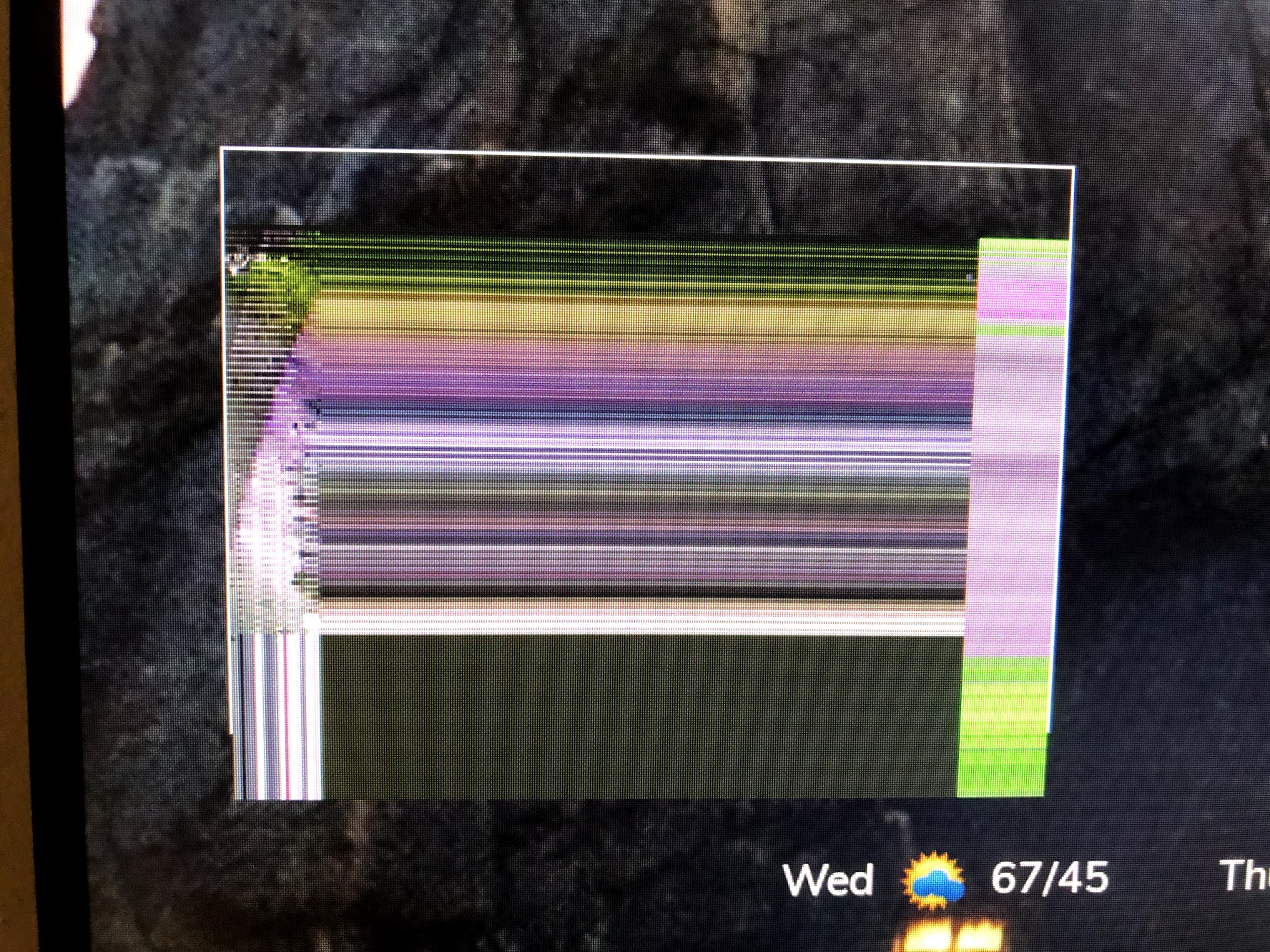
                          0_1557872101244_IMG_0481.jpg

                          It’s an Amcrest Camera. I’m able to test using the “Big Buck Bunny” and that works great.

                          0 1 Reply Last reply Reply Quote 0
                          • 0 Offline
                            0YXmEQ @0YXmEQ
                            last edited by

                            @0YXmEQ
                            Update: This issue appears specific to my Amcrest Camera. I’m able to stream my Arecont Camera.

                            On that not my Arecont Camera has 4 lenses. How could have to RTSP stream windows side by side? Each showing one lense with no border?

                            rtsp://192.168.200.10/h264.sdp2?res=full&doublescan=0&ssn=466
                            rtsp://192.168.200.10/h264.sdp3?res=full&doublescan=0&ssn=467

                            S 1 Reply Last reply Reply Quote 0
                            • S Offline
                              SH20192 @0YXmEQ
                              last edited by

                              Im trying to use the VLC player on the “develop” branch code. Im running into issues with VLC. If I set my localplayer to omxplayer then everything works fine. If I change it to “vlc” I dont not get a picture. Is there something else I need to change for it to work? Thanks!

                              S 1 Reply Last reply Reply Quote 0
                              • S Offline
                                SH20192 @SH20192
                                last edited by

                                @SH20192 said in [MMM-RTSPStream] - Video Streaming from Live Feeds & Security Cameras:

                                Im trying to use the VLC player on the “develop” branch code. Im running into issues with VLC. If I set my localplayer to omxplayer then everything works fine. If I change it to “vlc” I dont not get a picture. Is there something else I need to change for it to work? Thanks!

                                disregard. didnt realize I needed to reload the node modules. seems to have fixed the issue.

                                1 Reply Last reply Reply Quote 0
                                • Cr4z33C Offline
                                  Cr4z33
                                  last edited by

                                  This post is deleted!
                                  1 Reply Last reply Reply Quote 0
                                  • J Offline
                                    jimmysmalls
                                    last edited by

                                    Hey guys I’m running into trouble getting my Reolink cameras to show. I can open the stream in vlc player but just get an outlined box on my magicmirror. Any idea what I’m doing wrong? It’s probably something simple. Here’s my code minus the username and password of course :)

                                    {
                                        module: "MMM-RTSPStream",
                                        position: "middle_center",
                                        header: "Front",
                                            config: {
                                            autoStart: true,
                                            rotateStreams: false,
                                            rotateStreamTimeout: 10,
                                            moduleWidth: 354,
                                            moduleHeight: 240,
                                            localPlayer: 'omxplayer',
                                            remotePlayer: 'none',
                                            showSnapWhenPaused: true,
                                            remoteSnaps: true,
                                            stream1: {
                                                name: 'Backdoor',
                                                url: 'rtsp://user:pass@192.168.1.42:554//h264Preview_01_main',
                                                frameRate: '10',
                                                snapshotType: 'url',
                                                snapshotRefresh: 10,
                                                width: undefined,
                                                height: undefined,
                                                },
                                            }
                                    },
                                    
                                    1 Reply Last reply Reply Quote 0
                                    • BKeyportB Offline
                                      BKeyport Module Developer
                                      last edited by BKeyport

                                      Check your IP string here: https://www.ispyconnect.com/man.aspx?n=Reolink mine uses h264Preview_01_sub for instance.

                                      I do use ffmpeg for the picture as it seems to work better for my system - I have an RLC-410.

                                      		module: "MMM-RTSPStream",
                                      		position: "top_center",
                                      		config: {
                                      			autoStart: true,
                                      			rotateStreams: false,
                                      			moduleWidth: 640,
                                      			moduleHeight: 360,
                                      			localPlayer: 'ffmpeg',
                                      			remotePlayer: 'ffmpeg',
                                      			showSnapWhenPaused: false,
                                      			remoteSnaps: false,
                                      			omxRestart: 2,
                                      			stream1: {
                                      				name: 'Front Camera',
                                      				url: 'rtsp://user:pass@FrontCam/h264Preview_01_sub', 
                                      				protocal: "ucp",
                                      				width: 640,
                                      				height: 360, 
                                      				ffmpegPort: 9999,
                                      				shutdownDelay: 0,
                                      			},
                                      		}
                                      	},
                                      

                                      Oh, and if you want to get rid of the white box (I find it distracting) in your custom.css file:

                                      .MMM-RTSPStream .innerWrapper {
                                      border: 0;
                                      }

                                      The "E" in "Javascript" stands for "Easy"

                                      J 1 Reply Last reply Reply Quote 0
                                      • J Offline
                                        jimmysmalls @BKeyport
                                        last edited by

                                        @BKeyport

                                        Thanks for the link. Mine is the RLC-420 and says h264Preview_01_main. I even tried just using your code and replacing with my credentials but all I can get is a gray box. Strange thing is I can open main or sub in vlc just fine. I thought this was going to be an easy project haha

                                        1 Reply Last reply Reply Quote 0
                                        • BKeyportB Offline
                                          BKeyport Module Developer
                                          last edited by

                                          try ffmpeg, might be something wrong with the main player.

                                          The "E" in "Javascript" stands for "Easy"

                                          J 1 Reply Last reply Reply Quote 0
                                          • J Offline
                                            jimmysmalls @BKeyport
                                            last edited by

                                            @BKeyport

                                            I did actually. It shows a pause button when I hover over it but just gives me a black screen. :(

                                            1 Reply Last reply Reply Quote 0

                                            Hello! It looks like you're interested in this conversation, but you don't have an account yet.

                                            Getting fed up of having to scroll through the same posts each visit? When you register for an account, you'll always come back to exactly where you were before, and choose to be notified of new replies (either via email, or push notification). You'll also be able to save bookmarks and upvote posts to show your appreciation to other community members.

                                            With your input, this post could be even better 💗

                                            Register Login

                                            • 1
                                            • 2
                                            • 13
                                            • 14
                                            • 15
                                            • 16
                                            • 17
                                            • 30
                                            • 31
                                            • 15 / 31
                                            • First post
                                              Last post
                                            Enjoying MagicMirror? Please consider a donation!
                                            MagicMirror created by Michael Teeuw.
                                            Forum managed by Sam, technical setup by Karsten.
                                            This forum is using NodeBB as its core | Contributors
                                            Contact | Privacy Policy