MagicMirror Forum
    • Recent
    • Tags
    • Unsolved
    • Solved
    • MagicMirror² Repository
    • Documentation
    • 3rd-Party-Modules
    • Donate
    • Discord
    • Register
    • Login
    A New Chapter for MagicMirror: The Community Takes the Lead
    Read the statement by Michael Teeuw here.

    Electron CPU usage

    Scheduled Pinned Locked Moved Troubleshooting
    247 Posts 46 Posters 597.6k Views 42 Watching
    Loading More Posts
    • Oldest to Newest
    • Newest to Oldest
    • Most Votes
    Reply
    • Reply as topic
    Log in to reply
    This topic has been deleted. Only users with topic management privileges can see it.
    • W Offline
      wtidwell @Mykle1
      last edited by

      @Mykle1
      @Snille
      I’ll do this as soon as I can, I’m still not home from the day yet but I’ll get to it later this evening.
      Thank you everyone for your help!

      1 Reply Last reply Reply Quote 0
      • W Offline
        wtidwell @Mykle1
        last edited by

        @Mykle1
        @Snille

        My hardware is also BCM2835 revision a02082 , just like Snille. I have another micro SD I think floating around somewhere in my house, I’ll try and do a clean install of rapsian stretch lite on it tomorrow and use the auto install script on that and see how that goes. Fingers crossed I just got a crappy SD card or something.

        Mykle1M 1 Reply Last reply Reply Quote 0
        • Mykle1M Offline
          Mykle1 Project Sponsor Module Developer @wtidwell
          last edited by

          @wtidwell said in Electron CPU usage:

          Fingers crossed I just got a crappy SD card or something.

          How did you make out? I’ve been thinking about this issue since you started the topic. I did quite a bit of googling and there are a number of instances where people had trouble (not with MM) with performance, and heat. In many cases, those people determined that their Pi’s were faulty, after much time, frustration and troubleshooting. In those cases, they had their Pi’s replaced and the problem was solved.

          I hope the new SD solves your problem but I have my doubts about that. Please keep me informed and good luck.

          Create a working config
          How to add modules

          W 1 Reply Last reply Reply Quote 0
          • W Offline
            wtidwell @Mykle1
            last edited by

            @Mykle1
            Well I ordered a new pi 3 on Amazon and did a fresh install it’s the same thing all over again. Every time the text changes on magic mirror it maxes out my cpu. And it’s starting to overheat as well and I didn’t even change any overclock settings.

            Quite infuriating honestly. I don’t know what I’ll try next.

            Mykle1M 1 Reply Last reply Reply Quote 0
            • Mykle1M Offline
              Mykle1 Project Sponsor Module Developer @wtidwell
              last edited by Mykle1

              @wtidwell said in Electron CPU usage:

              Quite infuriating honestly. I don’t know what I’ll try next.

              Oh man, that sucks. I’m sorry to hear that. I’m at a lost here. Really, there is no logical reason for that to happen

              Create a working config
              How to add modules

              W 1 Reply Last reply Reply Quote 0
              • W Offline
                wtidwell @Mykle1
                last edited by

                @Mykle1
                My last ditch effort is to try a new SD card. The card it came with is a SanDisk 32gb card and it’s just a plain black card and I have this otherone which is a SanDisk ultra 32gb card so maybe that does something.

                Mykle1M cowboysdudeC 3 Replies Last reply Reply Quote 0
                • Mykle1M Offline
                  Mykle1 Project Sponsor Module Developer @wtidwell
                  last edited by

                  @wtidwell

                  I am certainly rooting for you! I think there was/is a walk-through on preparing the SD card, formatting and such, although I don’t remember where. It’s been a long time.

                  The best of luck to you. Please keep me posted

                  Create a working config
                  How to add modules

                  W 1 Reply Last reply Reply Quote 0
                  • W Offline
                    wtidwell @Mykle1
                    last edited by

                    @Mykle1
                    Just to rule out one more variable: the pi 3 should be fine running at 1080p yes?

                    Mykle1M 2 Replies Last reply Reply Quote 0
                    • Mykle1M Offline
                      Mykle1 Project Sponsor Module Developer @wtidwell
                      last edited by Mykle1

                      @wtidwell said in Electron CPU usage:

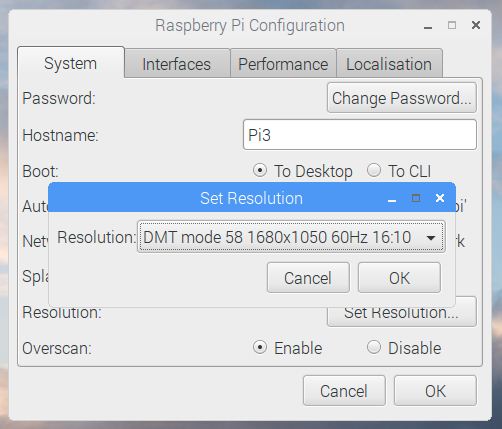
                      Just to rule out one more variable: the pi 3 should be fine running at 1080p yes?

                      Here is my res on an old HP monitor. That’s using the DVI interface. It does not have HDMI.
                      0_1503620651851_Capture.JPG

                      Create a working config
                      How to add modules

                      1 Reply Last reply Reply Quote 0
                      • cowboysdudeC Offline
                        cowboysdude Module Developer @wtidwell
                        last edited by

                        @wtidwell Yeah I don’t use those plain black sd cards I buy the more expensive ones because of the issues.

                        W 1 Reply Last reply Reply Quote 0
                        • Mykle1M Offline
                          Mykle1 Project Sponsor Module Developer @wtidwell
                          last edited by

                          @wtidwell said in Electron CPU usage:

                          I have this otherone which is a SanDisk ultra 32gb card so maybe that does something.

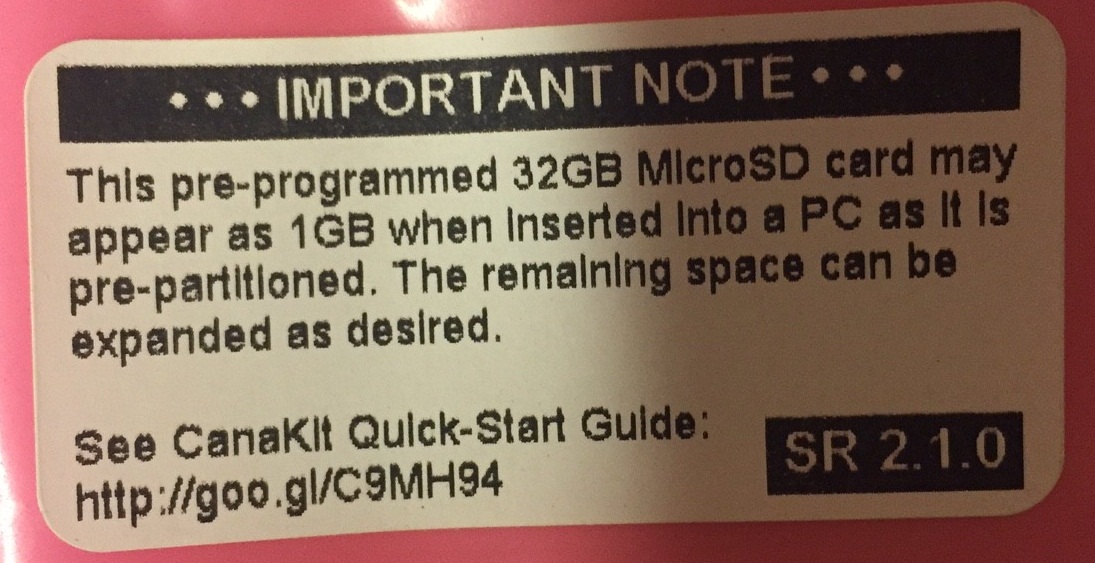
                          I looked to see what SD card is in my Pi but all I could come up with is the wrapper it came in. I bought one of those CanaKit’s with everything included. I don’t want to take my mirror down if I don’t have to, sorry.
                          0_1503621710743_IMG_1996.JPG

                          Create a working config
                          How to add modules

                          1 Reply Last reply Reply Quote 0
                          • W Offline
                            wtidwell @cowboysdude
                            last edited by

                            @cowboysdude
                            @Mykle1

                            I’m beginning to think it’s the SD card. I did a clean install of Raspian on the SanDisk ultra which is the same class (u1) as the other card which was plain black and it seemed like it was a twinge better but not fantastic. Thanks for your input cowboysdude.

                            I ordered a SanDisk extreme u3 which will get here tomorrow and try that and report back in. Don’t take your mirror down haha

                            Mykle1M 1 Reply Last reply Reply Quote 0
                            • Mykle1M Offline
                              Mykle1 Project Sponsor Module Developer @wtidwell
                              last edited by Mykle1

                              @wtidwell said in Electron CPU usage:

                              I’m beginning to think it’s the SD card.

                              I hope that’s it. Then we can all laugh about it. Keep me posted.

                              Just in case:
                              https://www.raspberrypi.org/documentation/installation/installing-images/

                              And:

                              HOW TO FORMAT AN SD CARD AS FAT
                              
                              Note: If you're formatting an SD (or micro SD) card that has a capacity over 32GB (i.e. 64GB and above), then see the separate SDXC formatting instructions.
                              
                              WINDOWS
                              
                              For Windows users we recommend formatting your SD card using the SD Association's Formatting Tool, which can be downloaded from sdcard.org. You will need to set "FORMAT SIZE ADJUSTMENT" option to "ON" in the "Options" menu to ensure that the entire SD card volume is formatted, and not just a single partition. The updated size will be shown after the format is complete.
                              
                              MAC OS
                              
                              The SD Association's Formatting Tool is also available for Mac users, although the default OS X Disk Utility is also capable of formatting the entire disk. To do this, select the SD card volume and choose Erase with MS-DOS format.
                              
                              LINUX
                              
                              For Linux users we recommend gparted (or the command line version  parted). Norman Dunbar has written up instructions for Linux users.
                              

                              Create a working config
                              How to add modules

                              1 Reply Last reply Reply Quote 0
                              • Mykle1M Offline
                                Mykle1 Project Sponsor Module Developer @wtidwell
                                last edited by Mykle1

                                @wtidwell

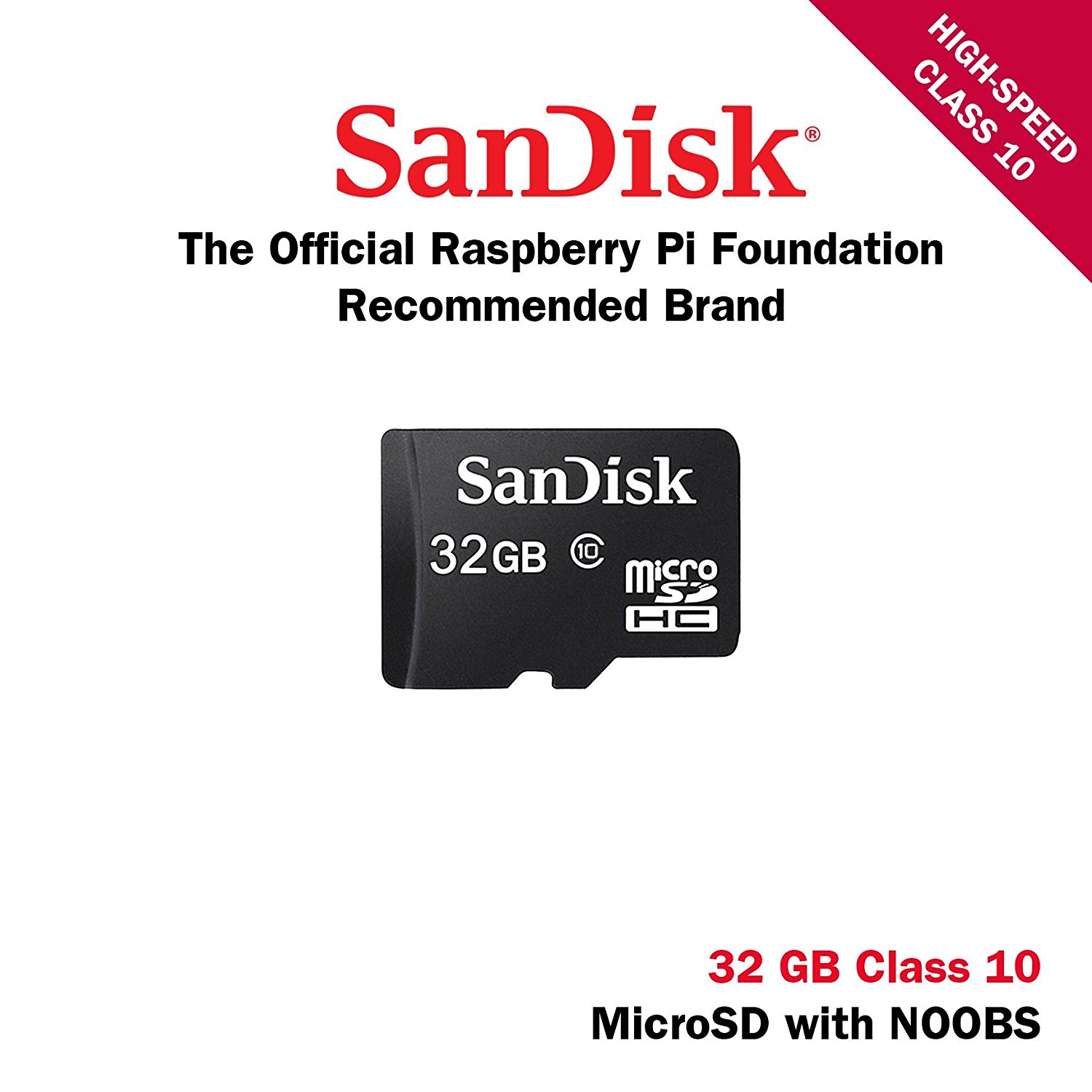
                                Ok, this is the kit I bought back in January. I checked my amazon.com history.
                                “You purchased this item on January 16, 2017”
                                https://www.amazon.com/CanaKit-Raspberry-Complete-Starter-Kit/dp/B01C6Q2GSY/ref=sr_1_1?s=electronics&ie=UTF8&qid=1503626951&sr=1-1&keywords=32+GB+Micro+SD+Card+(Class+10)+pre-loaded+with+NOOBS

                                So this is the SD card I have in my Pi3-B mirror. Recommended Micro SD Card pre-loaded with NOOBS
                                0_1503627277699_71AWjYnh4pL.SL1500.jpg

                                That is also where I installed my Raspbian Jessie from. You can install it from NOOBS

                                Create a working config
                                How to add modules

                                W 1 Reply Last reply Reply Quote 0
                                • W Offline
                                  wtidwell @Mykle1
                                  last edited by

                                  @Mykle1

                                  Well I just installed everything on a brand new SanDisk extreme u3 MicroSD. And it’s still using all my dang cpu and the transitions are still so laggy.

                                  I think I’ve tried everything at this point.

                                  Mykle1M 1 Reply Last reply Reply Quote 0
                                  • Mykle1M Offline
                                    Mykle1 Project Sponsor Module Developer @wtidwell
                                    last edited by

                                    @wtidwell said in Electron CPU usage:

                                    I think I’ve tried everything at this point.

                                    Damn! :-(

                                    Create a working config
                                    How to add modules

                                    W 1 Reply Last reply Reply Quote 0
                                    • W Offline
                                      wtidwell @Mykle1
                                      last edited by

                                      @Mykle1
                                      Is there anything to do after using the install script? Am I missing some next step?

                                      Mykle1M 1 Reply Last reply Reply Quote 0
                                      • Mykle1M Offline
                                        Mykle1 Project Sponsor Module Developer @wtidwell
                                        last edited by

                                        @wtidwell said in Electron CPU usage:

                                        Is there anything to do after using the install script? Am I missing some next step?

                                        You could try this, but I don’t think it’s anything you’re doing or not doing. MM is running, it’s just not running well. I left you another suggestion in the other topic you posted in.

                                        Updating your MagicMirror²

                                        If you want to update your MagicMirror² to the latest version, use your terminal to go to your Magic Mirror folder and type the following command:

                                        git pull && npm install
                                        If you changed nothing more than the config or the modules, this should work without any problems. Type git status to see your changes, if there are any, you can reset them with git reset --hard. After that, git pull should be possible.

                                        Create a working config
                                        How to add modules

                                        1 Reply Last reply Reply Quote 0
                                        • T Offline
                                          TiemenMoesker
                                          last edited by

                                          I am having the exact same problem. It is so frustrating.

                                          W 1 Reply Last reply Reply Quote 0
                                          • W Offline
                                            wtidwell @TiemenMoesker
                                            last edited by

                                            @TiemenMoesker
                                            I’m really sorry =/ I don’t have any better information for you, maybe you can fix yours. Mine is still busted…


                                            1 Reply Last reply Reply Quote 0

                                            Hello! It looks like you're interested in this conversation, but you don't have an account yet.

                                            Getting fed up of having to scroll through the same posts each visit? When you register for an account, you'll always come back to exactly where you were before, and choose to be notified of new replies (either via email, or push notification). You'll also be able to save bookmarks and upvote posts to show your appreciation to other community members.

                                            With your input, this post could be even better 💗

                                            Register Login

                                            • 1
                                            • 2
                                            • 3
                                            • 4
                                            • 5
                                            • 6
                                            • 12
                                            • 13
                                            • 4 / 13
                                            • First post
                                              Last post
                                            Enjoying MagicMirror? Please consider a donation!
                                            MagicMirror created by Michael Teeuw.
                                            Forum managed by Sam, technical setup by Karsten.
                                            This forum is using NodeBB as its core | Contributors
                                            Contact | Privacy Policy