MagicMirror Forum
    • Recent
    • Tags
    • Unsolved
    • Solved
    • MagicMirror² Repository
    • Documentation
    • 3rd-Party-Modules
    • Donate
    • Discord
    • Register
    • Login
    A New Chapter for MagicMirror: The Community Takes the Lead
    Read the statement by Michael Teeuw here.

    Hello-Lucy

    Scheduled Pinned Locked Moved Fun & Games
    285 Posts 27 Posters 682.7k Views 27 Watching
    Loading More Posts
    • Oldest to Newest
    • Newest to Oldest
    • Most Votes
    Reply
    • Reply as topic
    Log in to reply
    This topic has been deleted. Only users with topic management privileges can see it.
    • Mykle1M Offline
      Mykle1 Project Sponsor Module Developer
      last edited by

      UPDATE:

      The biggest hurdle for Pi users with Hello-Lucy is the lag placed upon the Pi by the use of the animated face.gif. This is not an issue for people using PC boards. A simple work-around for this is not using the animated face.gif. The face is cool but voice was the reason for Hello-Lucy.

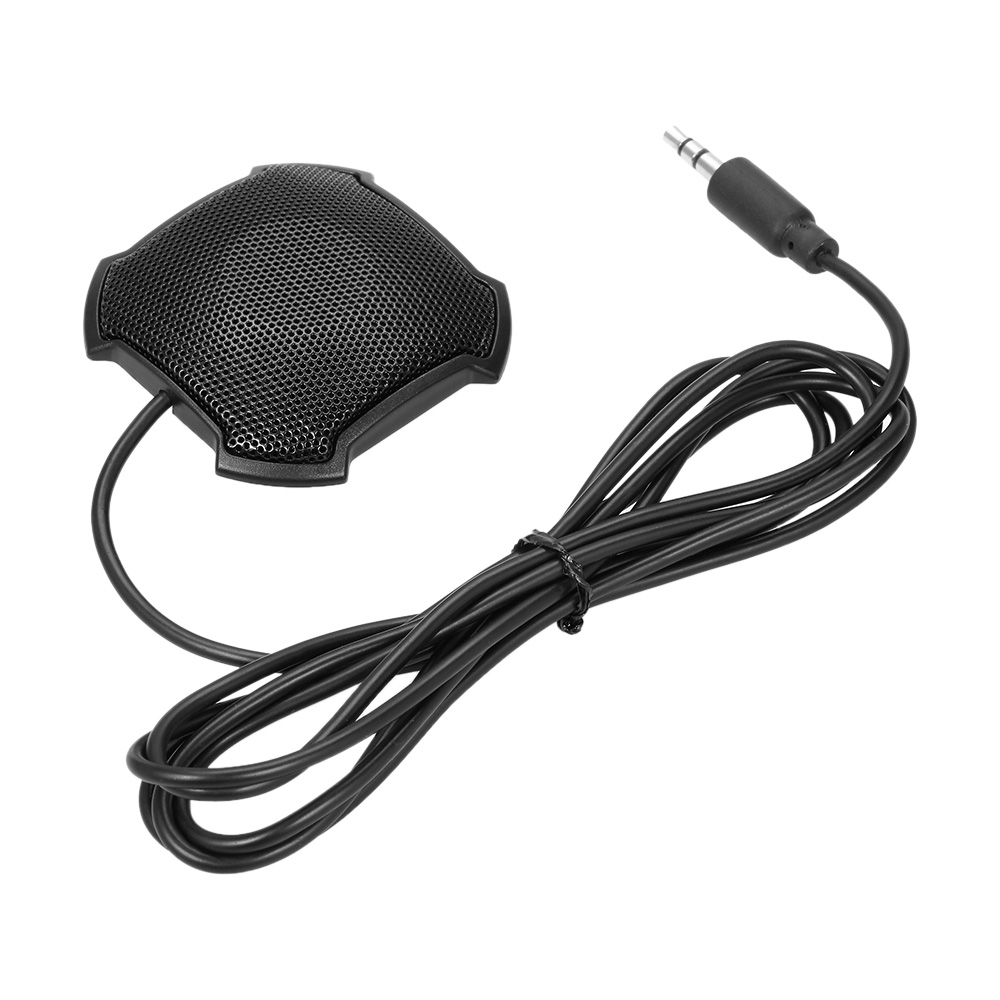
      I’ve updated the repo with 2 static images of Lucy for Pi users. You can also use any image file you like, or none. Also, the use of a microphone that has a 3.5mm jack significantly improves response (tested). USB introduces too much lag, evident even on an i7 Quad Core (tested). The difference is staggering.

      I’ve also provided a 25MB version of the animated face.gif in the repo. You can still acquire the original via the link in the readme if you so desire. That file is 60+MB.

      Peace!

      Create a working config
      How to add modules

      1 Reply Last reply Reply Quote 1
      • cowboysdudeC Offline
        cowboysdude Module Developer
        last edited by

        https://www.youtube.com/watch?v=1n0pM-7v0pc&feature=youtu.be

        Mykle1M 3 Replies Last reply Reply Quote 2
        • Mykle1M Offline
          Mykle1 Project Sponsor Module Developer @cowboysdude
          last edited by

          @cowboysdude

          Ahhhh, nicely done dude! :-)

          Create a working config
          How to add modules

          1 Reply Last reply Reply Quote 0
          • Mykle1M Offline
            Mykle1 Project Sponsor Module Developer
            last edited by Mykle1

            I added the MM default calendar, compliments and newsfeed modules. They will now work with Hello-Lucy by simply replacing your current module.js files with the module.js files provided in the Hello-Lucy repo. This assumes you are using the most current MM and that you clone the Hello-Lucy repo and follow the simple installation instructions. That’s a total of 30 modules that will work by default with Hello-Lucy. I’ll leave the rest to you. :-)

            Peace!

            Create a working config
            How to add modules

            1 Reply Last reply Reply Quote 0
            • Mykle1M Offline
              Mykle1 Project Sponsor Module Developer @cowboysdude
              last edited by Mykle1

              @cowboysdude

              Special thanks to @cowboysdude for randomizing sound files to the “SHOW LUCY” command. It’s audible “compliments” for your mirror. Great freakin idea dude. Thanks much!

              Peace!

              Create a working config
              How to add modules

              1 Reply Last reply Reply Quote 0
              • Mykle1M Offline
                Mykle1 Project Sponsor Module Developer
                last edited by Mykle1

                Some of the custom responses/compliments I’ve created for my own Hello-Lucy. There are some that are inappropriate for public consumption so I left those out. :-)

                https://www.youtube.com/watch?v=u9LzQygE8Qo

                Create a working config
                How to add modules

                1 Reply Last reply Reply Quote 2
                • P Offline
                  pepebc
                  last edited by

                  I am installing some modules that I like very much.
                  The MMM-Art module is impressive, if it worked for me, it gives me this error:
                  API key is correctc.

                  MMM-Art.js:84 Uncaught TypeError: Cannot read property ‘url’ of undefined ----> img.src = Art.WebImage.url;

                  Mykle1M 2 Replies Last reply Reply Quote 0
                  • Mykle1M Offline
                    Mykle1 Project Sponsor Module Developer @pepebc
                    last edited by

                    @pepebc said in Hello-Lucy:

                    The MMM-Art module is impressive, if it worked for me, it gives me this error:

                    Wow. I never thought anyone would be using this. I haven’t loaded it in ages but you are correct, it is not functioning. I will take a look at the cause this evening. Thank you for your interest. :-)

                    Create a working config
                    How to add modules

                    1 Reply Last reply Reply Quote 0
                    • Mykle1M Offline
                      Mykle1 Project Sponsor Module Developer @cruunnerr
                      last edited by

                      @cruunnerr said in Hello-Lucy:

                      Just for the need to say 1 command instead of 2 or 3 commands.
                      And “Wake up” will show the last used configuration.

                      Is this what you meant? Each page command will hide the previous page while still retaining the ability to hide and show individual modules and put the display into standby and wake it up. “Please Wake Up” will show the last used configuration as “Go To Sleep” affects the monitor, not MM. :-)

                      https://youtu.be/2-K5NlT9zgQ

                      Create a working config
                      How to add modules

                      cruunnerrC 1 Reply Last reply Reply Quote 1
                      • Mykle1M Offline
                        Mykle1 Project Sponsor Module Developer @pepebc
                        last edited by

                        @pepebc said in Hello-Lucy:

                        MMM-Art.js:84 Uncaught TypeError: Cannot read property ‘url’ of undefined ----> img.src = Art.WebImage.url;

                        Here is where we stand. The API changed how it provides the data. The return from the GET request used to give all the data (including images) I needed for the module (as it is) but they’ve moved the picture files to a web url, outside of the return. I am not ashamed to admit that I don’t know how to move forward to correct this. I’m also humble enough to ask for help. So, if anyone reading this cared to take a look at this and guide me, I would be forever grateful, and so would @pepebc . :-)

                        Peace

                        Create a working config
                        How to add modules

                        1 Reply Last reply Reply Quote 0
                        • cruunnerrC Offline
                          cruunnerr @Mykle1
                          last edited by

                          @Mykle1 said in Hello-Lucy:

                          Is this what you meant?

                          Jap :)
                          This is going to be the alexa for every mirror :D

                          1 Reply Last reply Reply Quote 1
                          • Mykle1M Offline
                            Mykle1 Project Sponsor Module Developer
                            last edited by

                            There was a problem with the HELP screen. The Commands List would display right off the bottom of the screen. I struggled with a fix for 4 days (because I am old and stupid) but then our friend on the forum, @cowboysdude, took a look at it and fixed it in 5 minutes. I am extremely grateful (and I feel even more stupid) but he did an amazing job. :-)

                            0_1517611928360_2.png

                            Create a working config
                            How to add modules

                            1 Reply Last reply Reply Quote 0
                            • Mykle1M Offline
                              Mykle1 Project Sponsor Module Developer
                              last edited by

                              I’m a huge fan of MMM-SystemStats for MM running on the Pi but I’m working almost exclusively on pc/mac boards running ubuntu, now. So, I started a new module for that purpose. So far, it will identify the CPU, the CPU speed, the Total RAM, Free RAM, and each core present with each cores load by percentage. It’s a work in progress but it is functional and available to anyone that cares to try it.

                              0_1517612667302_1.png

                              Create a working config
                              How to add modules

                              1 Reply Last reply Reply Quote 1
                              • A Offline
                                AxLed Module Developer
                                last edited by

                                Hi Miykle1,
                                do you know, if i can change the language of MMM-voice with Pocketsphinx / Sphinxbase to german?

                                I found a webseite where i can create .dic and .lm files and they work somehow (i also changed the new words in different .js files of folder MMM-voice).

                                I am looking forward hearing from you.

                                Regards

                                AxLED

                                Mykle1M 1 Reply Last reply Reply Quote 0
                                • Mykle1M Offline
                                  Mykle1 Project Sponsor Module Developer @AxLed
                                  last edited by

                                  @AxLed said in Hello-Lucy:

                                  do you know, if i can change the language of MMM-voice with Pocketsphinx / Sphinxbase to german?

                                  Perhaps, but you would have to ask the author of MMM-voice about that.

                                  Create a working config
                                  How to add modules

                                  1 Reply Last reply Reply Quote 0
                                  • D Offline
                                    Damian
                                    last edited by

                                    @Mykle1

                                    You say that using a usb mic on the pi is not great, because of Latency, how bad is it? Is it such that it would render the user completely disgruntled using it with Lucy?
                                    And you say using a 3.5 jack microphone is better, albeit on a PC, etc… so I take it that this is really the best all round solution, owing to the limitations of the Pi?

                                    Thanks

                                    Mykle1M 1 Reply Last reply Reply Quote 0
                                    • Mykle1M Offline
                                      Mykle1 Project Sponsor Module Developer @Damian
                                      last edited by

                                      @Damian

                                      What I do remember about using voice with a usb microphone on the Pi is not the latency. It was more the limitation of voice module only allowing me to do certain things. I wanted to be able to completely control my mirror by voice. It took me a year to self-learn enough about coding to attempt Hello-Lucy.

                                      I don’t think the latency bothered me on the Pi but it really bothered me as I was developing Hello-Lucy on a Core i7 Quad core with a USB microphone. I couldn’t understand why a 12 year old laptop with an integrated microphone performed better, until I made the realization. A $6, 3.5mm microphone made all the difference in the world. Unfortunately for Pi users. a USB microphone is your only option.

                                      I feel compelled to say that I love the Pi. It is the reason I’ve become so involved with MM and programming, but I am realistic in my expectations of what it can do.

                                      Create a working config
                                      How to add modules

                                      D 1 Reply Last reply Reply Quote 1
                                      • A Offline
                                        AxLed Module Developer
                                        last edited by

                                        @Damian
                                        I have some (maybe helpful) informations about the use of microphones on RPI.
                                        I tested this on RPI3.

                                        I checked the difference beetween the following microphones (i had at home anyway):

                                        1. USB Mic from Wii (Logitech)
                                        2. USB Mic from Playstation 2 (orignal Singstar with that USB adapter inbetween)
                                        3. USB Soundcard (USB-Audio C-Media) with 2x 3.5mm jack for microphone and speaker

                                        Then i tried recording and playing that record to find out about the quality.
                                        I used commands like this:
                                        Record:

                                        arecord /home/pi/Desktop/test_wii_mic.wav -D sysdefault:CARD=1
                                        

                                        Play:

                                        omxplayer -p -o hdmi /home/pi/Desktop/test_wii_mic.wav
                                        

                                        No. 1 and 2 were terrible (it was even for a human hard to understand what words i recorded), No. 3 was very good. So my thought were to use No. 3 for different MMM-voice projects.

                                        I hope this helps.

                                        AxLED

                                        D Mykle1M 2 Replies Last reply Reply Quote 1
                                        • D Offline
                                          Damian @Mykle1
                                          last edited by

                                          Thanks very much @Mykle1. I share your sentiments about the Pi. :-(
                                          My house mirror is made such that the Pi has to be used. But with a little bit of jiggery-pokery I,m sure I can work on a really long HDMI to a hidden PC, and use a 3.5 Mic ;-)

                                          I’ve been abroad working for a while and only just catching up on what is new on here… and really loving the idea of your Lucy. This would, for me, be the jewel in the crown :-)

                                          So heartfelt thanks for your efforts on this, and I shall look forward to using this with utmost pleasure. :-)

                                          Mykle1M 1 Reply Last reply Reply Quote 0
                                          • D Offline
                                            Damian @AxLed
                                            last edited by

                                            @AxLed

                                            Thanks… I just may get one of these to at least give it a try… How would you rate the performance of this, to that of using the 3.5 on a pc?

                                            This would obviously be a much cheaper option, but only if the performance is really great compared to just the usb mic.

                                            But as @Mykle1 noted, the Lucy graphics works best on a PC, but has given a Pi alternative, so will have a look at the two - on a Pi, and PC, and see which one suits best.

                                            If the Pi version looks/works in a similar way to the PC version, and your suggested USB mic works great, then this may be the way to go?

                                            Thanks.

                                            1 Reply Last reply Reply Quote 0

                                            Hello! It looks like you're interested in this conversation, but you don't have an account yet.

                                            Getting fed up of having to scroll through the same posts each visit? When you register for an account, you'll always come back to exactly where you were before, and choose to be notified of new replies (either via email, or push notification). You'll also be able to save bookmarks and upvote posts to show your appreciation to other community members.

                                            With your input, this post could be even better 💗

                                            Register Login

                                            • 1
                                            • 2
                                            • 9
                                            • 10
                                            • 11
                                            • 12
                                            • 13
                                            • 14
                                            • 15
                                            • 11 / 15
                                            • First post
                                              Last post
                                            Enjoying MagicMirror? Please consider a donation!
                                            MagicMirror created by Michael Teeuw.
                                            Forum managed by Sam, technical setup by Karsten.
                                            This forum is using NodeBB as its core | Contributors
                                            Contact | Privacy Policy