MagicMirror Forum
    • Recent
    • Tags
    • Unsolved
    • Solved
    • MagicMirror² Repository
    • Documentation
    • 3rd-Party-Modules
    • Donate
    • Discord
    • Register
    • Login
    A New Chapter for MagicMirror: The Community Takes the Lead
    Read the statement by Michael Teeuw here.

    [Remote-Control] Shutdown, Configure and Update your MagicMirror

    Scheduled Pinned Locked Moved System
    274 Posts 78 Posters 872.7k Views 77 Watching
    Loading More Posts
    • Oldest to Newest
    • Newest to Oldest
    • Most Votes
    Reply
    • Reply as topic
    Log in to reply
    This topic has been deleted. Only users with topic management privileges can see it.
    • Hein-JanH Offline
      Hein-Jan @PaulB
      last edited by

      @paulb

      Is your device listed in “whitelist”, in your config.js?

      Please check forum on whitelist issues.

      Hein-Jan

      1 Reply Last reply Reply Quote 0
      • M Offline
        m0111k
        last edited by

        @jopyth in light of topic resurrection, I’m looking into creating multiple functions for my pi’s. I’m using MMM-NetworkScanner and MMM-Remote-Control. The idea is like follows:

        When I leave home, my mobile goes offline from home network. I’m looking for a command to enable camera (reboot y/n) to enable another project I’d like to combine with this. (Pi Camera Notifier: https://iotbreaks.com/build-a-camera-alert-application-with-raspberrypi-3-and-iosandroid-pushbullet-app/) turning it into a security cam. The commands available in the readme of MMM-RC didnt hand me a clue for further investigations

        I’d love to see these work in conjunction that’d give it a whole new dimension :)

        1 Reply Last reply Reply Quote 0
        • R Offline
          robiv8
          last edited by

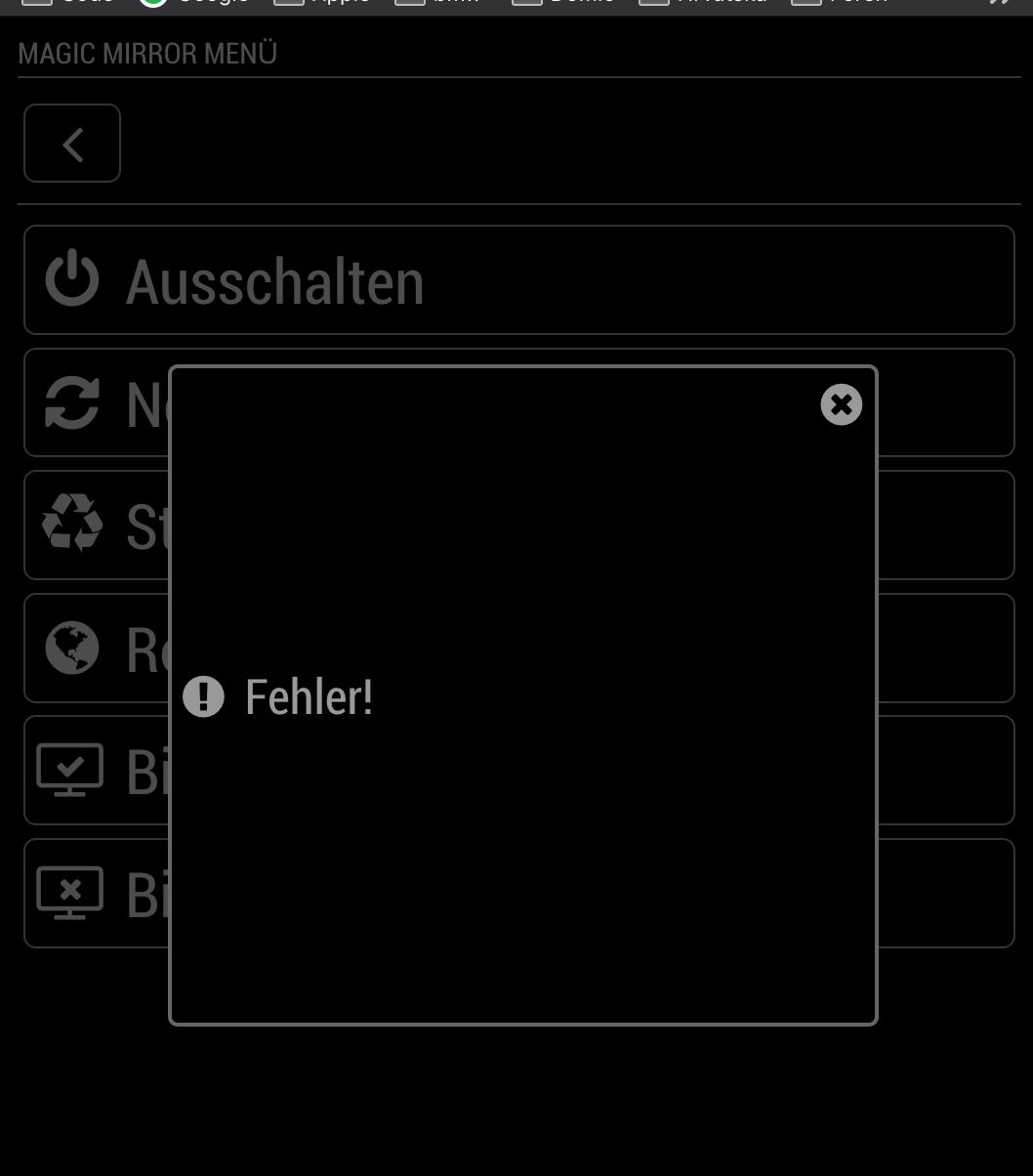
          Hallo, my remote control work.
          but
          When I pull the restart button the MagicMirror restarts fine but I become a Fehler (Fail)
          What can this be?

          My Log after push the button:

          0|mm  | Shutting down server...
          0|mm  | Stopping module helper: MMM-Page-Selector
          0|mm  | Stopping module helper: MMM-Remote-Control
          0|mm  | Stopping module helper: MMM-DWD-WarnWeather
          0|mm  | Stopping module helper: MMM-PublicTransportHafas
          0|mm  | Stopping module helper: newsfeed
          0|mm  | Stopping module helper: MMM-Buttons
          0|mm  | Use --update-env to update environment variables
          0|mm  | [PM2] Applying action restartProcessId on app [mm](ids: 0)
          0|mm  | { Error: Command failed: pm2 restart mm
          0|mm  |     at ChildProcess.exithandler (child_process.js:287:12)
          0|mm  |     at emitTwo (events.js:126:13)
          0|mm  |     at ChildProcess.emit (events.js:214:7)
          0|mm  |     at maybeClose (internal/child_process.js:925:16)
          0|mm  |     at Socket.stream.socket.on (internal/child_process.js:346:11)
          0|mm  |     at emitOne (events.js:116:13)
          0|mm  |     at Socket.emit (events.js:211:7)
          0|mm  |     at Pipe._handle.close [as _onclose] (net.js:554:12)
          0|mm  |   killed: false,
          0|mm  |   code: null,
          0|mm  |   signal: 'SIGINT',
          0|mm  |   cmd: 'pm2 restart mm' }
          0|mm  | > magicmirror@2.6.0 start /home/pi/MagicMirror
          0|mm  | > sh run-start.sh
          0|mm  | Starting MagicMirror: v2.6.0
          0|mm  | Loading config ...
          

          0_1547069400759_Bildschirmfoto 2019-01-09 um 22.29.42.png

          N 1 Reply Last reply Reply Quote 0
          • swvalentiS Offline
            swvalenti Project Sponsor
            last edited by

            Same error as above but in English. Def restarts MM with no issue but MM RM displays error oddly?

            1 Reply Last reply Reply Quote 0
            • R Offline
              robiv8
              last edited by robiv8

              Nobody an idea?
              Now the notification does not work anymore! Somehow I have the feeling that this block any other modules.
              You can send but it does not matter! Also no error message.

              1 Reply Last reply Reply Quote 0
              • N Offline
                nobita @robiv8
                last edited by

                0_1548639015017_S__2187281.jpg
                @Jopyth What Happen? and how to solve it?

                1 Reply Last reply Reply Quote 0
                • R Offline
                  robiv8
                  last edited by

                  I have the impression that Jopyth does not have time to maintain the module. Last answer here was 9 months ago.
                  Too bad, is an excellent module

                  1 Reply Last reply Reply Quote 0
                  • Cr4z33C Offline
                    Cr4z33 @Jopyth
                    last edited by

                    @jopyth I’ve done the Italian translation if you would like to add it. ;)

                    https://pastebin.com/g7hKLiad

                    1 Reply Last reply Reply Quote 0
                    • J Offline
                      Jopyth Moderator
                      last edited by

                      Hi everyone, these is a new version, lots of credit goes to @shbatm for this. Please give it a try and see if it fixed the various issues. There are also better error messages, which might help us narrow down the problem. Without further ado, this is the changelog:

                      [2.0.0] - 2019-02-21

                      Huge shoutout to shbatm for his work on this new major version, which brings a new API, custom menus and commands and lots of other stuff:

                      Added

                      • REST API interface for controlling all aspects of the MagicMirror from HTTP RESTful-style GET and POST calls, based on principles from MMM-Api
                        • Full API Documentation at API/README.md
                      • Live daily updates of modules.json from the MagicMirror wiki, based on principles from MMM-Remote-Control-Repository.
                      • Incorporated some features found in MMM-OnScreenMenu that were not originally in this module.
                        • Monitor (Connected Screen) On-Off Status and Toggle
                        • Delayed calls (“DELAYED” Query option and .../delay API paths)
                        • If using Electron: Open Dev Tools, Minimize, Toggle Fullscreen
                      • Configuration Option to send custom shell commands to use. Currently, only custom monitor on/off/status commands are supported.
                      • Module Control menu - Automatically generated from the API to control the different modules you have installed, based on their notificationReceived function.
                      • Custom menu items. See Custom Menu Items in README
                      • Norsk bokmål translation

                      Changed

                      • Updates to remote.html and the node_helper.js to use direct SocketIO communication back and forth instead of separate HTTP calls.
                        • Future framework for following PM2 logs and more live update options.
                      • General clean-up and standardization of status reporting for GET and POST calls, to original URLs and to new API URLs.
                      • Updated to ES2015 (ES Version 6) function calls in most locations.
                      • Added USER_PRESENCE controls from AgP42
                      • Added/updated french translations from BKeyport and Mysh3ll
                      • Added SHOW/HIDE/TOGGLE ALL modules option per request from Rene1709

                      Upcoming Changes

                      • Add additional MMM-OnScreenMenu features:
                        • Moving modules’ positions
                      • PM2 Log Follower / Terminal Window
                      • Added Notification Echo option to config to echo all Module Notifications to the remote’s DevTools console for debugging.
                      • Allow for text input in the Module Controls menu to be able to provide a notification payload.

                      Helpful sticky: How to troubleshoot

                      Cr4z33C N B 3 Replies Last reply Reply Quote 0
                      • P Offline
                        planet4
                        last edited by

                        Thanks for doing all the work. Just upgraded. However I had problems before waking and sleeping the screen and before I was able to change this in the node_helper.js to use:

                        vcgencmd display_power 1 instead of tvservice. The command works via ssh but when I tried to change like below the screens sleeps but I can not wake it up via the remote.html menu. Anyone with the same problem?

                         monitorControl: function(action, opts, res) {
                                    let status = "unknown";
                                    let monitorOnCommand = (this.initialized && "monitorOnCommand" in this.thisConfig.customCommand) ?
                                        this.thisConfig.customCommand.monitorOnCommand :
                                        "sudo vcgencmd display_power 1";
                                    let monitorOffCommand = (this.initialized && "monitorOffCommand" in this.thisConfig.customCommand) ?
                                        this.thisConfig.customCommand.monitorOffCommand :
                                        "vcgencmd display_power 0";
                                    let monitorStatusCommand = (this.initialized && "monitorStatusCommand" in this.thisConfig.customCommand) ?
                                        this.thisConfig.customCommand.monitorStatusCommand :
                                        "vcgencmd display_power --status";
                                    if (["MONITORTOGGLE", "MONITORSTATUS", "MONITORON"].indexOf(action) !== -1) {
                                        screenStatus = exec(monitorStatusCommand, opts, (error, stdout, stderr) => {
                                    
                        
                        1 Reply Last reply Reply Quote 0
                        • Cr4z33C Offline
                          Cr4z33 @Jopyth
                          last edited by Cr4z33

                          @jopyth I would love to give it a try, but I need first to replace the monitor on/off commands with more suitable CEC commands (I use the cec-utils package) as I have a TV instead. :)

                          Please tell me what do I have to edit to use the following commands?

                          Turn tv on: echo on 0 | cec-client -s -d 1

                          Turn tv off: echo standby 0 | cec-client -s -d 1

                          Tv status: echo pow 0 | cec-client -s -d 1

                          1 Reply Last reply Reply Quote 0
                          • N Offline
                            nobita @Jopyth
                            last edited by

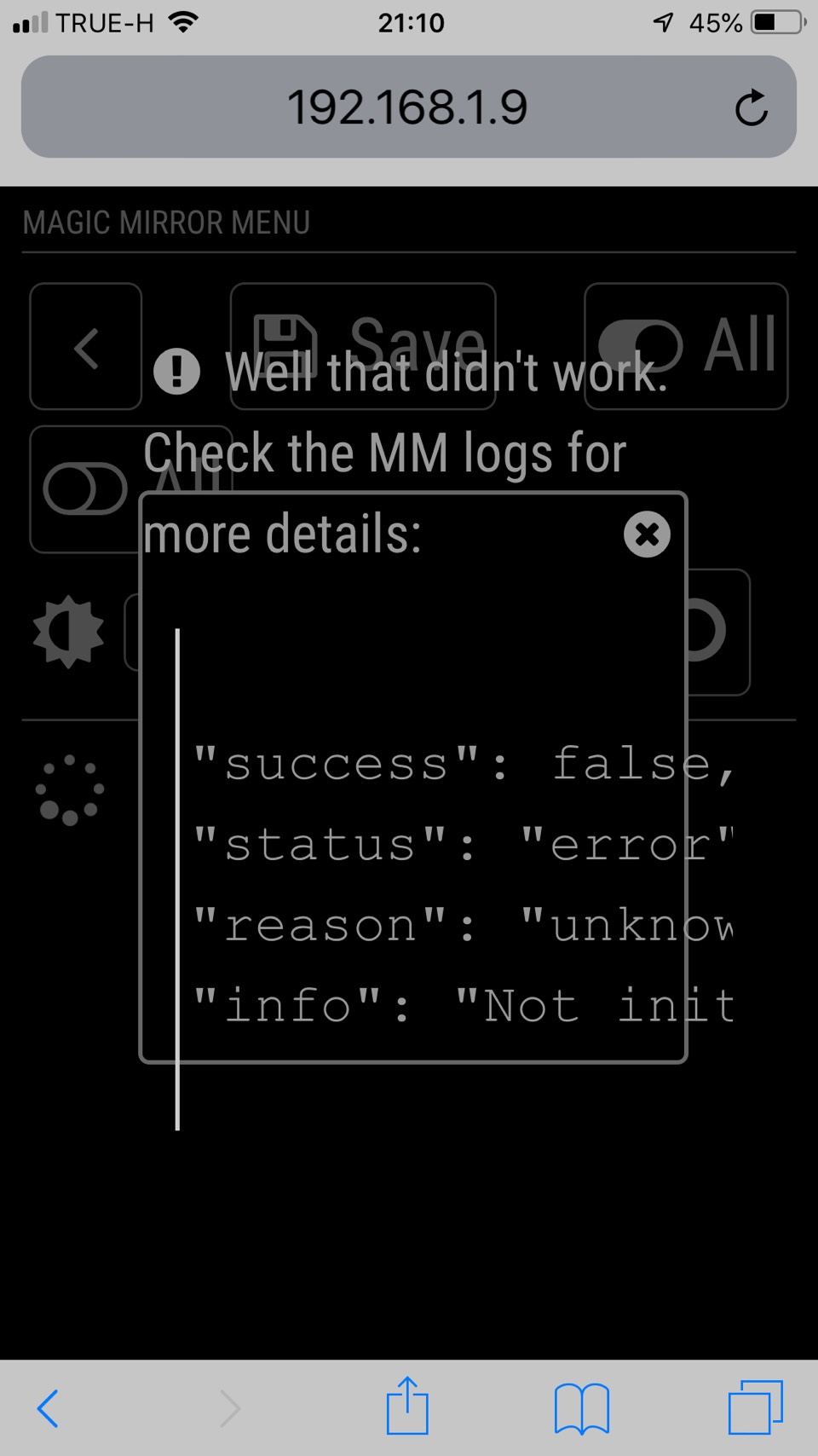
                            @jopyth ,After git pull and npm install , Error like this (at below) happen
                            what wrong and how to fix it
                            Thanks for your help
                            0_1550846453213_S__3162181.jpg

                            1 Reply Last reply Reply Quote 0
                            • M Offline
                              motdog
                              last edited by motdog

                              This post is deleted!
                              1 Reply Last reply Reply Quote 0
                              • C Offline
                                costascontis
                                last edited by

                                @Jopyth nice module but i have an issue ,i think last update broke the restart function.Now its just stops MagicMirror and not restart it.Is there a fix for that?

                                1 Reply Last reply Reply Quote 0
                                • swvalentiS Offline
                                  swvalenti Project Sponsor
                                  last edited by

                                  @costascontis I am experiencing the same issue you are as well.

                                  1 Reply Last reply Reply Quote 0
                                  • C Offline
                                    costascontis
                                    last edited by

                                    solved it ,replace node_helper.js with this one ,fix is by ronanversendaal

                                    1 Reply Last reply Reply Quote 0
                                    • swvalentiS Offline
                                      swvalenti Project Sponsor
                                      last edited by swvalenti

                                      @costascontis Thanks that worked I think…it doesn’t prompt a pm2 restart in the terminal window just closes MM browser and reopens?

                                      1 Reply Last reply Reply Quote 0
                                      • B Offline
                                        bryan_1 @Jopyth
                                        last edited by

                                        @Jopyth after update the Magic Mirror to v2.7.0. I lost all icons. Do you have any idea why? Thanks in advance

                                        1 Reply Last reply Reply Quote 0
                                        • htilburgsH Online
                                          htilburgs
                                          last edited by

                                          Same issue here 🤔

                                          (still trying to learn JS, but not afraid to ask and AI is my best friend) ☺

                                          1 Reply Last reply Reply Quote 0
                                          • I Offline
                                            ianperrin
                                            last edited by ianperrin

                                            @Jopyth - the font awesome package was updated in v2.7 so the direct reference to FA in remote.html will need to be updated.

                                            It looks like this line
                                            link rel="stylesheet" type="text/css" href="vendor/node_modules/font-awesome/css/font-awesome.min.css"
                                            Should be changed to
                                            link rel="stylesheet" type="text/css" href="vendor/css/font-awesome.css"

                                            But I’m away from my mirror right now so cannot test it.

                                            "Live as if you were to die tomorrow. Learn as if you were to live forever." - Mahatma Gandhi

                                            1 Reply Last reply Reply Quote 2

                                            Hello! It looks like you're interested in this conversation, but you don't have an account yet.

                                            Getting fed up of having to scroll through the same posts each visit? When you register for an account, you'll always come back to exactly where you were before, and choose to be notified of new replies (either via email, or push notification). You'll also be able to save bookmarks and upvote posts to show your appreciation to other community members.

                                            With your input, this post could be even better 💗

                                            Register Login

                                            • 1
                                            • 2
                                            • 10
                                            • 11
                                            • 12
                                            • 13
                                            • 14
                                            • 13 / 14
                                            • First post
                                              Last post
                                            Enjoying MagicMirror? Please consider a donation!
                                            MagicMirror created by Michael Teeuw.
                                            Forum managed by Sam, technical setup by Karsten.
                                            This forum is using NodeBB as its core | Contributors
                                            Contact | Privacy Policy