MagicMirror Forum
    • Recent
    • Tags
    • Unsolved
    • Solved
    • MagicMirror² Repository
    • Documentation
    • 3rd-Party-Modules
    • Donate
    • Discord
    • Register
    • Login
    A New Chapter for MagicMirror: The Community Takes the Lead
    Read the statement by Michael Teeuw here.

    MMM-DarkSkyForecast - Yet ANOTHER weather module

    Scheduled Pinned Locked Moved Utilities
    334 Posts 67 Posters 835.5k Views 74 Watching
    Loading More Posts
    • Oldest to Newest
    • Newest to Oldest
    • Most Votes
    Reply
    • Reply as topic
    Log in to reply
    This topic has been deleted. Only users with topic management privileges can see it.
    • J Offline
      j.e.f.f Project Sponsor Module Developer @jasondreher
      last edited by j.e.f.f

      @jasondreher said in MMM-DarkSkyForecast - Yet ANOTHER weather module:

      I have it working but it takes up my entire screen even thought its set to top_right.

      @rudibarani said in MMM-DarkSkyForecast - Yet ANOTHER weather module:

      @j-e-f-f has updated the module on GitHub. Go to the module folder and update it via git pull.
      If the error still persists, leave out line

      concise: false,

      from the config file. That solved it for me in the prior version.

      Both of the above issues are now fixed. Do a git pull for the latest version and restart Magic Mirror.

      By default the width is fixed to 300px. If you wish to override this, you can do so in your custom.css file as follows:

      .MMM-DarkSkyForecast .module-content {
        width: 500px; /* adjust this to taste */
      }
      
      J 1 Reply Last reply Reply Quote 0
      • J Offline
        j.e.f.f Project Sponsor Module Developer @BKeyport
        last edited by

        @bkeyport said in MMM-DarkSkyForecast - Yet ANOTHER weather module:

        Does it handle midnight properly in 12 hour mode? So darned tired of the 0am stuff the other DarkSky one has. ;)

        I’m using moment.js to format the time display, and midnight gets displayed properly by default. You can also override the default display style for time with the parameter label_timeFormat. Provide any valid formatting string you can find from the moment.js docs: https://momentjs.com/docs/#/displaying/

        1 Reply Last reply Reply Quote 0
        • J Offline
          jasondreher @j.e.f.f
          last edited by

          @j-e-f-f

          All works great!! Love the module! Thanks

          1 Reply Last reply Reply Quote 0
          • C Offline
            colel83
            last edited by

            I was using your MyWeather module and was really bummed that weather underground was shutting down their free API. I just found your new module last night and I am ecstatic to be able to switch over to this one. Everything seems to be working well except that I have a couple of Moon icons for the forecast table. 3 of the 7 days are showing moon/clouds instead of sun/clouds. Is that something I can fix or is it on Dark Sky’s end?

            J 1 Reply Last reply Reply Quote 0
            • J Offline
              j.e.f.f Project Sponsor Module Developer @colel83
              last edited by

              @colel83 Do you have a screenshot?

              1 Reply Last reply Reply Quote 0
              • C Offline
                colel83
                last edited by

                Sure. It’s only showing 2 incorrect icons tonight.
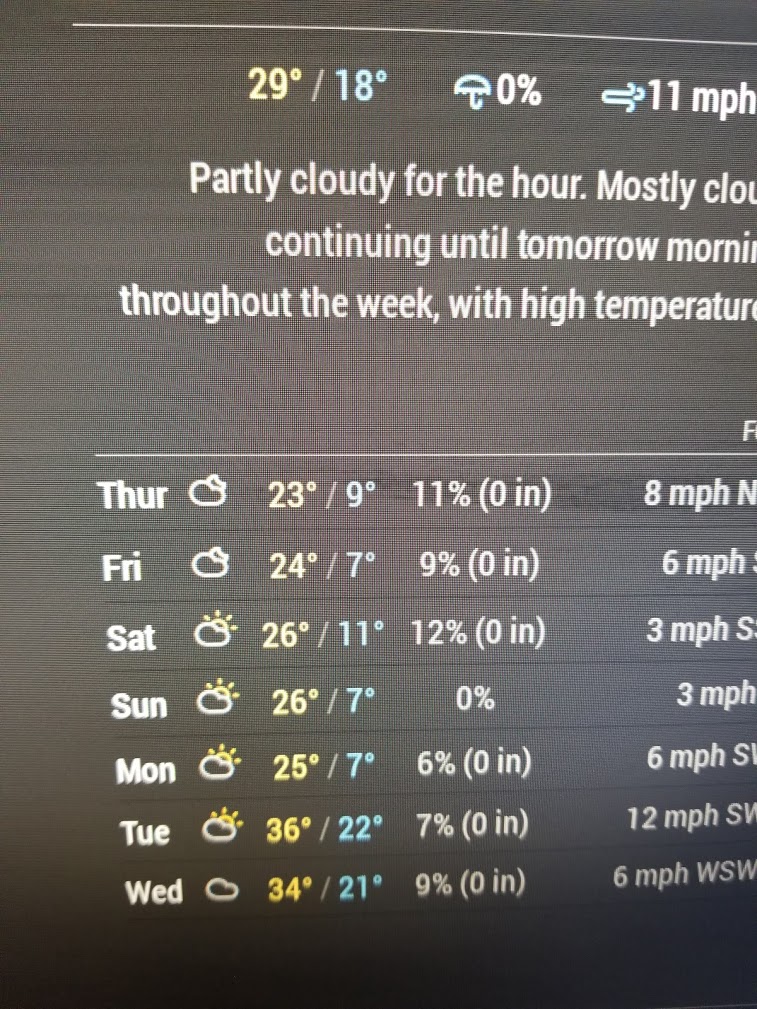
                0_1544068035128_20181205_213829.jpg

                1 Reply Last reply Reply Quote 0
                • S Offline
                  shbatm Module Developer
                  last edited by

                  @j-e-f-f Awesome module! Great replacement for MMM-Wunderground.

                  Is there a way to turn off the total precipitation and max wind speed for the forecasts in the table, without turning it off for the current conditions?

                  J 1 Reply Last reply Reply Quote 0
                  • J Offline
                    j.e.f.f Project Sponsor Module Developer @shbatm
                    last edited by

                    @shbatm You can do this in your custom.css file. First make sure both showPrecipitation and showWind are set to true in your config, and showForecastTableColumnHeaderIcons is to false.

                    Next, add the following to your custom.css file:

                    .MMM-DarkSkyForecast .wrapper.tiled .forecast-container .forecast-item .precipitation-container,
                    .MMM-DarkSkyForecast .wrapper.tiled .forecast-container .forecast-item .wind-container,
                    .MMM-DarkSkyForecast .wrapper.table .forecast-container .forecast-item .precipitation-container,
                    .MMM-DarkSkyForecast .wrapper.table .forecast-container .forecast-item .wind-container {
                        display: none;
                    }
                    
                    1 Reply Last reply Reply Quote 1
                    • S Offline
                      shbatm Module Developer
                      last edited by

                      @j-e-f-f Thanks. I got it with the following. I was just wondering if you had a config option for it that I missed.

                      .MMM-DarkSkyForecast .forecast-container .wind-gusts, 
                      .MMM-DarkSkyForecast .forecast-container .accumulation {
                          display: none !important;
                      }
                      
                      1 Reply Last reply Reply Quote 0
                      • michael5rM Offline
                        michael5r Module Developer
                        last edited by

                        Great module - I really liked the fact that you had everything classed out, so it was super easy to manipulate the UI without having to screw with your JS.

                        Looks very nice on my mirror:
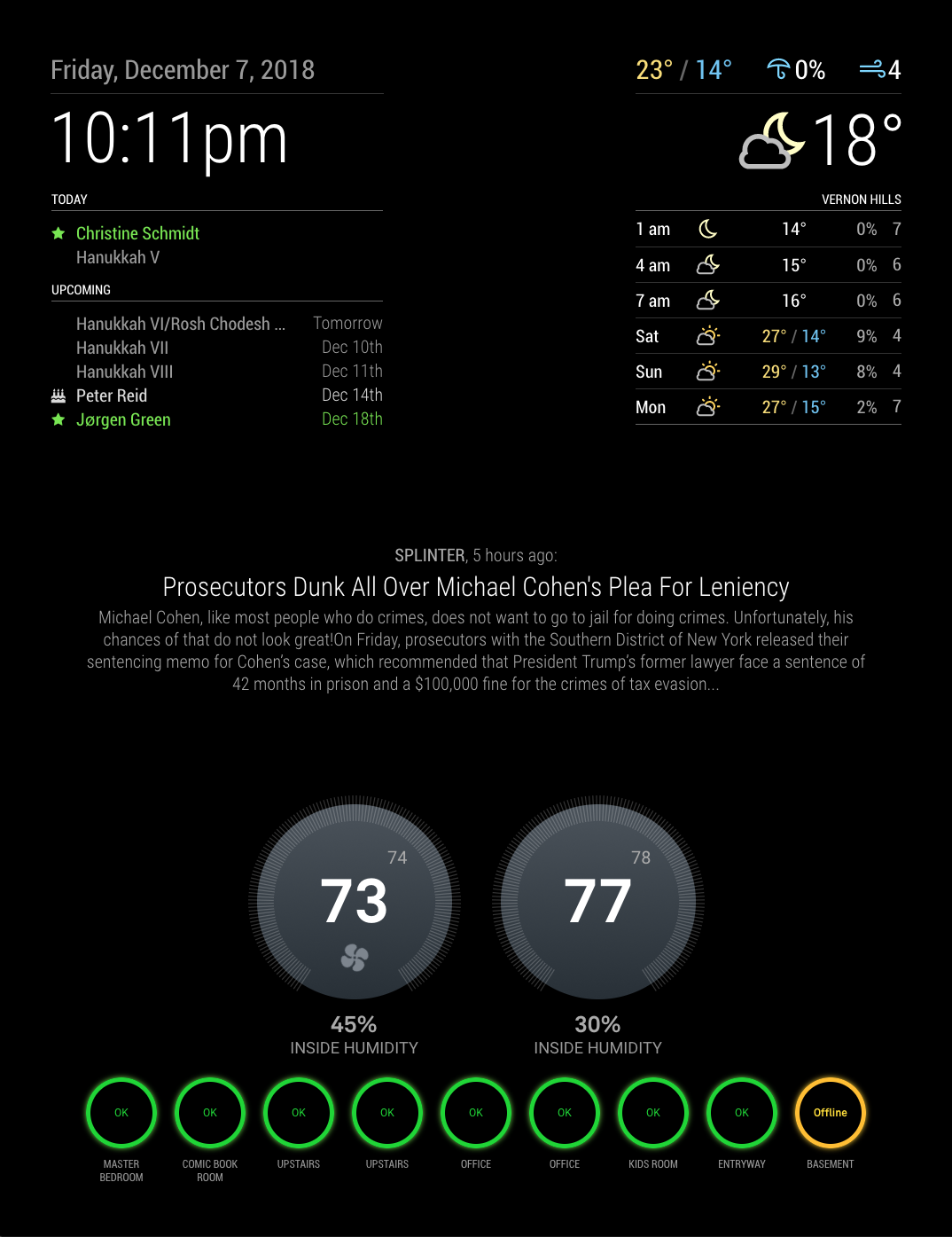
                        0_1544242929790_0921efcf-1970-4d02-9783-d59a612322b1-image.png

                        C C 2 Replies Last reply Reply Quote 1
                        • A Offline
                          Arjan Project Sponsor
                          last edited by

                          first of all, great that you made a new weather module like MMM-WunderGround. I really liked that one.

                          I have a problem with hourlyForecastInterval. If I don’t put it in de config and leave it to the default and put maxHourliesToShow : “6”, in the config, than I receive 6 forecasts with 3 hours apart.
                          When I put hourlyForecastInterval to 1 or 2 I only get 2 forecasts that are 10 hours apart.
                          Is this a problem or am I doing something wrong?

                          J 1 Reply Last reply Reply Quote 0
                          • J Offline
                            j.e.f.f Project Sponsor Module Developer @Arjan
                            last edited by

                            @arjan let me look into this. Doesn’t sound right…

                            1 Reply Last reply Reply Quote 0
                            • K Offline
                              kwabenalexx
                              last edited by kwabenalexx

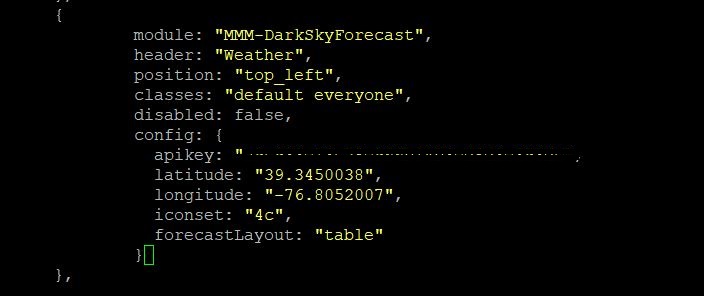
                              Please help.Not sure what I’m doing wrong here but cant seem to have the module show up on the screen. 0_1544341171559_dark.JPG 0_1544341182053_screen.JPG
                              J 1 Reply Last reply Reply Quote 0
                              • J Offline
                                j.e.f.f Project Sponsor Module Developer @kwabenalexx
                                last edited by

                                @kwabenalexx Your exact config works for me as-is. But I noticed it looks like you also have another weather module running. I wonder if something is clashing… can you try to disable the other one and try DarkSky again?

                                Also, did you run npm install in the MMM-DarkSkyForecast directory?

                                K 1 Reply Last reply Reply Quote 0
                                • K Offline
                                  kwabenalexx @j.e.f.f
                                  last edited by

                                  @j-e-f-f said in MMM-DarkSkyForecast - Yet ANOTHER weather module:

                                  MM

                                  Thanks for the help. I deleted the other weather module and it worked. Now i see my units are in Km/h instead of miles/hr and the temperature readings are different from my local weather alerts my area

                                  michael5rM 1 Reply Last reply Reply Quote 0
                                  • michael5rM Offline
                                    michael5r Module Developer @kwabenalexx
                                    last edited by

                                    @kwabenalexx Add:

                                    units: 'us'
                                    

                                    to the DarkSkyForecast config to switch to imperial units. It’s the default for darksky, but not the default for this module.

                                    K J 2 Replies Last reply Reply Quote 0
                                    • K Offline
                                      kwabenalexx @michael5r
                                      last edited by

                                      @michael5r i added that to the config file and i get ‘‘Please create a config File’’ page

                                      1 Reply Last reply Reply Quote 0
                                      • K Offline
                                        kwabenalexx
                                        last edited by

                                        it’s fixed. thanks for all your help. i had to add a comma (,)

                                        1 Reply Last reply Reply Quote 0
                                        • J Offline
                                          j.e.f.f Project Sponsor Module Developer @michael5r
                                          last edited by

                                          @michael5r said in MMM-DarkSkyForecast - Yet ANOTHER weather module:

                                          Add:
                                          units: ‘us’

                                          to the DarkSkyForecast config to switch to imperial units. It’s the default for darksky, but not the default for this module.

                                          Yeah I did that intentionally because I’m Canadian and Imperial units make no sense to me ;)

                                          1 Reply Last reply Reply Quote 0
                                          • J Offline
                                            j.e.f.f Project Sponsor Module Developer
                                            last edited by

                                            Hi folks

                                            Just wanted to let you know that with the latest update of this module, I’ve modified it to use the Nunjucks HTML templating system. This means as of version 1.6 of MMM-DarkSkyForecast, you’ll need to run it on MagicMirror 2.2.0 or later. It won’t run at all on older versions.

                                            If you’re running an older version of MagicMirror and you still want to use my module, then please download the source for version 1.5 from here:

                                            https://github.com/jclarke0000/MMM-DarkSkyForecast/releases/tag/v1.5

                                            Note that I will not update v1.5 with any new features or bug fixes. All future development work will be done against v1.6 and above. If you want the latest and greatest, then you’ll need to update MagicMirror.
                                            1 Reply Last reply Reply Quote 1

                                            Hello! It looks like you're interested in this conversation, but you don't have an account yet.

                                            Getting fed up of having to scroll through the same posts each visit? When you register for an account, you'll always come back to exactly where you were before, and choose to be notified of new replies (either via email, or push notification). You'll also be able to save bookmarks and upvote posts to show your appreciation to other community members.

                                            With your input, this post could be even better 💗

                                            Register Login

                                            • 1
                                            • 2
                                            • 13
                                            • 14
                                            • 15
                                            • 16
                                            • 17
                                            • 17 / 17
                                            • First post
                                              Last post
                                            Enjoying MagicMirror? Please consider a donation!
                                            MagicMirror created by Michael Teeuw.
                                            Forum managed by Sam, technical setup by Karsten.
                                            This forum is using NodeBB as its core | Contributors
                                            Contact | Privacy Policy