Read the statement by Michael Teeuw here.
[MMM-Remote-Control](v2-dev) Extensible REST API, Dynamic Menus, and Socket Communications, plus other updates
-
@shbatm I need to replace the monitor ON / OFF commands with these TV ones from the package ‘cec-client’.
Where do I have to look at?
TV ON:
echo on 0 | cec-client -s -d 1TV OFF:
echo standby 0 | cec-client -s -d 1TV Status:
echo pow 0 | cec-client -s -d 1 -
@shbatm said in [MMM-Remote-Control](v2-dev) Extensible REST API, Dynamic Menus, and Socket Communications, plus other updates:
@nobita said in [MMM-Remote-Control](v2-dev) Extensible REST API, Dynamic Menus, and Socket Communications, plus other updates:
I have to Remove from jopyth or not
You can checkout my fork/branch without removing @Jopyth’s by adding a remote:
$ cd ~/MagicMirror/modules/MMM-Remote-Control
$ git remote add shbatm https://github.com/shbatm/MMM-Remote-Control.git
$ git fetch shbatm
$ git checkout -b shbatm-develop shbatm/develop
$ npm install
After that you can switch back and forth using
git checkout masterandgit checkout shbatm-develop@shbatm
I followed this and I am on the dev branch but when I launch the remote in browser I don’t see any of the added features? -
@swvalenti Most of the changes are in the background with the API and are enabled by default, but the new front-end features have to be turned on in your config:
{ module: 'MMM-Remote-Control' // uncomment the following line to show the URL of the remote control on the mirror // , position: 'bottom_left' // you can hide this module afterwards from the remote control itself config: { customCommand: {}, // Optional, See "Using Custom Commands" below customMenu: "custom_menu.json", // Optional, See "Custom Menu Items" below showModuleApiMenu: true, // Optional, Enable the Module Controls menu pm2ProcessName: "mm", // Optional, if you don't use the default PM2 process, provide the name here. apiKey: "", // Optional, See API/README.md for details } }, -
-
I am unable to switch back to master after
git checkout masterin the $ cd ~/MagicMirror/modules/MMM-Remote-Control what am I doing wrong? -
@cr4z33 said in [MMM-Remote-Control](v2-dev) Extensible REST API, Dynamic Menus, and Socket Communications, plus other updates:
@shbatm I need to replace the monitor ON / OFF commands with these TV ones from the package ‘cec-client’.
Where do I have to look at?
TV ON:
echo on 0 | cec-client -s -d 1TV OFF:
echo standby 0 | cec-client -s -d 1TV Status:
echo pow 0 | cec-client -s -d 1@shbatm so I found out by myself the lines to edit in node_helper.js.
I can succesfully turn off the TV by using the remote module, but for some unknown reason I can’t turn it on… :thinking_face:
Running the command from the terminal works perfectly. -
@swvalenti what does the command say? also do git branch to see what branch you are on
-
@sdetweil on the dev branch below is the error
git checkout master
error: pathspec ‘master’ did not match any file(s) known to git. -
@swvalenti ok, what does git branch say
-
@sdetweil develop
- shbatm-develop
-
@swvalenti so there is no branch called ‘master’
-
@sdetweil oh boy that is odd, how do I get the master back?
-
@swvalenti rename the current folder/directory out of the way, and git clone the remote repo (your fork or his ) again.
then get to the right branch, and then copy any modified files from the saved repo into this new copy,
once complete, remove the old saved directory -
@swvalenti the master repo has master and develop as branches
-
@cr4z33 try adding them using the customCommands config setting (see the develop branch README.
-
@shbatm OK thanks I will try that tomorrow.
-
@shbatm said in [MMM-Remote-Control](v2-dev) Extensible REST API, Dynamic Menus, and Socket Communications, plus other updates:
@cr4z33 try adding them using the customCommands config setting (see the develop branch README.
I set the dev branch module like the following:
		{
			module: 'MMM-Remote-Control',
			disabled: false,
			customCommand: {
					monitorOnCommand: 'echo on 0 | cec-client -s -d 1',
					monitorOffCommand: 'echo standby 0 | cec-client -s -d 1',
					monitorStatusCommand: 'echo pow 0 | cec-client -s -d 1'
					}
		},
None of the commands are working. :confused_face:
I get the ‘Done’ message, but then nothing happens…The syntax is 100% correct and working if used in the terminal.
-
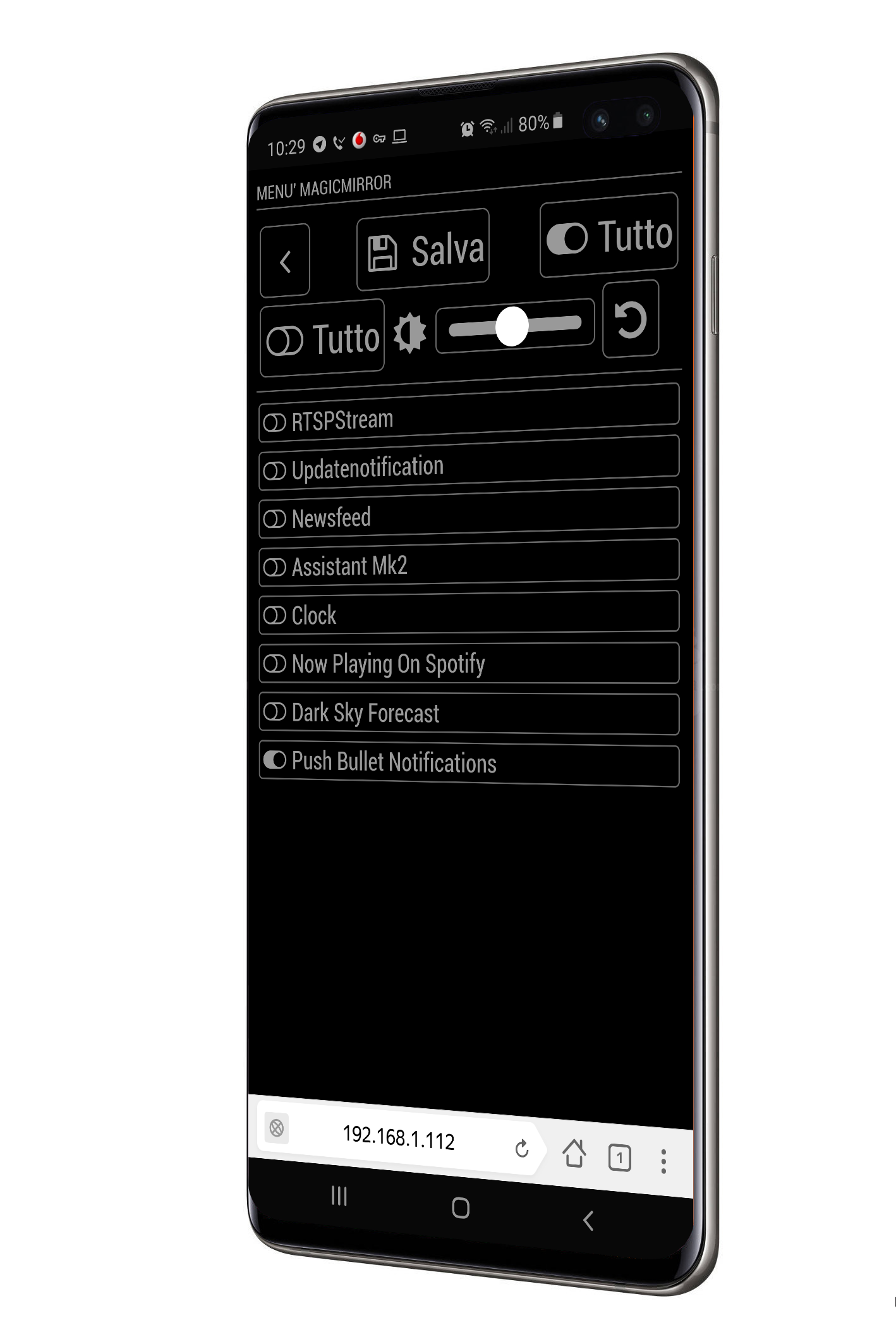
Hi, I can’t see newsfeed options in Module Controls.
Can you help me please? -
-
Hi @shbatm
I already asked this question on git issues on Jopyth’s version but I just figured out that you are the guy behind the custom menu!Would it be possible to have an action item for a menu?
I mean, when you click on the menu, it opens the menu but also as the ability to trigger an action.
Regards


Hello! It looks like you're interested in this conversation, but you don't have an account yet.
Getting fed up of having to scroll through the same posts each visit? When you register for an account, you'll always come back to exactly where you were before, and choose to be notified of new replies (either via email, or push notification). You'll also be able to save bookmarks and upvote posts to show your appreciation to other community members.
With your input, this post could be even better 💗
Register Login