Read the statement by Michael Teeuw here.
Stop the screensaver!
-
@m0111k said in Stop the screensaver!:
ps im newb here, how can i remove xscreensaver when it doesnt work? Thanks
sudo apt-get remove xscreensaverHowever, I don’t think xscreensaver is capable of putting your display into standby. That is likely your system or settings.
-
@Mykle1
Is there any possibillity that Lucy interacts somehow with the screen saver? I am asking this because I have installed xscreensaver and working good but if I have lucy enabled I get the black screen and I must move the mouse to sho the MM again. Just a thought! -
Perhaps, but I’ve never seen this behavior or heard about it before this. I will see if I can reproduce that here.
-
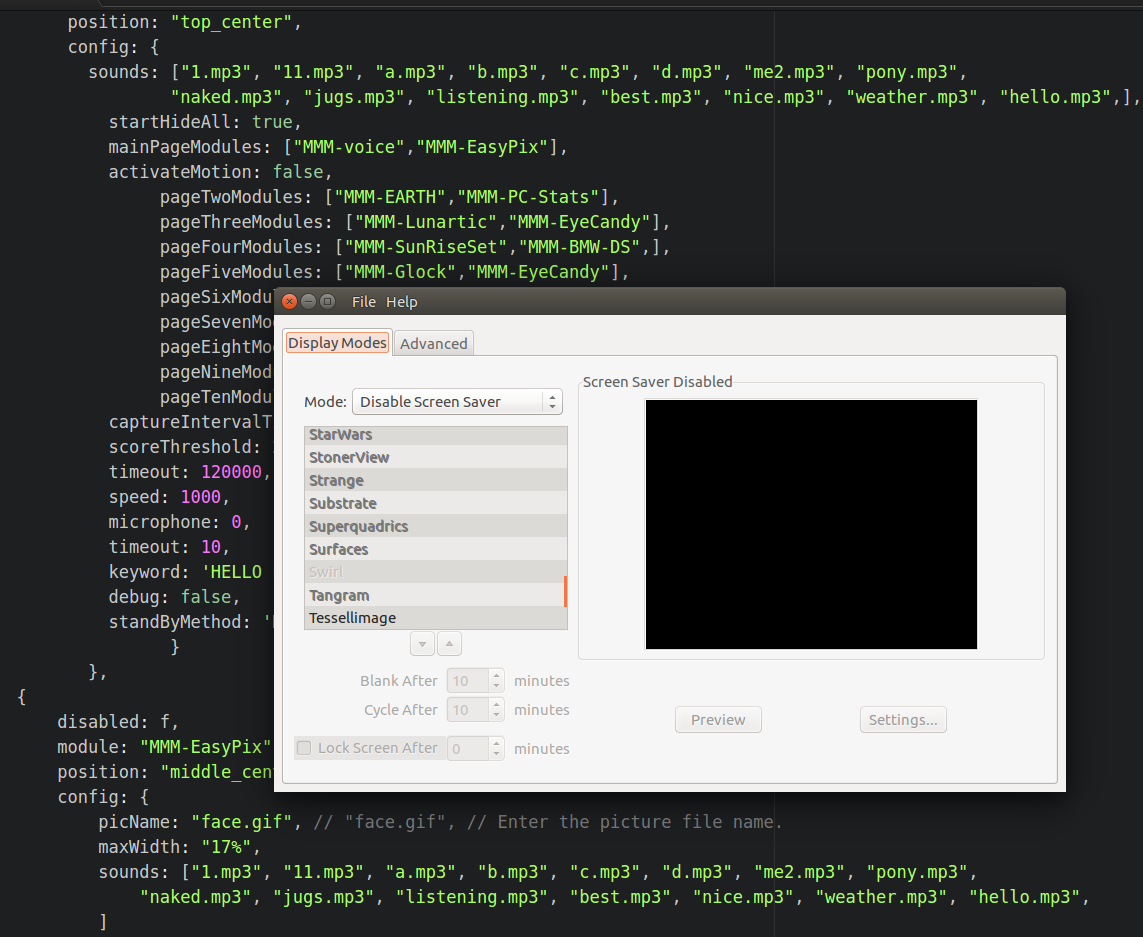
I’m not seeing this behavior at all. You can clearly see that I have xscreensaver running with the “Screen Saver DIsabled” but I can’t reproduce what it happening to you. Lucy responds normally and no black screen issue. If you say “SHOW MODULES” does Lucy show them?

Edit: Something seems to be amiss. The forum isn’t allowing me to post an image at the moment.
Picture below.
-
-
@Mykle1
Thank you for your reply. I haven’t try to see if Lucy works when I see the black screen because I can’t see the “Say, ‘Hello Lucy’” message and because of the latency problems I have I don’t know when it recognizes the keyword and wait for commands. My guess is that it will work but when I am finished with my mirrorsetup I will hung it on the wall so I won’t have mouse and keyboard connected to move or press a button for the mirror to show. Also the black screen appears not only in the standby mode. Last night I left the mirror showing my page 1 modules and in the morning I saw the black screen again. Moved the mouse and evertything showed up. -
@Anthony said in Stop the screensaver!:
Moved the mouse and evertything showed up.
that means screensaver kicked in… MM doesn’t do module visibility by mouse movement…
-
@sdetweil
I agree. But it doesn’t happen when I have voice disabled in my config. And I realized that it also doesn’t happen with voice enabled and MMM-ImageSlideShow showing my pics. Maybe because the pictures change every 10 seconds. But if I have voice enabled and MM shows only clock, calendar, weather etc after 30 minutes screen goes black. -
@Anthony and if MM is not running at all, what happens?
I run voice, and imageslideshow and don’t see this. If I shut down MM, screen will stay in forever
-
@sdetweil
Mine too. If MM is shut down my screen is always on. This also happen if modules with movement are shown in the MM like MMM-ImageSlideShow which have pictures rotating. My screen goes black only when I have modules like clock,calendar,forunecookie,rfacs etc shown. I don’t know if a specific module cause this. For example I now have my MM on for 5 days without black screen and the modules shown are clock, calendar, stats, compliments, news, pictures and weather. If I hide pictures module or replace it with rfacts for example in about half an hour I will get the screensaver black screen. -
Update.
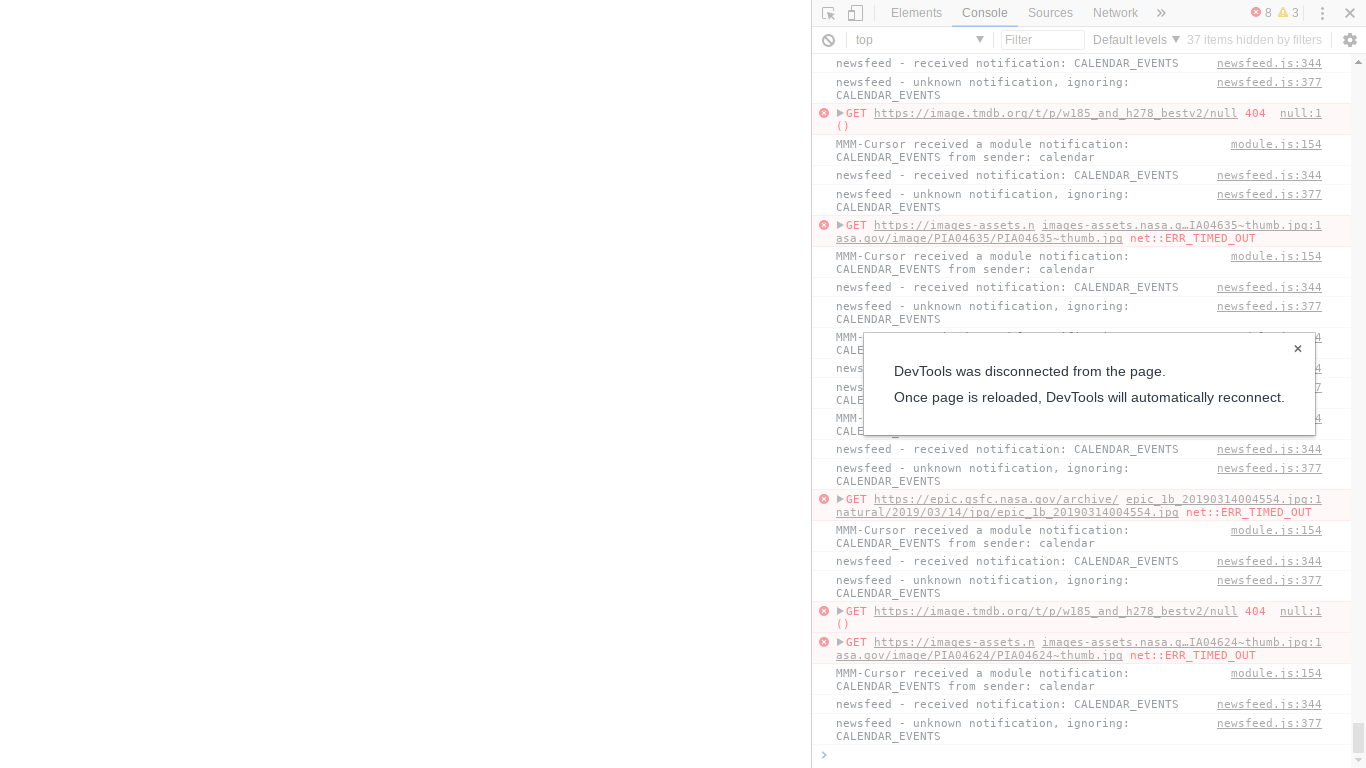
Last 3-4 days my MM was running just fine without screensaver appears. Last night it happened again so I restart MM in dev mode to see if I find an error after the the screensaver’s black screen. When I moved the mouse (after some time the screensaver had appeared) the screen was white and in dev console I had a message saying websocket disconnected or something like that. Usually when I moved the mouse after the screensaver and without the dev tools enabled the black screen dissapears and I get my MM screen back. This time was different. I’ll try to upload a screenshot when I get home. -
usually when u see that the MM runtime has crashed for some reason… even the debug console is gone
I haven’t found a way to debug what has happened… I see this occasionally…
-
This is getting too weird. Yesterday I had the MM running in dev mode and after I saw the screensaver I moved the mouse and everything came back as normal and no errors in the console. I don’t know why this happens not all the time and with different characteristics everytime.
-
@Anthony when the screen went to sleep was the developer window hidden too?
when my MMM-SleepWake hides all the modules, the Developers console is still on the screen
-
@sdetweil
In my case when the screen goes to sleep everything is hidden, modules, dev console etc. I see only black screen. Is there any possibility that pi “forgets” the setting to disable the screensaver? I will try to go and change this setting and after put it back again to see if anyhting changes. -
@Anthony interesting… neither of my systems has forgotten the screen saver setting, been running for over 2 years now…
-
@sdetweil
I don’t think that this is the problem but I want to test it just in case. -
At this point, I’m thinking a
sudo apt-get update && sudo apt-get upgrademight be in order. There could be a bug in the Pi’s power management routines. -
@bhepler
I will try this as well but 3 days now the problem does not appear. I haven’t touch anything on my MM and I don’t see the black screen. I will try asudo apt-get update && sudo apt-get upgradealthough. It is always usefull. Thank you. -
This is a screenshot of what happened after about half an hour after restarting magic mirror.


Hello! It looks like you're interested in this conversation, but you don't have an account yet.
Getting fed up of having to scroll through the same posts each visit? When you register for an account, you'll always come back to exactly where you were before, and choose to be notified of new replies (either via email, or push notification). You'll also be able to save bookmarks and upvote posts to show your appreciation to other community members.
With your input, this post could be even better 💗
Register Login