MagicMirror Forum
    • Recent
    • Tags
    • Unsolved
    • Solved
    • MagicMirror² Repository
    • Documentation
    • 3rd-Party-Modules
    • Donate
    • Discord
    • Register
    • Login
    A New Chapter for MagicMirror: The Community Takes the Lead
    Read the statement by Michael Teeuw here.

    24 Hour clock problem

    Scheduled Pinned Locked Moved Bug Hunt
    25 Posts 5 Posters 12.0k Views 4 Watching
    Loading More Posts
    • Oldest to Newest
    • Newest to Oldest
    • Most Votes
    Reply
    • Reply as topic
    Log in to reply
    This topic has been deleted. Only users with topic management privileges can see it.
    • R Offline
      Rasmus rytter @Nilnik
      last edited by

      Thanks so much @nilnik
      but the calendar dos not show up?

      0_1546203530434_3e267607-d256-445e-83fc-bb2972dfbbb5-image.png

      1 Reply Last reply Reply Quote 0
      • N Offline
        Nilnik Project Sponsor
        last edited by

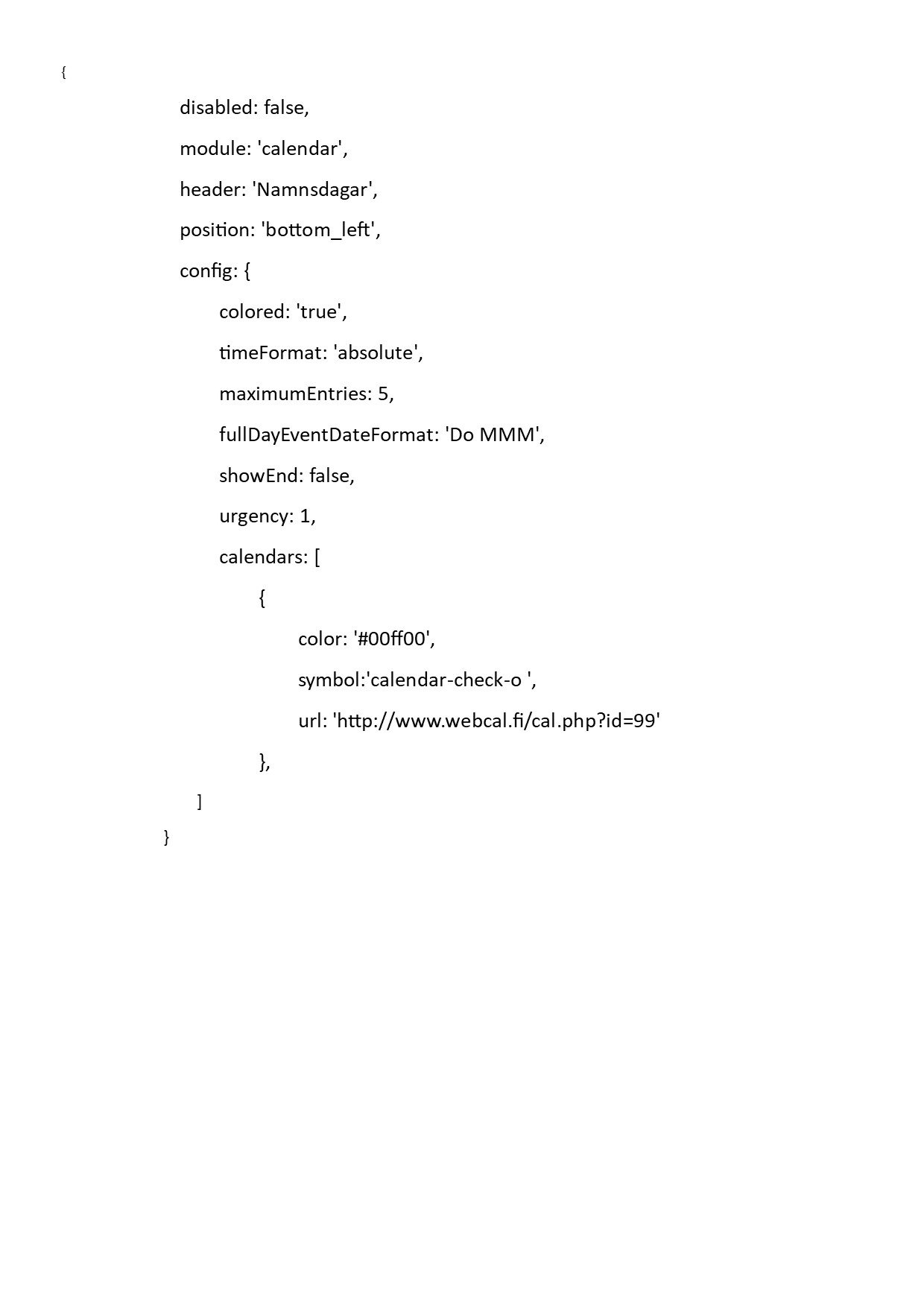
        Here is an example for Swedish namedays:
        0_1546206888006_calendar.jpg

        R 1 Reply Last reply Reply Quote 0
        • N Offline
          Nilnik Project Sponsor
          last edited by

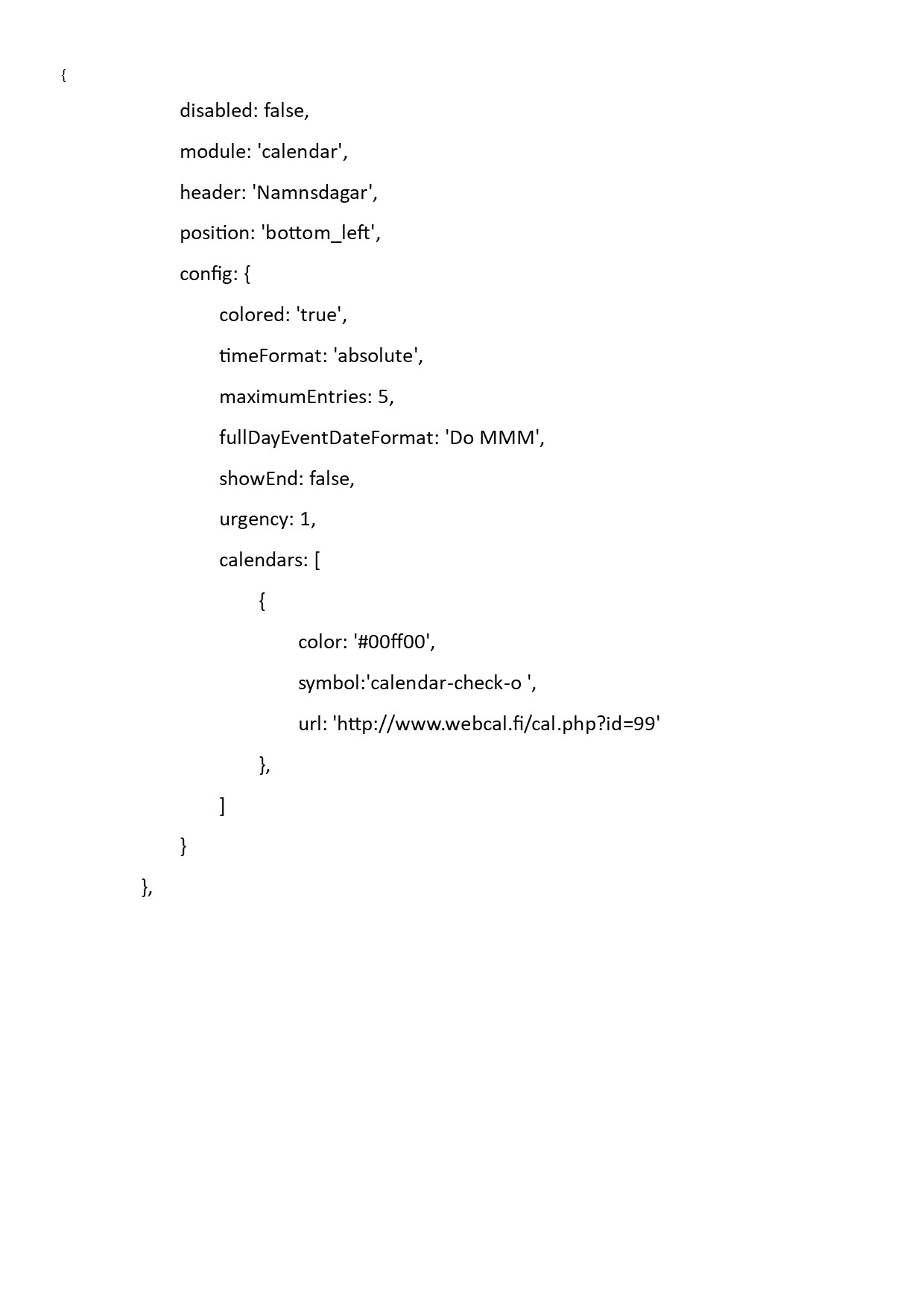
          I missed the last curled bracket, sorry.
          0_1546207377863_calendar.jpg

          1 Reply Last reply Reply Quote 0
          • R Offline
            Rasmus rytter @Nilnik
            last edited by

            thanks @nilnik
            Can u send it as a Text so i can copy it in mine?

            1 Reply Last reply Reply Quote 0
            • N Offline
              Nilnik Project Sponsor
              last edited by

              I don’t know how to,when I paste in the textfile I lose all tabs so you have to put in them
              {
              disabled: false,
              module: ‘calendar’,
              header: ‘Namnsdagar’,
              position: ‘bottom_left’,
              config: {
              colored: ‘true’,
              timeFormat: ‘absolute’,
              maximumEntries: 5,
              fullDayEventDateFormat: ‘Do MMM’,
              showEnd: false,
              urgency: 1,
              calendars: [
              {
              color: ‘#00ff00’,
              symbol:'calendar-check-o ',
              url: ‘http://www.webcal.fi/cal.php?id=99’
              },
              ]
              }
              },

              R Mykle1M 3 Replies Last reply Reply Quote 0
              • R Offline
                Rasmus rytter @Nilnik
                last edited by

                i can try do i have to paste my own google link in insted of urs?

                1 Reply Last reply Reply Quote 0
                • Mykle1M Offline
                  Mykle1 Project Sponsor Module Developer @Nilnik
                  last edited by

                  @nilnik said in 24 Hour clock problem:

                  I don’t know how to,when I paste in the textfile I lose all tabs so you have to put in them

                  https://forum.magicmirror.builders/topic/4247/how-to-post-code-on-the-forum-for-absolute-beginners

                  Create a working config
                  How to add modules

                  1 Reply Last reply Reply Quote 2
                  • N Offline
                    Nilnik Project Sponsor
                    last edited by

                    Thanks, we learn all the time . Happy New year

                    1 Reply Last reply Reply Quote 0
                    • R Offline
                      Rasmus rytter @Nilnik
                      last edited by

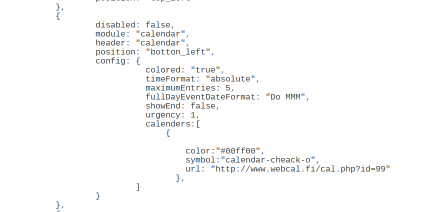
                      I think i have done some wrong but cant find it, there is just the clock in the MM now, no calendar.
                      0_1546209736293_ffd95172-d834-40ae-8925-4b918f88c691-image.png

                      1 Reply Last reply Reply Quote 0
                      • R Offline
                        Rasmus rytter
                        last edited by

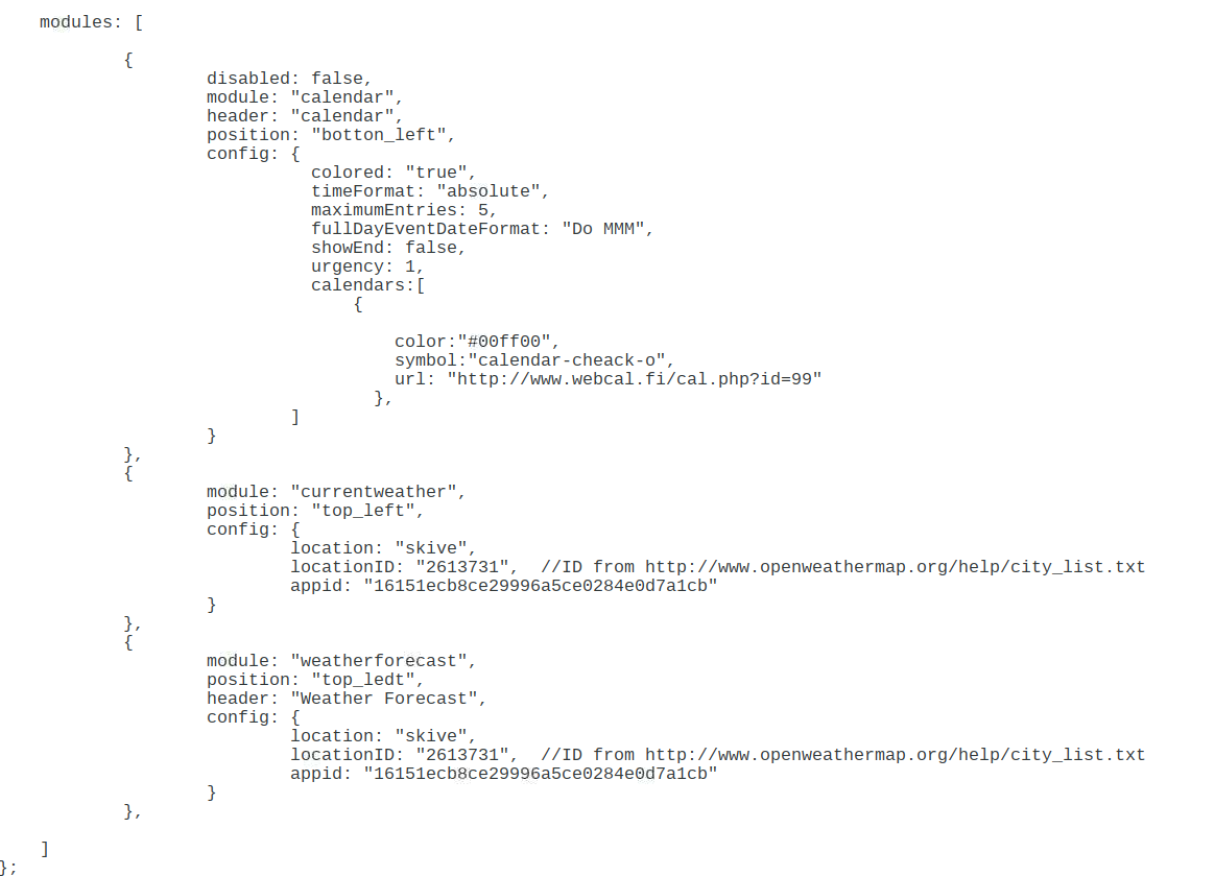
                        Everything has gone except of the clock?
                        0_1546210130560_0ed49340-5312-4c32-91b3-a0d63d4d3d45-image.png

                        Mykle1M 1 Reply Last reply Reply Quote 0
                        • N Offline
                          Nilnik Project Sponsor
                          last edited by

                          Try this link: https://github.com/MichMich/MagicMirror/wiki/faq#q-im-having-problems-with-my-configjs-but-cant-find-the-issue-

                          1 Reply Last reply Reply Quote 0
                          • R Offline
                            Rasmus rytter
                            last edited by

                            I try to do it all over do anyone have a clear starting config i can copy?

                            Mykle1M 1 Reply Last reply Reply Quote 0
                            • Mykle1M Offline
                              Mykle1 Project Sponsor Module Developer @Rasmus rytter
                              last edited by

                              @rasmus-rytter

                              You don’t have your config.js.sample file?

                              var config = {
                              	address: "localhost", // Address to listen on, can be:
                              	                      // - "localhost", "127.0.0.1", "::1" to listen on loopback interface
                              	                      // - another specific IPv4/6 to listen on a specific interface
                              	                      // - "", "0.0.0.0", "::" to listen on any interface
                              	                      // Default, when address config is left out, is "localhost"
                              	port: 8080,
                              	ipWhitelist: ["127.0.0.1", "::ffff:127.0.0.1", "::1"], // Set [] to allow all IP addresses
                              	                                                       // or add a specific IPv4 of 192.168.1.5 :
                              	                                                       // ["127.0.0.1", "::ffff:127.0.0.1", "::1", "::ffff:192.168.1.5"],
                              	                                                       // or IPv4 range of 192.168.3.0 --> 192.168.3.15 use CIDR format :
                              	                                                       // ["127.0.0.1", "::ffff:127.0.0.1", "::1", "::ffff:192.168.3.0/28"],
                              
                              	language: "en",
                              	timeFormat: 24,
                              	units: "metric",
                              
                              	modules: [
                              		{
                              			module: "alert",
                              		},
                              		{
                              			module: "updatenotification",
                              			position: "top_bar"
                              		},
                              		{
                              			module: "clock",
                              			position: "top_left"
                              		},
                              		{
                              			module: "calendar",
                              			header: "US Holidays",
                              			position: "top_left",
                              			config: {
                              				calendars: [
                              					{
                              						symbol: "calendar-check-o ",
                              						url: "webcal://www.calendarlabs.com/templates/ical/US-Holidays.ics"
                              					}
                              				]
                              			}
                              		},
                              		{
                              			module: "compliments",
                              			position: "lower_third"
                              		},
                              		{
                              			module: "currentweather",
                              			position: "top_right",
                              			config: {
                              				location: "New York",
                              				locationID: "",  //ID from http://bulk.openweathermap.org/sample/; unzip the gz file and find your city
                              				appid: "YOUR_OPENWEATHER_API_KEY"
                              			}
                              		},
                              		{
                              			module: "weatherforecast",
                              			position: "top_right",
                              			header: "Weather Forecast",
                              			config: {
                              				location: "New York",
                              				locationID: "5128581",  //ID from http://www.openweathermap.org/help/city_list.txt
                              				appid: "YOUR_OPENWEATHER_API_KEY"
                              			}
                              		},
                              		{
                              			module: "newsfeed",
                              			position: "bottom_bar",
                              			config: {
                              				feeds: [
                              					{
                              						title: "New York Times",
                              						url: "http://www.nytimes.com/services/xml/rss/nyt/HomePage.xml"
                              					}
                              				],
                              				showSourceTitle: true,
                              				showPublishDate: true
                              			}
                              		},
                              	]
                              
                              };
                              
                              /*************** DO NOT EDIT THE LINE BELOW ***************/
                              if (typeof module !== "undefined") {module.exports = config;}


                              Create a working config
                              How to add modules

                              1 Reply Last reply Reply Quote 1
                              • bheplerB Offline
                                bhepler Module Developer
                                last edited by

                                Everyone! Please, use the Markdown features of the forum when posting code.

                                @rasmus-rytter said in 24 Hour clock problem:

                                Everything has gone except of the clock?

                                Looking at your config.js file, you are missing the code to include the clock module entirely. @Mykle1 has it correct: It’s best at this point to copy the config.js.sample file to config.js and just start from a known working baseline.

                                1 Reply Last reply Reply Quote 1
                                • Mykle1M Offline
                                  Mykle1 Project Sponsor Module Developer @Rasmus rytter
                                  last edited by

                                  @rasmus-rytter

                                  Also, for future reference, a value of true should not be in quotes as you have in colored: "true", above.

                                  Create a working config
                                  How to add modules

                                  1 Reply Last reply Reply Quote 0
                                  • R Offline
                                    Rasmus rytter
                                    last edited by

                                    Thanks, i learn some new everyday :)

                                    Mykle1M 1 Reply Last reply Reply Quote 0
                                    • Mykle1M Offline
                                      Mykle1 Project Sponsor Module Developer @Rasmus rytter
                                      last edited by

                                      @rasmus-rytter said in 24 Hour clock problem:

                                      Thanks, i learn some new everyday

                                      As do I, my friend. As do I. :thumbsup:

                                      Create a working config
                                      How to add modules

                                      1 Reply Last reply Reply Quote 0

                                      Hello! It looks like you're interested in this conversation, but you don't have an account yet.

                                      Getting fed up of having to scroll through the same posts each visit? When you register for an account, you'll always come back to exactly where you were before, and choose to be notified of new replies (either via email, or push notification). You'll also be able to save bookmarks and upvote posts to show your appreciation to other community members.

                                      With your input, this post could be even better 💗

                                      Register Login

                                      • 1
                                      • 2
                                      • 2 / 2
                                      • First post
                                        Last post
                                      Enjoying MagicMirror? Please consider a donation!
                                      MagicMirror created by Michael Teeuw.
                                      Forum managed by Sam, technical setup by Karsten.
                                      This forum is using NodeBB as its core | Contributors
                                      Contact | Privacy Policy