@Sean Thanks Sean. Is there a way to limit the amount of time for each video in the playlist? Only play for 30 seconds, then switch to the next video in the playlist?
A New Chapter for MagicMirror: The Community Takes the Lead
Read the statement by Michael Teeuw here.
Read the statement by Michael Teeuw here.
I
Offline
Posts
-
RE: MMM-YouTube
-
RE: MMM-YouTube
Love the module. Is it possible to add a feature to allow you to change the video being streamed after a certain amount of time? I’d like to cycle through multiple live video camera streams.
-
RE: Family Map - Location GPS coordinates tracker
Check this module out… I use it to track my kids… Works great…
-
RE: MMM-TracCar
@maxs @justjim1220 I was looking for the samething… zoom level in the map… any luck or options for this?
-
RE: MMM-TracCar
Bump - Is there a way adjust the default zoom level. I find that it is too zoomed in most cases.
-
Little League Score / Standings Module?
Anybody know if there is a module out there that can provide standings for the Little League baseball world series?
-
RE: Tautulli (PlexPy) now playing module
@barnosch thanks for the link. I initially tried setting this up but couldn’t get it to work. Think because it hasn’t been updated in a while and plex changed some of the fields. Looking for something to pull/push directly from tautulli.
-
Tautulli (PlexPy) now playing module
Would love to have a module that displays what’s currently playing and what’s new on my Plex server via Tautulli (aka PlexPy). Tautulli has an api that can pull json data. Anyone up for the task?
-
RE: MMM-OlympicGames
Will this work for the 2018 Olympics? Tried loading it up and got some errors.
-
RE: 27" custom framed magic mirror - fun to get done
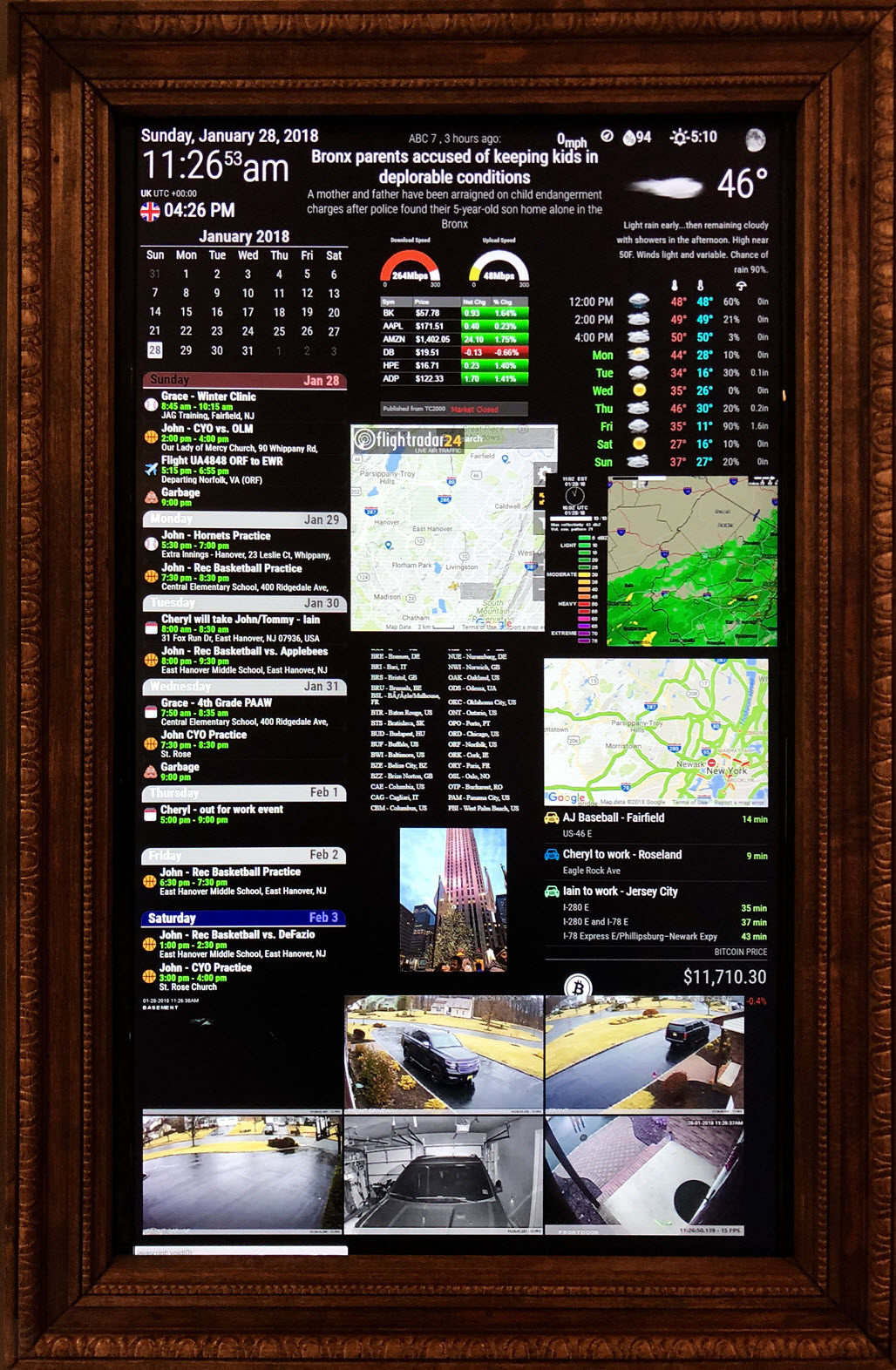
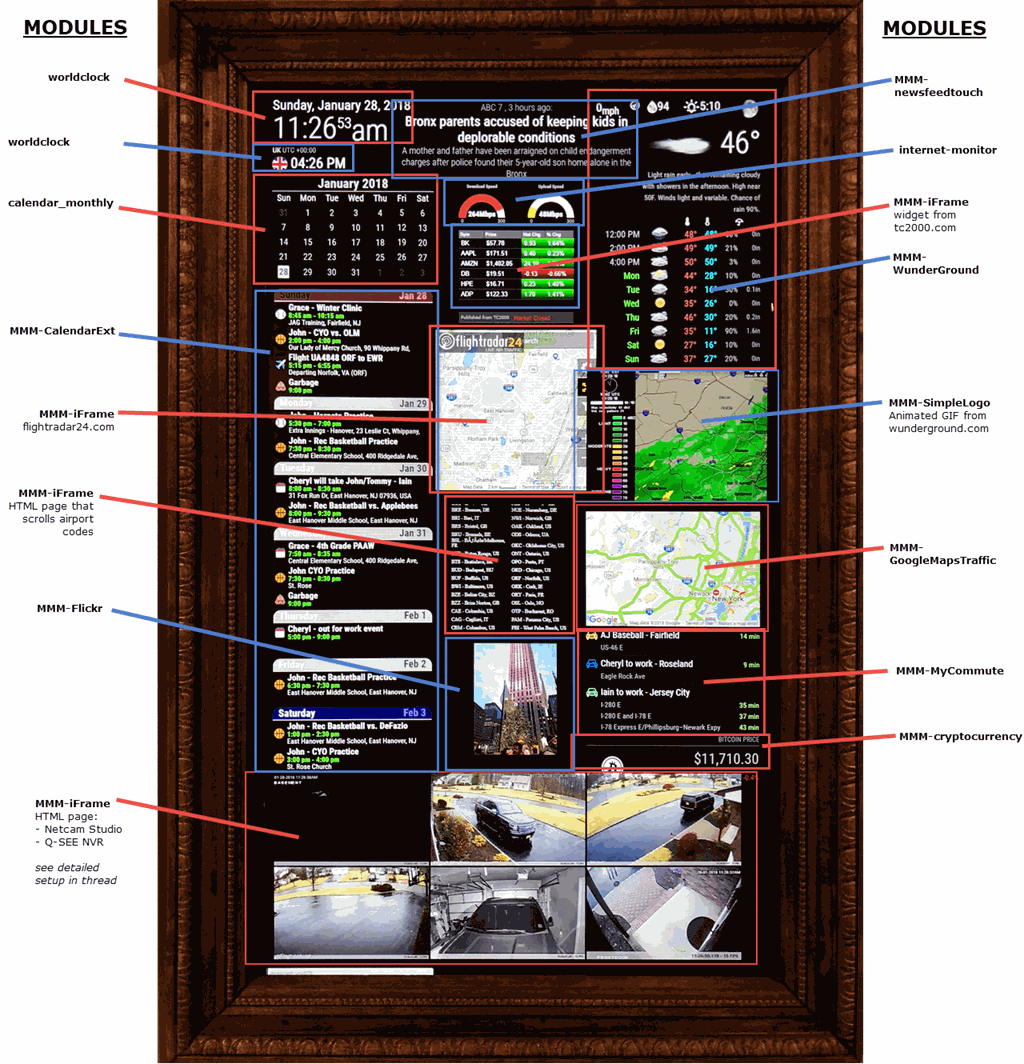
Since my original post, I’ve been tinkering a bit. I originally had the 2-way mirror on, but decided to remove it. Mainly because my wife said it looks like a medicine cabinet, which doesn’t belong in the kitchen. I took the mirror off and use it as a magic dashboard now. It has grown on her… :)
Here is my current setup at the moment.
-
RE: 27" custom framed magic mirror - fun to get done
@zdenek The script included doesn’t have an extension. If that doesn’t work for you try adding the extension of .sh
-
RE: 27" custom framed magic mirror - fun to get done
This is the refresh script included with FullpageOS. Not sure if you need anything else to be able to run it.
#!/bin/bash export DISPLAY=:0 WID=$(xdotool search --onlyvisible --class chromium|head -1) xdotool windowactivate ${WID} xdotool key ctrl+F5 xdotool key F11 -
RE: 27" custom framed magic mirror - fun to get done
I’d love to hear how you have your motion sensor setup with fullpageOS. On my todo list…
-
RE: 27" custom framed magic mirror - fun to get done
There is a refresh script included with fullpageOS. it’s located at /home/pi/scripts/refresh. I added it to the crontab to run every 30min. I also added a line to crontab to reboot at midnight. This helps keep the system fresh and free up any processes or used memory on the Pi.
Here is my config
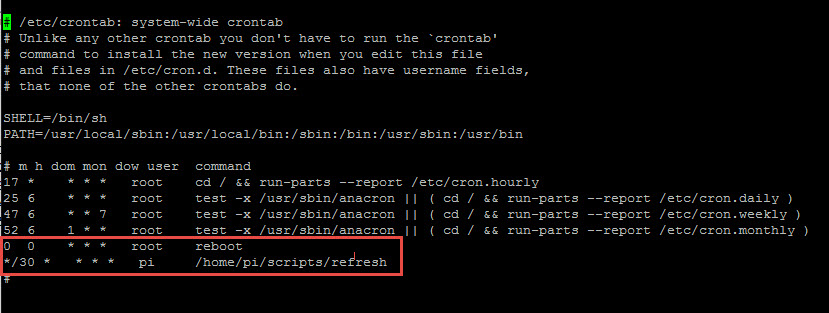
sudo nano /etc/crontab Add: 0 0 * * * root reboot */30 * * * * pi /home/pi/scripts/refresh -
RE: 27" custom framed magic mirror - fun to get done
I used wunderground.com to create the animated radar image and MMM-SimpleLogo to display it.
Create your custom image at https://www.wunderground.com/weather-radar - looks like US, Canda & Australia only. Once created, copy the URL and place it in the MMM-SimpleLogo module.
Wunderground updates the radar image every 10-20 minutes. Since I’m using FullpageOS as my mm frontend I have the page refresh every 30 minutes which then pulls an updated image.
{ module: 'MMM-SimpleLogo', position: 'top_right', // This can be any of the regions. config: { fileUrl: "https://radblast.wunderground.com/cgi-bin/radar/WUNIDS_map?station=DIX&brand=wui&num=1&delay=15&type=N0R&frame=0&scale=1.000&noclutter=0&showstorms=0&mapx=400&mapy=240¢erx=400¢ery=240&transx=0&transy=0&showlabels=1&severe=0&rainsnow=0&lightning=0&smooth=0&rand=24937062&lat=40.75000000&lon=-74.00000000&label=New+York%2C+NY", width: "400px", position: "center", } }, -
RE: 27" custom framed magic mirror - fun to get done
I used the MMM-Rest module to pull the device data via the rest api in Homeseer. Here is the section in my config file. Still work in progress…
module: 'MMM-Rest', header: 'House Status', position: 'top_right', // This can be any of the regions. // Best results in one of the side regions like: top_left config: { debug: false, mappings: { on_off: { true: 'on', false: 'off', }, temperature: { 1: 'cold', 2: 'warm', 3: 'HOT', }, }, sections: [ { format: '%d', url: 'http://yourURLhere:port/HomeSeer_REST_API.aspx?function=getdevicestatusvaluebyid¶m1=108¶m2=value', }, { format: '%df', url: 'http://yourURLhere:port/HomeSeer_REST_API.aspx?function=getdevicestatusvaluebyid¶m1=103¶m2=value', }, { format: '%d', url: 'http://yourURLhere:port/HomeSeer_REST_API.aspx?function=getdevicestatusvaluebyid¶m1=128¶m2=value', }, { format: '%df', url: 'http://yourURLhere:port/HomeSeer_REST_API.aspx?function=getdevicestatusvaluebyid¶m1=187¶m2=value', }, { format: '%d', url: 'http://yourURLhere:port/HomeSeer_REST_API.aspx?function=getdevicestatusvaluebyid¶m1=118¶m2=value', }, { format: '%df', url: 'http://http://yourURLhere:port/HomeSeer_REST_API.aspx?function=getdevicestatusvaluebyid¶m1=113¶m2=value', }, { format: '%df', url: 'http://yourURLhere:port/HomeSeer_REST_API.aspx?function=getdevicestatusvaluebyid¶m1=92¶m2=value', }, { format: '%s', mapping: 'temperature', url: 'http://yourURLhere:port/HomeSeer_REST_API.aspx?function=getdevicestatusvaluebyid¶m1=137¶m2=value', }, { format: '%d', url: 'http://yourURLhere:port/HomeSeer_REST_API.aspx?function=getdevicestatusvaluebyid¶m1=108¶m2=value', }, { format: 'Lights %s', mapping: 'on_off', url: 'http://yourURLhere:port/HomeSeer_REST_API.aspx?function=getdevicestatusvaluebyid¶m1=108¶m2=value', }, ], output: [ ['<b>Location:</b>',,'<b>Temp:</b>'], ['Family Room',,'@2'], ['Living Room','@6'], ['Upstairs','@4'], ['Garage','@7'], ], }, }, -
RE: 27" custom framed magic mirror - fun to get done
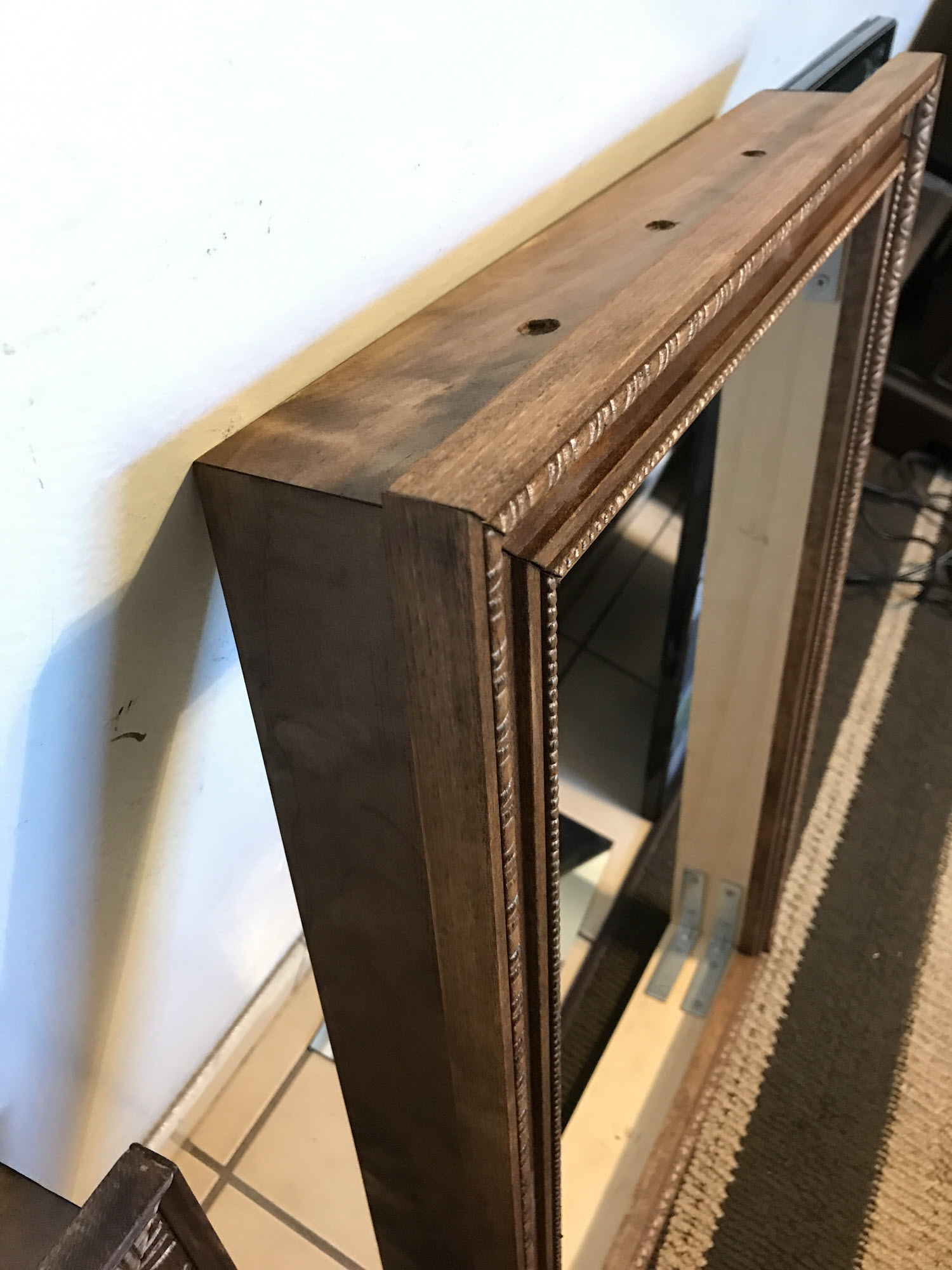
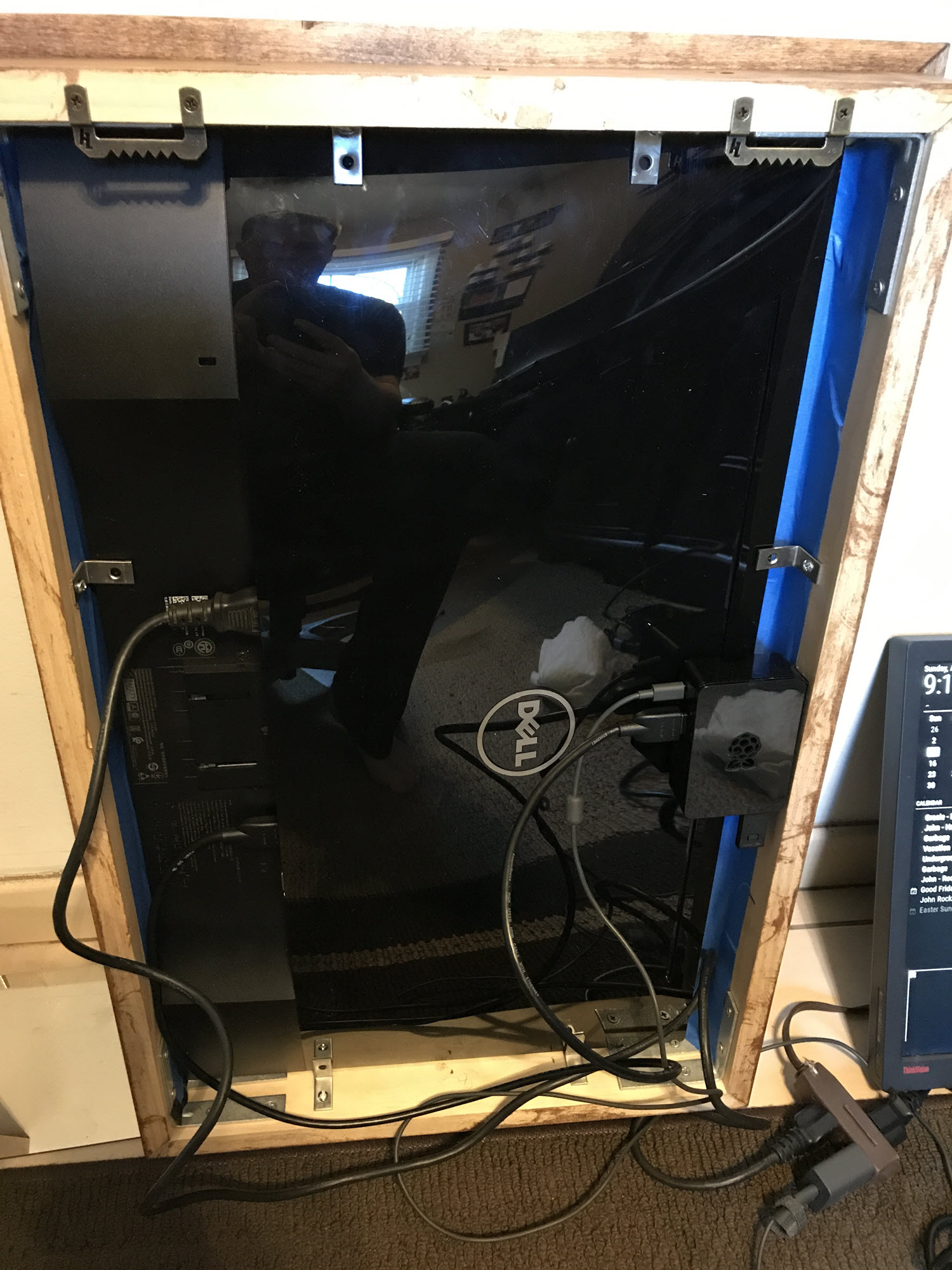
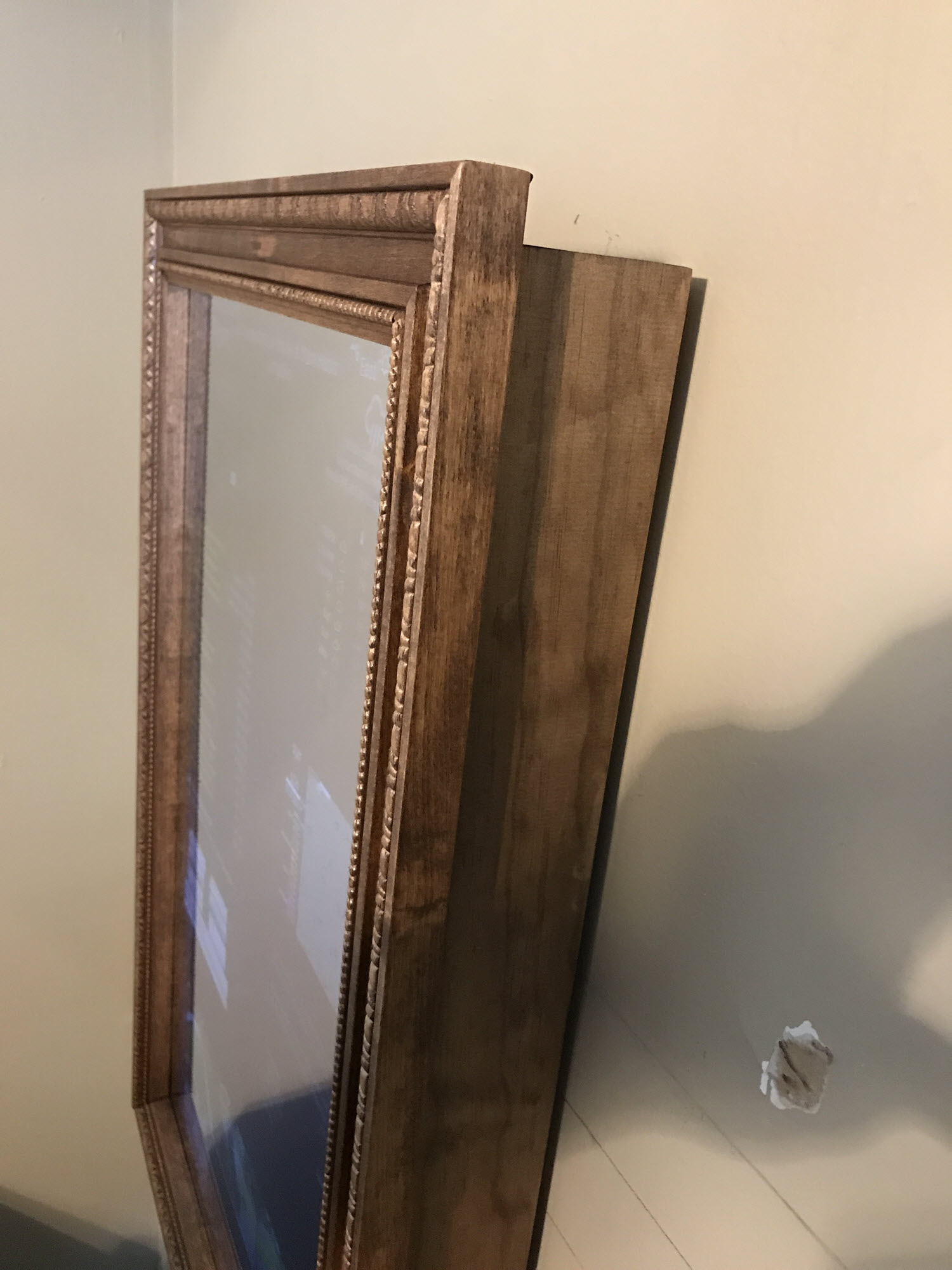
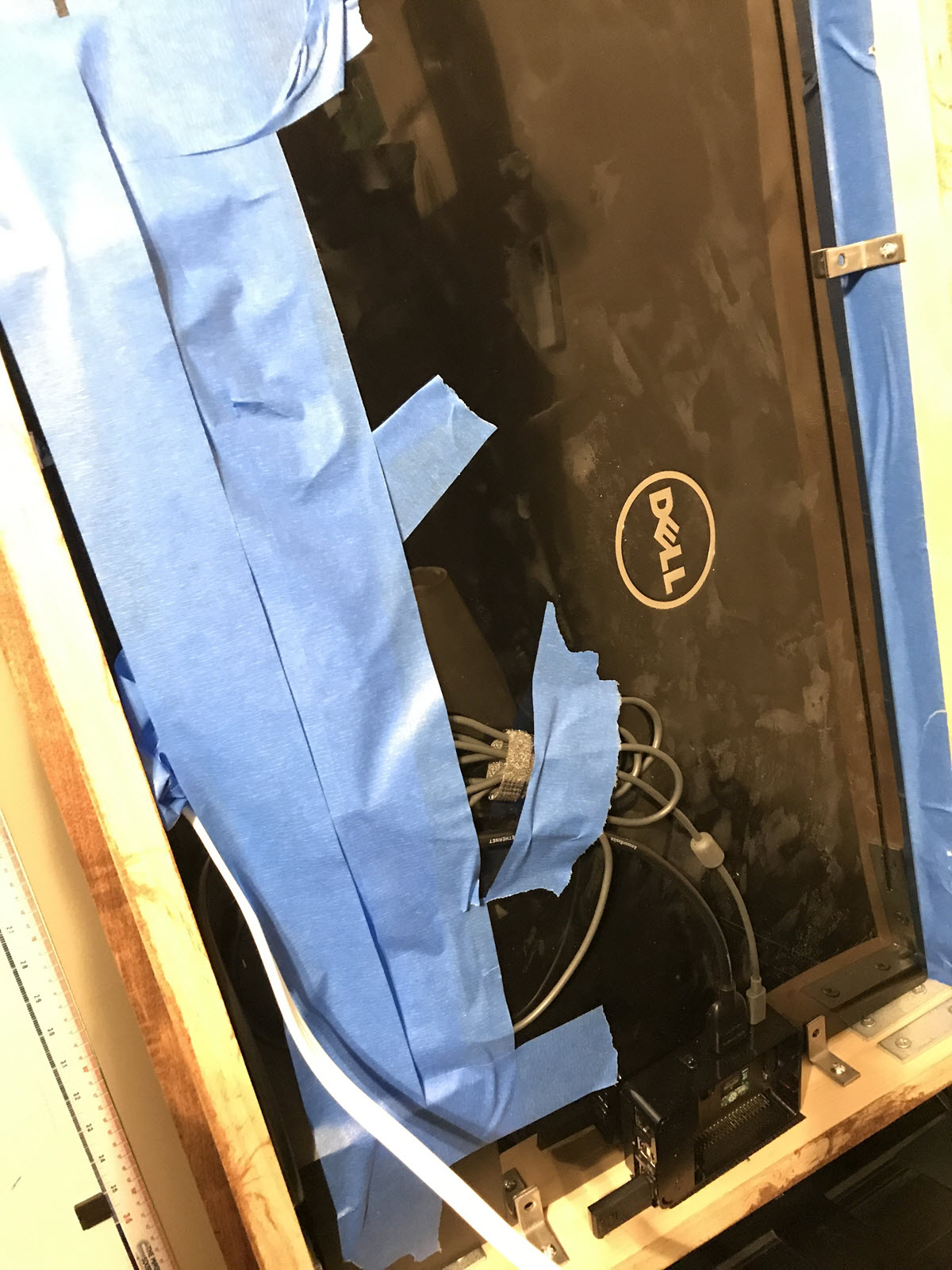
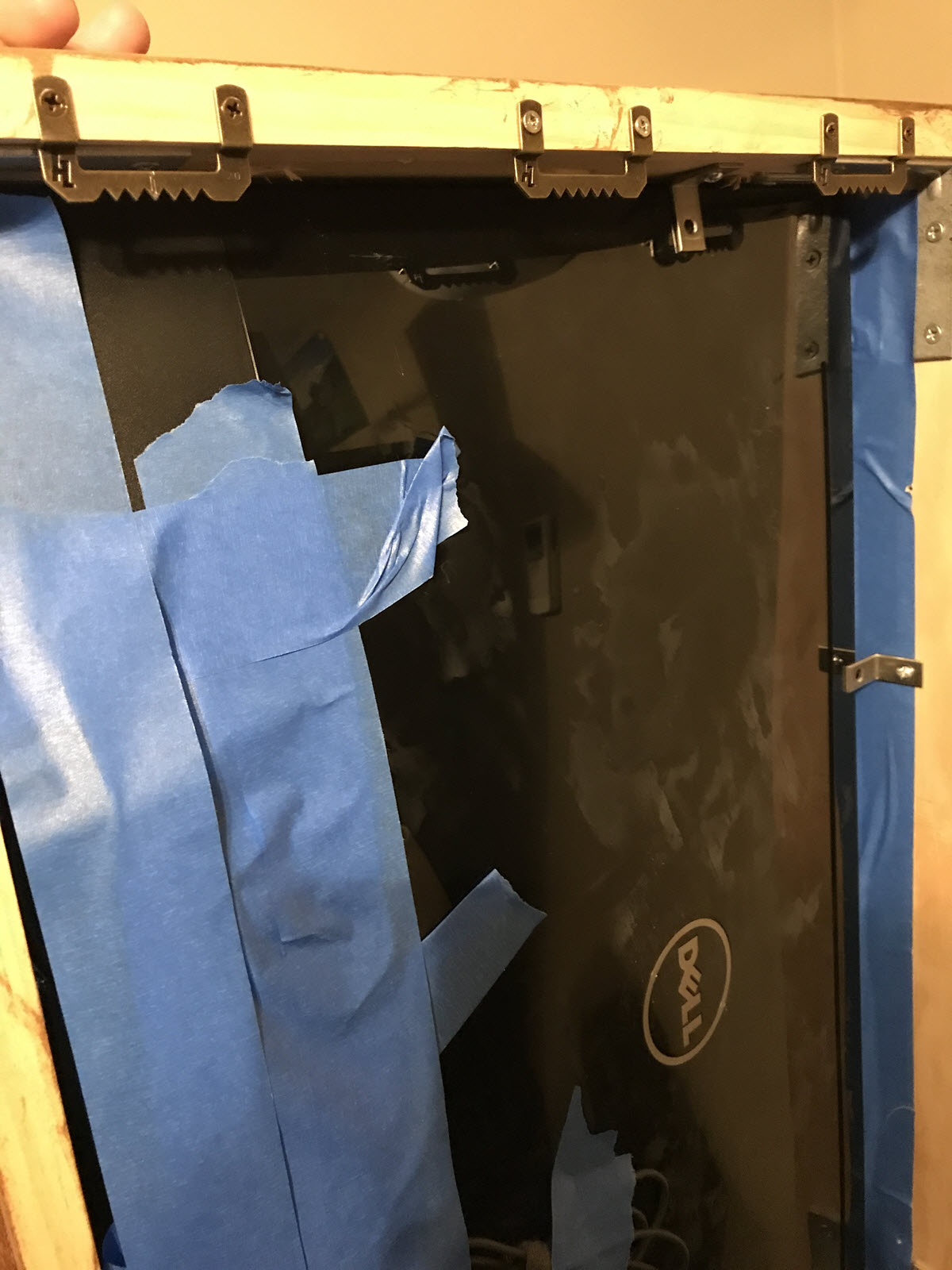
Here are some additional pics… The back isn’t the prettiest, but it does the job. Used painters tape, L brackets and velcro to keep everything in place.
-
RE: 27" custom framed magic mirror - fun to get done
Glad I could inspire you. I do like running it centrally. Since I made this one, I’ve setup another one in my son’s room. Different size screen and content. .All I had to do is run another instance on my server - copy and paste folder and change the config file to my liking… done…
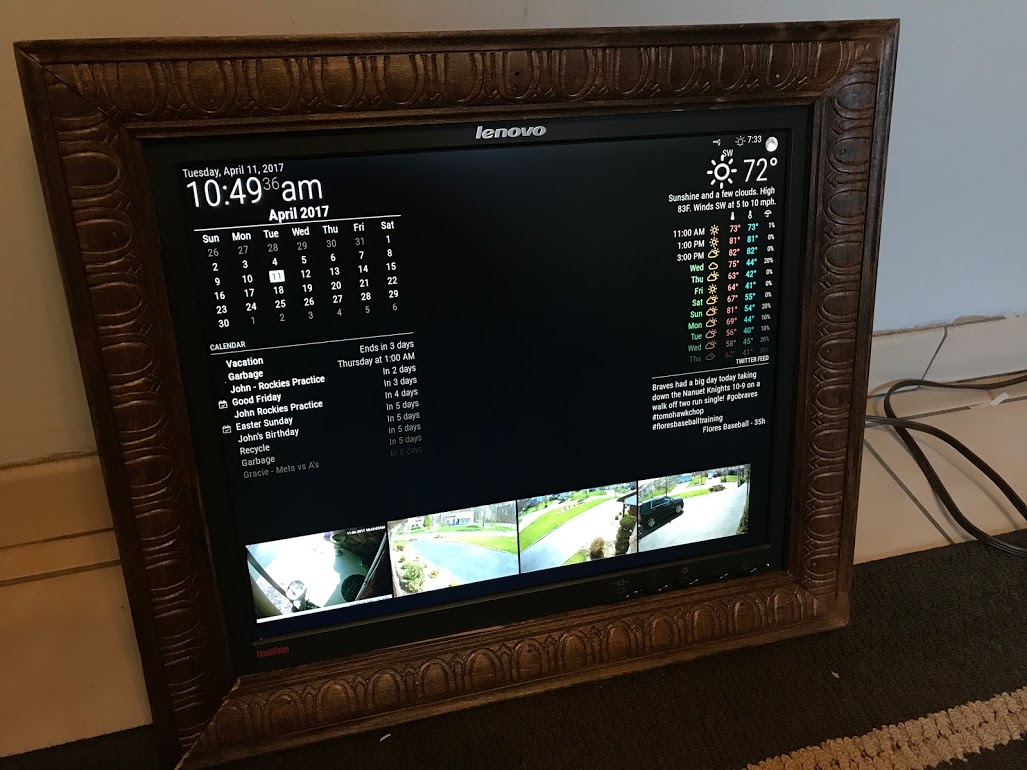
I do not turn my screen off. It’s on my todo list… To your point, it might be a little trick to do so since MM isn’t running locally. We’ll need to find an external solution to do so that works on fullpageOS or whatever platform you are running at the endpoint. If I find something Ill post…