@gwiz you are right on. It was the apiKey that causes the problem. Thanks so much for pointing it out. Would have never guessed it. Have a good day.
M
Offline
A New Chapter for MagicMirror: The Community Takes the Lead
Read the statement by Michael Teeuw here.
Read the statement by Michael Teeuw here.
Posts
-
RE: Mycommute is not working for me
-
Mycommute is not working for me
I got the API from Google. Tested with google link below and was able to see the results in json format.
(https://maps.googleapis.com/maps/api/directions/json?origin=Disneyland&destination=Universal+Studios+Hollywood&key=enter_my_api_key)When I tried running in MM, I get “Must use an API key to authenticate each request”. Any pointers?
My config is as follow
module: "MMM-MyCommute", position: "top_center", header: "Traffic", config: { apikey: [my api key], origin: "Disneyland", destinations: [ { destination: "Universal+Studios+Hollywood", label: "Fun", mode: "driving" } ] } -
RE: [WANTED] new ownership of modules.
@sean First of all my condolences to your family. I just want to thank you for helping me setup google photos module. It’s been working great. Good luck and hopefully we will see you back here.
-
RE: remote module - Stuck on Edit View
@sdetwell Thank you. It’s working now.
-
remote module - Stuck on Edit View
I am able to log into MM with remote module but when I click on “Edit view”, no module is showing. All I see is “Loading…” even after running for 10 mins, it’s nothing.
Anyone else has the same problem? Any fix?Thanks
-
RE: MMM-Multimonth
@BKeyport I would like to know as well if the header color can be changed.
-
Spacing question
I’ve trying to understand spacing with CSS and have been using background-color to see where each layout fits on the screen. I notice that the bottom bar and lower sections always have spaces between the 2 areas. No matter what I use margin, padding or border=0px to close the gap, it doesn’t do anything. Is it normal that there must be spacing between each section? What code should I use to close the gap between bottom_bar and bottom_left/right. Thanks.
-
RE: Weather Forecast layout in row format
@Mykle1 Sure. You could use the same API key from openweathermap.
-
RE: Weather Forecast layout in row format
@Mykle1 I think having horizontal or vertical would be useful options. Appreciate your response.
-
RE: Question about layout position
@lavolp3 Thank you so much for the pointer. I wouldn’t even know that the fullscreen margin is -60px. I used the margin-top to 180px as suggested and it works. The result is exactly what I want. I include the picture to see the update. Notice how my 7 day forecast is at bottom right. How do I move to be below the picture area? I try with middle_center but it shows over the picture.
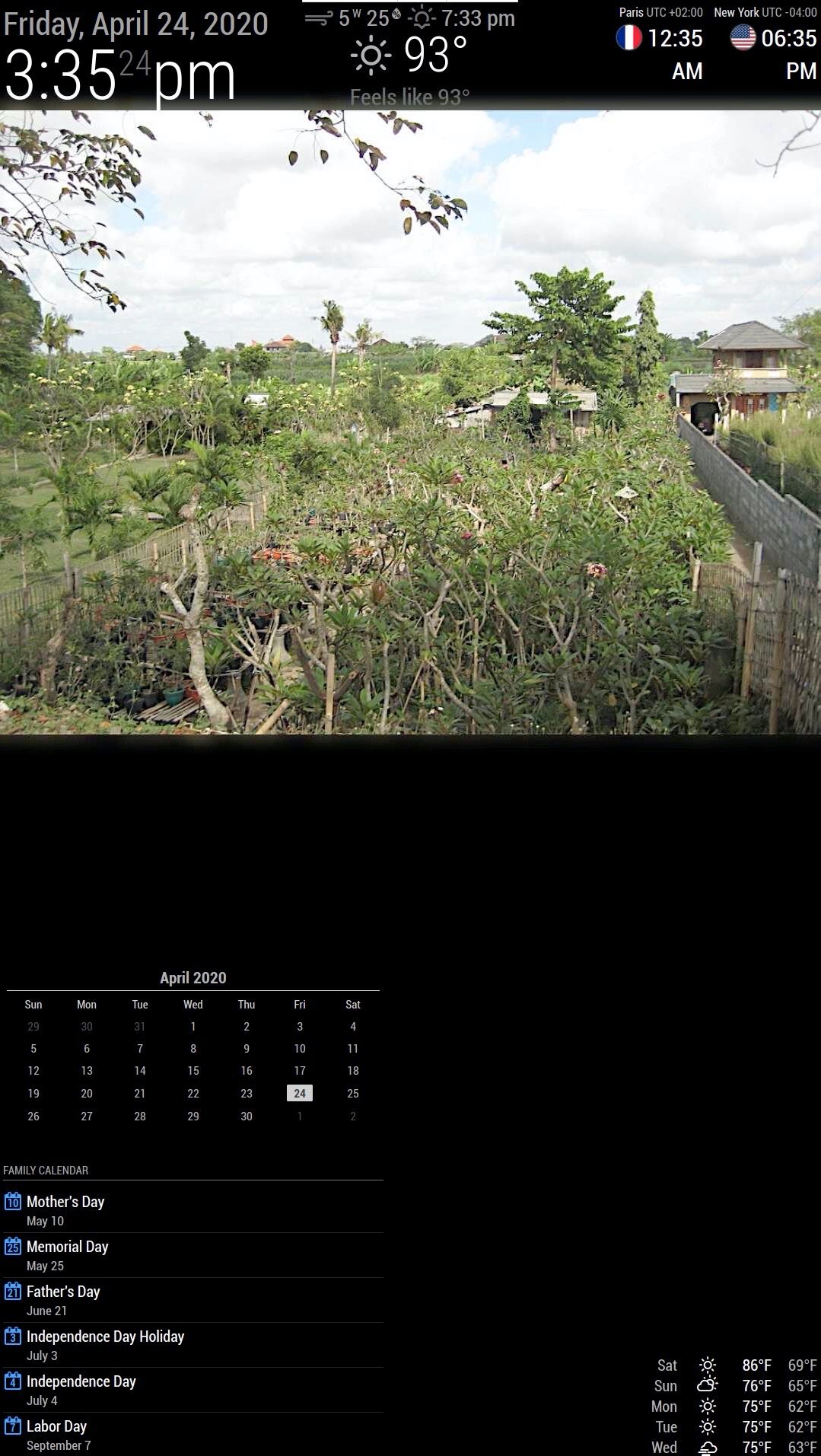
Thanks again.
-
Question about layout position
I spend a few days reading through CSS but I can’t seem to move module around. I want to create a header section where I can place different modules like clock, world_clock. Right below is family photos. I place my photos on fullscreen below with a height of 50% and I add padding-top=100px and remove all padding right left bottom to 0 px. Thinking that it will create a blank space at the top section of the photo.
It didn’t work. I place my clock module in the top bar but it just overlays on top of the photos. Now I change to top_left and top_right. I’ve attached my screenshot.
How do I fix my custom.css to push the picture below the clocks?
Also, my US holiday calendar is showing with 2 lines (the date and United States). I see others didn’t have the word United States on their screen. How can I fix so that United States doesn’t show up.
Thanks in advance.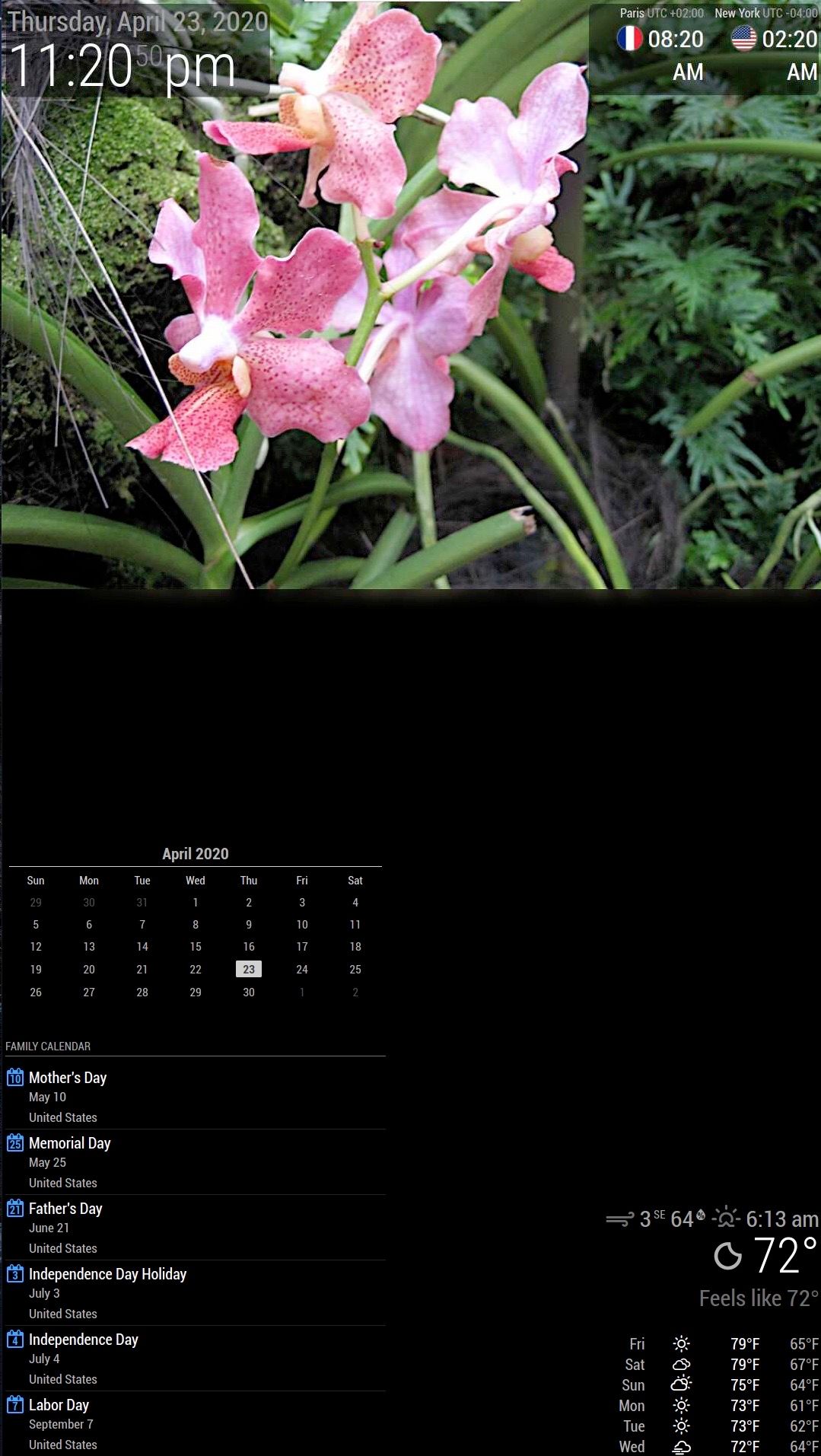
-
RE: Weather Forecast layout in row format
Exactly what I need except that upon further reading, it requires darkSky API key which no longer available when I get on the site. The older version requires weather underground API key and you can only get if you have a weather device. Man, they make it tough to get a simple key :-) Thanks for the response.
-
Weather Forecast layout in row format
Hi, just start to learn about MM. The current weather forecast module shows the days in vertical order. Has another one able to change the layout to horizontal mode where you can have 5 or 7 days in the footer next to each other instead of top to bottom.
I am thinking of using the bottom bar to place the weather forecast with date and below the icon for the forecast and then the min-max temp. Anyone has done that?Thanks
-
MMM-Mycalendar
I add US holiday calendar to mine and it shows with 2 lines. The holiday name and United States as the word below. Is there a way to remove the word “united states” so that it only shows 1 row with just the holiday name?
Thanks. -
RE: GooglePhotos on MagicMirror2
@TamP Was able to get it to work. I had to click on “Advanced” to make it work. Thanks for the link.
-
RE: GooglePhotos on MagicMirror2
Just started installing yesterday with gitHub MMM-google photos but I get the message that says “app isn’t verified”. Was wondering if you are getting the same error message? If so, how did you fix it. Thanks