@OwenLars Have you tried [“166564794”, “78954ABC98ESD”]. This passes a collection of strings instead of a numbers. The module should handle it as a string instead of a number.
 M
Offline
M
Offline
A New Chapter for MagicMirror: The Community Takes the Lead
Read the statement by Michael Teeuw here.
Read the statement by Michael Teeuw here.
Posts
-
RE: MMM-Todoist Project ID Conversion
-
RE: not updating
@Eagleyes27 I recently updated the NOAA3 module. You can use my fork which you can find here: NOAA3.
-
Accuweather Updates
AccuWeather Updates coming
As received this evening from AccuWeather.
AccuWeather is excited to share important updates coming this summer to the AccuWeather API Developer Portal, which is designed to elevate your experience and ensure you get the most from our industry-leading weather data.
What is Changing? To better support your development needs, AccuWeather is introducing a more powerful and streamlined platform, along with updated subscription options to suit every stage of your journey:
• Discontinuation of Free Limited Trial Packages
AccuWeather’s current Free Limited Trials for Core Weather and MinuteCast® will be retired with the new portal launch.
• Introducing New 14-Day Free Trials
Experience the full value of our APIs with an all-new 14-Day Core Weather Trial (up to 500 API calls/day) or 14-Day MinuteCast® Trial (up to 50 calls/day), including all API endpoints available for testing.
• New Low-Cost Starter Package
Once your trial ends, you can keep building with our affordable Starter package, which offers essential API access at a competitive monthly rate.
• Enhanced Account Security
To best protect your data and improve overall security, existing users on Standard, Prime, Elite, or MinuteCast® packages will be prompted to reset their passwords at launch.
• What to Expect
As AccuWeather approaches the launch, we will provide step-by-step guidance on migrating your account, selecting a new plan, and maximizing the benefits of the updated portal. We remain committed to delivering the tools and data you rely on — with a seamless, modernized experience to match. To stay informed, visit developer.accuweather.com.
Thank you for choosing AccuWeather®, the world’s most trusted and accurate source of weather forecasts and warnings. We look forward to supporting your development journey with reliable, scalable, and trusted weather data solutions. -
RE: 2.32.0 Calendar module limitDays and excludedEvents stopped working
@AndyHazz Do you mind sharing your ICS, anonymized off course.
-
RE: 2.32.0 Calendar module limitDays and excludedEvents stopped working
@AndyHazz You can do the following from the docker host,
docker compose up -dthis will launch you container. Then you can run the following commanddocker exec -it magicmirror bashreplacingmagicmirrorwith your container name. This essentially puts you into the MagicMirror directory. You can then acces the debug log from there. -
MMM-OpeningHours
I have been using the MMM-OpeningHours module for a few years now and it has always been working great and probably still works for all users of the modules by @Menturan . Thanks for an awesome module.
Google has replaced the library
@google/mapswith a newer library@googlemaps/google-maps-services-js. I must mention that the old library still works.I have updated the module to use the latest library from google and have refactored the node_helper.js code a bit. I have also update the package.json and the README and have opened a PR. As the module has been last updated about 3 years ago I am not sure if it is still maintained.
If anybody want to switch to the newer version you are welcome to use my fork. I just love this module as I can track all my fav places.
You can find the fork here: MMM-OpeningHours
-
RE: Starting MM Crontab
@sdetweil A few things:
The main issue being:
MagicMirror is now using a flat npm config, and the start scripts are handled differently,node --run start:x11is not a valid Node.js command — unless you are using a custom wrapper or an internal script, this will fail silently or do nothing.As Crontab runs in a minimal environment, so any graphical (X11) application must explicitly export DISPLAY. Previously I had the command as
DISPLAY=:0 npm start. Now, I had toexport DISPLAY=:0first and then start MM. -
RE: Starting MM Crontab
@sdetweil Stupid question, how do I mark this as resolved?
-
RE: Starting MM Crontab
@sdetweil Hi Sam. I have always used npm. I have just been reading through the PR-3764 and i agree with your arguments in that it could have breaking affects for how we do things as both users and devs. Case in point.
However, the forum is about new things and moving forward, so I agree with @KristjanESPERANTO on that point of view as well.
I have now resolved my script issue and am now able to launch from the cron again. 😉
For somebody who may have the same issue, this is how I solved for it.
export DISPLAY=:0
cd ~/MagicMirror
npm run start:x11
The above has solved it for me now.
-
RE: Starting MM Crontab
@KristjanESPERANTO Thanks Kristjan. But I don’t see how updating MM could cause this. I only updated MM with Sam’s upgrade script. Don’t see how that has changed anything with regards to how Crontab works. Maybe it is related to changing the launch to
node --run start. I can see the command being fired in the log but it does not launch MM like it did before the upgrade.Anyhow, I manually launch it for now till I find a suitable solution.
-
RE: Starting MM Crontab
@sdetweil Yep, only MM update. Let me try
start: node --run start:x11and see what happens. -
RE: Starting MM Crontab
@sdetweil in my user,
crontab -e. It worked just fine until I updated my mirror this morning. I don’t use pm2 on my installation for my own reasons… 😉 -
RE: Starting MM Crontab
@KristjanESPERANTO Sorry, typo, it is lower
x. It start when I manually runnpm start. When I manually runnode --run start:x11it works fine. When I manually run the script./mm.shit works fine. When calling it from the cron nothing. In my log I see the commandnode --run start:x11but MM does not launch. -
Adds Blocking Posts
Hi,
Is there anything that can be done about the add at the bottom left of the Forum? It is blocking the posts. This was gone for a while but is now back and is a nuisance.
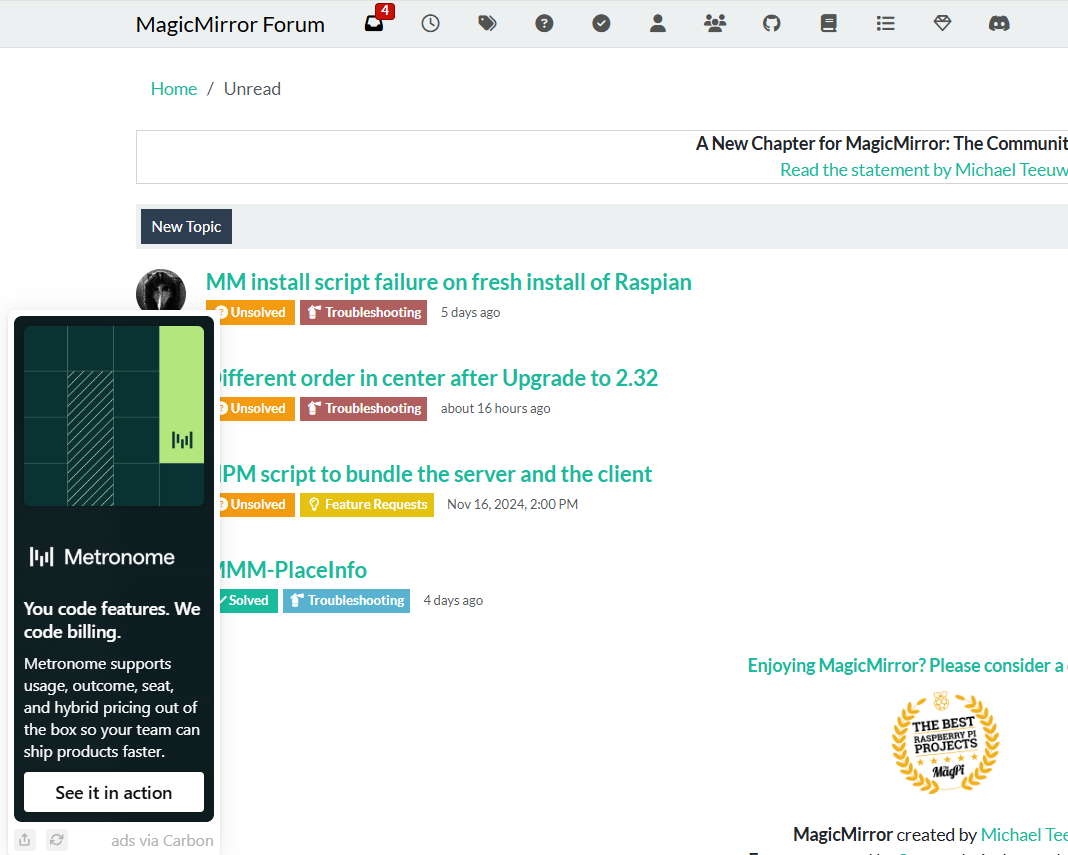
-
Starting MM Crontab
Hi.
I have been using crontab to start my MM for ages and it has always worked well. After updating it no longer seems to work. cron calls a script that has the following.
cd ~/MagicMirror
DISPLAY=0 npm start
Now, I have seen that it is suggest to use
node --run start:X11going forward and I have updated my start script with same but that does not seem to work either.So my
mm.shnow looks like,cd ~/MagicMirror DISPLAY=0 node --run start:X11But as mentioned, this does not work.
Any ideas?
-
RE: MMM-Growatt
@nowayto Hi. That sounds more like something else. Have you checked the logs to see if you see any errors during the time when there is no update? Let me know if you see anything.
The retry will try 3 times, first after 1000 milliseconds and and then at 2000 milliseconds and the last time at 3000 milliseconds and will return a warning. The next time it will try is at the refresh interval which is whatever value you have set.
You can update if you want to check this out. You can let me know if you experience any issues.
I am thinking about making the retry interval configurable but not sure if it is warranted at the moment.
-
RE: MMM-Growatt
v2.2.0 Upgrade
I have decided to refactor the code to make it a little easier to manage
- Update growatt library to latest
- Added helper functions
- Add a connection retry in cases where connection to the Growatt server is down or interrupted
- Add better error handling
Current users do NOT have to update to the latest version unless you want to be on the latest version.
If you do decide to upgrade and experience any issues, please open an issue on the MMM-Growatt Github page.
The same updates were applied to the MMM-Growatt-Stats module. If you update and experience any issues please open a ticket at the MMM-Growatt-Stats Github page.