MagicMirror Forum
    • Recent
    • Tags
    • Unsolved
    • Solved
    • MagicMirror² Repository
    • Documentation
    • 3rd-Party-Modules
    • Donate
    • Discord
    • Register
    • Login
    A New Chapter for MagicMirror: The Community Takes the Lead
    Read the statement by Michael Teeuw here.

    First start from the mirror does not work

    Scheduled Pinned Locked Moved Unsolved Troubleshooting
    36 Posts 6 Posters 29.9k Views 4 Watching
    Loading More Posts
    • Oldest to Newest
    • Newest to Oldest
    • Most Votes
    Reply
    • Reply as topic
    Log in to reply
    This topic has been deleted. Only users with topic management privileges can see it.
    • EoFE Offline
      EoF
      last edited by

      Hi. What is in the log file referenced? That may help us to determine what’s going on.

      Also I haven’t tried to run MM on linux yet, only windows, so I might be wrong on this part but you might have to have electron installed.

      1 Reply Last reply Reply Quote 0
      • KirAsh4K Offline
        KirAsh4 Moderator
        last edited by

        Myah, MM runs just fine on Linux (following the manual installation instructions.) That’s how I have it running at my office since I don’t have an rPi here.

        A Life? Cool! Where can I download one of those from?

        1 Reply Last reply Reply Quote 0
        • S Offline
          samydp
          last edited by

          Hello I got the raspberry pi to 1000 times reinstalled and it’s nothing ! only MagicMirror v1 goes without problems ! In V2 the screen remains in black start even though I have the config edit : /

          1 Reply Last reply Reply Quote 0
          • KirAsh4K Offline
            KirAsh4 Moderator
            last edited by

            If the process starts, but it stays black, there may be an error in your config which is getting it stuck. Have you looked at the console output or the log output for any messages?

            A Life? Cool! Where can I download one of those from?

            1 Reply Last reply Reply Quote 0
            • S Offline
              samydp
              last edited by paviro

              so i tell you what I’ve done everything :
              MM V1

              1. Format card
              2. Install Raspbian
              3. Apache server and PHP5 Install
              4. Install Chomium browser
              5. Chomium browser Kisos - mode and autostart (sudo nano .config/lxsession/LXDE pi/autostart)
              6. Raspberry Update
              7. MM v1 copied to /var/www/html
              8. Change config
              9. finished

              MM V2

              1. MM v1 Clear
              2. Install node
              3. MM clone (git clone https://github.com/MichMich/MagicMirror)
              4. Navigate to folder (cd /home/pi/Magic Mirror)
              5. npm install && npm start
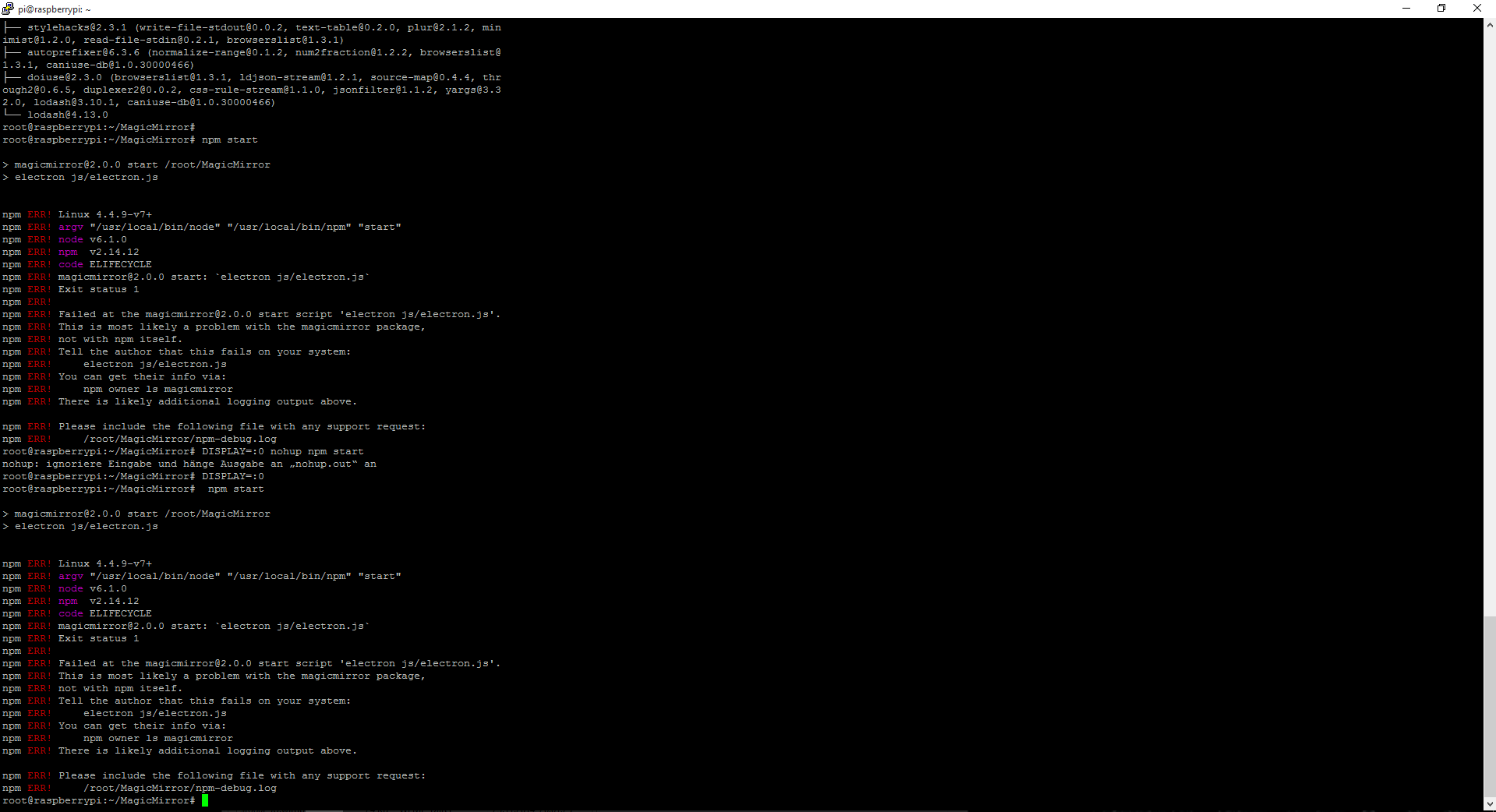
              6. Error
                0_1464076395894_snip_20160524094815.png
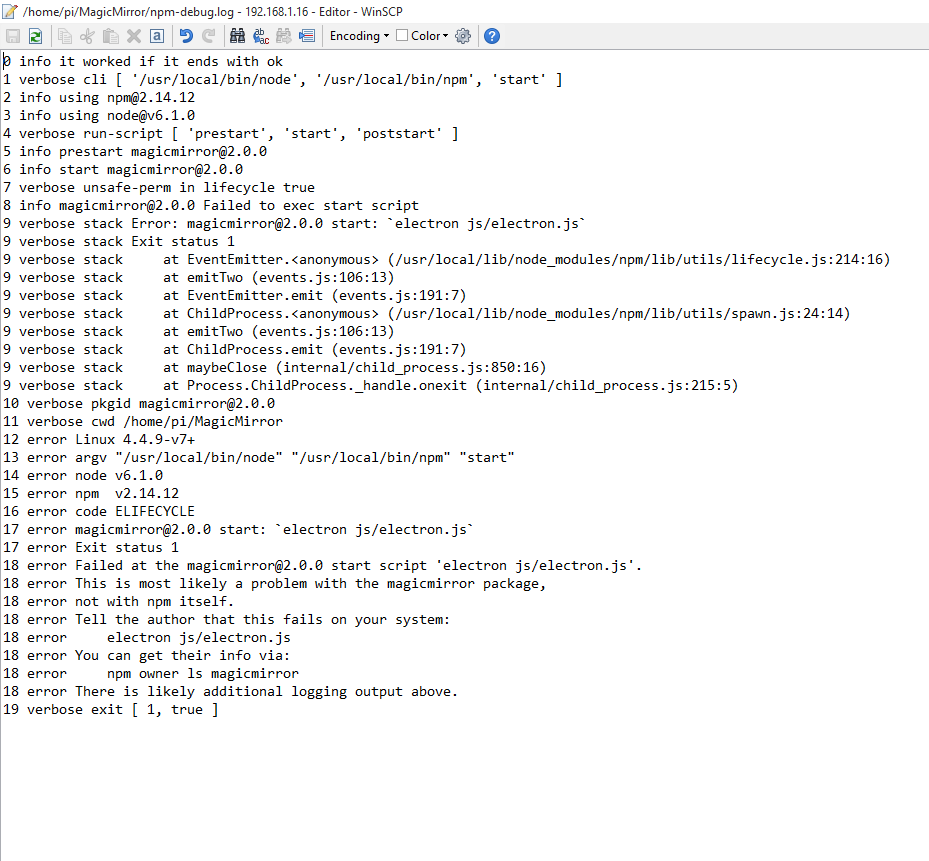
              7. npm log
                0_1464076406108_snip_20160524094908.png

              what can I do now ?


              Note from admin: Please use Markdown on shell commands so they are easier to read!

              1 Reply Last reply Reply Quote 0
              • KirAsh4K Offline
                KirAsh4 Moderator
                last edited by

                I think we have to get @MichMich or @paviro in on this. I don’t know Electron enough to know why it’s failing.

                A Life? Cool! Where can I download one of those from?

                1 Reply Last reply Reply Quote 0
                • paviroP Offline
                  paviro
                  last edited by

                  I hate those node error outputs… 😔 it could be that one of your module helpers fails to start. Have you installed any modules?

                  We're all stories in the end. Just make it a good one, eh?

                  – The Doctor

                  1 Reply Last reply Reply Quote 0
                  • S Offline
                    samydp
                    last edited by

                    can you tell me what all modules I exactly need. ? I make every time you install an update

                    paviroP 1 Reply Last reply Reply Quote 0
                    • paviroP Offline
                      paviro @samydp
                      last edited by

                      @samydp you do not need any modules. Did you add anything to the modules folder?

                      We're all stories in the end. Just make it a good one, eh?

                      – The Doctor

                      1 Reply Last reply Reply Quote 0
                      • S Offline
                        samydp
                        last edited by

                        I have not in the folder modules I 've added the left so !
                        I can make it wenistens indicating to me and does not remain black : O

                        1 Reply Last reply Reply Quote 0
                        • mochmanM Offline
                          mochman Module Developer
                          last edited by

                          @samydp I had this problem when I first installed it. It was a module problem for me. Can you comment out all of the modules from config.js except alert and see if if gives you the same error. If not, start enabling the modules one by one until you figure out which is the problem.

                          -Luke

                          1 Reply Last reply Reply Quote 0
                          • S Offline
                            samydp
                            last edited by

                            how exactly do you mean? !
                            I would now delete all modules except the komentare . or how to do it ?
                            and thank you !!!

                            1 Reply Last reply Reply Quote 0
                            • S Offline
                              samydp
                              last edited by

                              Update:
                              can you show me how the modules in the config investing so that the screen indicating?:o

                              1 Reply Last reply Reply Quote 0
                              • mochmanM Offline
                                mochman Module Developer
                                last edited by

                                @samydp, rename your config.js to config.js.old and make this your new config.js. Try running the program with this, if you see compliments on the bottom screen, you know that magicmirror works fine and the problem is in one of the other modules. It’s a place to start. If you’re still getting the electron errors, try rerunning npm install again in your MagicMirror directory.


                                var config = {
                                	port: 8080,
                                
                                	language: 'en',
                                	timeFormat: 24,
                                	units: 'metric',
                                
                                	modules: [
                                		{
                                			module: 'alert',
                                		},
                                               {
                                			module: 'compliments',
                                			position: 'lower_third'
                                		}
                                ]
                                
                                };
                                
                                /*************** DO NOT EDIT THE LINE BELOW ***************/
                                if (typeof module !== 'undefined') {module.exports = config;}
                                
                                1 Reply Last reply Reply Quote 0
                                • S Offline
                                  samydp
                                  last edited by KirAsh4

                                  your config works !!! juhu thx but i have a other wrong :/

                                  i will the language from the clock in germany

                                  Module.register("clock",{
                                  	// Module config defaults.
                                  	defaults: {
                                  		timeFormat: config.timeFormat,
                                  		displaySeconds: true,
                                  		showPeriod: true,
                                  		showPeriodUpper: false,
                                  		clockBold: true
                                  	},
                                  	// Define required scripts.
                                  	getScripts: function() {
                                  		return ["moment.js"];
                                  	},
                                  	// Define start sequence.
                                  	start: function() {
                                  		Log.info("Starting module: " + this.name);
                                  		// Schedule update interval.
                                  		var self = this;
                                  		setInterval(function() {
                                  			self.updateDom();
                                  		}, 1000);
                                  		// Set locale.
                                  		moment.locale(config.language);
                                  	},
                                  

                                  Note from Moderator: Please use proper Markdown on code snippets for easier reading.

                                  1 Reply Last reply Reply Quote 0
                                  • mochmanM Offline
                                    mochman Module Developer
                                    last edited by

                                    @samydp all you should have to do is change the language portion of your config.js from
                                    language: 'en', -> language: 'de',

                                    As for the rest of your modules, I recommend adding them one by one to your config.js file to make sure they work. If you get that electron.js error, it was on the module you just added.

                                    -Luke

                                    1 Reply Last reply Reply Quote 0
                                    • S Offline
                                      samydp
                                      last edited by

                                      Many thanks for your help and your tip! but only tow module works =( the clock an the compliments why this ?
                                      Whenever I will add another module of the screen black!
                                      i have install the electron.js again but
                                      the add the module as in the proceeds described readme does not work !

                                      1 Reply Last reply Reply Quote 0
                                      • mochmanM Offline
                                        mochman Module Developer
                                        last edited by

                                        Beats me, did you run npm install in the MagicMirror folder?

                                        1 Reply Last reply Reply Quote 0
                                        • S Offline
                                          samydp
                                          last edited by

                                          yes i have install the npm in the MM Folder , only compliment, clock and news works other moduls come a error ( no config file )

                                          1 Reply Last reply Reply Quote 0
                                          • EoFE Offline
                                            EoF
                                            last edited by

                                            Hi I am having this same issue. Did you ever get it working?

                                            1 Reply Last reply Reply Quote 0

                                            Hello! It looks like you're interested in this conversation, but you don't have an account yet.

                                            Getting fed up of having to scroll through the same posts each visit? When you register for an account, you'll always come back to exactly where you were before, and choose to be notified of new replies (either via email, or push notification). You'll also be able to save bookmarks and upvote posts to show your appreciation to other community members.

                                            With your input, this post could be even better 💗

                                            Register Login

                                            • 1
                                            • 2
                                            • 1 / 2
                                            • First post
                                              Last post
                                            Enjoying MagicMirror? Please consider a donation!
                                            MagicMirror created by Michael Teeuw.
                                            Forum managed by Sam, technical setup by Karsten.
                                            This forum is using NodeBB as its core | Contributors
                                            Contact | Privacy Policy