Read the statement by Michael Teeuw here.
Magic Mirror logo appears at Boot and then the Raspberry desktop
-
Hello
I ran following commands from a tutorial1.) Install Magic Mirror:
bash -c “$(curl -sL https://raw.githubusercontent.com/sdetweil/MagicMirror_scripts/master/raspberry.sh)”2.) Turn off screen saver and setup pm2 to autostart MM on boot.
bash -c “$(curl -sL https://raw.githubusercontent.com/sdetweil/MagicMirror_scripts/master/screensaveroff.sh)”3.) Add using pm2 to autostart MagicMirror at bootup
bash -c “$(curl -sL https://raw.githubusercontent.com/sdetweil/MagicMirror_scripts/master/fixuppm2.sh)”This is the Command Screen:
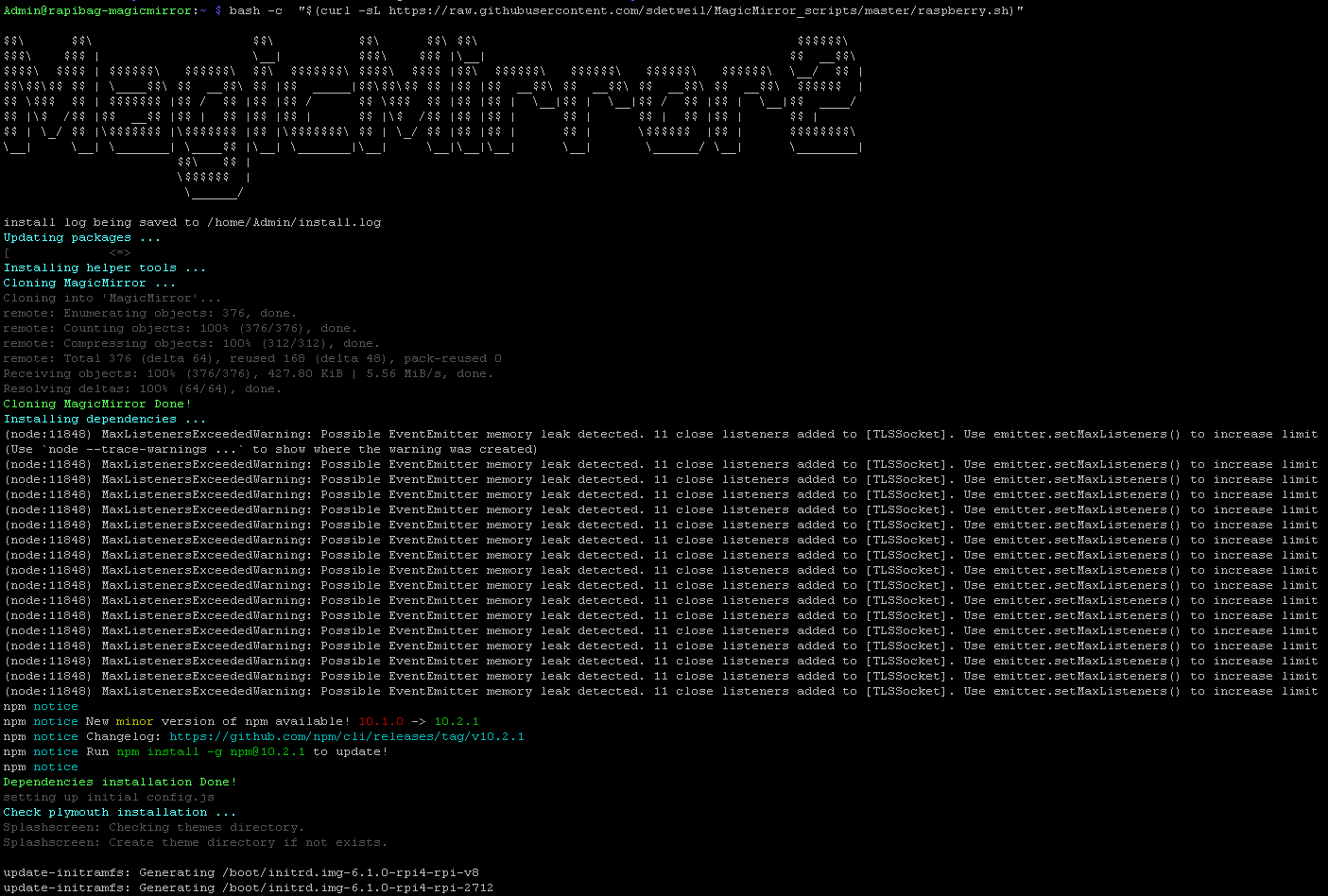
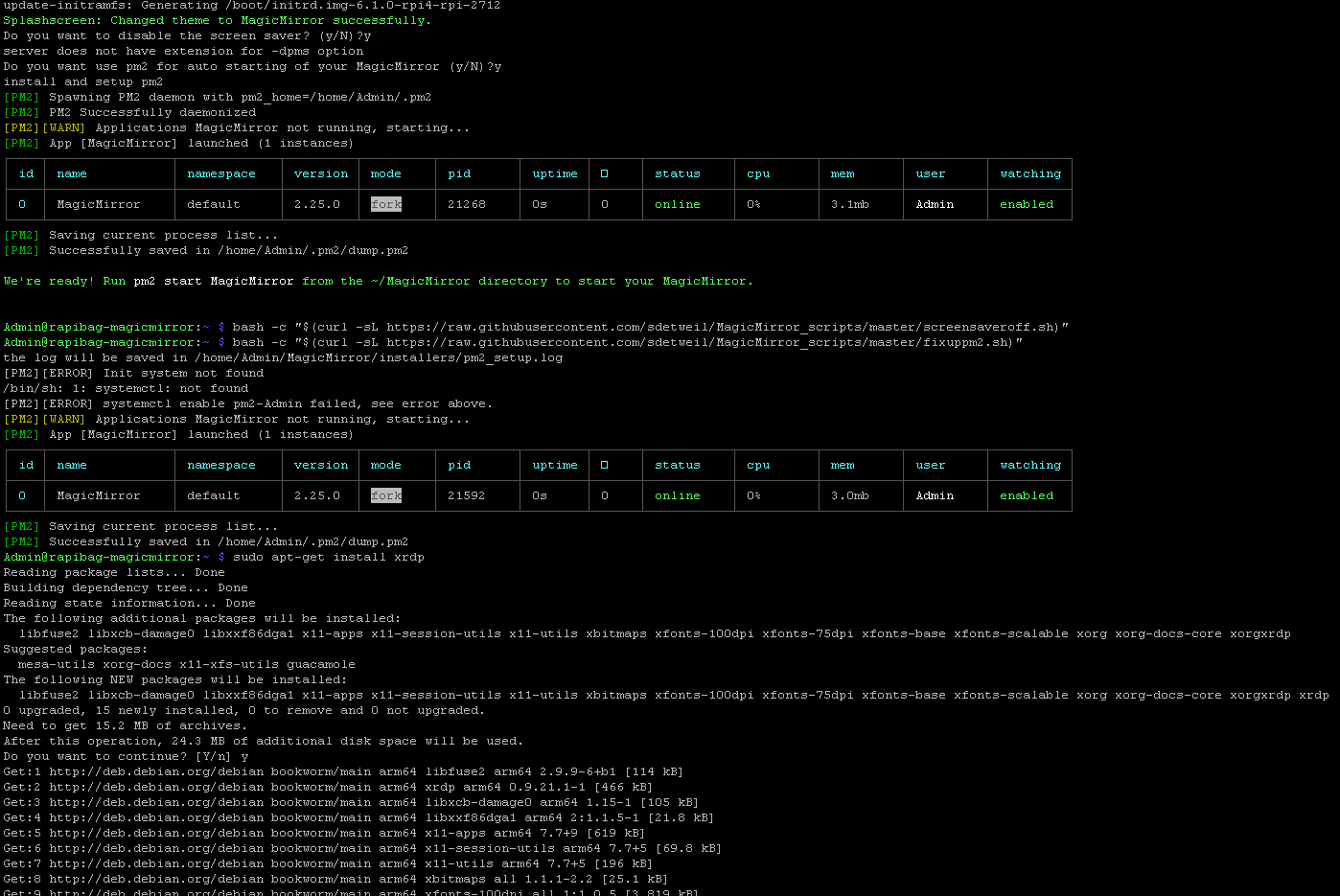
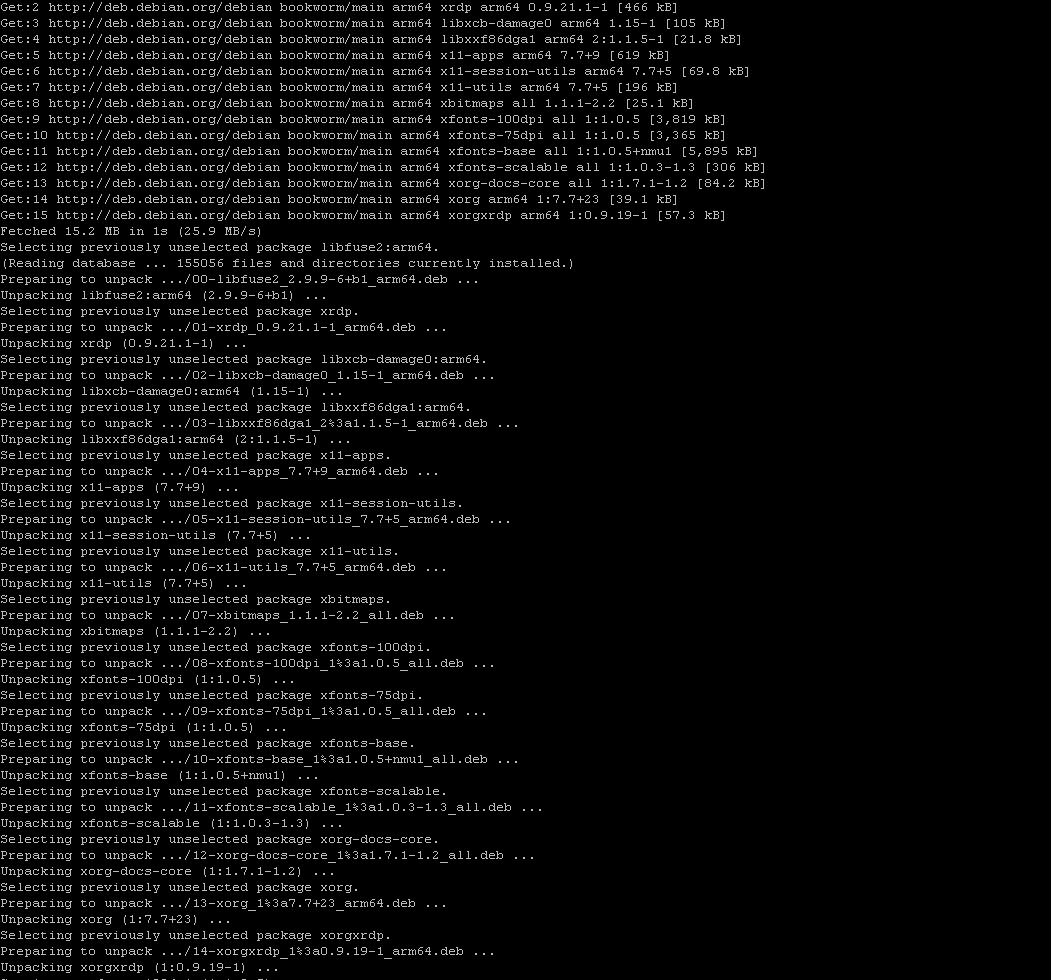
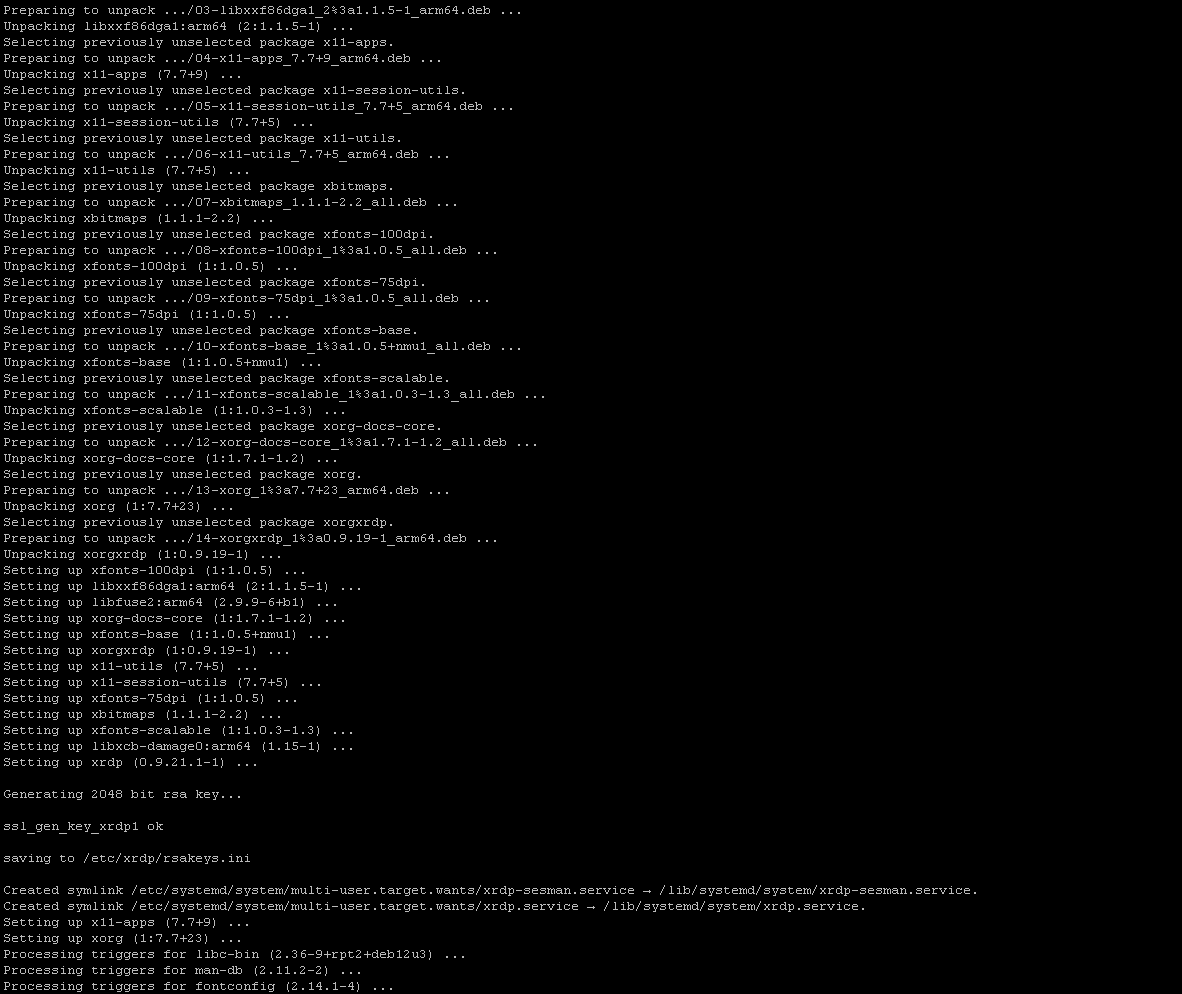
Anyone know why it shows only the Desktop and not the Magic Mirror ?
Thanks!!!
-
@Syosse you don’t need to run all the commands
the install asks if u want to turn off the screensaver. if you said yes, then it’s done
if u said no then you would run the screensaver off script it’s the exact same script code. it’s just there if you changed your mind.
now on to the pm2 thing
same same. butin some systems the automation script has trouble
do this
pm2 startupit will output a command to execute
copy/paste that command and hit enterwhen it’s done do
| edited
pm2 start ~/MagicMirror/installers/pm2_MagicMirror_new.json
pm2 save
then reboot
-
@sdetweil said in Magic Mirror logo appears at Boot and then the Raspberry desktop:
@Syosse you don’t need to run all the commands
the install asks if u want to turn off the screensaver. if you said yes, then it’s done
if u said no then you would run the screensaver off script it’s the exact same script code. it’s just there if you changed your mind.
now on to the pm2 thing
same same. butin some systems the automation script has trouble
do this
pm2 startupit will output a command to execute
copy/paste that command and hit enterwhen it’s done do
pm2 start ~/MagicMirror/installers/pm2_MagicMirror.json
pm2 save
then reboot
All right thanks for the Information with the Screensave, now its for me clear.
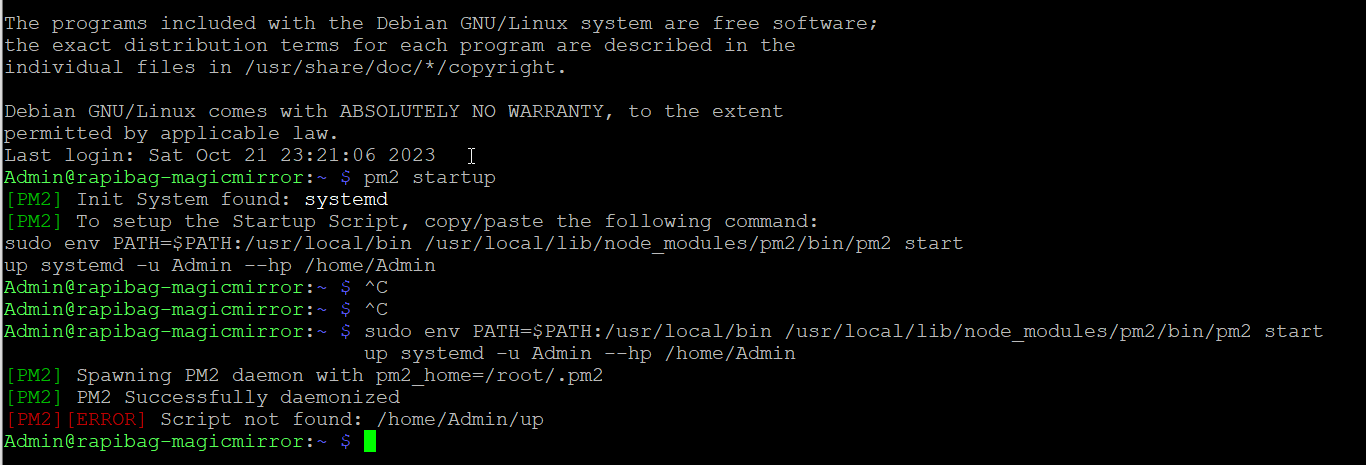
I have done u Command but it shows me : [PM2][ERROR] Script not found: /home/Admin/updo u know why ?
Thanyk so much!
-
-
@sdetweil is Admin the root user, or the userid u created at SD card startup time?
pm2 will run as user not root
-
@sdetweil said in Magic Mirror logo appears at Boot and then the Raspberry desktop:
@sdetweil is Admin the root user, or the userid u created at SD card startup time?
pm2 will run as user not root
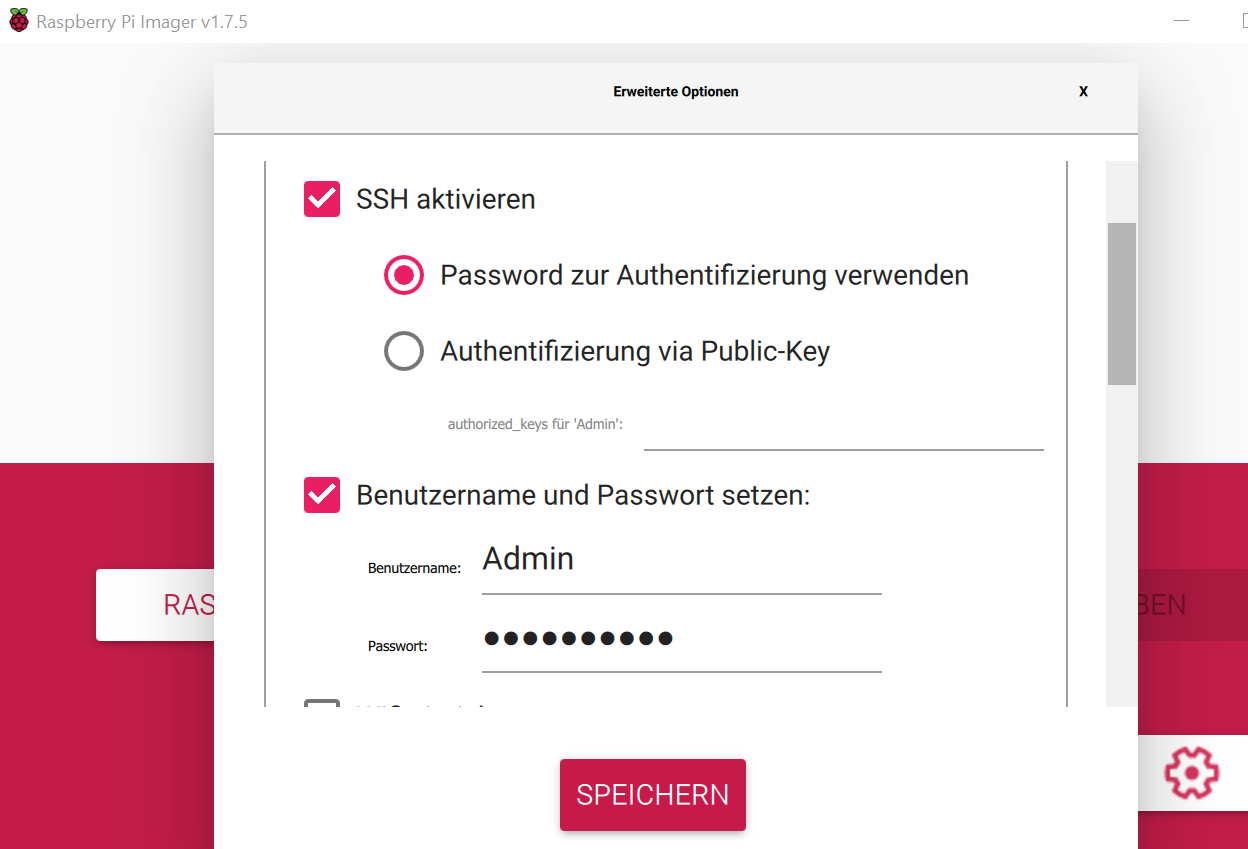
Admin is the Credentials that i insert at the beginning of Install Raspberry Pi Imager:
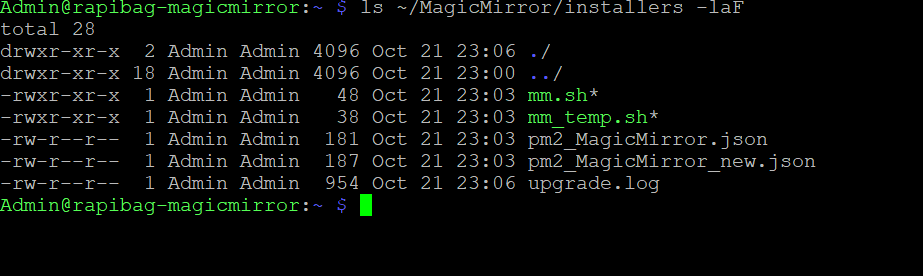
ls ~/MagicMirror/installers -laF:
Thanks so much!
-
-
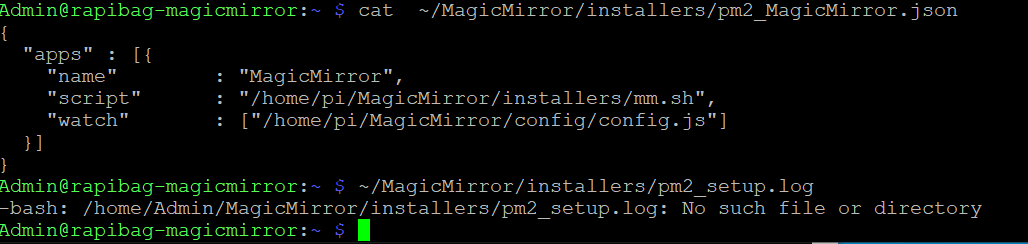
@Syosse can u also paste the contents of
~/MagicMirror/installers/pm2_setup.log -
@sdetweil said in Magic Mirror logo appears at Boot and then the Raspberry desktop:
@Syosse can u also paste the contents of
~/MagicMirror/installers/pm2_setup.logyea of course:
Thanks so much!
-
@Syosse ok, try this then
cat ~/MagicMirror/installers/pm2_MagicMirror_new.json -
@sdetweil said in Magic Mirror logo appears at Boot and then the Raspberry desktop:
@Syosse ok, try this then
cat ~/MagicMirror/installers/pm2_MagicMirror_new.json
thanks so much!
-
@Syosse and then if you do
pm2 start ~/MagicMirror/installers/pm2_MagicMirror_new.jsonif it works, then
pm2 save
then
sudo reboot -
@sdetweil said in Magic Mirror logo appears at Boot and then the Raspberry desktop:
@Syosse and then if you do
pm2 start ~/MagicMirror/installers/pm2_MagicMirror_new.jsonif it works, then
pm2 save
then
sudo rebootOmg it works!!
Oh man, what was the problem?
Thanks soo much !!!
-
@Syosse said in Magic Mirror logo appears at Boot and then the Raspberry desktop:
Oh man, what was the problem?
the pm2 startup generated command fails when in a script suddenly
but it works when done manually…
I have issue open since May
https://github.com/Unitech/pm2/issues/5582 -
@sdetweil said in Magic Mirror logo appears at Boot and then the Raspberry desktop:
@Syosse said in Magic Mirror logo appears at Boot and then the Raspberry desktop:
Oh man, what was the problem?
the pm2 startup generated command fails when in a script suddenly
but it works when done manually…
I have issue open since May
https://github.com/Unitech/pm2/issues/5582thanks man , unfortunately there is still a problem as soon as I enter the following commands it works and magic mirror starts but after reboot the desktop comes back
with this command Magic Mirror starts
pm2 start ~/MagicMirror/installers/pm2_MagicMirror_new.jsonafter this command it still works
pm2 saveand after this reboot command the raspberry pi restarts and it shows the desktop instead Magic Mirror.
sudo reboot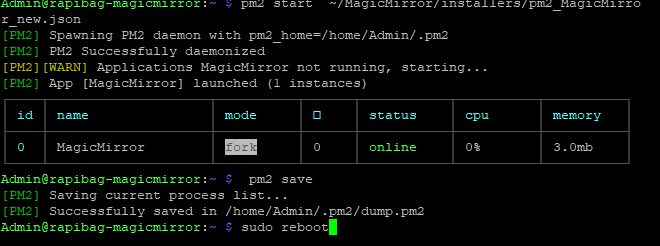
thanks so much
-
@Syosse did you execute the command output from first
pm2 startup -
@sdetweil said in Magic Mirror logo appears at Boot and then the Raspberry desktop:
@Syosse did you execute the command output from first
pm2 startupyea of course:
Admin@magicmirror:~ $ pm2 startup
[PM2] Init System found: systemd
[PM2] To setup the Startup Script, copy/paste the following command:
sudo env PATH=$PATH:/usr/local/bin /usr/local/lib/node_modules/pm2/bin/pm2 startup systemd -u Admin --hp /home/Admin
thanks so much
-
@Syosse and copy paste THAT command and execute it
sudo env…
-
@Syosse we got it working in chat
-
@sdetweil said in Magic Mirror logo appears at Boot and then the Raspberry desktop:
@Syosse we got it working in chat
Finally it works many many thanks to @sdetweil
Hello! It looks like you're interested in this conversation, but you don't have an account yet.
Getting fed up of having to scroll through the same posts each visit? When you register for an account, you'll always come back to exactly where you were before, and choose to be notified of new replies (either via email, or push notification). You'll also be able to save bookmarks and upvote posts to show your appreciation to other community members.
With your input, this post could be even better 💗
Register Login