MagicMirror Forum
    • Recent
    • Tags
    • Unsolved
    • Solved
    • MagicMirror² Repository
    • Documentation
    • 3rd-Party-Modules
    • Donate
    • Discord
    • Register
    • Login
    A New Chapter for MagicMirror: The Community Takes the Lead
    Read the statement by Michael Teeuw here.

    MMM-NOAA3

    Scheduled Pinned Locked Moved Custom CSS
    25 Posts 9 Posters 14.8k Views 9 Watching
    Loading More Posts
    • Oldest to Newest
    • Newest to Oldest
    • Most Votes
    Reply
    • Reply as topic
    Log in to reply
    This topic has been deleted. Only users with topic management privileges can see it.
    • KimzerK Offline
      Kimzer
      last edited by

      Same thing unfortunately. :\

      1 Reply Last reply Reply Quote 0
      • C Offline
        cyberphox
        last edited by

        Funny I was playing around with one of my setups and wanted to see what it would look like and moved it to the middle region and couldn’t get it to center…opposite issues…LOL
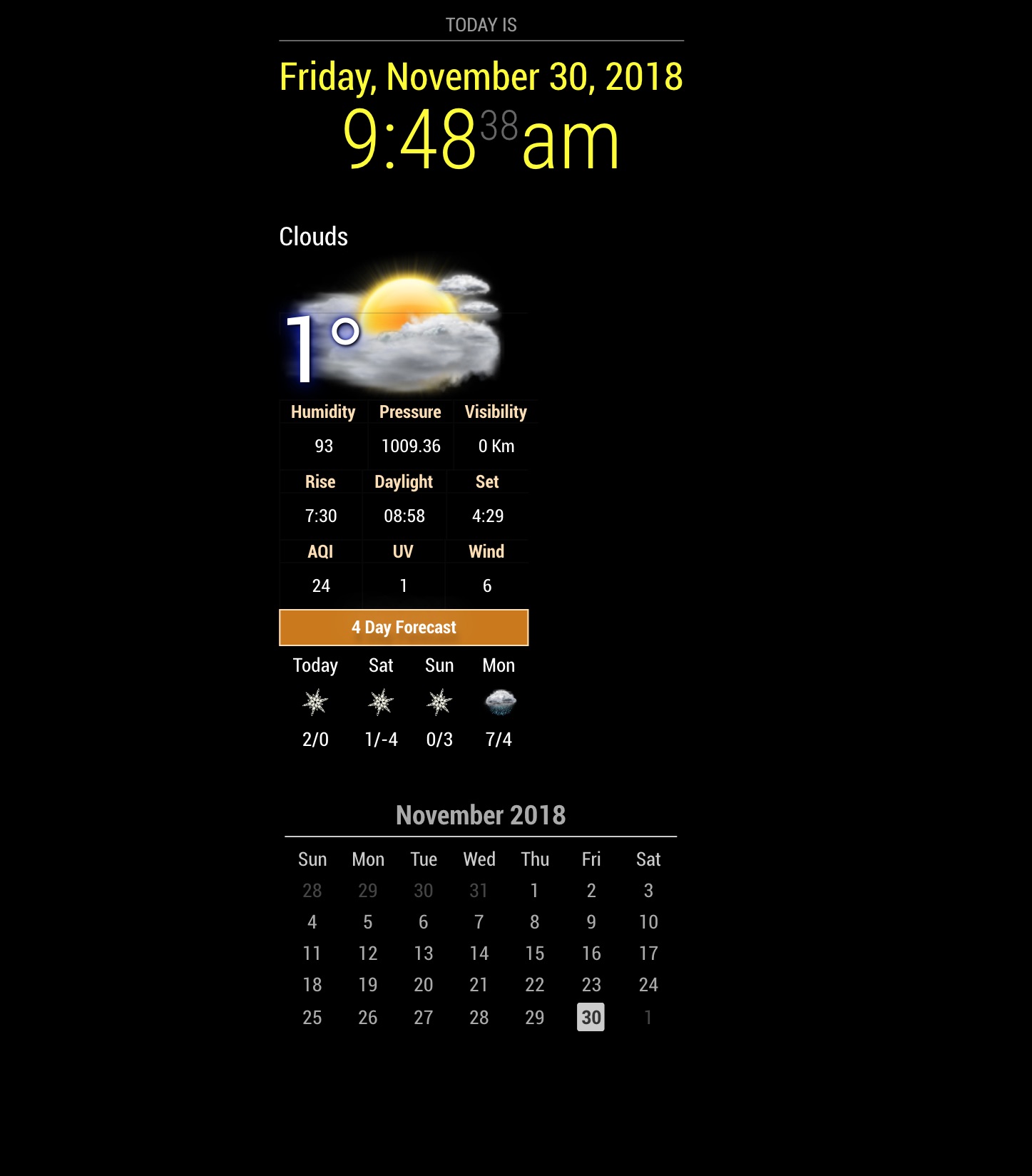
        0_1543586009057_Untitled.jpg

        Full time Dad, DJ and entertainer and lover of technology.

        1 Reply Last reply Reply Quote 0
        • cowboysdudeC Offline
          cowboysdude Module Developer
          last edited by

          I would have no idea why it’s doing that… I’m not having the same issue but I can say I don’t use either of those modules… something is conflicting with it and pushing it right…

          C 1 Reply Last reply Reply Quote 0
          • C Offline
            cyberphox @cowboysdude
            last edited by

            @cowboysdude it’s all good…not something i’m gonna worry about for now anyways…just a test screen…

            Err…i mean fix it now! LOL

            Full time Dad, DJ and entertainer and lover of technology.

            Mykle1M 1 Reply Last reply Reply Quote 1
            • Mykle1M Offline
              Mykle1 Project Sponsor Module Developer @cyberphox
              last edited by

              @cyberphox

              Does it center correctly when it’s the only module in “top_center” position?

              Create a working config
              How to add modules

              C 1 Reply Last reply Reply Quote 0
              • C Offline
                cyberphox @Mykle1
                last edited by

                @mykle1 it appears to center ok once i disable the Clock module above it

                Full time Dad, DJ and entertainer and lover of technology.

                1 Reply Last reply Reply Quote 0
                • cowboysdudeC Offline
                  cowboysdude Module Developer
                  last edited by cowboysdude

                  Add this to the custom.css and it’ll fix it :) It does that when it has another module over top of it…not sure why as I am NO css guru by far…

                  .MMM-NOAA3 {
                  margin: 0 auto;
                  float: right; //for right side use left for left side
                  width: 195px;
                  }

                  1 Reply Last reply Reply Quote 0
                  • C Offline
                    cyberphox
                    last edited by

                    @cowboysdude that totally fixed it by the way so big thanks AGAIN…i may just leave it at the top though since its so pretty…
                    Am I missing icons maybe - it does this sometimes…rarely i guess…
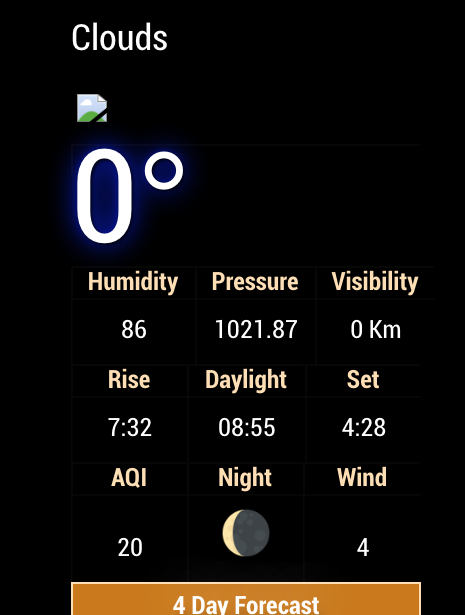
                    0_1543788006707_cloyd.png

                    Full time Dad, DJ and entertainer and lover of technology.

                    cowboysdudeC 1 Reply Last reply Reply Quote 0
                    • cowboysdudeC Offline
                      cowboysdude Module Developer @cyberphox
                      last edited by

                      @cyberphox great!! Yes it would appear as though you are :) Which service provider are you using?

                      C 1 Reply Last reply Reply Quote 0
                      • C Offline
                        cyberphox @cowboysdude
                        last edited by

                        @cowboysdude it was OpenWeather…
                        it’s all good…I’ll tinker with things here…

                        Full time Dad, DJ and entertainer and lover of technology.

                        1 Reply Last reply Reply Quote 1
                        • A Offline
                          Apathia
                          last edited by

                          Can we make requests here?

                          If so, can you add the “feels like” temp?

                          cowboysdudeC 1 Reply Last reply Reply Quote 0
                          • cowboysdudeC Offline
                            cowboysdude Module Developer @Apathia
                            last edited by

                            @apathia What weather provider are you using?

                            1 Reply Last reply Reply Quote 0
                            • C Offline
                              costascontis
                              last edited by

                              AQI is not working for my area ,can i remove it ?

                              cowboysdudeC 1 Reply Last reply Reply Quote 0
                              • cowboysdudeC Offline
                                cowboysdude Module Developer @costascontis
                                last edited by

                                @costascontis I sent you a PM

                                1 Reply Last reply Reply Quote 0
                                • B Offline
                                  Binog
                                  last edited by

                                  Hey,. a little to related to the topic…
                                  Is it possible to enlarge the font?
                                  Is there a way with the css?

                                  Thx
                                  Jimmy

                                  Mykle1M 1 Reply Last reply Reply Quote 0
                                  • Mykle1M Offline
                                    Mykle1 Project Sponsor Module Developer @Binog
                                    last edited by Mykle1

                                    @Binog

                                    I pulled these from one of the css files that come with NOAA3. You can put them in your custom.css file and change the values. I’m not sure if this is all of them as I did not test.

                                    } 
                                     .MMM-NOAA3 .font {
                                         font-size: 23px;
                                    }
                                    .MMM-NOAA3 .fontac {
                                         font-size: 23px;
                                         color:#e4ab5f;
                                    }
                                    .MMM-NOAA3 .fontss {
                                         font-size: 23px;
                                         color: #e0e29a;
                                    }
                                    .MMM-NOAA3 .fontauw {
                                         font-size: 23px;
                                         color:#51c7ca; 
                                    }
                                    .MMM-NOAA3 .fontfor {
                                         font-size: 23px;
                                         color: #000;
                                    }
                                    

                                    Create a working config
                                    How to add modules

                                    1 Reply Last reply Reply Quote 0
                                    • B Offline
                                      Binog
                                      last edited by

                                      Thank You Mykle1
                                      changing these font sizes does not seem to change anything,… going to try more in a couple of days,…

                                      Mykle1M 1 Reply Last reply Reply Quote 0
                                      • Mykle1M Offline
                                        Mykle1 Project Sponsor Module Developer @Binog
                                        last edited by Mykle1

                                        @Binog

                                        I know that module uses several choices of css files. Look inside the css file that you have chosen and identify the fonts being employed. Or, if you are familiar with using the dev console you can identify the fonts there. In either case, you can take that info into your custom.css file and modify the font sizes, etc

                                        EDIT

                                        I just thought of something

                                        I don’t know if the table will expand to accommodate larger fonts even if you manage to make them bigger. Perhaps someone else will chime in here that knows css better than I.

                                        Create a working config
                                        How to add modules

                                        1 Reply Last reply Reply Quote 0
                                        • justjim1220J Offline
                                          justjim1220 Module Developer
                                          last edited by

                                          @cowboysdude

                                          This came up today:

                                          Whoops! There was an uncaught exception...
                                          TypeError: Cannot read property 'pollution' of undefined
                                              at Object.parseAIR (C:\Users\jiman\MagicMirror\modules\MMM-NOAA3\providers\ds.js:179:35)
                                              at Request._callback (C:\Users\jiman\MagicMirror\modules\MMM-NOAA3\providers\ds.js:171:28)
                                              at Request.self.callback (C:\Users\jiman\MagicMirror\modules\MMM-NOAA3\node_modules\request\request.js:185:22)
                                              at Request.emit (events.js:182:13)
                                              at Request.<anonymous> (C:\Users\jiman\MagicMirror\modules\MMM-NOAA3\node_modules\request\request.js:1157:10)
                                              at Request.emit (events.js:182:13)
                                              at IncomingMessage.<anonymous> (C:\Users\jiman\MagicMirror\modules\MMM-NOAA3\node_modules\request\request.js:1079:12)
                                              at Object.onceWrapper (events.js:273:13)
                                              at IncomingMessage.emit (events.js:187:15)
                                              at endReadableNT (_stream_readable.js:1090:12)
                                              at process._tickCallback (internal/process/next_tick.js:63:19)
                                          MagicMirror will not quit, but it might be a good idea to check why this happened. Maybe no internet connection?
                                          If you think this really is an issue, please open an issue on GitHub: https://github.com/MichMich/MagicMirror/issues
                                          

                                          Any idea what it means?
                                          Any idea how to fix it?

                                          Thanks in advance! ;)

                                          "Life's Too Short To Dance With Ugly People"
                                          Jim Hallock - 1995

                                          S 1 Reply Last reply Reply Quote 0
                                          • S Offline
                                            sdetweil @justjim1220
                                            last edited by

                                            @justjim1220 said in MMM-NOAA3:

                                            Any idea what it means?
                                            Any idea how to fix it?

                                            appears the api did not return the expected data

                                            data.pollution failed as data does not have a value

                                            Sam

                                            How to add modules

                                            learning how to use browser developers window for css changes

                                            1 Reply Last reply Reply Quote 0

                                            Hello! It looks like you're interested in this conversation, but you don't have an account yet.

                                            Getting fed up of having to scroll through the same posts each visit? When you register for an account, you'll always come back to exactly where you were before, and choose to be notified of new replies (either via email, or push notification). You'll also be able to save bookmarks and upvote posts to show your appreciation to other community members.

                                            With your input, this post could be even better 💗

                                            Register Login

                                            • 1
                                            • 2
                                            • 1 / 2
                                            • First post
                                              Last post
                                            Enjoying MagicMirror? Please consider a donation!
                                            MagicMirror created by Michael Teeuw.
                                            Forum managed by Sam, technical setup by Karsten.
                                            This forum is using NodeBB as its core | Contributors
                                            Contact | Privacy Policy


