Read the statement by Michael Teeuw here.
MMM-RAIN-MAP (new: version 2.x)
-
@pminich the same way. The German fork contains world wide map data.
-
@Jalibu
Ok it finally found my location.
The Lon and Lat where not registering in the module for some reason now they are… So all is good again… -
@plainbroke said in MMM-RAIN-MAP (new: version 2.x):
Lon and Lat where not registering in the module
system is case sensitive, and " (quotes) around numbers become strings, which cause problems all over the place
-
Does “substitudeModules” work in server only mode? “displayOnlyOnRain” works just fine but when the rain map pops up it appears under the module it’s supposed to hide.
-
I have an issue, I want to setup rain map to france, but I have that : NO MAP at all (with openmap) can you help me please? thanks.
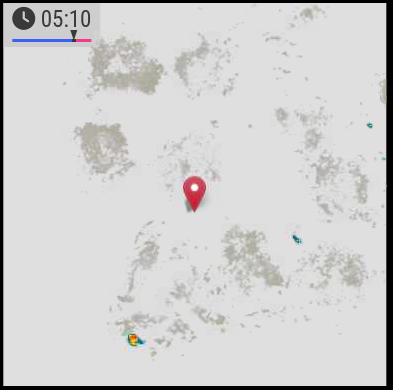
-
@hogedir can you please create an issue on github for that? Without further information (config, version) it is hard to find the reason 😉
-
@Jalibu ok no problem. can you indicate me where i can find some logs for this module especially?
-
@hogedir in the Browser‘s console log and net tab
-
@Jalibu it’s simply a raspi 4B 8GB, with a normal installation of MMM. I don’t know if i need to open a bug, it’s just the dump of the map that doesn’t work as you see on the screen.
A question : Your module accept FRENCH locations no for the rain map ?
Your module works well here, it’s only the map that is not get.
I don’t have any blocker in the dns. so I don’t undertand because all the other modules works fine, except of that map dump.
Here is my config.js :
{
module: “MMM-RAIN-MAP”,
position: “top_center”,
config: {
animationSpeedMs: 400,
colorScheme: 2,
colorizeTime: true,
defaultZoomLevel: 8,
displayTime: true,
displayTimeline: true,
displayClockSymbol: true,
displayHoursBeforeRain: -1,
extraDelayLastFrameMs: 1000,
extraDelayCurrentFrameMs: 3000,
// markers: [
// { lat: 49.41, lng: 8.717, color: “red” },
// { lat: 48.856, lng: 2.35, color: “green” },
// ],
// mapPositions: [
// { lat: 8.717, lng: -2.725, zoom: 9, loops: 1 },
// { lat: 8.717, lng: -2.725, zoom: 6, loops: 2 },
// { lat: 48.856, lng: 2.35, zoom: 6, loops: 1 },
// { lat: 48.856, lng: 2.35, zoom: 9, loops: 2 },
// { lat: 49.15, lng: 6.154, zoom: 5, loops: 2 },
// ],
// mapUrl: “https://a.tile.openstreetmap.de/48.2649/{x}/{y}.png”,
mapUrl: “https://a.tile.openstreetmap.de/#map=8/48.471/-2.725”,
// mapUrl: “https://tiles.wmflabs.org/bw-mapnik/8/48.471/-2.725”,
mapHeight: “420px”, // must be a pixel value (no percent)
mapWidth: “420px”, // must be a pixel value (no percent)
maxHistoryFrames: -1,
maxForecastFrames: -1,
substitudeModules: [],
updateIntervalInSeconds: 300,
}
}, -
@hogedir your configuration is buggy. Please read the module’s Readme.
You don’t have to (and should not) change the mapUrl at all.
Use mapPositions to justify it. The module should work world-wide.
I’d recommend to use the default values whenever possible and just to set values you need to override.Does that work for you?
{ module: "MMM-RAIN-MAP", position: "top_center", config: { mapPositions: [ { lat: 48.472, lng: -2.725 } ] } } -
@Jalibu Thanks. I copied your code, and nothing again. No map.
-
@hogedir can you show the messages at mm startup?
either npm start or if you use pm2, then
pm2 logs --lines=50
-
@hogedir I noticed there were wrong double quote characters in the code of my last post.
Please try again with the code below. Otherwise, please open an issue on GitHub and provide all the information asked in the form (entire config & logs){ module: "MMM-RAIN-MAP", position: "top_center", config: { mapPositions: [ { lat: 48.472, lng: -2.725 } ] } } -
@hogedir @Jalibu it’s working now Thanks ! : the map is showing well now BUT the rain is not showed very well !
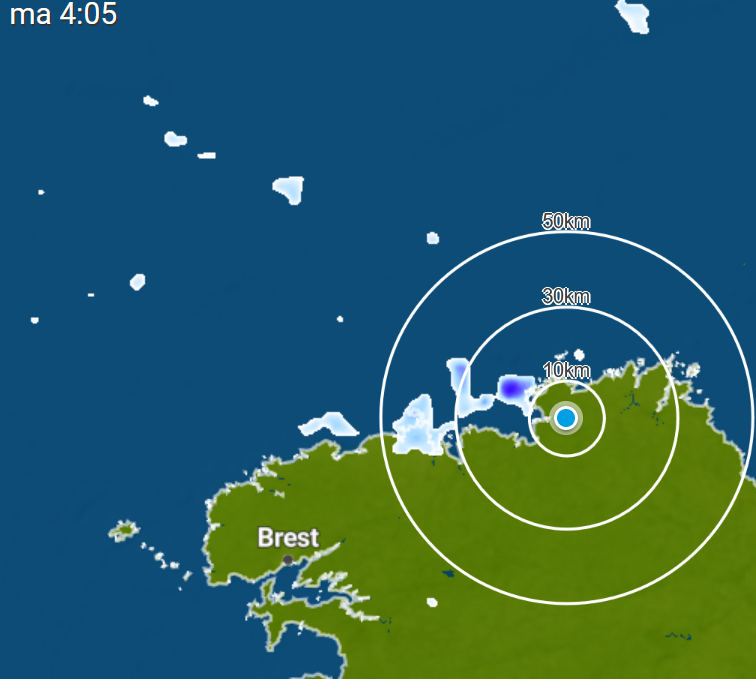
I compared what i see outside of my home and we had 5minutes before some rain and your data flow is not precise at all, i did not saw a rain in my region on your map but i saw it in weatherplaza.
I give you the page which is more precise and realistic than the rain data you have in the module : https://www.weerplaza.nl/regenradar/europa/frankrijk/
Map of rains with weather plaza : :
Map of rains with your module : :
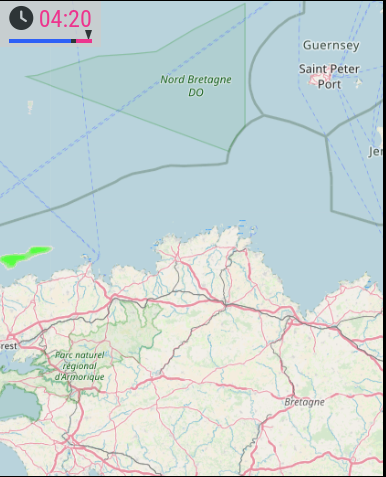
Lots of difference, weather plaza is realistic (i checked outside 2 times yesterday, your module did not show well the rain.)
- Second thing, I noticed something too : i want the “pause” time before the red zone to be more fast (some mms more fast). is it possible to change the “pause timer” ? Thanks
-
@Jalibu Look Here is the map of Weatherplaza (meteoplaza) in the same time than yours, if it can help.
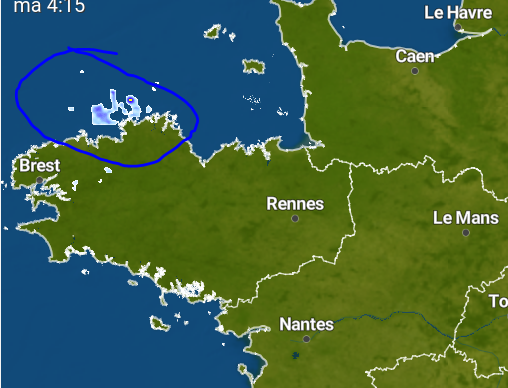
and then the data flow on the module (less rain and less precise) :
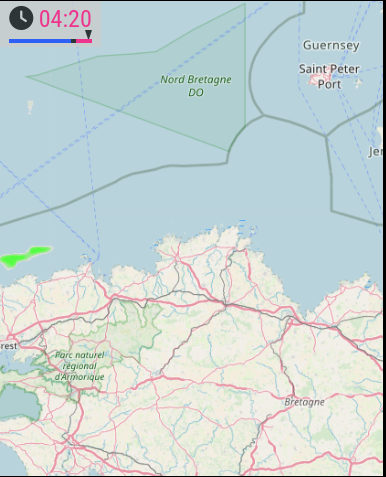
thanks
-
@hogedir it’s not ‘his’ data. he is requesting a graphic from a service, and displaying what they give.
-
This post is deleted! -
@sdetweil @Jalibu Obiviously !
I mean it’s Rainviewer data but rainviewer is not 100% legit.
weerplaza is the best radar information worldwide. They use sevral radar information worldwide and unite all these data for free. I think the only one very precise to offer this type of information.
They have a widget API too ! you could integrate in addition to Openweather+rainviewer.
The weerplaza api is here : https://www.weerplaza.nl/weerwidgets/
And @Jalibu Thanks for your work, I like the zoom option and the ultimate option you added and it’s very useful.
-
I have also often had the feeling that Rainviewer’s data is not particularly accurate.
If the option to switch to another provider were to be built in, I could only welcome that. -
@MajorC @hogedir
Unfortunately, Weerplaza.nl does not offer an API. I can’t just take their weather data and use it in MMM-RAIN-MAP.
They only allow to embed their service as an iFrame. You can easily do this on your own with https://github.com/alberttwong/MMM-iFrame


Hello! It looks like you're interested in this conversation, but you don't have an account yet.
Getting fed up of having to scroll through the same posts each visit? When you register for an account, you'll always come back to exactly where you were before, and choose to be notified of new replies (either via email, or push notification). You'll also be able to save bookmarks and upvote posts to show your appreciation to other community members.
With your input, this post could be even better 💗
Register Login