MagicMirror Forum
    • Recent
    • Tags
    • Unsolved
    • Solved
    • MagicMirror² Repository
    • Documentation
    • 3rd-Party-Modules
    • Donate
    • Discord
    • Register
    • Login
    A New Chapter for MagicMirror: The Community Takes the Lead
    Read the statement by Michael Teeuw here.

    MMM-Globe

    Scheduled Pinned Locked Moved Entertainment
    118 Posts 32 Posters 173.4k Views 37 Watching
    Loading More Posts
    • Oldest to Newest
    • Newest to Oldest
    • Most Votes
    Reply
    • Reply as topic
    Log in to reply
    This topic has been deleted. Only users with topic management privileges can see it.
    • StoffbeuteluweS Offline
      Stoffbeuteluwe Project Sponsor @TechJak7000
      last edited by

      @TechJak7000 hi, do you use a raspberry pi?

      1 Reply Last reply Reply Quote 0
      • TechJak7000T Offline
        TechJak7000
        last edited by

        Hello, I do use Raspberry pi4 with High performance 128 GB SD card !

        1 Reply Last reply Reply Quote 0
        • BesomarB Offline
          Besomar
          last edited by

          Impressive!!!

          I just started a smart mirror project with Pi3 (1G) and just found out about this awesome plugin.

          Great job!

          So, I guess I’ll have to wait for that lightweight version :)

          1 Reply Last reply Reply Quote 0
          • I Offline
            Idea215
            last edited by

            Hello,

            I have installed module on my P4, but somehow it does not really work. It is only displayed as in the picture below and not as in the pictures on the GitHub page. Does anyone know what the problem is?

            My Mirror:
            https://imgur.com/a/tOwDJru

            GitHub Version:
            https://i.imgur.com/oF3mxBC.png

            W 1 Reply Last reply Reply Quote 0
            • W Offline
              Wenike @Idea215
              last edited by

              @idea215 Did you go to the github link from the first post or just Googled for MMM-Globe? Yours looks like mine which is from a different MMM-Globe

              1 Reply Last reply Reply Quote 0
              • O Offline
                oli28
                last edited by

                What a beautiful modul! Any chance to change the font size to be able to fit more destinations next to each others? I did try to find it in the .css but had no luck yet.

                1 Reply Last reply Reply Quote 0
                • F Offline
                  Foxy25
                  last edited by Foxy25

                  Hi,
                  I have a question about the module:

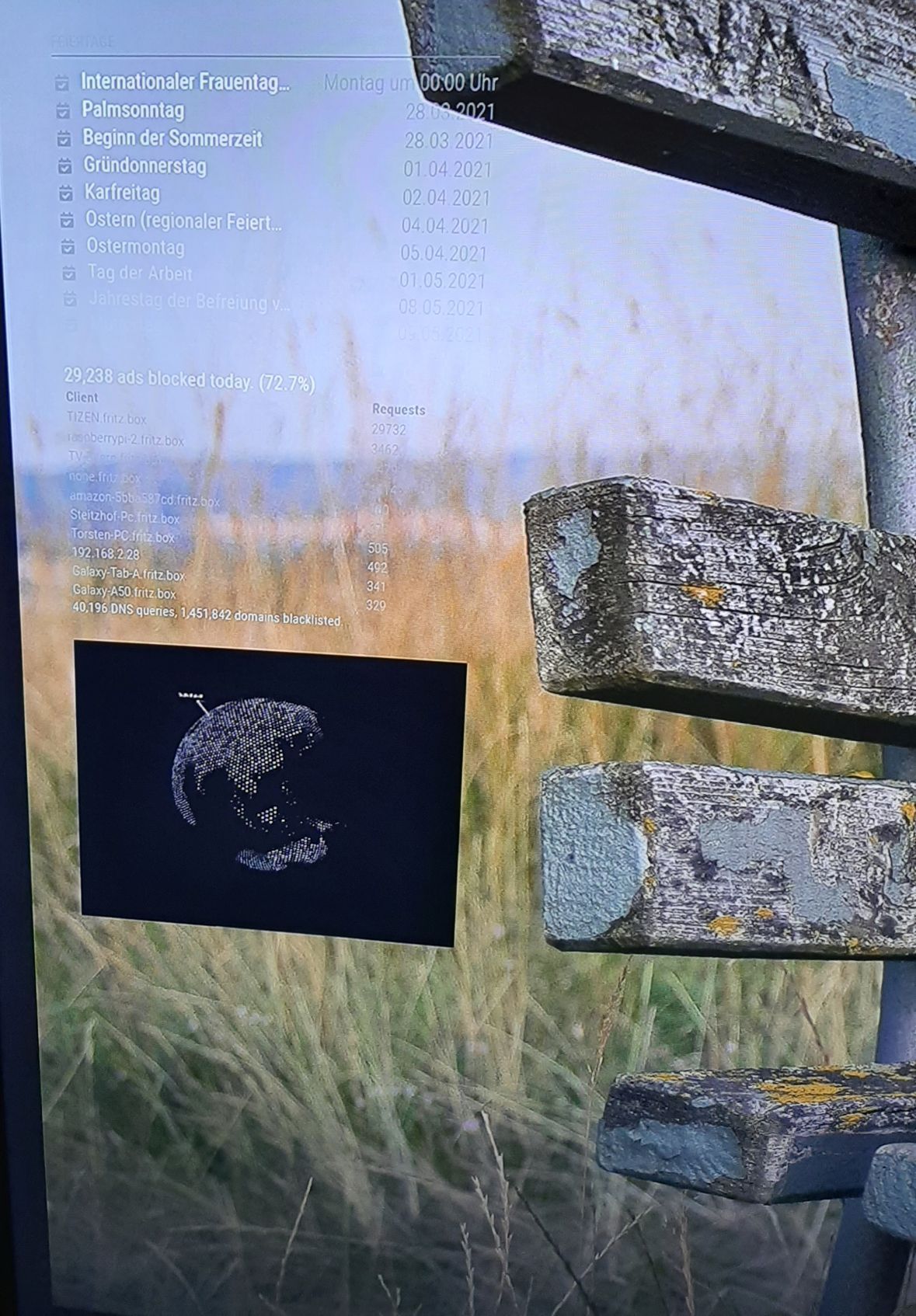
                  I would like to make the background transparent, is that possible? At the moment it is black.

                  That would help me, because I have a slideshow running in the background and the black background behind the globe doesn’t look so nice …

                  Would be very grateful if someone could help.

                  Foxy
                  20210302_204736.jpg

                  W 1 Reply Last reply Reply Quote 0
                  • W Offline
                    Wenike @Foxy25
                    last edited by

                    @foxy25 @foxy25 In your custom.css file, see if adding:

                    .globe { opacity: 0.0; }
                    

                    Fixes the issue?

                    F 1 Reply Last reply Reply Quote 0
                    • F Offline
                      Foxy25 @Wenike
                      last edited by Foxy25

                      @wenike
                      Hi,

                      i use the command in the styles.css of the modul, not in the custom.css.

                      It works, but it makes the complete module invisible, not only the background behind the globe.

                      Thank you for your support.

                      A 1 Reply Last reply Reply Quote 0
                      • A Offline
                        ashishtank Module Developer @Foxy25
                        last edited by

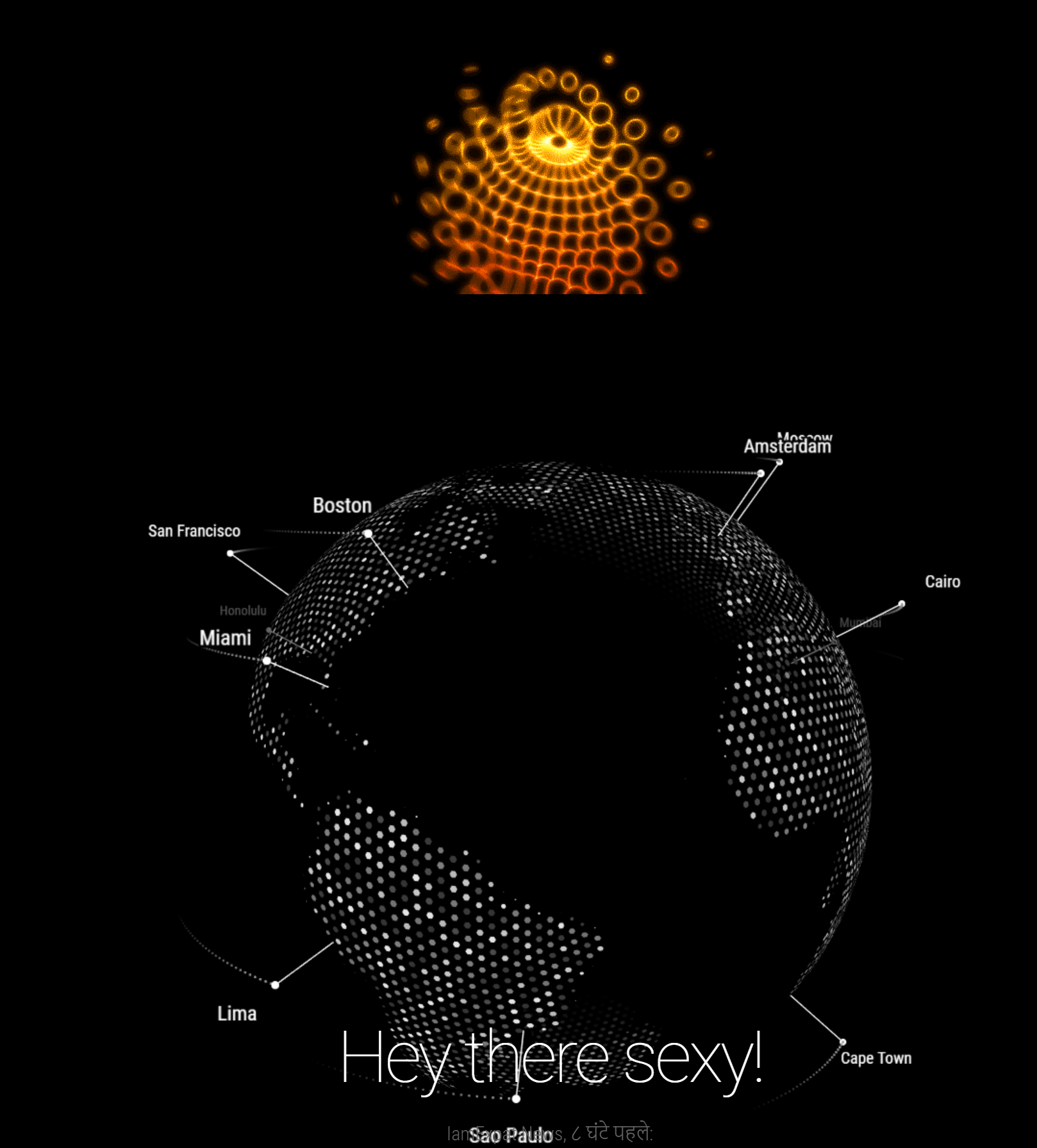
                        @foxy25 to make globe transparent there are two changes required.

                        • Module div’s background color
                        • Globe canvas itself have black color as background.

                        First one can be easily doable with css but to make globe transparent you will need to change the code as well. Do below to make globe transperent.

                        • In custom.css add below css
                        .globe
                        {
                        	background-color: unset;
                        }
                        
                        • in modules\MMM-Globe\encom-globe.js file find below line and change it to.

                        from

                        this.renderer = new THREE.WebGLRenderer( { antialias: true } );
                        

                        to

                        this.renderer = new THREE.WebGLRenderer( { antialias: true, alpha: true } );
                        

                        below is output

                        Before
                        dde6476f-f02b-48b9-aa2c-f60c4bead58a-image.png

                        After
                        0214ddbf-09fe-4ba8-9528-ea96ed28ea7c-image.png

                        Let me know how/if it works for you.

                        F 1 Reply Last reply Reply Quote 1
                        • F Offline
                          Foxy25 @ashishtank
                          last edited by

                          It works perfect!!!

                          Thank you so much for you support!!!

                          Greetings from Germany

                          Foxy

                          A 1 Reply Last reply Reply Quote 0
                          • A Offline
                            ashishtank Module Developer @Foxy25
                            last edited by

                            @foxy25 you are welcome :)

                            1 Reply Last reply Reply Quote 0
                            • D Offline
                              damith
                              last edited by

                              hi everyone, I’ve tried to install on my PI but it won’t work…am getting black screen, here is my config file… any HELP…?
                              modules: [

                              	{
                              		module: "alert",
                              	},
                              	{
                              		module: "updatenotification",
                              		position: "top_bar"
                              	},
                              	{
                              		module: "clock",
                              		position: "top_left"
                              	},
                              	{
                              		module: "calendar",
                              		header: "Italy Holidays",
                              		position: "top_left",
                              		config: {
                              			calendars: [
                              				{
                              					symbol: "calendar-check",
                              					url: "webcal://www.calendarlabs.com/ical-calendar/ics/53/Italy_Holidays.ics"					}
                              			]
                              		}
                              	},
                              	{
                              		module: "compliments",
                              		position: "top_center"
                              	},
                              	{
                              		module: "weather",
                              		position: "top_right",
                              		config: {
                              			weatherProvider: "openweathermap",
                              			type: "current",
                              			location: "ROME",
                              			locationID: "3169070", //ID from http://bulk.openweathermap.org/sample/city.list.json.gz; unzip the gz file and find your city
                              			apiKey: "492da6299f48937482d3c321215289b0"
                              		}
                              	},
                              	{
                              		module: "weather",
                              		position: "top_right",
                              		header: "Weather Forecast",
                              		config: {
                              			weatherProvider: "openweathermap",
                              			type: "forecast",
                              			location: "ROME",
                              			locationID: "3169070", //ID from http://bulk.openweathermap.org/sample/city.list.json.gz; unzip the gz file and find your city
                              			apiKey: "492da6299f48937482d3c321215289b0"
                              		}
                              	},
                              	{
                              		module: "newsfeed",
                              		position: "bottom_bar",
                              		config: {
                              			feeds: [
                              				{
                              					title: "REPUBBLICA",
                              					url: "https://www.repubblica.it/rss/homepage/rss2.0.xml"
                              				}
                              			],
                              			showSourceTitle: true,
                              			showPublishDate: true,
                              			broadcastNewsFeeds: true,
                              			broadcastNewsUpdates: true
                              		}
                              	},
                                          {
                              	module: 'MMM-Globe',
                              	position: 'lower_third',	// This can be any of the regions. Best results in lower_third
                              	config: {
                                          size:"x-small", // Globe size. See configuration options below for more options
                              			dayLength: 38, // (Optional) Rotation speed. See configuration options below
                              		    viewAngle: 15, // (Optional) Globe tilt. See configuration options below.
                              			introLinesDuration: 2000,
                              			receiveExternalLocations: 0,
                                          locations: [
                                              // Fill with location Objects if desired
                                              // e.g.
                                                 {lat:37.77493,lng:-122.41942, label: "San Francisco"},
                                                 {lat:-23.5475,lng:-46.63611, label: "Sao Paulo"}
                              
                                              // Individual values must be seperated by a comma.
                                              // You can look up the latitude and longitude for a specific location on Google Maps.
                                                  ]
                                                  }
                                          },
                              ]
                              

                              };

                              /*************** DO NOT EDIT THE LINE BELOW ***************/
                              if (typeof module !== “undefined”) {module.exports = config;}

                              thgmirrorT 1 Reply Last reply Reply Quote 0
                              • thgmirrorT Offline
                                thgmirror @damith
                                last edited by

                                Hi @damith,

                                May be, you have an issue in the config.js.
                                You can use the built-in check-tool from within the MagicMirror folder named
                                npm run config:check

                                Or use an external Website (I use https://esprima.org/demo/validate.html) to see if it is valed.

                                Greetings from Germany
                                Thomas

                                1 Reply Last reply Reply Quote 0
                                • D Offline
                                  damith
                                  last edited by

                                  hi@thgmirror
                                  Thank you very much for you reply, I’ve checked with built in check but no errors …!!

                                  pi@raspberrypi:~/MagicMirror $ npm run config:check

                                  magicmirror@2.15.0 config:check /home/pi/MagicMirror
                                  node js/check_config.js

                                  [02.05.2021 12:20.01.503] [INFO] Checking file… /home/pi/MagicMirror/config/config.js
                                  [02.05.2021 12:20.01.719] [INFO] Your configuration file doesn’t contain syntax errors :)
                                  pi@raspberrypi:~/MagicMirror $

                                  S 1 Reply Last reply Reply Quote 0
                                  • S Offline
                                    sdetweil @damith
                                    last edited by

                                    @damith did u do the npm install in the module folder after git clone?

                                    if u look at the startup messages, where u start mm
                                    npm start
                                    or pm2 logs --lines=100

                                    you might see a message, module not found.
                                    this is the number 1 clue you didn’t do the npm install

                                    Sam

                                    How to add modules

                                    learning how to use browser developers window for css changes

                                    D 1 Reply Last reply Reply Quote 1
                                    • D Offline
                                      damith @sdetweil
                                      last edited by

                                      hi @sdetweil

                                      Thank you very much for your reply… you are the NUMBER ONE… it works fine… Thanks again.

                                      i have done NPM INSTALL… its worked fine…:face_savoring_food: :face_savoring_food:

                                      1 Reply Last reply Reply Quote 0
                                      • D Offline
                                        damith
                                        last edited by

                                        hi guys… my GLOBE is woking fine… but there is a problem with City NAMES, i won’t display…, config is ok… can anyone help me …?

                                        {
                                        module: ‘MMM-Globe’,
                                        position: ‘lower_third’, // This can be any of the regions. Best results in lower_third
                                        config: {
                                        size:“x-large”, // Globe size. See configuration options below for more options
                                        dayLength: 38, // (Optional) Rotation speed. See configuration options below
                                        viewAngle: 15, // (Optional) Globe tilt. See configuration options below.
                                        introLinesDuration: 2000,
                                        receiveExternalLocations: 0,
                                        locations: [
                                        // Fill with location Objects if desired
                                        // e.g.
                                        {lat:37.77493,lng:-122.41942, label:“San Francisco”},
                                        {lat:7.58403,lng:80.78798, label:“Sri Lanka”},
                                        {lat:-23.5475,lng:-46.63611, label:“Sao Paulo”}

                                                        // Individual values must be seperated by a comma.
                                                        // You can look up the latitude and longitude for a specific location on Google Maps.
                                                            ]
                                                            }
                                                    },
                                        ]
                                        
                                        1 Reply Last reply Reply Quote 0
                                        • F Offline
                                          Foxy25
                                          last edited by Foxy25

                                          HI

                                          here is my working config:

                                          Greetings Torsten

                                          {
                                          		module: 'MMM-Globe',
                                          		position: 'fullscreen_below',	// This can be any of the regions. Best results in lower_third
                                          		config: {
                                                          size:"medium", // Globe size. See configuration options below for more options
                                                          dayLength: 43, // (Optional) Rotation speed. See configuration options below
                                                          viewAngle: 15, // (Optional) Globe tilt. See configuration options below.
                                                          locations: [
                                                              // Fill with location Objects if desired
                                                              // e.g.
                                                              // {lat:37.77493,lng:-122.41942, label: "San Francisco"},
                                                              // {lat:-23.5475,lng:-46.63611, label: "Sao Paulo"}
                                                              // Individual values must be seperated by a comma. 
                                                              // You can look up the latitude and longitude for a specific location on Google Maps.
                                          
                                                              {lat:49.6294791,lng:7.8252699, label: "Rockenhausen" },
                                                              {lat:40.7223507,lng:-73.9901943, label: "New York" },
                                                              {lat:36.1047739,lng:-115.1421297, label: "Las Vegas" },
                                                              {lat:13.7544142,lng:100.5020575, label: "Bangkok" },
                                          
                                                          ],
                                          		},
                                          	},
                                          
                                          1 Reply Last reply Reply Quote 0
                                          • H Offline
                                            hiro.nguyen
                                            last edited by

                                            Hi, may i ask if it is possible to change background to transparent ?
                                            Thanks,

                                            G S 2 Replies Last reply Reply Quote 0

                                            Hello! It looks like you're interested in this conversation, but you don't have an account yet.

                                            Getting fed up of having to scroll through the same posts each visit? When you register for an account, you'll always come back to exactly where you were before, and choose to be notified of new replies (either via email, or push notification). You'll also be able to save bookmarks and upvote posts to show your appreciation to other community members.

                                            With your input, this post could be even better 💗

                                            Register Login

                                            • 1
                                            • 2
                                            • 3
                                            • 4
                                            • 5
                                            • 6
                                            • 5 / 6
                                            • First post
                                              Last post
                                            Enjoying MagicMirror? Please consider a donation!
                                            MagicMirror created by Michael Teeuw.
                                            Forum managed by Sam, technical setup by Karsten.
                                            This forum is using NodeBB as its core | Contributors
                                            Contact | Privacy Policy