Read the statement by Michael Teeuw here.
MMM-Globe
-
@eunanibus said in MMM-Globe:
I’ve had some users report that light linux machines powering their MM’s are sufficient, though I’ve not tested for upper capacity or performance.
When I get a chance I’ll install your Globe. I have several old laptops with minimum resources running ubuntu and MM. If I discover anything interesting I’ll report back.
-
I have tried it…It worked really well… but not on the pi…it’s impressive!
-
This post is deleted! -
hi, does it work on Mac mini 2011 ?
-
Hey all!
The time has come.
I’ve really appreciated all the feedback I’ve gotten from all of you. I’ve been so happy watching you all use this.
That being said, development on the lite version starts next week. I want everyone to be able to use this regardless of hardware.
I’d also like to take in suggestions for feature requests. Anything you want? Anything you wish was better? Now is the time to start letting me now.
Thanks guys.
-
@Eunanibus Awesome, can’t wait. I actually tried this the first time i setup my mirror and it worked for me on my Pi 3B+. Although some of the locations were wrong at the time but I assume that was my error. Nice work with this project and again, can’t wait for the light version.
-
This post is deleted! -
@Eunanibus - Well, since you’re asking… these are the things I remember from the original code that I would love to see implemented.
- Specify locations to be linked by an arc.
- Specify colors used for the pins
- Specify colors used for the arcs
- An updateInterval to control when to refresh the globe w/ the build animation
- A true/false switch to display the default pins.
- Alternately, an array for unlabeled pins that will replace the defaults if you provide it.
Thanks!
-
Any updates on this lite version?
Also is there a way to display all pin names when they are close and have them overlap? -
Hey Eunanibus, Jolly good show old boy :blond-haired_man: :clapping_hands: :clapping_hands: :clapping_hands:
I have implemented straight away :-
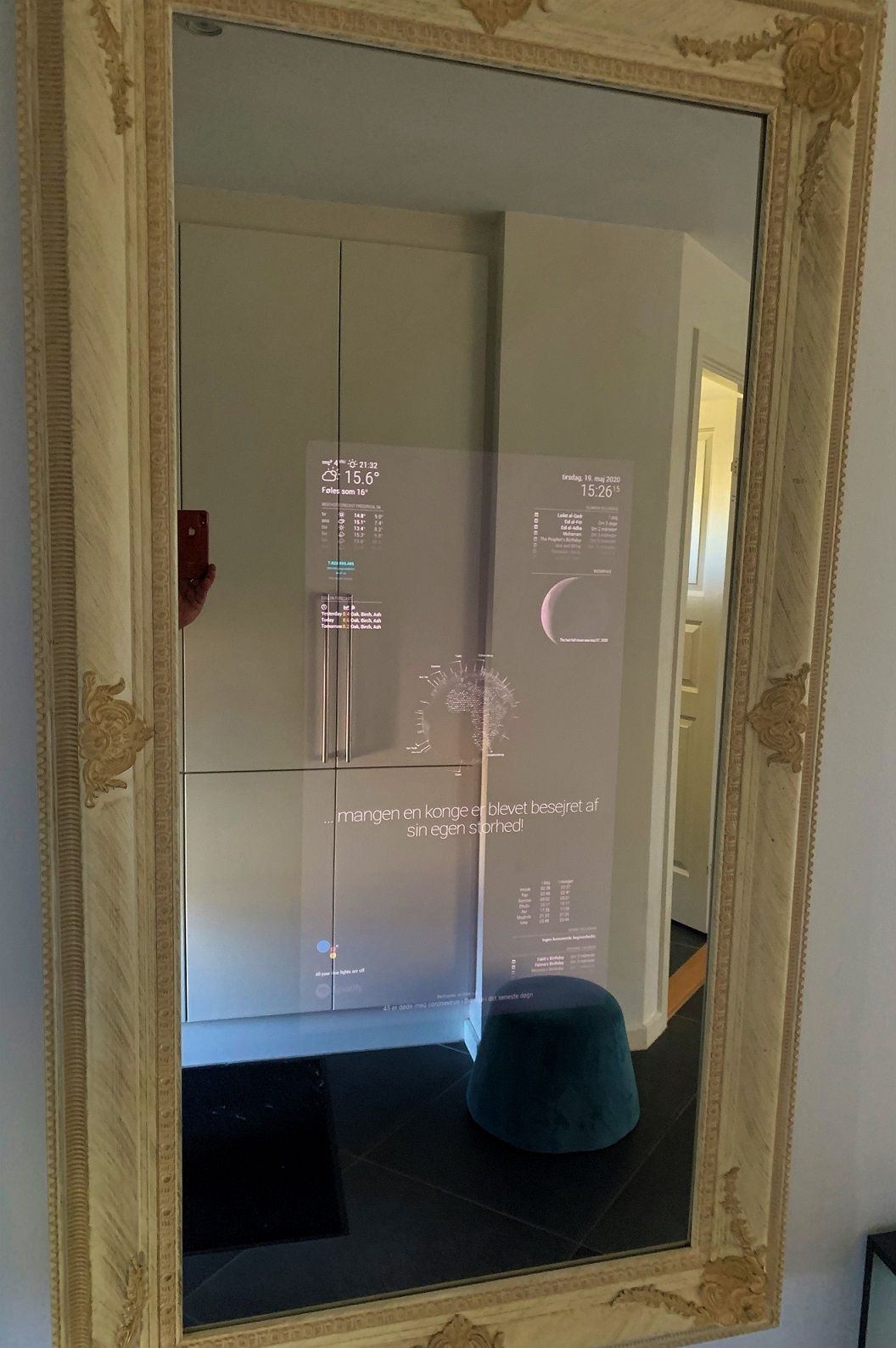
it runs without any problems until now ! -
@TechJak7000 hi, do you use a raspberry pi?
-
Hello, I do use Raspberry pi4 with High performance 128 GB SD card !
-
Impressive!!!
I just started a smart mirror project with Pi3 (1G) and just found out about this awesome plugin.
Great job!
So, I guess I’ll have to wait for that lightweight version :)
-
Hello,
I have installed module on my P4, but somehow it does not really work. It is only displayed as in the picture below and not as in the pictures on the GitHub page. Does anyone know what the problem is?
My Mirror:
https://imgur.com/a/tOwDJruGitHub Version:
https://i.imgur.com/oF3mxBC.png -
@idea215 Did you go to the github link from the first post or just Googled for MMM-Globe? Yours looks like mine which is from a different MMM-Globe
-
What a beautiful modul! Any chance to change the font size to be able to fit more destinations next to each others? I did try to find it in the .css but had no luck yet.
-
Hi,
I have a question about the module:I would like to make the background transparent, is that possible? At the moment it is black.
That would help me, because I have a slideshow running in the background and the black background behind the globe doesn’t look so nice …
Would be very grateful if someone could help.
Foxy
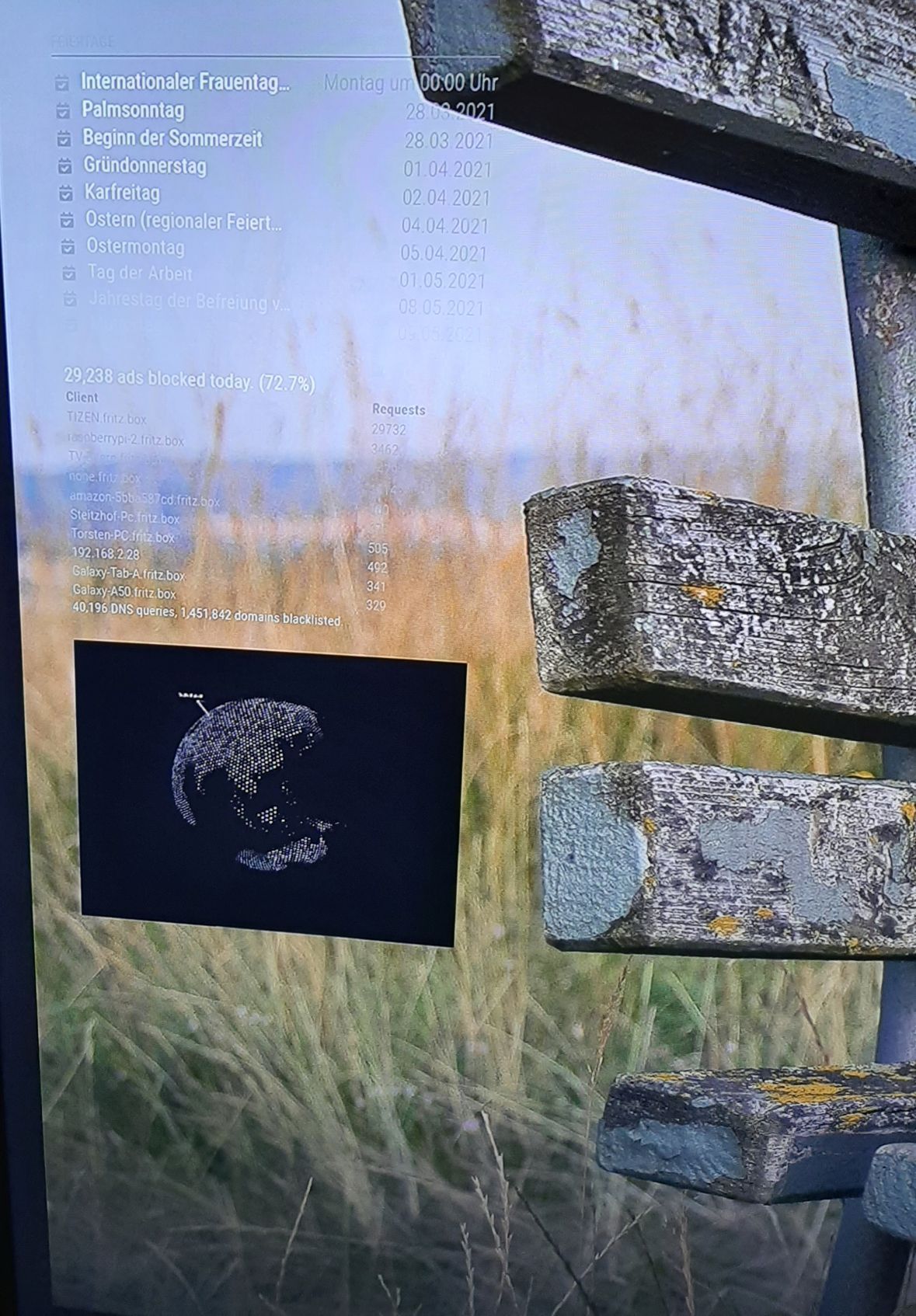
-
-
@wenike
Hi,i use the command in the styles.css of the modul, not in the custom.css.
It works, but it makes the complete module invisible, not only the background behind the globe.
Thank you for your support.
-
@foxy25 to make globe transparent there are two changes required.
- Module div’s background color
- Globe canvas itself have black color as background.
First one can be easily doable with css but to make globe transparent you will need to change the code as well. Do below to make globe transperent.
- In custom.css add below css
.globe { background-color: unset; }- in modules\MMM-Globe\encom-globe.js file find below line and change it to.
from
this.renderer = new THREE.WebGLRenderer( { antialias: true } );to
this.renderer = new THREE.WebGLRenderer( { antialias: true, alpha: true } );
below is output
Before
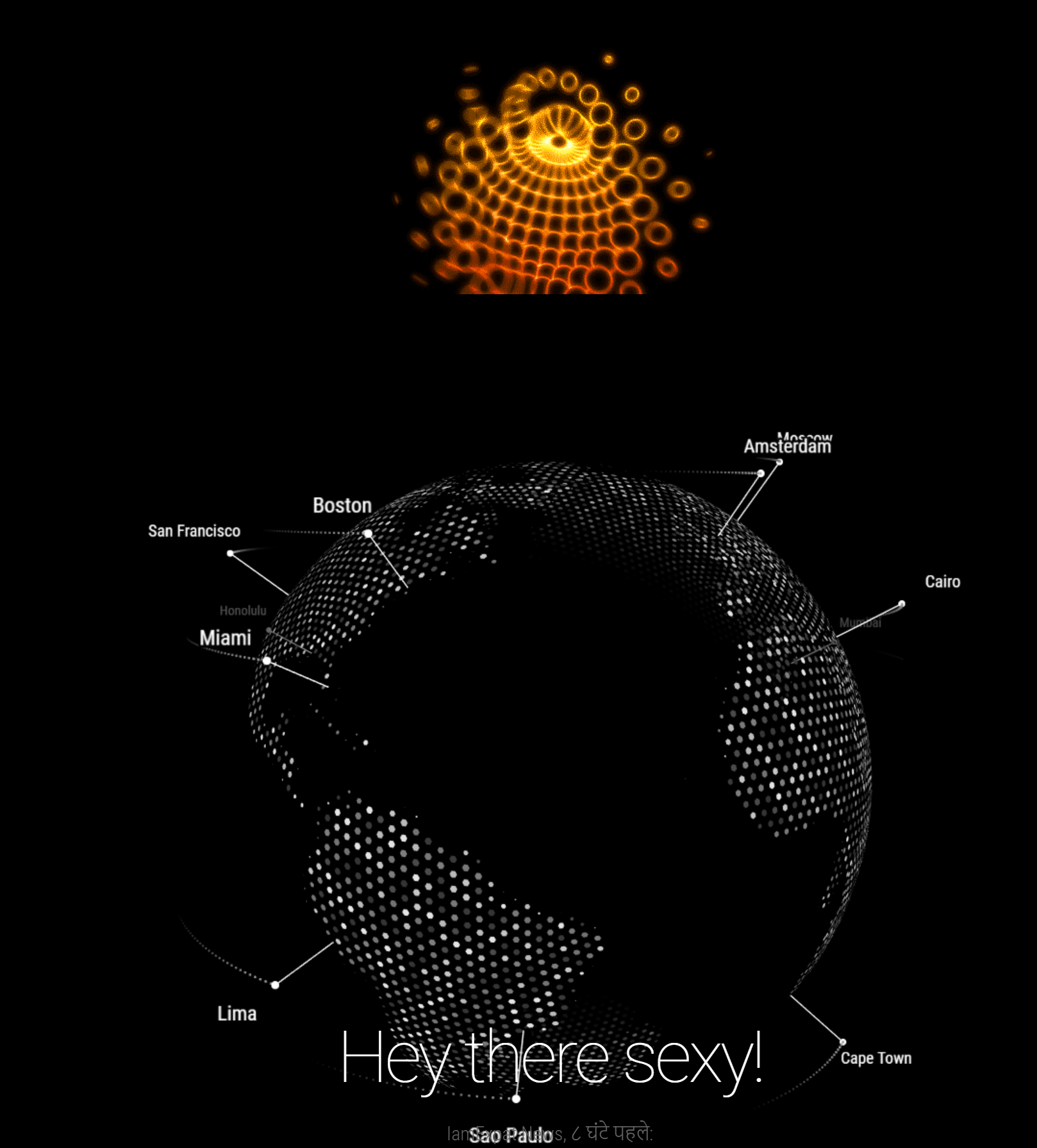
After
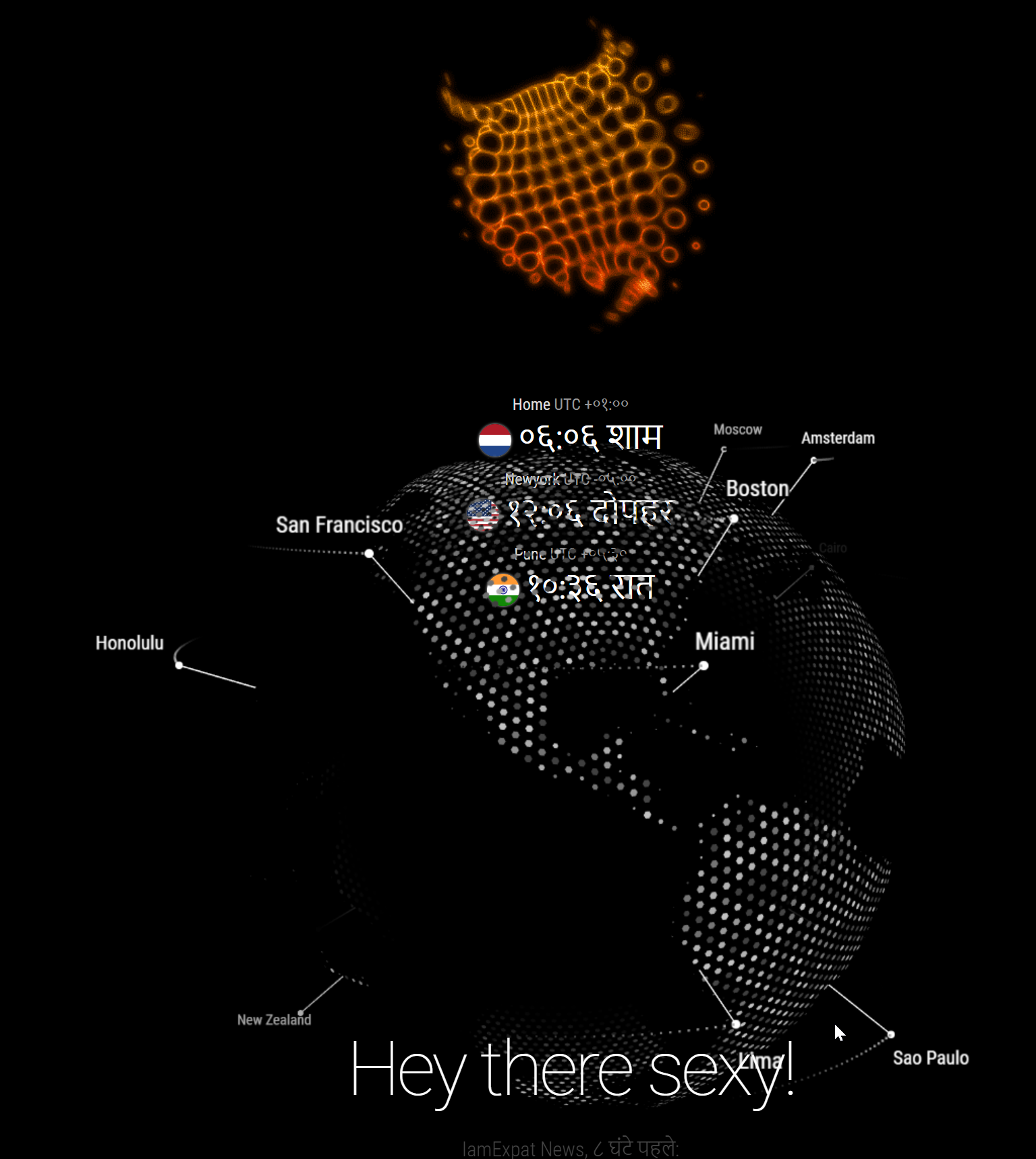
Let me know how/if it works for you.





Hello! It looks like you're interested in this conversation, but you don't have an account yet.
Getting fed up of having to scroll through the same posts each visit? When you register for an account, you'll always come back to exactly where you were before, and choose to be notified of new replies (either via email, or push notification). You'll also be able to save bookmarks and upvote posts to show your appreciation to other community members.
With your input, this post could be even better 💗
Register Login