@sdetweil Used your script and worked like a charm. Didnt put in mm2.22 at end since I had no previous install.
Then did the various appropriate steps from the “official” manual install, like node and everything running as desired.
 A
Offline
A
Offline
@sdetweil Used your script and worked like a charm. Didnt put in mm2.22 at end since I had no previous install.
Then did the various appropriate steps from the “official” manual install, like node and everything running as desired.
@BKeyport @MMRIZE I think the problem is that calendar.js default fetch interval is set to 5 minutes.
When you set about to build a MM and you install the core system, Calendar.js fetchinterval is set to 5 minutes by default.
If I install MM AND I’m content with the presentation of the calendar AS IS and do nothing at all, calendar.js is going to reach for an update every 5 minutes.
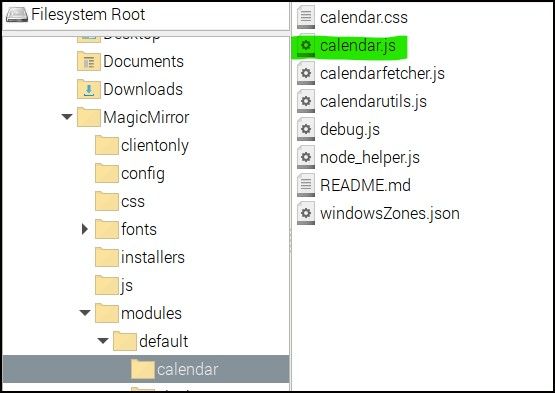
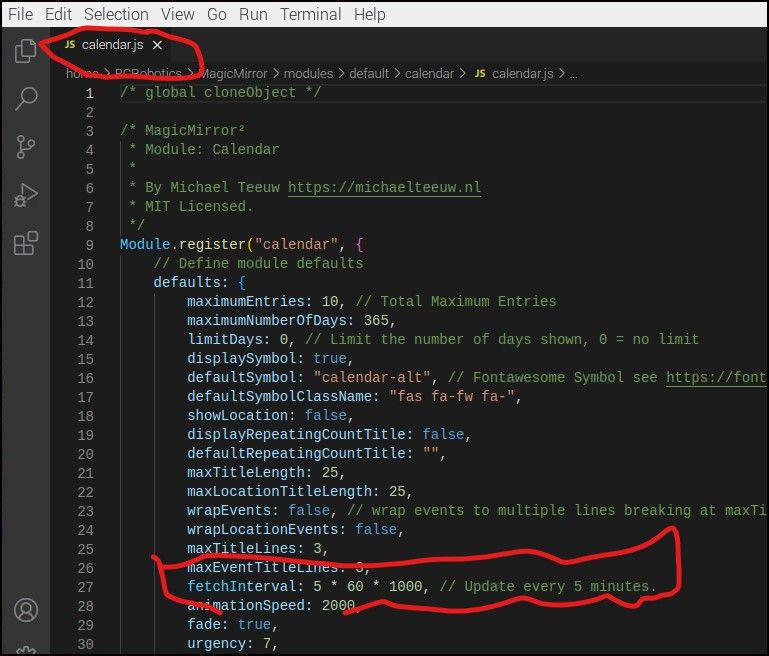
@sdetweil I went back and looked at an older MM thats been running quite some time to see if I somehow would have missed that setting because, being a holiday calendar it doesn’t change, period. Some things change such as Easter but annually. I’ve run into that update issue on other modules such as weather.
I saw that item posted on forum and first thing I did was look at my config.js file and nothing related to updates so immediately went to the module file and there it was, 5 minute update interval.
More like as more and more Magic Mirrors got built the upate requests were going up with each mirror. and since when a given mirror’s 5 minute cycle would time out I can imagine they were getting slammed.
@sdetweil Where are you correcting this?
Reason I ask is because the default in Calender.js is set to 5 minutes and if you don’t change it in config.js doesn’t it fall back to the module default values?
It is likely most MM builders do very little to config.js regarding the calendar. When they do initial install of MM, the basic calendar module is loaded, calendar.js is just chugging along updating every 5 minutes out of sight.
You want this?
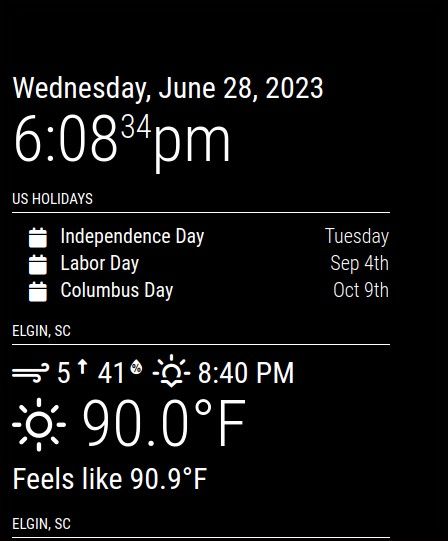
Change --color-text-dimmed: #fff;
I wanted everything to be white across the board so did that by copying the whole root font configuration into custom.css and made change in custom.css NOT in main.css
@sdetweil Also, good point to be aware of is that Github may have modules too.
@sdetweil LOOL You’ve got the secret MMM stash.
@sdetweil I did a search and drew a blank on module you describe MMM-ImagesPhotos. I’ll poke around with some of the others.
Since my knowledge of servers is minimal at best from hardware side required I sort of understand that but I’ve never set about to create a server I’ll have to figure that out.
I have several jumbo external hard drives and SSD drives and I was just going to plug one of them into an open USB socket on the Pi.
Side subject but maybe good use for the lone Raspberry Pi 1? I tried to use it (Pi 1) for a Pi-Hole I just built but was something that was incompatible so it went back on the shelf
I have tons of photographs and I want to make ultra simple MM that just randomly (or not) to cycle through through all the photos and just curious as to the good, the bad and the ugly as to which module(s) do that best.
Trying to avoid randomly choosing a module that sounds like it will fit my needs only to find out I chose poorly and have to redo the configuration.
I’ll toss out a similar problem I had a long time ago and it was tied to the FontAwesome ICONS.
I wish I could remember what all I did but it took me a while to figure out it was like padding around the icons or something like that.
@HotMacaroon Did you put both modules in same region, top_right?
I have almost identical setup on an MM and if you put both in same region you should not run into that problem because they will position themselves properly as far as what you are trying to do.
Is one in top_right and second in a different region?
I have like 5 modules, all in top_left in my case.
Also note these are in config.js NOT doing anything with CSS
With CSS issues like @sdetweil has told me a 100 times, do that with developer tools and my experience is that there is a little trial & error in getting module CSS to look right because of different branded monitor/TV and different screen sizes.
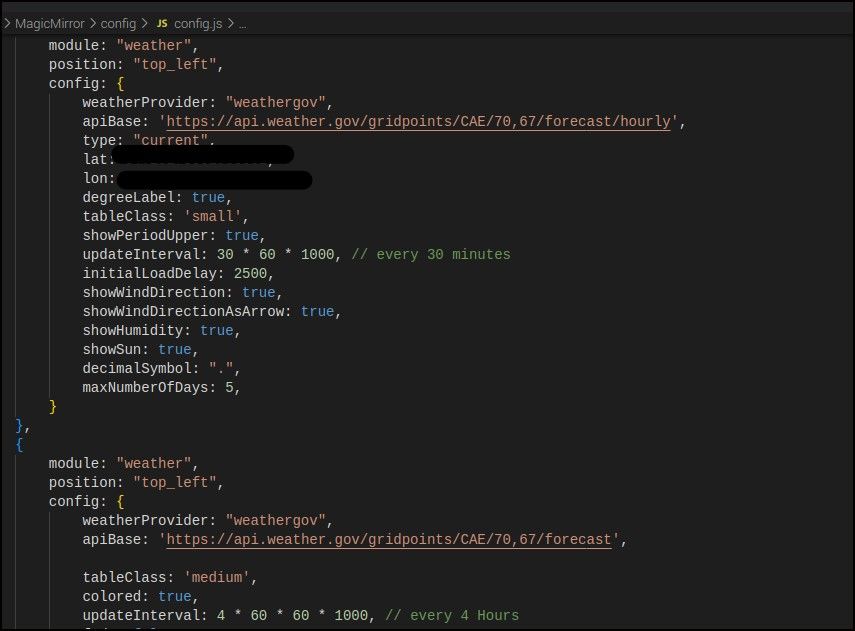
Two identical modules should drop with no need to tweak CSS on one and not the other.
If you want a particular order, that is dependent on placement of module in the config.js file.
Second picture all modules top_left
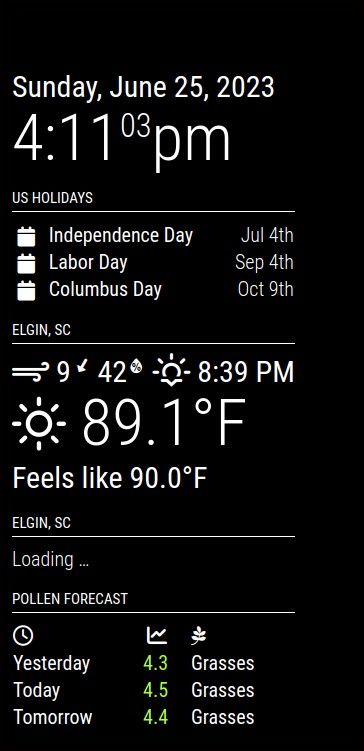
@sdetweil I went to the Github Issue to see what you wrote and I don’t see anything relating to to how to retrieve an older version of the repository. All my Googling I had found how each version has tag associated with it but I can’t find in the issue stream anywhere.
@sdetweil I assume it is on you all to resolve MM’s conflict with the newest version of Electron?
I could see that going both ways. If new version of Electron broke EVERYONE’s application that uses Electron is different than if it only breaks one or two applications.
@sdetweil Thank you.
I’ve piddled around with computers since THE computer was a Tandy Something Something I bought at a Radio Shack when they and hardware focused mom & pop computer stores were the only way to buy/build a NOT $7,000.00 IBM. There was an EGG Computer store as big as a Best Buy big box store in Charlotte, NC I used to go to and drool at all the hardware.
Been several multi-year gaps in there for sure but I can always rely on computers to tax my brain. Just like this.
I appreciate your help and patience.
@sdetweil Can you tell me how to easily capture/install the prior 2.20.0 version ether direct to the Pi I want to install MM on. I have two upcoming MM projects and while the one Pi is ready, it is going to be a simple build as far as MM’s go so will knock it out pretty quickly.
I have successfully installed that earlier version twice but still way more hunting and pecking than is desireable. Plus it would be good to know more generally.
Is sudo rm -r MagicMirror the best way to remove the problematic 2.23.0version? That is what I have been doing and since I have only just installed MM and no modules it seemed like that would do what I needed.
@sdetweil I’m calling it a wrap for today but is there a way to make the developer tools to open that is not “open developer tools”?
I did something yesterday and that launched but when you move the mouse around it is like it is behind the MM window. If it wasn’t doing that you could right click page and bring that up up.
Reason I ask is I did see some Electron errors yesterday but I’ve seen them in past so I just ignored.
@sdetweil Hit the nail on the head.
These things more oriented to the do-it-yourselfer community.
I was paying Dakboard and it was always “on the next release”. I’m thinking “Dude, I’m paying you. Chop Chop. Get a move on.”
Here, I bust it, I have to sort it out myself but large community of people to help answer my questions.
@sdetweil You won’t get any argument out of me on that score.
As I said, glad to help if I can just as long as you tell me what to do.
@sdetweil I took two identical Pi 4B’s, formatted them intalled 64 bit PI OS on both.
Then installed MM 2.22.0 on one and 2.23.0 on the other.
No VNC or SSH, start to finish.
2.22.0 I hit ALT (only) and the expected toolbar with VIEW then Toggle Full Screen and the Open Developer Tools come up as I am accustomed to.
2.23.0 exhibits that same unexpected behavior that started us down this road.
The whole ALT+F11 is WAY WAY beyond me but it does shrink the size of the MM overlay. Unfortunately it does not give you Open Developer Tools so that is a problem.
Beyond that, I am clueless. Why 2.22.0 works as desired and 2.23.0 doesn’t is way out beyond my level of knowledge.
I never got to the Chromium stuff you described but more than happy to run that down on the Pi with 2.23.0 on it.
Once I saw that 2.22.0 install give me what I wanted I was going see if I could repeat that.
@wfsaxton Good luck.
IMO, Dak board, as a user for probably 9 months, is that it is garbage.
It was garbage because they didn’t do all the customer service stuff you commit to with a retail product.
My opinion, and you know what they say about opinions, is the 3 or 4 people that seemed to be running it when I was a subscriber saw MM and said “We can make these for money.” but found out there’s a lot more to it when you sign up to make, sell, warranty, deal with customers and all that touchy-feely stuff.
Maybe make the bad to the bone calendar, or make a dozen modules to show everyone, then ask.
I’m not sure but I suspect a lot of the folks making the modules and manage back end stuff have day jobs.
People like me with my questions make them go prematurely grey.