wow, you’re definitively better than ChatGpt @sdetweil !
C
Offline
A New Chapter for MagicMirror: The Community Takes the Lead
Read the statement by Michael Teeuw here.
Read the statement by Michael Teeuw here.
Posts
-
RE: showing start and end time instead of in x hours
-
RE: showing start and end time instead of in x hours
hello @sdetweil
I tested what you proposed, and was not effective.
I found this other interesting option
but it was not better.
The question you could maybe help me to understand would be : why do the calendar suddenly changes the display of “today at hh.mm” to “in xx hours / minutes”?
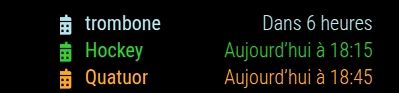
I searched in the code how to erase this change but did not find it. Should I place a pull request on the repository of the calendar on Gibhub?
Thanks in advance and have a great sunny day.
Cédric
-
RE: showing start and end time instead of in x hours
@sdetweil : thank you very much, very appreciated!
-
showing start and end time instead of in x hours
hello, is it possible in mmm calendar to show the start time (e.g 16:00), like it is already the case for the following days, and maybe the end time instead of “in 2 hours”?
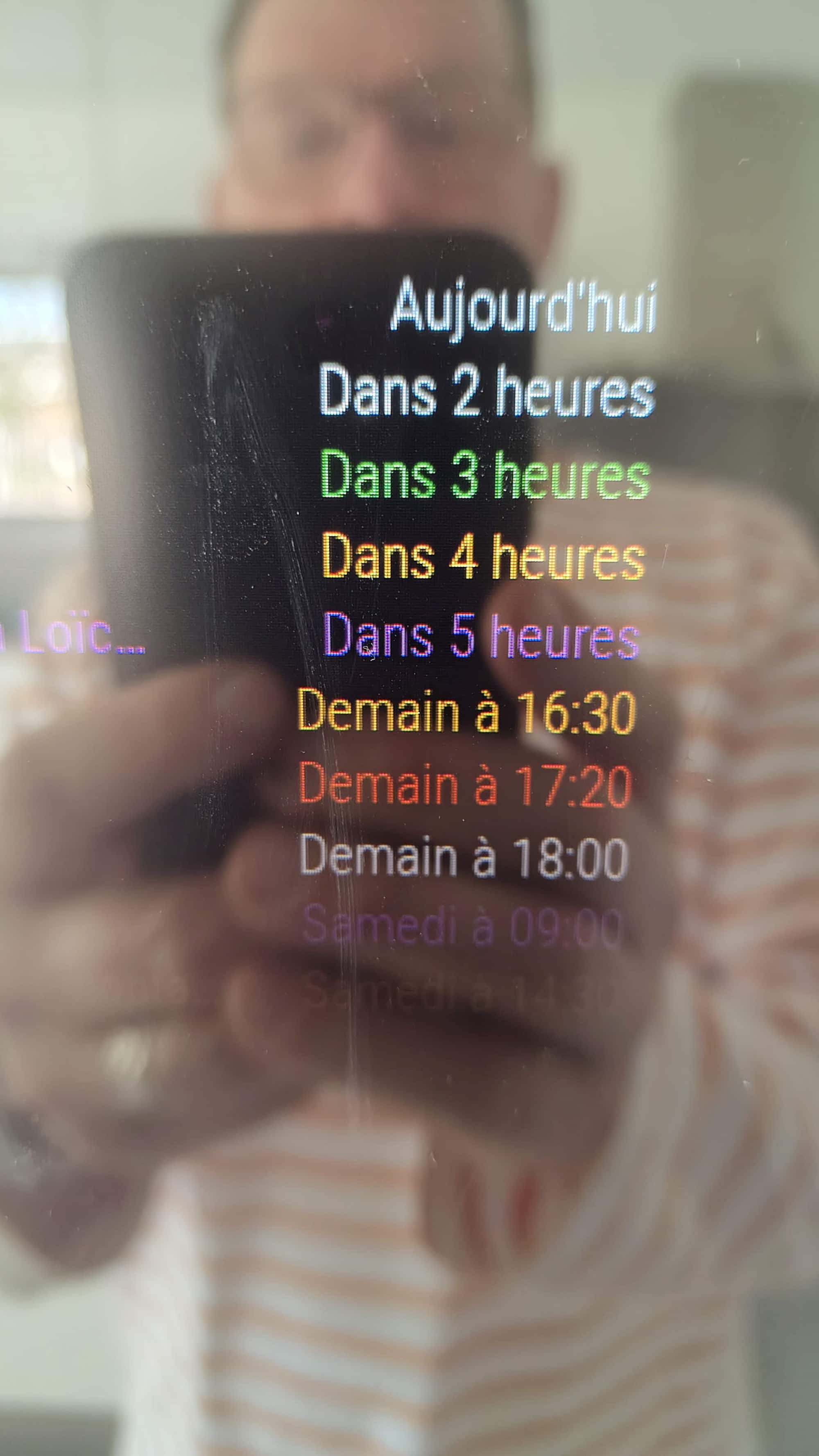
Thanks for your opinion and help if you can.
Greatings. -
RE: DHT22 with Debian 12 Bookworm
@sdetweil and @wishmaster270 : Thank you for your inputs.
I finally tried this one https://github.com/ryck/MMM-DHT-Sensor, not listed on https://modules.magicmirror.builders/, but it works.
-
RE: DHT22 with Debian 12 Bookworm
@wishmaster270 thanks, I will try this week-end and inform you. Could interest the other users.
-
RE: DHT22 with Debian 12 Bookworm
hello @wishmaster270 ,
I could install and try your module.
The result is empty :
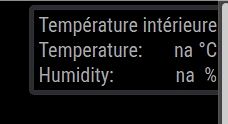
When I test it direct through the terminal as you describe in you module description, “error” is on “true”.

But, interesting, it finally works when I try another direct way as described on https://pimylifeup.com/raspberry-pi-humidity-sensor-dht22/, so that it seems, that everything should work.
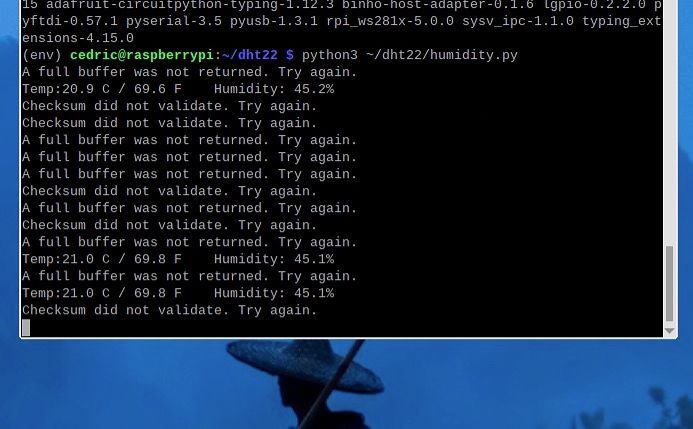 .
.Now, do you think that there suddenly could be an error in your module ?
Sorry for disturbing you with this kind of problem, but thank you anyway in advance if you can help me :-)
-
RE: DHT22 with Debian 12 Bookworm
hello @wishmaster270 , Ok, thanks, I will try!
-
DHT22 with Debian 12 Bookworm
Hello
Do anyone of you know a MM module to display the data of a DHT22 AM2302 temperature and humidty sensor on a Raspberry 4 with Debian 12 bookworm?It seems that it is not so trivial with this version and I am not sure that the provided DHT22 modules on https://modules.magicmirror.builders/ manage this PI OS version.
Thanks in advance and greeting !
Cédric -
pm2 flush with crontab
Hello,
I try to flush the pm2 logs every morning with crontab using this command…
30 07 * * * pm2 flush
but it does not work automatically, without any error showing.
Does anyone of you know how to perform this action with crontab?
Many thanks.
-
RE: MMM-Carousel Pagination Icons
@mumblebaj , @karsten13 and @sdetweil , thank you really for your help with this matter. I will test tomorrow and hope all this story will help other user in the future to profit from all your great job!
-
RE: MMM-Carousel Pagination Icons
@sdetweil and @karsten13
thank you for your inputs.
I tried it and put the image (downloaded from flaticon.com) on the CSS file
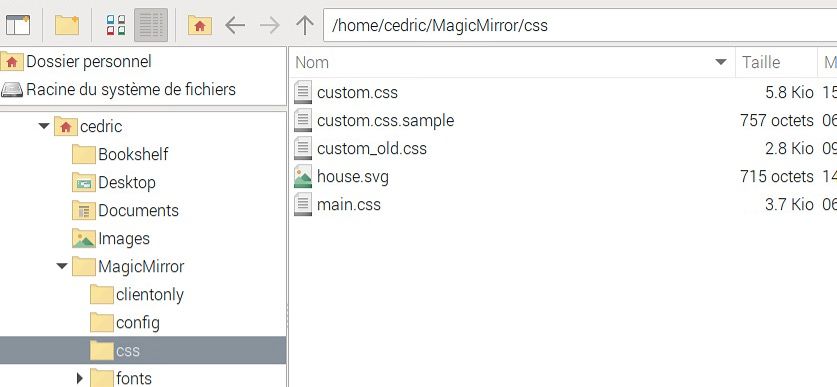
When I search for it in the Chromium browser (to be sure the URL is correct), it works
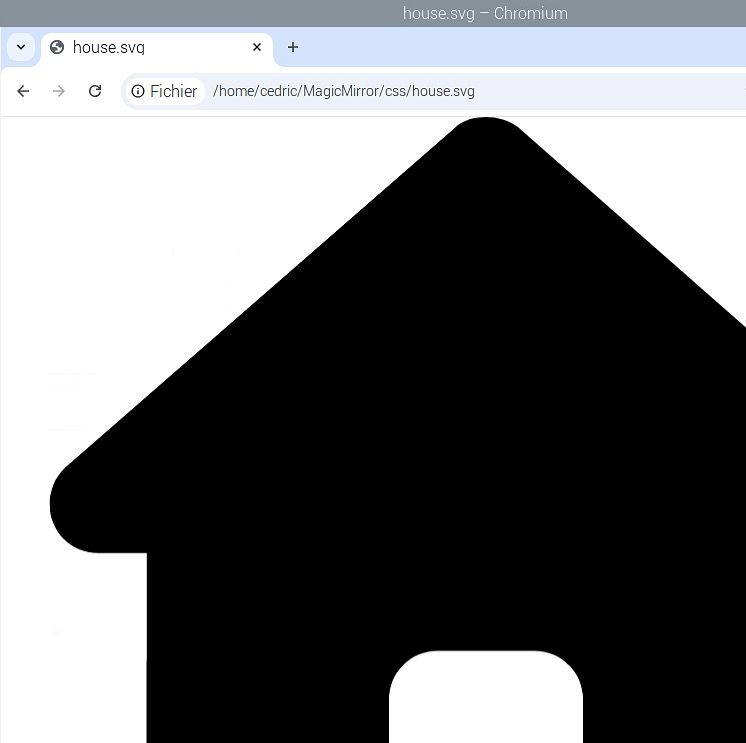
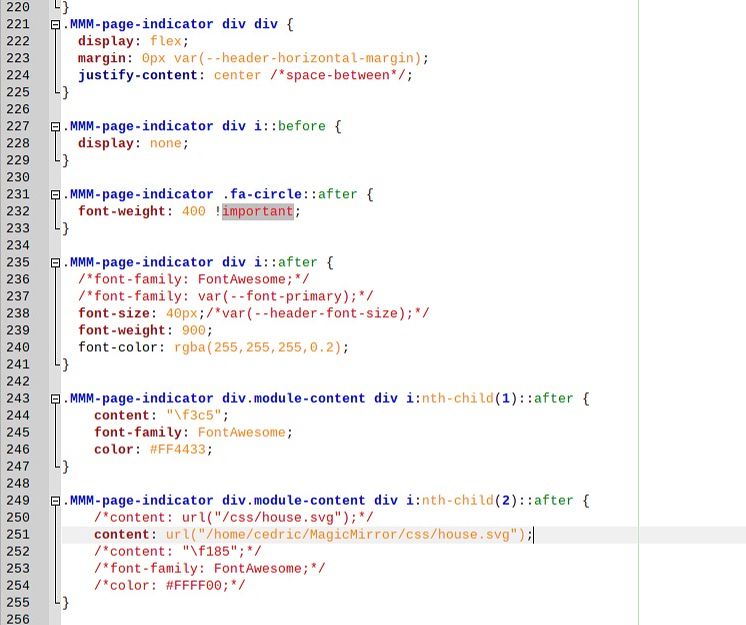
but when I put this path in the custom.css files, with full or shorten path, it does not appear…
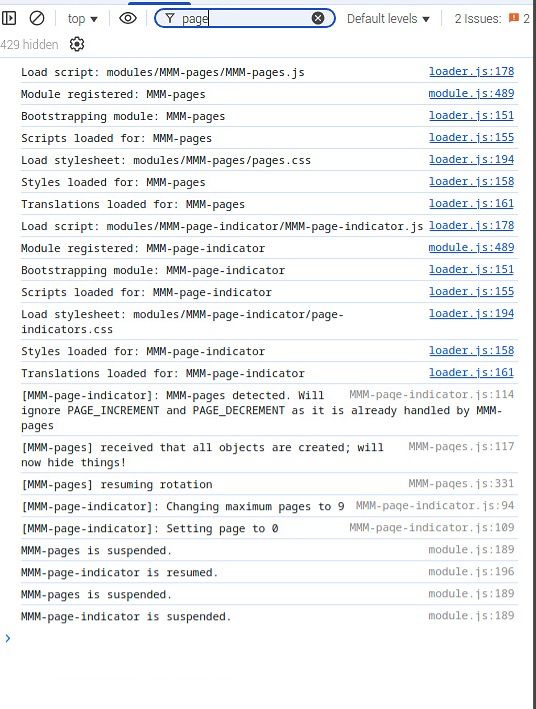
in the console, I do not find anything suspicious (I only use mm-page and mm-page-indicator, and no carrousel).
-
RE: MMM-Carousel Pagination Icons
@sdetweil
OK, I looked into it, thank you.Now, I have this images from Fontawesome. It looks nice, but I would like to be able to use other image if needed.

For example, I would replace the “sun” with a picture “04n.png” in the “icons” forder on my raspberry.
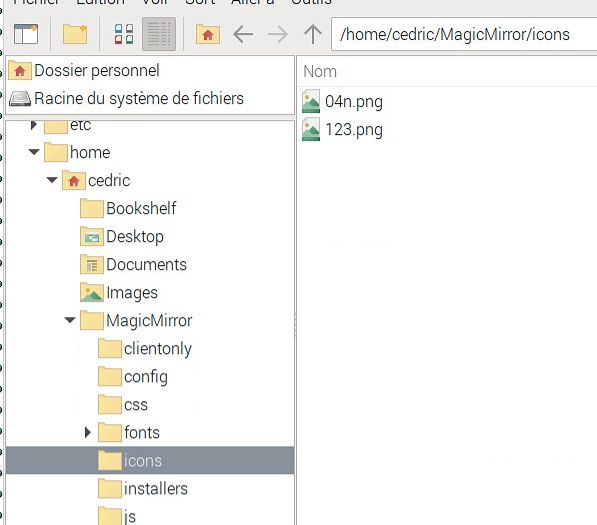
I tried to change line 251 with 250 in the custom.css file
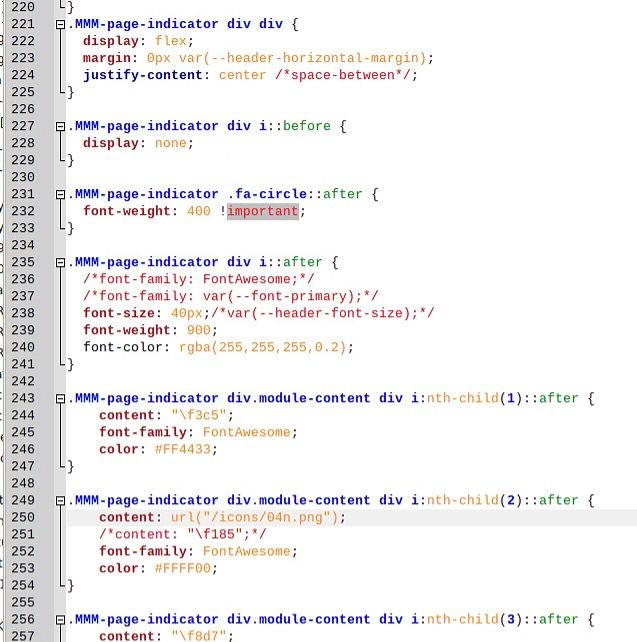
Now, the result is, that the sun has disappeared (correct), but just has been replaced with a gap.

do you maybe see a mistake in my custom.css file? the problem is maybe between lines 221 and 240. this is strange…
-
RE: MMM-Carousel Pagination Icons
@sdetweil said in MMM-Carousel Pagination Icons:
url(‘/icons/circle.png’)
Thank you very much Sam.
currently, I have the following command (which works well and shows an icon from FontAwesom) in custom.css:
.MMM-page-indicator div.module-content div i:nth-child(7)::after {
content: “\f207”;
font-family: FontAwesome;
color: #FF4433;
}After putting an image called “olympic.png” in the “MagicMirror/icons” folder, it still does not appear if I write:
.MMM-page-indicator div.module-content div i:nth-child(7)::after {
url(‘/icons/olympics.png’);
}Do I habe to still use “content:” before or something else?
PS. sorry for asking, I am quite new in this CSS topic
-
RE: MMM-Carousel Pagination Icons
@sdetweil Hello Sam, may I ask you one question about this topic? do you know how it would be possible to show an image stored on the Raspberry or linked from the web, instead of showing an icon from Fontawesome?
-
RE: MMM-Carousel Pagination Icons
@sdetweil hello, and thank you for your time. It helped me a lot, as it is finally working now…
I had to change “before” with “after” after the ::
.MMM-page-indicator div.module-content div i:nth-child(2)::AFTER {
content: “\f453”;
font-family: FontAwesome;
}So, thank you very much for your help and have a great week-end.
-
RE: MMM-Carousel Pagination Icons
@sdetweil hum… I have to re-explain my question:
fo the moment, in custom.css, the word “hockey” is used for a page using MMM-page-indicator like this:
.MMM-page-indicator div i:nth-child(5)::after {
content: “Hockey”;
}Let’s say, I want to replace this word “hockey”, with an image of a hockey-puck --> e.g. image “F453” on https://fontawesome.com/search?q=hockey&o=r
Shoud I “just” write instead in custom.css:
.MMM-page-indicator div.module-content div i:nth-child(2)::before {
    content: "\f453";
    font-family: FontAwesome;
}
When I try that, the word “hockey” has disappeared, but not image of a puck is shownd. I should have missed a step…
Can you help me? (could interest other user as well I hope). Thanks in advance!
-
RE: MMM-Carousel Pagination Icons
Dear @sdetweil , hoping your going well, may I ask you something about the comment you put on this page?
-> see this for how to locate the items to set new custom.css entries for https://forum.magicmirror.builders/topic/14862/help-with-a-couple-css-issues/2?_=1719951675453I do not find where the https://fontawesome.com is referenced to search for the icones.
has it been erased or could you explain me?
Wishing you a relaxing and sunny week-end,
Cédric