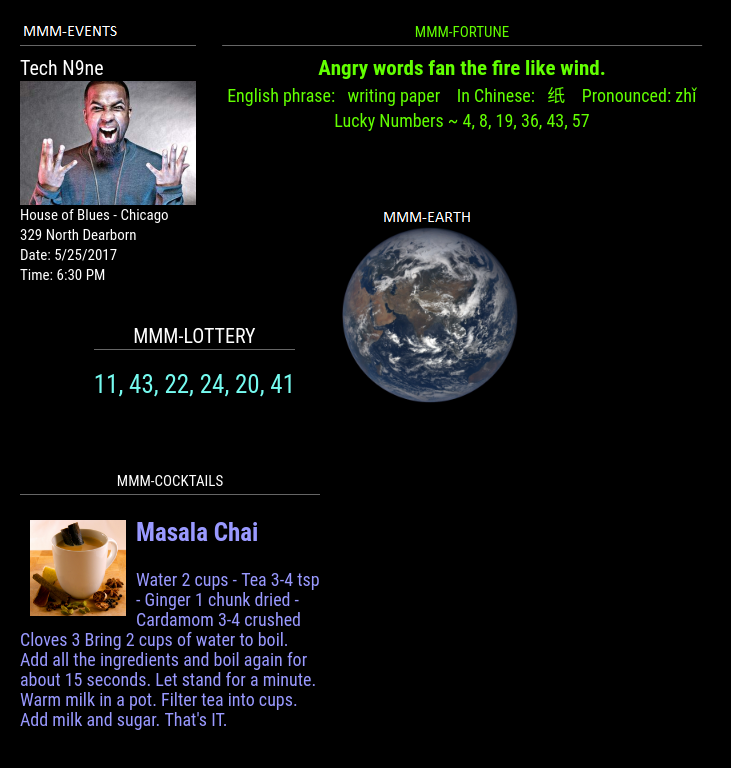
Pretty darn cool! :thumbsup:
 M
Offline
M
Offline
A New Chapter for MagicMirror: The Community Takes the Lead
Read the statement by Michael Teeuw here.
Read the statement by Michael Teeuw here.
Posts
-
RE: Failed to install dependencies RPI3 B+
Open a terminal window.
Change directory by typing cd MagicMirror and enter.
Then type npm install and enter.
-
RE: News ticker module
@kimzer said in News ticker module:
I would like to add a few more feeds to it,
This is likely possible.
and also its kind of lagging a bit. Is there a way to improve that?
This question gets asked all the time. The Pi can only do so much. Use a more robust board.
-
RE: Removing lines
@Quesada said in Removing lines:
I’m talking about the bottom line of WEATHER title.
Individual modules.
.WEATHER-MODULE-NAME-HERE header.module-header {
  border-bottom: none;
}
I made a mistake (because I didn’t test) on the second direction I made above. I corrected it but here it is again.
All modules! This one is easier to use.
header {
  border-bottom: none;
}
These absolutely work. Please post your custom.css file if they do not.
-
RE: MMM-EasyPix Multiple pics
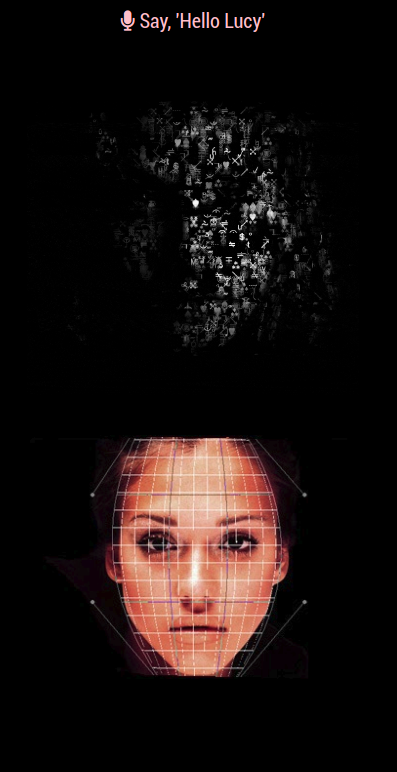
Adding another config entry will work but the pictures will stack in the same region. You can choose another position for the second entry or play with css.
{
            disabled: f,
            module: "MMM-EasyPix",
            position: "top_center",
            config: {
                picName: "face.gif", // "face.gif", // Enter the picture file name.
                maxWidth: "35%",
                sounds: ["1.mp3", "11.mp3", "a.mp3", "b.mp3", "c.mp3", "d.mp3", "me2.mp3", "pony.mp3",
                    "naked.mp3", "jugs.mp3", "listening.mp3", "best.mp3", "nice.mp3", "weather.mp3", "hello.mp3",
                ]
            }
        },
        {
            disabled: f,
            module: "MMM-EasyPix",
            position: "top_center",
            config: {
                picName: "4.jpg", // "face.gif", // Enter the picture file name.
                maxWidth: "35%",
                sounds: ["1.mp3", "11.mp3", "a.mp3", "b.mp3", "c.mp3", "d.mp3", "me2.mp3", "pony.mp3",
                    "naked.mp3", "jugs.mp3", "listening.mp3", "best.mp3", "nice.mp3", "weather.mp3", "hello.mp3",
                ]
            }
        },
-
RE: Does "Top_Bar" 5-7 Day Weather Forecast Module Exist?
@shfaxx said in Does "Top_Bar" 5-7 Day Weather Forecast Module Exist?:
I looked at all the weather modules, but don’t seem to see anything which displays a 5-7 day forecast within the top or bottom bars
https://github.com/mykle1/MMM-BMW-DS

-
RE: Something went wrong after updating MM
@DæmonEyes said in Something went wrong after updating MM:
how do I update a module when the top banner comes up saying there is an update?
in the terminal, navigate to that modules folder then run
git pull -
RE: keep getting error after modifying config.js file
@wazscience said in keep getting error after modifying config.js file:
whenever I try to modify the config.js file, either to add a module or to edit an existing one, I get an error message
You might want to give this a read. I went through the same thing as you.
https://forum.magicmirror.builders/topic/4231/how-to-add-modules-for-absolute-beginners
-
RE: Bash install command doesn't execute
@heed
Trygit clone https://github.com/MichMich/MagicMirror.gitIf that is successful:
cd MagicMirror
npm install -
RE: Module Weather
Assuming you mean a weather module other than the default, you can find most of the modules here. Scroll down to the weather section.
https://github.com/MichMich/MagicMirror/wiki/3rd-party-modules
-
RE: Internet Monitor
@cowboysdude said in Internet Monitor:
/root/.pm2/logs/
Thanks bro, I’ll look into that in a little while
-
RE: I wish there was a module that would show local events...
@cowboysdude said in I wish there was a module that would show local events...:
Oh, no you d’int! You old some beach! ;-)
Well, seeing as you wished for it, and seeing as you forced my hand, here it is.
-
RE: MMM-Astrology
Yo bro, congrats on making your own module. I’m impressed. :thumbsup_tone1:
I’m going to get it right now
-
RE: Calendar config
@JbeesonMagic16
I almost posted the same exact problem but I found this page (thread?) (Whatever), but due to the help you received and your last comment about the private link to google calendars ical, I was able to resolve the issue without asking the question. This place is awesome. :-)
Up votes for everyone!
-
RE: New Calendar Icon dont´t change color.
@xeroxu said in New Calendar Icon dont´t change color.:
hope i dont have a to great mistake :(
Two things here.
Your custom.css entry should be
.calendar .fa.fa-trash-o {
  color: yellow; /* Yellow */
}
And you had the color code
color: #FFFFFF; /* Yellow */
#FFFFFF is for white, not yellow. You would have to find the code for the yellow that you want. -
RE: MMM-Astrology
Ok, I have the Astrology up and running in my top_right, just under my weather. Real nice. I just need to push the whole thing to the right margin. I’ve tried some things in custom.css to accomplish this, based on entries that Strawberry made on other modules for me, but I can’t seem to get it to move! Are you screwing with me? ;-)
Nice work, bro