MagicMirror Forum
    • Recent
    • Tags
    • Unsolved
    • Solved
    • MagicMirror² Repository
    • Documentation
    • 3rd-Party-Modules
    • Donate
    • Discord
    • Register
    • Login
    1. Home
    2. Mykle1
    3. Posts
    A New Chapter for MagicMirror: The Community Takes the Lead
    Read the statement by Michael Teeuw here.
    Mykle1M Offline
    • Profile
    • Following 5
    • Followers 73
    • Topics 101
    • Posts 4,397
    • Groups 2

    Posts

    Recent Best Controversial
    • RE: Internet Monitor

      @cowboysdude said in Internet Monitor:

      @Mykle1 You could run it without he module to see what happens. I tell you what I’d do before I tried it again… backup my sd card :)

      The only thing I’m not loading that you are is the plantrise stuff didn’t need it… but other than that we are running almost identical.

      My mirror runs perfectly without the internet-monitor. It is only when I introduce that to my setup that things go south. Of course we’re running almost identical, you’re using my config. ;-) My project for today is backup my SD card so thanks for that suggestion.

      @ronny3050 said in Internet Monitor:

      @Mykle1 could you post pm2 logs?

      If someone would tell me how to find the pm2 logs I will post them

      posted in Utilities
      Mykle1M
      Mykle1
    • RE: Internet Monitor

      @ronny3050 said in Internet Monitor:

      @Mykle1 could you post pm2 logs?

      I could, if I knew how. I hope it doesn’t involve trying to run the module again. :-/ Please advise

      posted in Utilities
      Mykle1M
      Mykle1
    • RE: Internet Monitor

      @cowboysdude said in Internet Monitor:

      Ok put in my mirror [I was just using in my dev at first] …
      It makes things load slower but it does load…

      Hmm, well, it’s not happening for me. I want it so bad that I invested a lot of time with it today, but to no avail.

      You’re just using the defaults? Because those didn’t work for me either, right from the get go.

      posted in Utilities
      Mykle1M
      Mykle1
    • RE: Internet Monitor

      I played with this module the better part of this afternoon and it crashed my MM every time. I tried different positions, verbose and minimal, indicator enabled and not, maxTime I left at default (20000) with updateInterval ranging from 40000 -100000. displayStrength on and off and displaySpeed on and off. I gave up before changing anything in strengthIconSize and maxGaugeScale. Each time it would try to load and then freeze and lock up MM, forcing me to switch the power off because MM could unresponsive and could not be quit. Upon restarting, I would have to quickly run VNC, open the terminal and “pm2 stop mm” before it would launch again and crash again.

      I really love the idea of this module and I would like to have it on my mirror. Any ideas?

      Pi 3, Jessie

      posted in Utilities
      Mykle1M
      Mykle1
    • RE: Building Frame

      Perhaps these pictures will help you see what I mean from the description above.

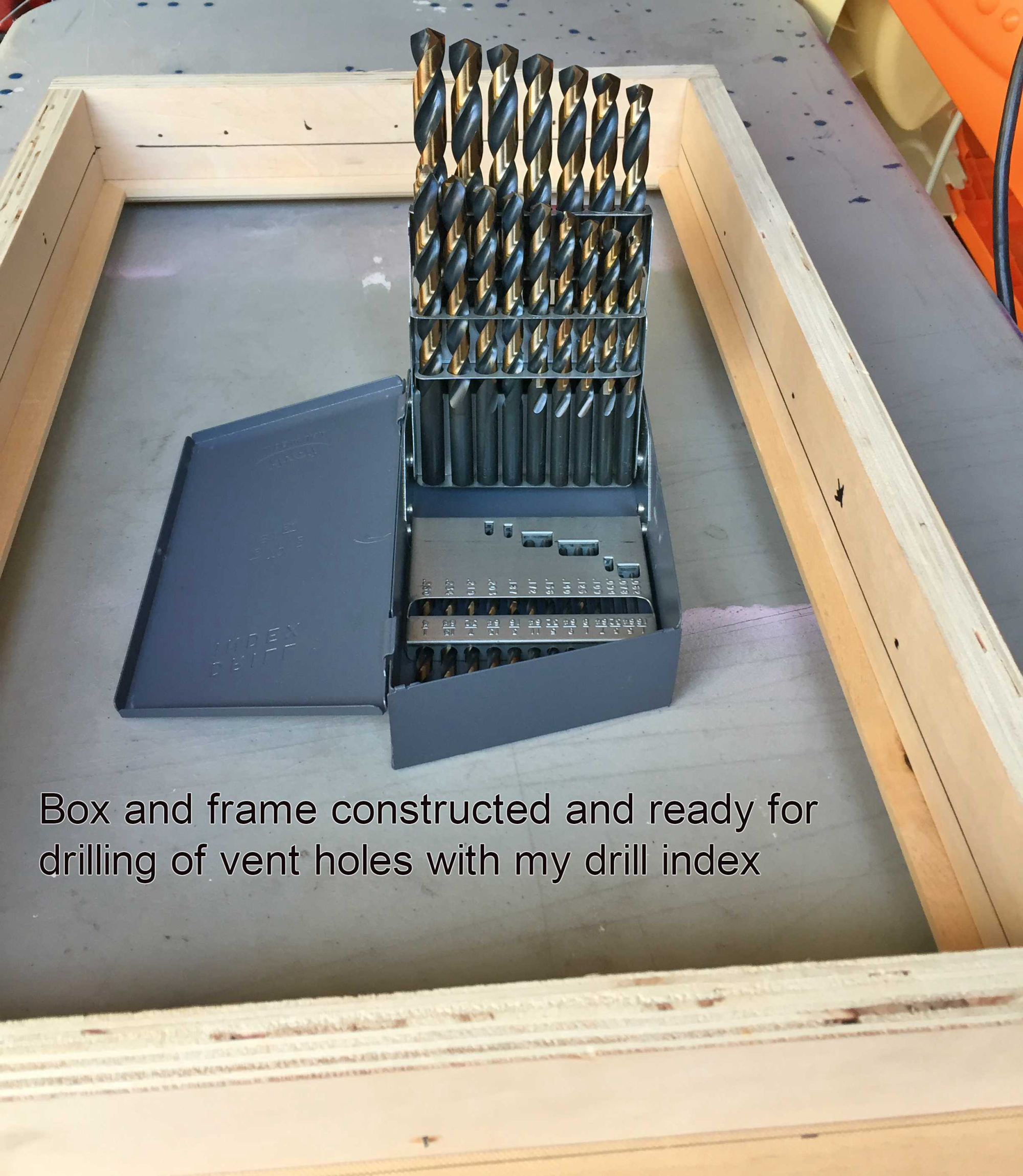
      This first picture is of the box with the frame facing downwards. You can see the “lip” created by the frame going all the way around the edge of the box. The opening of the “lip” should be the same as the bezel of the monitor. This way you don’t see the bezel when you put the monitor in. The monitor is held in place by the “lip” and conceals the bezel at the same time.
      0_1486573773909_1edit.jpg

      The second picture is of the frame facing up with the box below. When you put your mirror in (first, from the box side) and your monitor on top of that (second, from the box side) they will both rest on the “lip” created by the frame.
      0_1486574198020_2edit.jpg

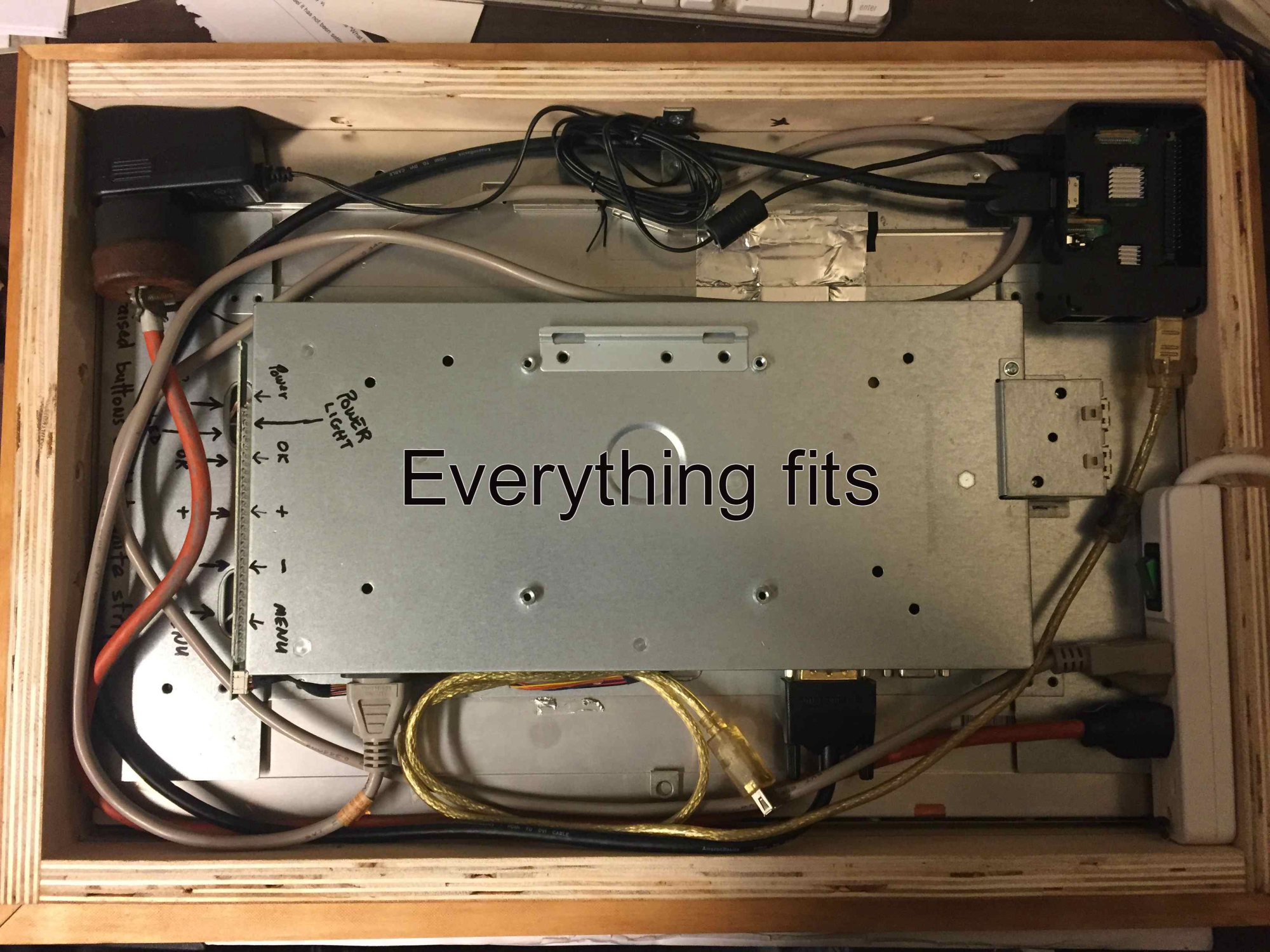
      It will then look like this from the box side. I simply used two “L” brackets to keep the monitor and mirror from falling back out of the box when you pick it up. You can just see them. One at the top of the picture in the middle and one at the bottom of the picture in the middle.
      0_1486574356794_5edit.jpg

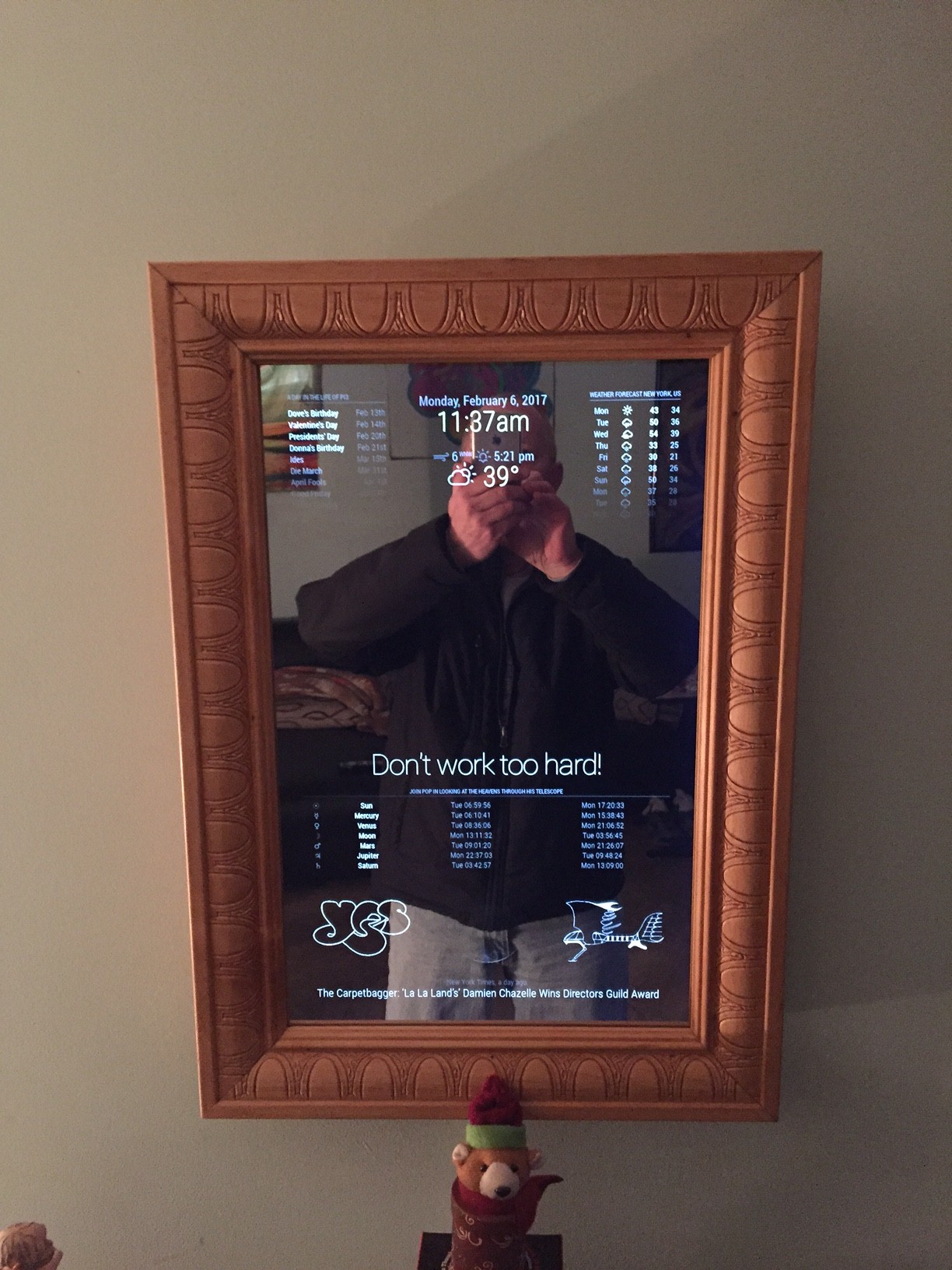
      Mine looks like this when you hang it up. The little teddy bear hides the power cord at the bottom.
      0_1486574652123_new.JPG

      Measure and cut precisely

      Good luck to you

      posted in General Discussion
      Mykle1M
      Mykle1
    • RE: mirror for magic mirror?

      @pevargasg - This is what I used. The 3mm. Rigid like plexiglass. No need for glue. Reasonable price. If you have amazon Prime (I do) you get it in 2 days.

      https://www.amazon.com/12-Acrylic-See-Through-Mirror-3mm/dp/B01G4MQ5OW/ref=sr_1_1?ie=UTF8&qid=1486555783&sr=8-1&keywords=3mm+acrylic+mirror

      posted in Hardware
      Mykle1M
      Mykle1
    • RE: Building Frame

      @ericker said in Building Frame:

      Hi I’m looking to build the frame soon and I’m a little confused on how the two way mirror is supposed to go on and stay on the monitor. Is it that you build the wooden frame with a gap and put the mirror in the gap? Can someone share their experience building the frame and attaching the two way mirror?

      You build the box to fit the monitor. You build the frame to only show the viewable area of the monitor, as if you were building the frame to match the bezel. When you attach the box to the frame, the frame creates a “lip” inside the the edge of the entire box. You put the mirror in first. It rests on the “lip” that is created by the frame. You put the monitor in next and it rests upon the mirror AND the “lip” that was created by the frame.

      Measure and cut precisely

      posted in General Discussion
      Mykle1M
      Mykle1
    • RE: MMM-SystemStats (cpu temp/load, fre ram ...)

      @BenRoe said in MMM-SystemStats (cpu temp/load, fre ram ...):

      The update v1.1 is out. Thx to Bruce17 for the pull request.

      I followed the update instructions. It seems to be working fine and the “DeprecationWarning: sys is deprecated. Use util instead.” is no longer being reported. Nice!

      posted in Utilities
      Mykle1M
      Mykle1
    • RE: Help customising my mirror

      @strawberry-3.141 said in Help customising my mirror:

      @Mykle1 that answer is not correct, module config options have to be in the object config

      Yup, you’re right. In my haste to answer, because I was pressed for time this morning, I mistakenly omitted that. My bad. Thanks for catching that.

      posted in Troubleshooting
      Mykle1M
      Mykle1
    • RE: Help customising my mirror

      @PhilsterM9 said in Help customising my mirror:

      The trouble is that I know that I can change the file and make it work because I can tried changing the clock to sit on the right side instead of the left and it works.

      The simplest answer would be to add this under “position” in the clock section of your config.js file. It should look like this now:

      module: ‘clock’,
      position: ‘top_left’
      displayType: “digital”, // options: digital, analog, both

      Change the displayType to “analog” “digital” or “both”
      Save your config.js file and restart MM

      posted in Troubleshooting
      Mykle1M
      Mykle1
    • RE: Wanting to do it the right way (revisited)

      @strawberry-3.141 said in Wanting to do it the right way (revisited):

      @Mykle1 dont make changes in the module files

      only add the part to the config that you want to be different than the defaults

      That’s what I wanted to know, thanks.

      posted in Troubleshooting
      Mykle1M
      Mykle1
    • Wanting to do it the right way (revisited)

      Hi,
      Now that I have my MM built and operational (you can see it in the “Show your mirror” forum - and please comment) I want to perfect the way I’ve done my editing. I’ll explain:

      For example, a portion of my config.js file reads as follows:
      {
      module: ‘weatherforecast’,
      position: ‘top_right’,
      header: ‘Weather Forecast’,
      config: {
      location: ‘New York’,
      locationID: ‘5128581’, //ID from http://www.openweathermap.org
      appid: ‘This is where my API key goes’
      }
      },

      And a portion of my weatherforecast.js file reads:

      // Default module config.
      defaults: {
      location: false,
      locationID: 5128581,
      appid: “Im an idiot for posting my API key last time”,
      units: config.units,
      maxNumberOfDays: 10,
      showRainAmount: false,
      updateInterval: 10 * 60 * 1000, // every 10 minutes
      animationSpeed: 1000,
      timeFormat: config.timeFormat,
      lang: config.language,
      fade: true,
      fadePoint: 0.25, // Start on 1/4th of the list.

      initialLoadDelay: 2500, // 2.5 seconds delay. This delay is used to keep the OpenWeather API happy.
      retryDelay: 2500,
      
      apiVersion: "2.5",
      apiBase: "http://api.openweathermap.org/data/",
      forecastEndpoint: "forecast/daily",
      
      appendLocationNameToHeader: true,
      calendarClass: "calendar",
      
      roundTemp: true,
      

      },
      My question is this: Was I supposed to bring the settings in the weatherforecast.js file into the config.js file? Everything works fine but what is the right way of doing it? It would be easier to edit them if they were combined into the config.js file instead of bouncing back and forth between .js files. Or, are they supposed to remain separate?

      posted in Troubleshooting
      Mykle1M
      Mykle1
    • RE: MMM-SystemStats (cpu temp/load, fre ram ...)

      @KirAsh4 said in MMM-SystemStats (cpu temp/load, fre ram ...):

      Deprecation is not the same as a hint. That message is a warning to let you know that while it may work today, it may not in the near future because sys is being deprecated and ultimately phased out (and removed) in favor of util. It would make sense to write code for the packages that will continue to work, and not for things that will be deprecated.

      I also get that warning message but it works and nothing seems to be wrong or unstable. I like having the stats to keep an eye on how things are running, then I hide it with MMM-Remote-Control until the next time I want to check.

      So, do you recommend NOT using it? Is there any “danger” in using it?

      posted in Utilities
      Mykle1M
      Mykle1
    • RE: 3 tries 3 fails Raspberry b+

      @infamoustiggr

      This is from the main installation page at https://github.com/MichMich/MagicMirror#manual-installation

      Raspberry Pi Support

      Electron, the app wrapper around MagicMirror², only supports the Raspberry Pi 2 & 3. The Raspberry Pi 1 is currently not supported. If you want to run this on a Raspberry Pi 1, use the server only feature and setup a fullscreen browser yourself.

      Server Only:

      In some cases, you want to start the application without an actual app window. In this case, execute the following command from the MagicMirror folder: node serveronly. This will start the server, after which you can open the application in your browser of choice.

      I hope this helps

      posted in Show your Mirror
      Mykle1M
      Mykle1
    • RE: 1 old noob + 1 rPi = I can't believe I did it! (revisited)

      @cowboysdude said in 1 old noob + 1 rPi = I can’t believe I did it! (revisited):

      HOLY COW THAT IS JUST PLAIN AWESOME!!! Great job!!! I LOVE IT!

      That’s extremely nice of you to say so. I hope I get a similar reaction from my son when the time comes.

      posted in Show your Mirror
      Mykle1M
      Mykle1
    • RE: 1 old noob + 1 rPi = I can't believe I did it! (revisited)

      @Snille said in 1 old noob + 1 rPi = I can’t believe I did it! (revisited):

      Great work! Looking good! I bet your kid will be impressed! I know I would if my father took on a project like yours! :)

      Thank you very much. That’s what I am hoping for. :-)

      posted in Show your Mirror
      Mykle1M
      Mykle1
    • RE: 1 old noob + 1 rPi = I can't believe I did it! (revisited)

      @Jayh391 said in 1 old noob + 1 rPi = I can’t believe I did it! (revisited):

      @Mykle1

      Thanks for posting modules used.

      Jay

      Thank you for reminding me

      posted in Show your Mirror
      Mykle1M
      Mykle1
    • RE: 1 old noob + 1 rPi = I can't believe I did it! (revisited)

      Here is a list of the modules that I am using that I forgot to enter at the end of my story.

      MMM-Remote Control - An absolute “must have” module. With it, I use my iPhone to turn other modules off and on. It impresses the hell out of people. It impresses the hell out of me! You can also access it on any computer on your network. Brilliant!

      compliments - I use it for insults, too. “You look fat in that dress!” is my favorite.

      planetrise - I’m an amateur astronomer with a telescope. Having this information at a glance is simply fantastic!

      alert - One of the default modules

      MMM-Simple-Logo - 3 instances, 2 you can see. The picture I drew in high school and the YES logo at the bottom right and left. A picture of me is hidden via MMM-Remote Control. I mean really, who wants to see that? ;-)

      MMM-Globe - Another “must have” for me. Every ten minutes I get a picture of earth from the Japanese Himawari-8 weather satellite displayed on my mirror? Sign me up.

      clock - One of the default modules

      calendar - I combined the free US Holidays calendar with my Google calendar. Excellent!

      currentweather - One of the default modules. Very nice.

      weatherforecast - One of the default modules. Also very nice.

      MMM-SystemStats - Hidden via MMM-Remote Control in the pictures. When I want to check system temperature, system load and free ram I just show it for a moment and hide it again.

      newsfeed - One of the default modules. I happen to be in NYC so that’s just perfect for me

      posted in Show your Mirror
      Mykle1M
      Mykle1
    • 1 / 1