@ryck
Thank you for your help! :)
Finally it works now.
By the way… the module looks pretty cool ;-)
@ryck
Thank you for your help! :)
Finally it works now.
By the way… the module looks pretty cool ;-)
Dear @jchan,
the mirror is attached through 4 screws which I drilled through the glas. (make sure that you tape before drilling otherwise the glas will break).
The wood is just plain wood from the local shop.
Dear @ryck,
I have installed your module and it works up to the point, where it shows me that “no data is returned”.
I guess that my wiring is wrong.
What do you think?
@cruunnerr thank you for your fast reply.
I ve tried to run it but unfortunately the console tells me to commit changes or to stash them before I can merge.
Unfortunately I have no clue what this means. Could you help me out? :)
Dear fellows,
I would like to know how to update the MagicMirror 2 setup. My current problem is following:
the software tells me that I am 251 commits behind the master branch.
Unfortunately updating everyhting did not work.
I updated it via following command:
“sudo apt-get update && apt-get upgrade”
Does someone has the same probem?
Many greetings from Hamburg :)
Dear @iwaldrum ,
this is such a cool set-up. Well done! :)
Hey guys :) Hope you are all good.
Finally I have the time to work on this module again :)
I had the same errors like you before and unsuprisingly did not found a solution for it.
Is someone in this thread still active?
I am about to install it on my setup. Unfortunately due to the old link its not possible. Although you can ask HVV for a Geofox-API I am not quite sure, if it is the smoothest solution.
What do you think?
I delete everything and set it up from scratch again.
Unfortunately, as I start the MMM application your module is not shown on the screen. Do you have an idea where the problem is located?
I used your config.js-example and just changed the Pinnumber from 2 to 4.
Kind regards,
Paul
Thanks for your quick reply :
I have checked the config file as well as the set up. Checking the sensor via the console works fine.
My next steps are deleting the module and downloading it again. Following step by step your manual.
I keep you updated :)
Cool module,
i would like to know whether you have an idea to my following problem:
I did everything as recommended. Unfortunately the module is not shown on the screen.
I checked everything as well as if the DHT22 works.
Everything runs fine, unfortunately :D
this is an awesome module. Thank you for that!
Unfortunately, HVV does not support the API Key anymore.
Does anyone of you guys know a different way of getting the API key?
Thanks in advance :)
@tosti007 Thought the same and contacted the manufacturer. Unfortunatly they said it is not possible to enhance the stability with a super glue or something similar.
The positive point is that the mirror does not stand on the mirror. It stand in the frame. Therefore it should be ok, hopefully.
Yeah I know. It fell down on the front. After that I installed two “holders” for the frame. Now, it should not ever happen again. I guess you can feel my pain as I saw it. Nevertheless it still looks pretty cool and the broken corners are only visible if you stand right next to them or the sunlight shines on them.
Here is the final positioning :)
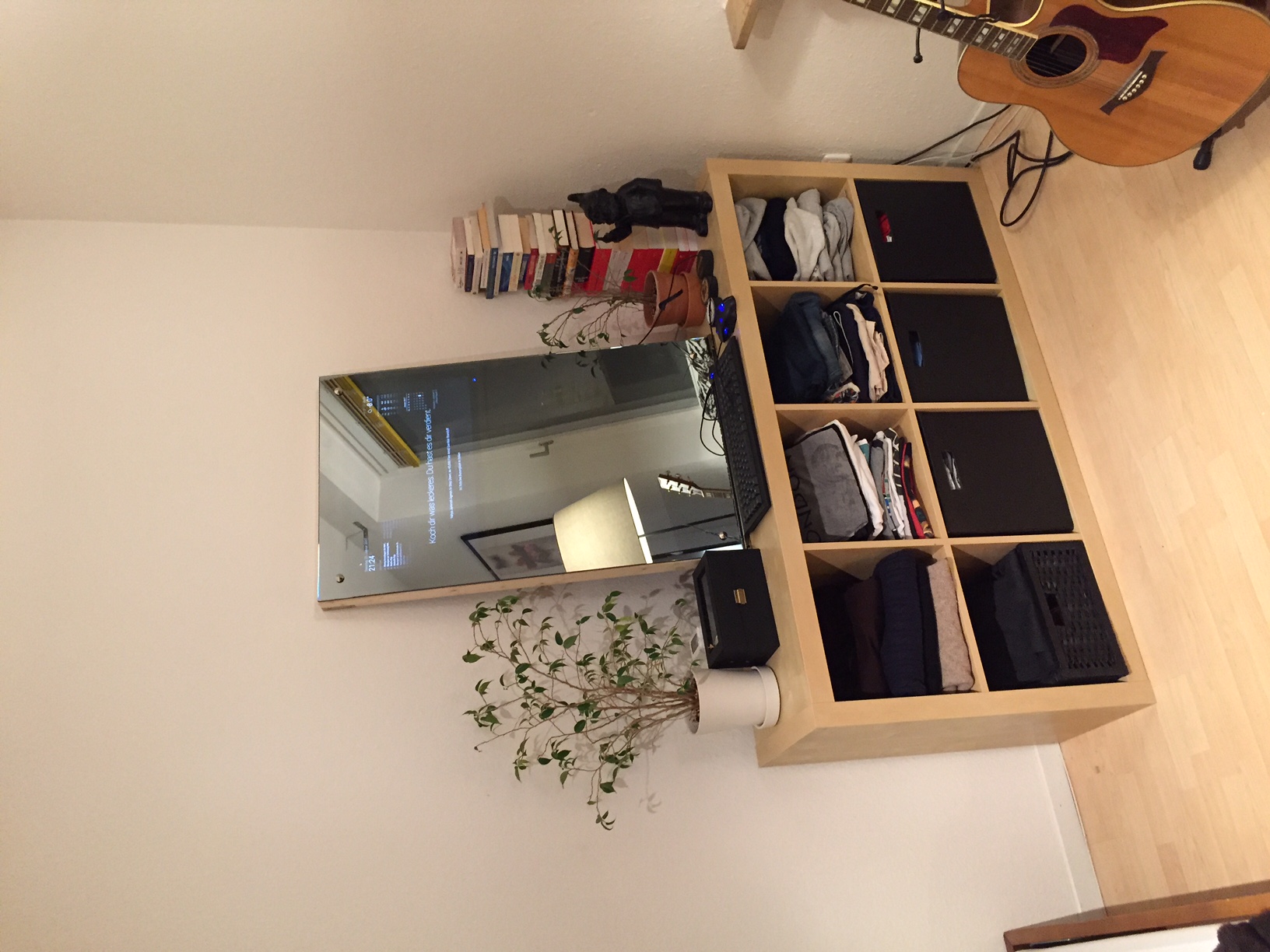
Dear guys,
I am finally done with my first MM2- project.
Thank you very much for your great support and ideas to finish this project.
There are only a few things left to work on:
Best regards, Paul
You will find attached to this topic a few pictures.
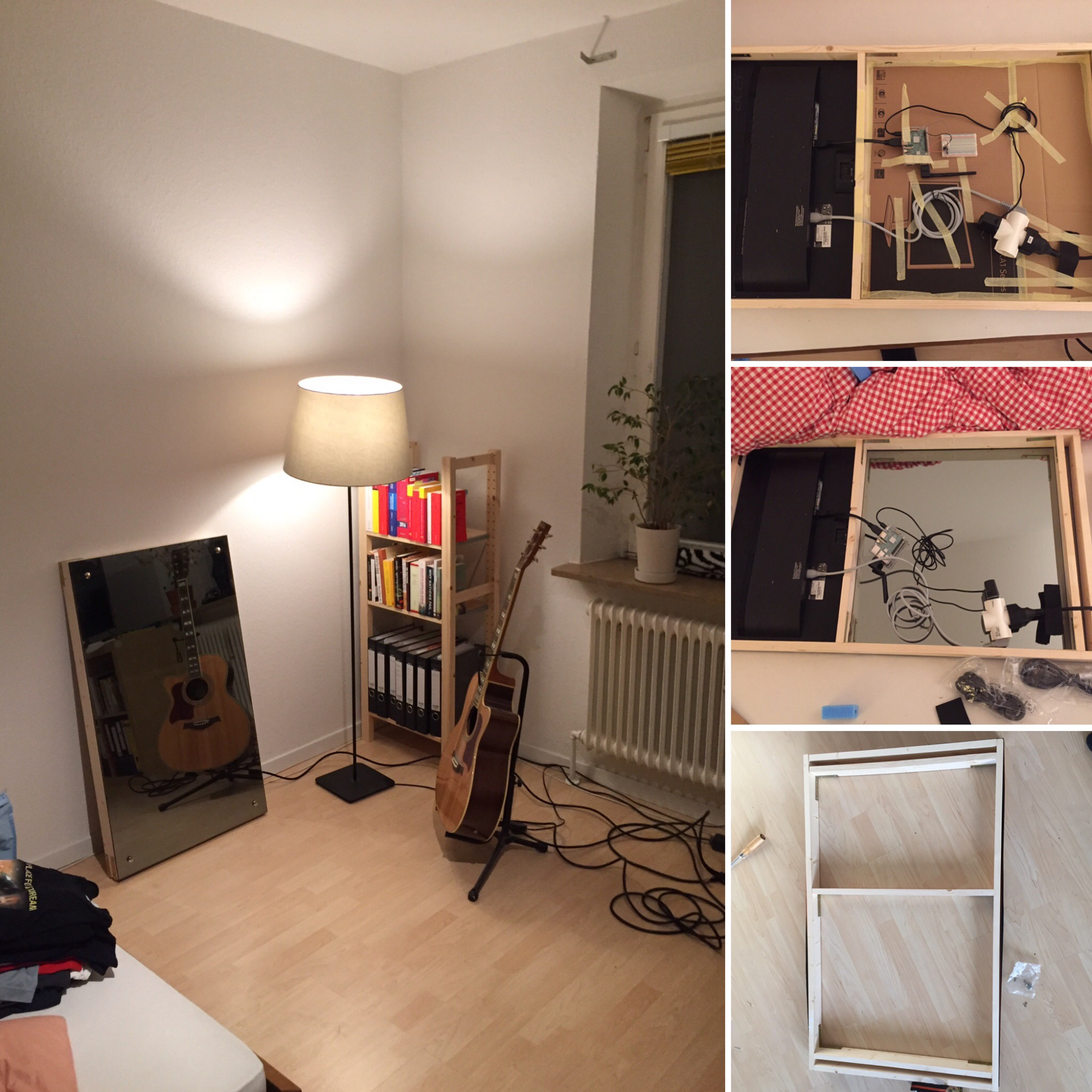
Dear guys,
Ive tried to run this skript,nevertheless it’s showing me ‘undefined’ when I am running it in MM-Mode.
Ive already checked the Pin setup and it should be right. Furthermore Ive checked your advises in the posts above me.
Do you have an idea how to fix this error or even how to get an idea where the error is? :D
Kind regards :)
Nice work done. Your idea with the LEDs is pretty cool.
I just thought about not running the monitor all the time, cause of overheating. My Mirror will be 5,5 cm thick so I think that there should be enough room, that the warm air can flow away.
Nevertheless, thank you for your input :)
Hey guys, I was wondering if you use a power switch for your setup?
My original idea, was to use the normal power cable and the module of @Jopyth .
Do you think this is a good combination, or should I use an extra powerswitch for the monitor and raspberry pi?
Furthermore I would like to ask if you use holes in your frame to support the cooling of your mirror?
Kind regards from Germany,
PaulB